插件中文资料库
中文说明、玩家点评、适用场景和替代推荐,方便快速判断是否适合你。
- 背包、银行和物品整理
- 界面布局、头像框、姓名板和动作条优化
 RightClickSelfCast
 FollowerLocationInfo
 TooltipRealmInfo
Spacekebabi's ExtendedUI 插件下载与使用指南
本页整理了 Spacekebabi's ExtendedUI 的功能用途、适用人群、安装方法和常见问题,方便玩家快速判断是否需要安装。
适合谁用
Spacekebabi's ExtendedUI 是一款 动作条 / 音频与视频 / 背包与库存 / HUD界面 / 增益与减益 类插件,适合需要优化界面、提升操作效率或补充游戏信息提示的魔兽世界玩家。
基本信息
- 插件作者:user_dsfndz2bfgtuqel4
- 插件分类:动作条 / 音频与视频 / 背包与库存 / HUD界面 / 增益与减益
- 适配版本:2.5.5
- 累计下载:34
安装方法
- 点击上方下载按钮获取 Spacekebabi's ExtendedUI插件文件。
- 解压后将插件文件夹放入 World of Warcraft/_retail_/Interface/AddOns 目录。
- 重启游戏或在角色界面点击插件,确认 Spacekebabi's ExtendedUI 已启用。
- 如果插件不生效,请检查版本是否匹配,或关闭同类冲突插件后重试。
使用建议
Spacekebabi's ExtendedUI 安装后建议先在角色界面确认已启用,进入游戏后根据插件提供的命令、小地图按钮或设置面板进行调整。如遇到报错,可先单独启用该插件排查冲突。
Spacekebabi's ExtendedUI 常见问题
Spacekebabi's ExtendedUI 适合需要 动作条 / 音频与视频 / 背包与库存 / HUD界面 / 增益与减益 类功能的玩家,特别是希望提升游戏便利性、界面管理或战斗信息获取效率的用户。
下载后解压到 Interface/AddOns 目录,然后重启游戏并在角色界面启用插件。
常见原因是目录多套一层、游戏版本不匹配、依赖插件缺失或同类插件冲突。
可以查看本页的替代插件推荐和相关插件区域,按下载量和分类选择同类工具。
插件 AI 问答
可以问:这个插件正式服能用吗、和 DBM 冲突吗、怎么设置、有没有替代插件。
Spacekebabi's ExtendedUI 是一款魔兽世界插件,主要用于界面框架、头像、动作条或冷却显示优化、增益、减益、光环或职业状态监控、背包、银行、专业制造或物品整理。建议根据自己的版本和插件环境先测试兼容性。
插件用途
Spacekebabi's ExtendedUI 主要面向需要背包与库存功能的玩家,用来改善游戏体验、减少重复操作或补充默认界面没有直接提供的信息。
适用场景
- 界面框架、头像、动作条或冷却显示优化
- 增益、减益、光环或职业状态监控
- 背包、银行、专业制造或物品整理
使用建议
安装后建议先在角色选择界面或插件管理器中确认已启用,再进入游戏测试是否与现有整合包、WA 和其他插件冲突。如遇报错,可以先禁用同类插件排查。
TBC anniversary edition happened, and i wanted some quality of life.
The addon started as a actionbar enchancer, i wanted proc effects on the skills and or effects when i missed a buff etc.
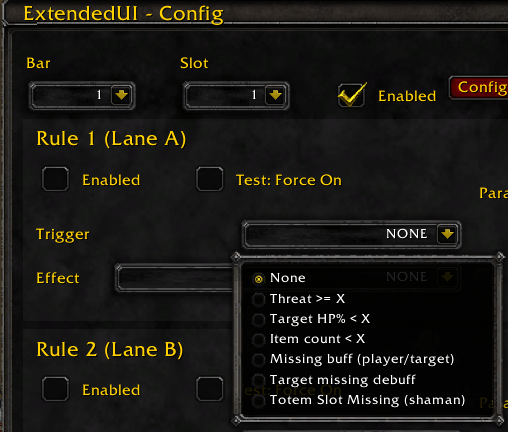
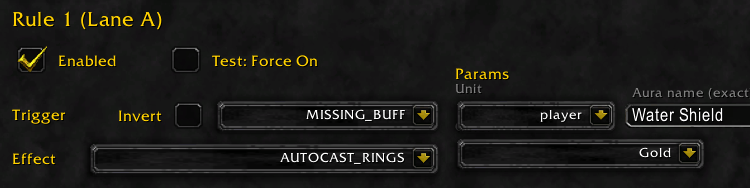
Since the contents of the slot doesnt matter, you could also make it look for a existing buff with the invert sheckmark. Lets say a burst window with your most damaging skill glowing up!
This exploded into an added Bufftracker.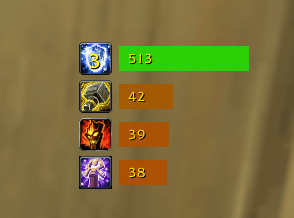
This escalated into a Onebag.
This quickly became a searchable bag. (Hold shift to drag this one)
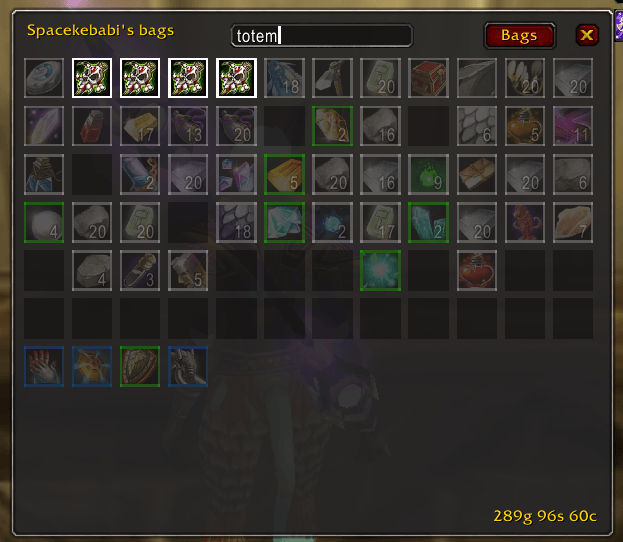
Then, why not? I'm playing a shaman anyway let's do a totemtracker.
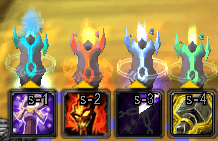
Oh yeah you know what would be nice? a flyout to replace a totem with another totem of the same element. Oh yeah a prominent indicator of what element totem i have active would be cool aswell!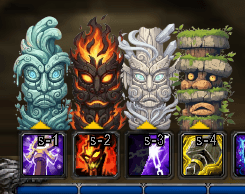
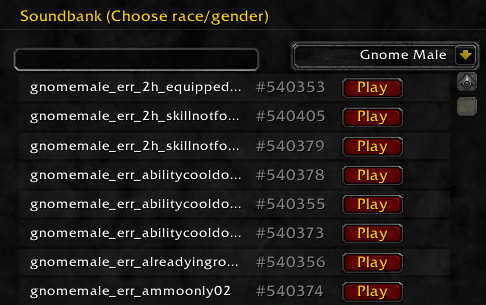
Dang! My female draenei is not nearly as cool as a male gnome..... Can ik make her sound like him?(Yes)
Since i'm also somewhat lazy, i scan for errors that happen, and save them to be replaced with the custom sound ID. Which i scraped from the wow DB and supplied with a nice dropdown sorted by Race and Gender. This was wild! (you would need to turn off vanilla error speech)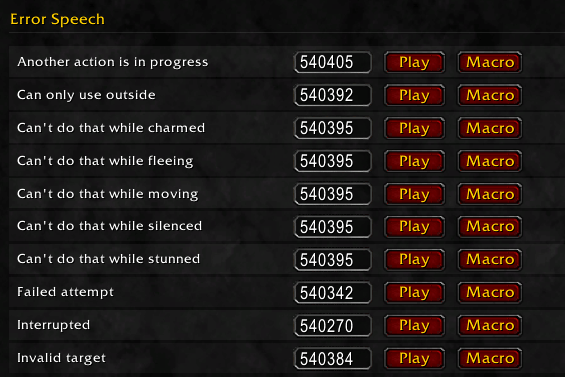
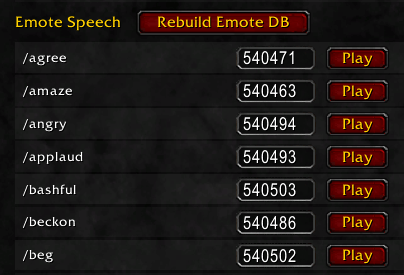
uff, i kinda also want a weakauras lite effect for buffs and or missing buffs because i have the attentionspan of a hyperactive squirrel. 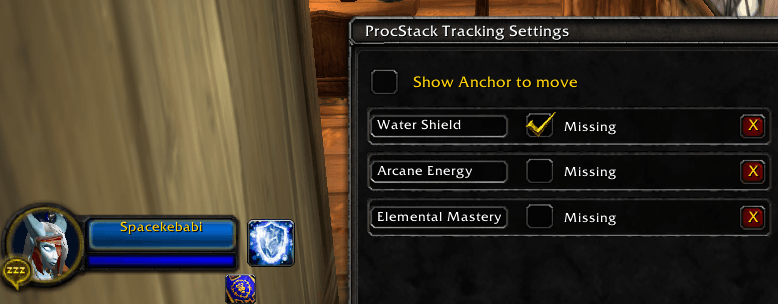
This works for me as a onestop package. And tought perhaps there are more people who would enjoy this.
Everything except the flyout logic is toggleable. Not configuring something means its vanilla.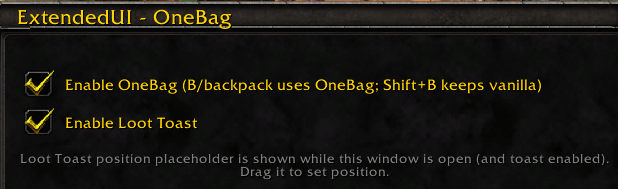
Toggle the totemtracker (only visible if you play a Shaman) toggles between off, art with 2 sets of art, or the Draenei 3d art of the totems. (i'm alliance sue me.)
This one scans the spellbook for stuff with timers. Which would mean it tracks debuffs.... but i have not tested this try at your own risk. Select the spells you want to track in the tracker.
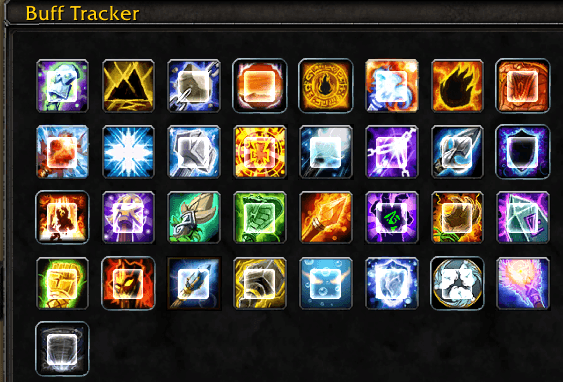
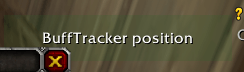
When you have this config open you can drag this anchor point:
If you dont see it, its behind the config, which you can drag out of the way.
Every single slot is configurable
Pressing Configure ProcStack you get: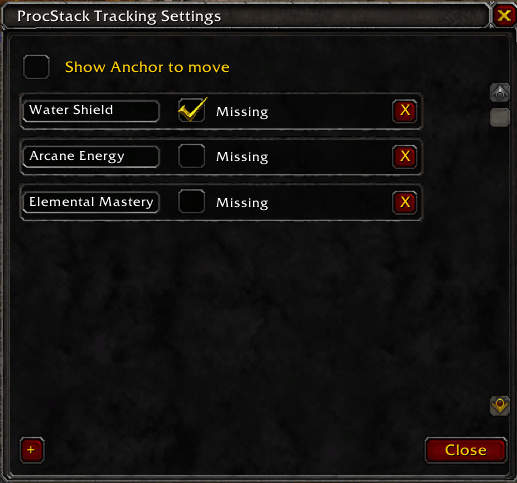
selecting show anchor point makes the effect dragable where you want it to rest.
Pressing the + icon at the bottom adds a row. The rest of the logic should be self explaining.
As a shaman having a totem in a slot makes the slot a flyout slot. (and if tracker is also enabled this slot will have the art/3d model)
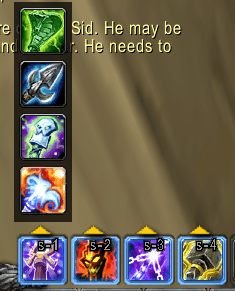
As a Warlock you get the summons in this fashion

As a Mage the teleports and portals (I dont have a mage, so feedback would help here.)
The screwdriver opens the main menu: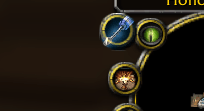
So does /exui
So far this works for classic tbc anniversary edition
用户评价
暂无 / 5,0 条评价相关推荐
继续看看这些内容
