插件中文资料库
中文说明、玩家点评、适用场景和替代推荐,方便快速判断是否适合你。
- 拍卖行、交易和金币管理
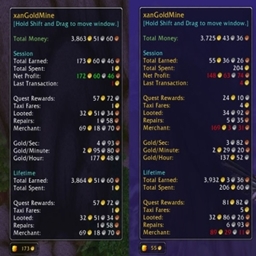 xanGoldMine
 Gold Stock Summary
 Sleek Gold Loot
Pocket CFO 插件下载与使用指南
本页整理了 Pocket CFO 的功能用途、适用人群、安装方法和常见问题,方便玩家快速判断是否需要安装。
适合谁用
Pocket CFO 是一款 拍卖与商业 / 珠宝加工 / 锻造 / 附魔 / 专业技能 类插件,适合需要优化界面、提升操作效率或补充游戏信息提示的魔兽世界玩家。
基本信息
- 插件作者:MerchantClassGaming
- 插件分类:拍卖与商业 / 珠宝加工 / 锻造 / 附魔 / 专业技能
- 适配版本:12.1.5
- 累计下载:1
安装方法
- 点击上方下载按钮获取 Pocket CFO插件文件。
- 解压后将插件文件夹放入 World of Warcraft/_retail_/Interface/AddOns 目录。
- 重启游戏或在角色界面点击插件,确认 Pocket CFO 已启用。
- 如果插件不生效,请检查版本是否匹配,或关闭同类冲突插件后重试。
使用建议
Pocket CFO 安装后建议先在角色界面确认已启用,进入游戏后根据插件提供的命令、小地图按钮或设置面板进行调整。如遇到报错,可先单独启用该插件排查冲突。
Pocket CFO 常见问题
Pocket CFO 适合需要 拍卖与商业 / 珠宝加工 / 锻造 / 附魔 / 专业技能 类功能的玩家,特别是希望提升游戏便利性、界面管理或战斗信息获取效率的用户。
下载后解压到 Interface/AddOns 目录,然后重启游戏并在角色界面启用插件。
常见原因是目录多套一层、游戏版本不匹配、依赖插件缺失或同类插件冲突。
可以查看本页的替代插件推荐和相关插件区域,按下载量和分类选择同类工具。
插件 AI 问答
可以问:这个插件正式服能用吗、和 DBM 冲突吗、怎么设置、有没有替代插件。
# PocketCFO
**Stop guessing. Know which crafts and orders actually make you gold.**
Every crafter does the same math over and over: open an order, add up the mats, guess what Resourcefulness gives back, check the AH, decide. One order at a time, in your head or in a spreadsheet.
PocketCFO does that math for you, everywhere you craft.
*Built by Merchant Class Gaming. Some players raid. Some PvP. We make gold.*
---
## Pick your orders in seconds
**The Orders Board**
See profit and Knowledge Point rewards for every order right on Blizzard's order list. No clicking into each one. Scan the board, cherry-pick the winners, skip the rest.
**Order Profit**
Open any order and see exactly what it makes you: the mats you supply, the commission, the rewards, all added up. No addon does this, and the game doesn't either.
On our own characters, working orders this way turns into 1,000 to 2,000 gold a day per crafting profession, in a few minutes.
Switch between The War Within and Midnight orders right from the Orders screen.
---
## Make it or buy it?
Click any recipe and PocketCFO tells you whether to craft it or just buy it off the Auction House. It does the same for everything in between:
- Should you prospect for gems, or buy the gems?
- Which ore gives you the most gold when you prospect it?
- Make your gem dust, or buy it?
- What's the cheapest way to get the crafting materials you need from milling, prospecting, or recycling?
## Real prices, not the cheapest listing
Most tools price your mats at whatever the lowest auction is. That number is often wrong: one cheap listing, a few units deep, gone in a minute. PocketCFO builds a real value for every item from the whole Auction House, so your costs and profits reflect what you'd actually pay and earn.
## Resourcefulness and Multicraft, actually calculated
Blizzard doesn't tell you all of the math used to calculate what Resourcefulness saves or what Multicraft produces. We worked out the hidden math. PocketCFO uses it to show what you'll really get back on every craft, so your profit numbers include it instead of ignoring it.
---
## Also included
- **Gold Tracker**: gold on every character plus your account total (`/mcg gold`)
- **Concentration value**: see what each point of Concentration is earning you
## Prices
PocketCFO gets its prices from the Auction House. Visit the AH and run a price scan to load current prices.
## Feedback
Bugs, ideas, or questions? Join the Merchant Class Gaming Discord or leave a comment here.
## Beta features (off by default)
Turn these on in **Options > AddOns > Pocket CFO** or with `/mcg settings` at your own discresion. These are beta features and a bit quirky in current state. You also have a higher likelyhood of experiencing bugs when using these features:
- **Inventory Manager**: set how much of each item you want on hand and get a craft list
- **Auction House Posting**: Post, Cancel, and posting rules on the AH
CurseForge: https://www.curseforge.com/wow/addons/pocketcfo用户评价
暂无 / 5,0 条评价相关推荐
继续看看这些内容
