插件详情
插件中文资料库
中文说明、玩家点评、适用场景和替代推荐,方便快速判断是否适合你。
玩家一句话点评
Scrolling Chat Text 适合需要聊天与通讯、界面增强或玩法辅助的玩家,建议结合自己的职业和版本先测试再长期使用。
适用场景
- 副本、团队本和大秘境战斗提醒
- 界面布局、头像框、姓名板和动作条优化
 Details! Mythic+ Scoreboard
 Copy Anything
 BagSync
Scrolling Chat Text 插件下载与使用指南
本页整理了 Scrolling Chat Text 的功能用途、适用人群、安装方法和常见问题,方便玩家快速判断是否需要安装。
适合谁用
Scrolling Chat Text 是一款 聊天与通讯 / 公会 类插件,适合需要优化界面、提升操作效率或补充游戏信息提示的魔兽世界玩家。
基本信息
- 插件作者:Dimsai
- 插件分类:聊天与通讯 / 公会
- 适配版本:4.4.2,3.4.2,5.5.4,12.1.0,2.5.6,1.15.9,1.60.1
- 累计下载:37
安装方法
- 点击上方下载按钮获取 Scrolling Chat Text插件文件。
- 解压后将插件文件夹放入 World of Warcraft/_retail_/Interface/AddOns 目录。
- 重启游戏或在角色界面点击插件,确认 Scrolling Chat Text 已启用。
- 如果插件不生效,请检查版本是否匹配,或关闭同类冲突插件后重试。
使用建议
Scrolling Chat Text 安装后建议先在角色界面确认已启用,进入游戏后根据插件提供的命令、小地图按钮或设置面板进行调整。如遇到报错,可先单独启用该插件排查冲突。
Scrolling Chat Text 常见问题
这个插件适合哪些玩家?
Scrolling Chat Text 适合需要 聊天与通讯 / 公会 类功能的玩家,特别是希望提升游戏便利性、界面管理或战斗信息获取效率的用户。
下载后怎么安装?
下载后解压到 Interface/AddOns 目录,然后重启游戏并在角色界面启用插件。
为什么插件不显示或不生效?
常见原因是目录多套一层、游戏版本不匹配、依赖插件缺失或同类插件冲突。
有没有类似插件可以替代?
可以查看本页的替代插件推荐和相关插件区域,按下载量和分类选择同类工具。
插件 AI 问答
可以问:这个插件正式服能用吗、和 DBM 冲突吗、怎么设置、有没有替代插件。
Scrolling Chat Text 是一款魔兽世界插件,主要用于团队分配、Roll 点记录或公会管理。建议根据自己的版本和插件环境先测试兼容性。
插件用途
Scrolling Chat Text 主要面向需要聊天与通讯功能的玩家,用来改善游戏体验、减少重复操作或补充默认界面没有直接提供的信息。
适用场景
- 团队分配、Roll 点记录或公会管理
使用建议
安装后建议先在角色选择界面或插件管理器中确认已启用,再进入游戏测试是否与现有整合包、WA 和其他插件冲突。如遇报错,可以先禁用同类插件排查。
Scrolling Chat Text
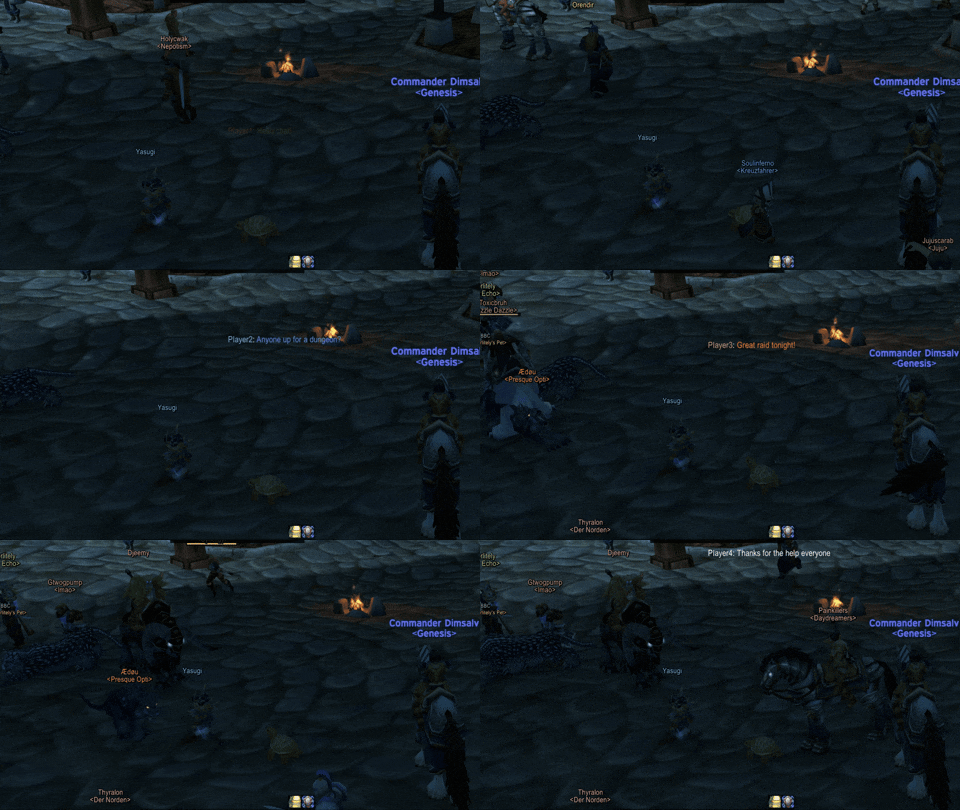
Smart Message Filtering
- Filter messages by keywords with multiple match types (Begins with, Ends with, Contains, Exact Match)
- Case-sensitive and case-insensitive filtering options
- Enable/disable individual filters on the fly
- Default filter included for World Buff announcements
Customizable Display
- Adjustable frame size, position, and transparency
- Customizable font, font size, and text colors
- Optional background with adjustable opacity
- Control which chat types to display (Guild, Party, Raid, Whispers, etc.)
- Choose to show or hide your own messages
Emoji Support
- Full integration with TwitchEmotes addon
- Displays both static and animated emotes
- Smooth animation system for dynamic emojis
Multi-Version Compatibility
- Automatically detects your WoW version
- Proper class color support for all available classes per expansion
- Seamless experience across Classic Era, TBC, WotLK, Cata, MoP, and Retail
Commands
- /sct config - Open the options panel
- /sct test - Display scrolling test messages
- /sct stop - Stop the test
用户评价
暂无 / 5,0 条评价免费插件下载后可以评价;付费插件 / WA 购买后可以评价;委托订单完成后可以评价。
暂无评价。
相关推荐
继续看看这些内容
