插件中文资料库
中文说明、玩家点评、适用场景和替代推荐,方便快速判断是否适合你。
- 副本、团队本和大秘境战斗提醒
- 拍卖行、交易和金币管理
- 界面布局、头像框、姓名板和动作条优化
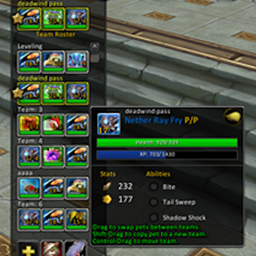 PetBattle Teams Reloaded
 Blocky Chat
 LuraHelper_Enklawa
Spam Blocker 插件下载与使用指南
本页整理了 Spam Blocker 的功能用途、适用人群、安装方法和常见问题,方便玩家快速判断是否需要安装。
适合谁用
Spam Blocker 是一款 聊天与通讯 类插件,适合需要优化界面、提升操作效率或补充游戏信息提示的魔兽世界玩家。
基本信息
- 插件作者:ItsZiliya
- 插件分类:聊天与通讯
- 适配版本:1.15.8,2.5.5,12.0.5,12.0.7
- 累计下载:0
安装方法
- 点击上方下载按钮获取 Spam Blocker插件文件。
- 解压后将插件文件夹放入 World of Warcraft/_retail_/Interface/AddOns 目录。
- 重启游戏或在角色界面点击插件,确认 Spam Blocker 已启用。
- 如果插件不生效,请检查版本是否匹配,或关闭同类冲突插件后重试。
使用建议
Spam Blocker 安装后建议先在角色界面确认已启用,进入游戏后根据插件提供的命令、小地图按钮或设置面板进行调整。如遇到报错,可先单独启用该插件排查冲突。
Spam Blocker 常见问题
Spam Blocker 适合需要 聊天与通讯 类功能的玩家,特别是希望提升游戏便利性、界面管理或战斗信息获取效率的用户。
下载后解压到 Interface/AddOns 目录,然后重启游戏并在角色界面启用插件。
常见原因是目录多套一层、游戏版本不匹配、依赖插件缺失或同类插件冲突。
可以查看本页的替代插件推荐和相关插件区域,按下载量和分类选择同类工具。
插件 AI 问答
可以问:这个插件正式服能用吗、和 DBM 冲突吗、怎么设置、有没有替代插件。
Spam Blocker 是一款魔兽世界插件,主要用于副本、团本、大秘境或钥石辅助。建议根据自己的版本和插件环境先测试兼容性。
插件用途
Spam Blocker 主要面向需要聊天与通讯功能的玩家,用来改善游戏体验、减少重复操作或补充默认界面没有直接提供的信息。
适用场景
- 副本、团本、大秘境或钥石辅助
使用建议
安装后建议先在角色选择界面或插件管理器中确认已启用,再进入游戏测试是否与现有整合包、WA 和其他插件冲突。如遇报错,可以先禁用同类插件排查。
CleanChat — Block Spam. Keep Your Chat Clean.
CleanChat is a lightweight chat filter that silently removes the messages you never wanted to see in the first place — gold seller spam, repeated trade chat ads, non-Latin script messages, and any custom keywords you define yourself.
No clutter. No popups. It just works in the background.
What It Blocks
Non-Latin Script Detection Filters out messages containing Chinese, Japanese, Korean, or fullwidth characters — the kind overwhelmingly used by gold sellers and bots. Each script type can be toggled independently so you only block what you actually want gone.
Repeat Spam Detection Automatically learns when a player is sending the same message (or a near-identical one) over and over. Once the same message hits your configured threshold within a set time window, it gets silenced. It handles slight variations in wording too — the same ad with a tweaked word won't slip through.
Custom Keyword Blacklist Add your own words or phrases — one per line — and any message containing them gets blocked instantly. Good for filtering trade chat noise, server-specific spam patterns, or anything else you're tired of seeing.
Whitelist Protection Any word or phrase on your whitelist will never get blocked, even if it would otherwise match another filter. Useful for protecting guild names, player names, or terms that would otherwise get caught by keyword matching.
Settings Panel
Open it with /cc or find it under Interface Options.
- Master on/off toggle
- Per-filter toggles for script blocking, repeat detection, and keyword matching
- Sliders for repeat threshold, time window, and minimum message length
- Live block log showing exactly what was caught and why
- Clear log button to reset the history
Why CleanChat?
Most spam blockers are either too aggressive, too passive, or locked behind fixed rules you can't change. CleanChat gives you full control with sensible defaults that work immediately on first install — no configuration required unless you want to tune it.
It's built to be efficient. The filter resolves quickly per message and deduplicates across multiple chat frames so it never double-counts or over-blocks.
Commands
| Command | Action |
|---|---|
/cc |
Open settings panel |
Tested on Retail WoW (The War Within). No external libraries required.
CurseForge: https://www.curseforge.com/wow/addons/clean-chat-cjk-chinese-spam-blocker用户评价
暂无 / 5,0 条评价相关推荐
继续看看这些内容
