插件中文资料库
中文说明、玩家点评、适用场景和替代推荐,方便快速判断是否适合你。
- 界面布局、头像框、姓名板和动作条优化
 Copy Anything
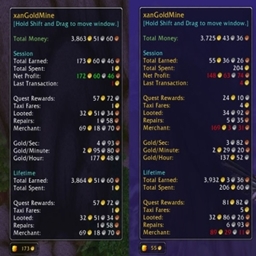 xanGoldMine
 LibCombatPulse
LibMovable-1.0 插件下载与使用指南
本页整理了 LibMovable-1.0 的功能用途、适用人群、安装方法和常见问题,方便玩家快速判断是否需要安装。
适合谁用
LibMovable-1.0 是一款 运行库 类插件,适合需要优化界面、提升操作效率或补充游戏信息提示的魔兽世界玩家。
基本信息
- 插件作者:Adirelle
- 插件分类:运行库
- 适配版本:7.0.3
- 累计下载:38
安装方法
- 点击上方下载按钮获取 LibMovable-1.0插件文件。
- 解压后将插件文件夹放入 World of Warcraft/_retail_/Interface/AddOns 目录。
- 重启游戏或在角色界面点击插件,确认 LibMovable-1.0 已启用。
- 如果插件不生效,请检查版本是否匹配,或关闭同类冲突插件后重试。
使用建议
LibMovable-1.0 安装后建议先在角色界面确认已启用,进入游戏后根据插件提供的命令、小地图按钮或设置面板进行调整。如遇到报错,可先单独启用该插件排查冲突。
LibMovable-1.0 常见问题
LibMovable-1.0 适合需要 运行库 类功能的玩家,特别是希望提升游戏便利性、界面管理或战斗信息获取效率的用户。
下载后解压到 Interface/AddOns 目录,然后重启游戏并在角色界面启用插件。
常见原因是目录多套一层、游戏版本不匹配、依赖插件缺失或同类插件冲突。
可以查看本页的替代插件推荐和相关插件区域,按下载量和分类选择同类工具。
插件 AI 问答
可以问:这个插件正式服能用吗、和 DBM 冲突吗、怎么设置、有没有替代插件。
LibMovable-1.0 是一个插件依赖库,为其他插件提供数据或功能支持。
插件用途
LibMovable-1.0 主要面向需要运行库功能的玩家,用来改善游戏体验、减少重复操作或补充默认界面没有直接提供的信息。
适用场景
- 界面框架、头像、动作条或冷却显示优化
- 插件库、数据接口或依赖支持
使用建议
安装后建议先在角色选择界面或插件管理器中确认已启用,再进入游戏测试是否与现有整合包、WA 和其他插件冲突。如遇报错,可以先禁用同类插件排查。
LibMovable-1.0
This library allows addon developers to quickly and easily setup user-positionable frames.
End-user features
LibMovable-1.0 works using a lock/unlock mechanism. When unlocked, the position of the frames are shown with colored overlays, even if the frames are hidden. The user can then move the frames around by dragging the overlays and rescale them using the mousewheel ; x- or y-axis locking is available through modifier keys. There is no need to enable mouse interaction with the frames.
Here is the meaning of the overlay colors:
- green overlays denote unlocked frames, that can be moved freely,
- red overlays denote secure frames that are locked because of the combat restriction,
- grey overlays denote disabled frames (if the addon provides such mechanism, see below).
If a “movable” frame is anchored to another one using :SetPoint, LibMovable-1.0 displays the link. The user can separate either move the first frame, keeping all the frames together, or move the second one to break the link and place the frame wherever he wants. Resetting the frame position restores the anchor.
Overlays are labelled and show a tooltip with some usage guidelines. They also provides a dropdown menu with a few options.
LibMovable-1.0 supports one-click config mode.
Developer features
LibMovable-1.0 works by registering each target frame. The frame should be anchored in its default position prior to registering. Overlays automatically fills the whole frame space. In case of variable size, one can pass another frame to fill.
LibMovable-1.0 saves and restores frame positions and scales from any table passed to the register function ; one can also pass a callback that returns such table (handy to handle AceDB profiles).
LibMovable-1.0 can be embedded in any AceAddon addons (including modules) and automatically disable all addon overlays when the addon is disabled. Frames can be (un)locked individually or all at once.
When adding the proper methods to the target frame, LibMovable-1.0 adds some options to enable and disable it.
License
LibMovable-1.0 is licensed using the GPL v3.
CurseForge: https://www.curseforge.com/wow/addons/libmovable-1-0用户评价
暂无 / 5,0 条评价相关推荐
继续看看这些内容
