插件中文资料库
中文说明、玩家点评、适用场景和替代推荐,方便快速判断是否适合你。
- 任务路线、地图标记和野外探索
- 界面布局、头像框、姓名板和动作条优化
 Details! Mythic+ Scoreboard
 TankMD Misdirect
 RightClickSelfCast
TomCat's Tours ( now includes the Midsummer Fire Festival and A Greedy Emissary ) 插件下载与使用指南
本页整理了 TomCat's Tours ( now includes the Midsummer Fire Festival and A Greedy Emissary ) 的功能用途、适用人群、安装方法和常见问题,方便玩家快速判断是否需要安装。
适合谁用
TomCat's Tours ( now includes the Midsummer Fire Festival and A Greedy Emissary ) 是一款 地图与小地图 / 成就 / 首领战斗 / 任务与升级 类插件,适合需要优化界面、提升操作效率或补充游戏信息提示的魔兽世界玩家。
基本信息
- 插件作者:TomCat
- 插件分类:地图与小地图 / 成就 / 首领战斗 / 任务与升级
- 适配版本:12.0.7,12.1.0
- 累计下载:36
安装方法
- 点击上方下载按钮获取 TomCat's Tours ( now includes the Midsummer Fire Festival and A Greedy Emissary )插件文件。
- 解压后将插件文件夹放入 World of Warcraft/_retail_/Interface/AddOns 目录。
- 重启游戏或在角色界面点击插件,确认 TomCat's Tours ( now includes the Midsummer Fire Festival and A Greedy Emissary ) 已启用。
- 如果插件不生效,请检查版本是否匹配,或关闭同类冲突插件后重试。
使用建议
TomCat's Tours ( now includes the Midsummer Fire Festival and A Greedy Emissary ) 安装后建议先在角色界面确认已启用,进入游戏后根据插件提供的命令、小地图按钮或设置面板进行调整。如遇到报错,可先单独启用该插件排查冲突。
TomCat's Tours ( now includes the Midsummer Fire Festival and A Greedy Emissary ) 常见问题
TomCat's Tours ( now includes the Midsummer Fire Festival and A Greedy Emissary ) 适合需要 地图与小地图 / 成就 / 首领战斗 / 任务与升级 类功能的玩家,特别是希望提升游戏便利性、界面管理或战斗信息获取效率的用户。
下载后解压到 Interface/AddOns 目录,然后重启游戏并在角色界面启用插件。
常见原因是目录多套一层、游戏版本不匹配、依赖插件缺失或同类插件冲突。
可以查看本页的替代插件推荐和相关插件区域,按下载量和分类选择同类工具。
插件 AI 问答
可以问:这个插件正式服能用吗、和 DBM 冲突吗、怎么设置、有没有替代插件。
TomCat's Tours ( now includes the Midsummer Fire Festival and A Greedy Emissary ) 是一款魔兽世界插件,主要用于界面框架、头像、动作条或冷却显示优化、地图、区域、任务路线或交通提醒。建议根据自己的版本和插件环境先测试兼容性。
插件用途
TomCat's Tours ( now includes the Midsummer Fire Festival and A Greedy Emissary ) 主要面向需要成就功能的玩家,用来改善游戏体验、减少重复操作或补充默认界面没有直接提供的信息。
适用场景
- 界面框架、头像、动作条或冷却显示优化
- 地图、区域、任务路线或交通提醒
使用建议
安装后建议先在角色选择界面或插件管理器中确认已启用,再进入游戏测试是否与现有整合包、WA 和其他插件冲突。如遇报错,可以先禁用同类插件排查。
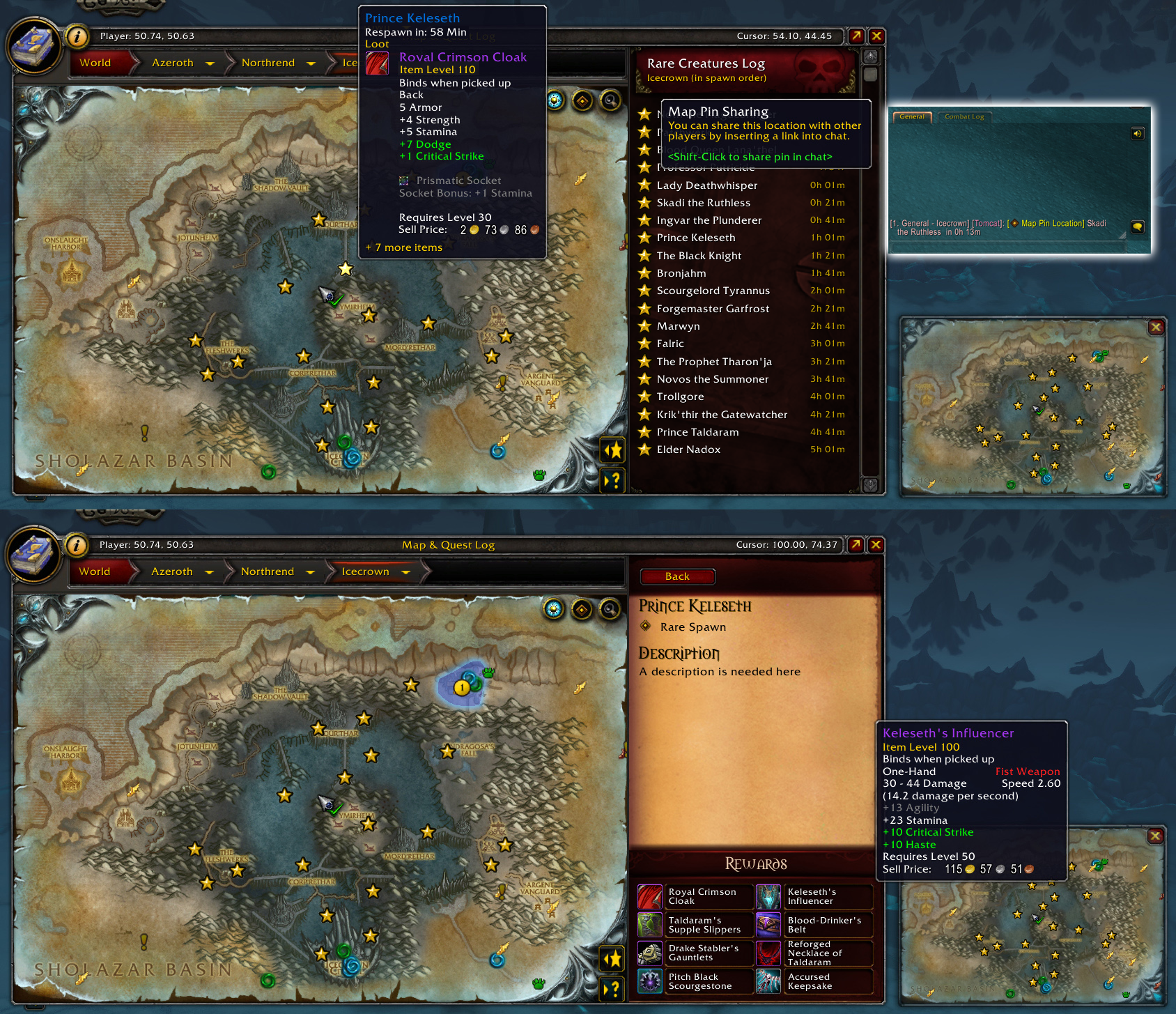
TBC players get: Retail-look-and-feel for your world map and (soon) quest log
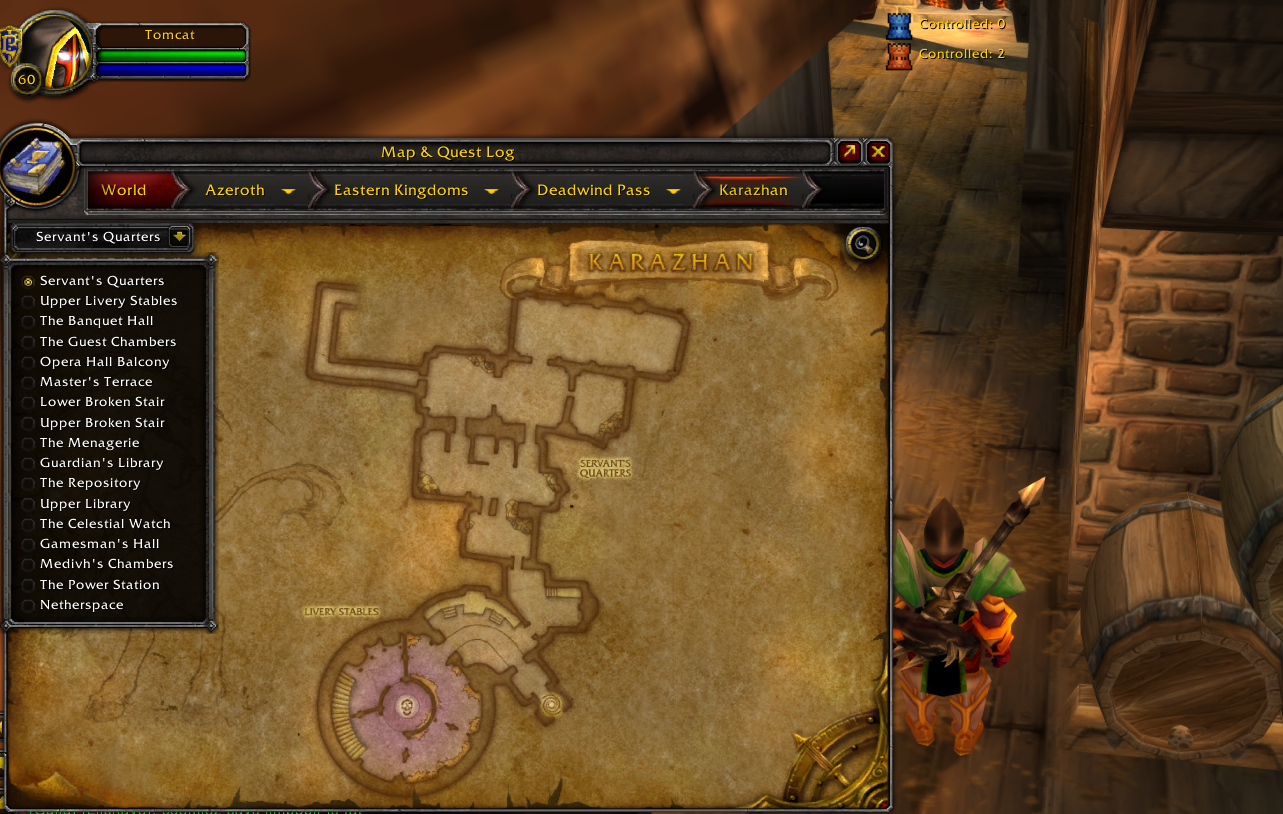
Features for Classic / TBC:
- Retail Feature Pack for Classic includes:
- Retail look and feel for the world map and quest interfaces
- World map minimize / maximize
- World map pan and zoom (scroll wheel to zoom in)
- World map fades when you are moving and when minimized - this can be disabled by typing /console mapFade "0"
- All dungeon and raid maps
- Map icons for dungeon locations
- Click the dungeon instance location on the world map to view the dungeon map from anywhere
Additional features being worked on:
- Quest log docked to the map coming soon
- Quest markers and outlines on the map coming soon
- Quest/Dungeon objectives tracker coming soon
- Quest objectives on NPC and object tooltips coming soon
Note for ElvUI users: You'll probably want to disable the 'smaller map' feature in ElvUI or the map could get pretty small.
Features for Retail:
- Map markers for all rare spawns from BfA through Shadowlands, including Korthia and The Maw!
- Various holiday toolkits
Support links, including live support, are available at https://www.TomCatsTours.com
 |
 |
March 2, 2021:
The Shadowlands Rares features are now available within TomCat's Tours! To enable them, click the black cat icon or type /tomcats in your in-game chat window. You can then 'Enable the Beta Features' from there.
Frequently asked questions:
Q: What does TomCat's Tours provide (see list at the top of the page for the most up-to-date)?
A: Primarily, TomCat's Tours marks the locations of rare creatures and what notable loot they drop (mounts, pets, toys). There are also additional features that show up during some of the bigger WoW holidays, such as currently, Love is in the Air, and Lunar Festival. For the rares, you can expect to find everything you need for any of special patch content released during BfA starting with Arathi Highlands on forward. For Shadowlands, you will have to enable the beta features. (Shadowlands only) See the control panel by clicking the black cat icon on your minimap or by typing /tomcats in the in-game chat window.
Q: Why are there strobing minimap buttons on my map (and how do I stop them from strobing)?
A: The strobe effect will only occur occasionally when there is special information or an event taking place, such as when the Love is in the Air and Lunar Festival holidays were taking place and features were enabled especially for these holidays. Clicking the icon once when this happens will stop the strobing for that event.
Q: I don't care about ______ holiday. How do I hide its minimap icon?
A: Whenever a holiday becomes active, its minimap button will become available. If you want to hide the button until next year, you can do this in the TomCat's Tours control panel. Type /tomcats in your in-game chat window to access these settings or click the black cat icon on your minimap (Shadowlands only).
Q: How do I access the control panel?
A: type /tomcats in your in-game chat window, or click the black cat icon on your minimap (Shadowlands only). There are no configuration options for Classic/TBC at this time.
Q: How do I use the chat commands (slash commands) in Shadowlands?
A: Currently there is only one chat command as it is a shortcut to the addon configuration panel. Type /tomcats in the in-game chat window to get there, or you can go to the game menu, then to interface, click the addons tab, and TomCat's Tours is listed on the left side.
Q: Why did you do _______ the way you did it instead of ________ ?!?!?!
A: There is a lot of thought that goes into my designs, but there has to be a balance when figuring out what can be provided in X amount of time. If you see room for improvement, there's a good chance that I also already see it. Most meaningful feedback arrives within a day or two of an addon update. I have to consider how several hundred thousand players may try to use the addons. I might guess correctly for the vast majority of players, but I won't understand every player unless I get feedback from those I didn't guess correctly for. Sometimes it's just a matter of having to take a few shortcuts (i.e. using a minimap button instead of a nicer control panel, or using slash commands) so that everyone can at least accomplish what they want to with the addon. That's first. Second is making it so everyone can accomplish what they want HOW they want to do it. Please remember this when wanting to give feedback or asking for help with the addons.
Q: If I still have questions, what do I do?
A: You can send me a direct message here on Curseforge, join my Discord server, or visit me when I'm streaming live on Twitch. The main purpose of the live stream is to be able to provide help to players in a more interactive way where I can show you what's on my screen, but I also play WoW live, discuss other topics, and even develop the addons live... so please do stop by! All links can be found at:
The remainder of this page is the original addon description as it has evolved since 2018 and some parts might not be up to date yet. See the previous Q&A for the latest:
For help:
Support links, including live support, are available at https://www.TomCatsTours.com
|
|

test
CurseForge: https://www.curseforge.com/wow/addons/tomcats用户评价
暂无 / 5,0 条评价相关推荐
继续看看这些内容
