插件中文资料库
中文说明、玩家点评、适用场景和替代推荐,方便快速判断是否适合你。
- 副本、团队本和大秘境战斗提醒
- 界面布局、头像框、姓名板和动作条优化
- 伤害、治疗、仇恨和战斗数据统计
 Details! Mythic+ Scoreboard
 BagSync
 TankMD Misdirect
MurlokExport 插件下载与使用指南
本页整理了 MurlokExport 的功能用途、适用人群、安装方法和常见问题,方便玩家快速判断是否需要安装。
适合谁用
MurlokExport 是一款 首领战斗 / 职业 / PVP 类插件,适合需要优化界面、提升操作效率或补充游戏信息提示的魔兽世界玩家。
基本信息
- 插件作者:Tevoll
- 插件分类:首领战斗 / 职业 / PVP
- 适配版本:12.1.5
- 累计下载:47
安装方法
- 点击上方下载按钮获取 MurlokExport插件文件。
- 解压后将插件文件夹放入 World of Warcraft/_retail_/Interface/AddOns 目录。
- 重启游戏或在角色界面点击插件,确认 MurlokExport 已启用。
- 如果插件不生效,请检查版本是否匹配,或关闭同类冲突插件后重试。
使用建议
MurlokExport 安装后建议先在角色界面确认已启用,进入游戏后根据插件提供的命令、小地图按钮或设置面板进行调整。如遇到报错,可先单独启用该插件排查冲突。
MurlokExport 常见问题
MurlokExport 适合需要 首领战斗 / 职业 / PVP 类功能的玩家,特别是希望提升游戏便利性、界面管理或战斗信息获取效率的用户。
下载后解压到 Interface/AddOns 目录,然后重启游戏并在角色界面启用插件。
常见原因是目录多套一层、游戏版本不匹配、依赖插件缺失或同类插件冲突。
可以查看本页的替代插件推荐和相关插件区域,按下载量和分类选择同类工具。
插件 AI 问答
可以问:这个插件正式服能用吗、和 DBM 冲突吗、怎么设置、有没有替代插件。
MurlokExport 是一款魔兽世界插件,主要用于伤害统计、输出循环或战斗表现分析、副本、团本、大秘境或钥石辅助。建议根据自己的版本和插件环境先测试兼容性。
插件用途
MurlokExport 主要面向需要首领战斗功能的玩家,用来改善游戏体验、减少重复操作或补充默认界面没有直接提供的信息。
适用场景
- 伤害统计、输出循环或战斗表现分析
- 副本、团本、大秘境或钥石辅助
使用建议
安装后建议先在角色选择界面或插件管理器中确认已启用,再进入游戏测试是否与现有整合包、WA 和其他插件冲突。如遇报错,可以先禁用同类插件排查。
New: Consumables. The recommended flasks, potions, food, weapon buffs, enchants and gems for each specialization, and an Auction House panel to buy them (with the free Gorloc Consumables AddOn).
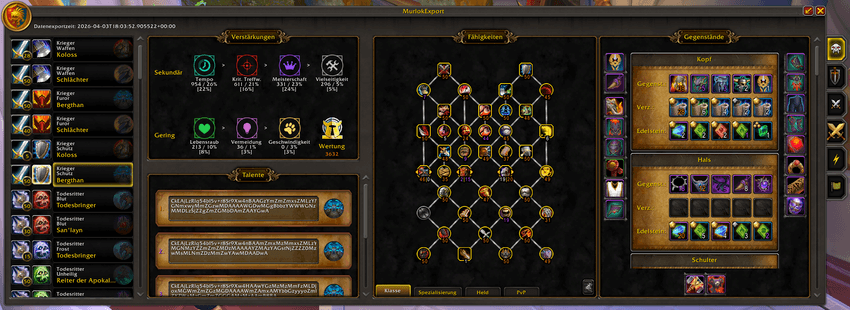
Maximized view (click the arrow in the upper right corner to maximize):
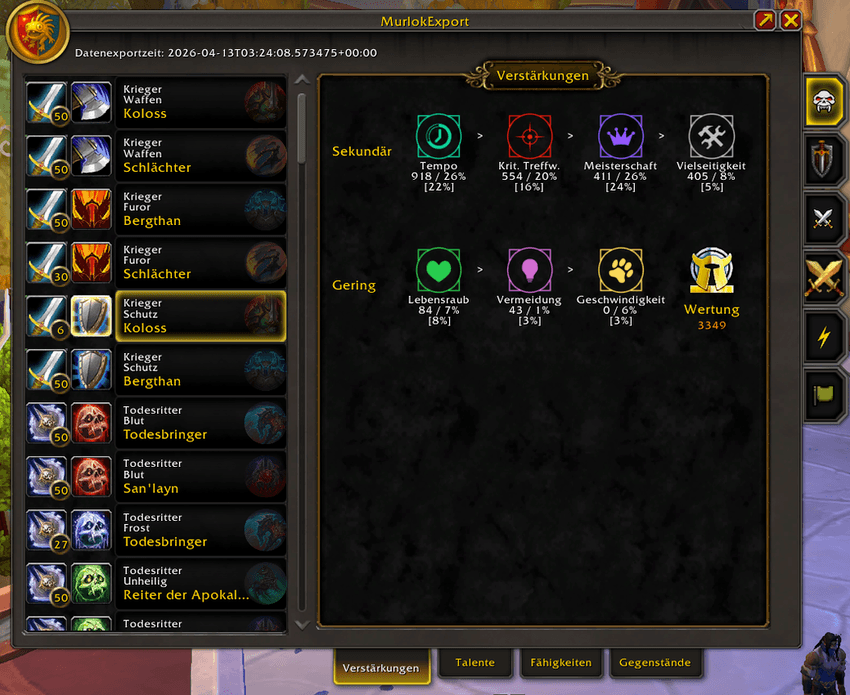
Compact view (click the arrow in the upper right corner to minimize):
This AddOn shows data from Murlok.io: what the top 50 rated players of every class/specialization/hero talent use in Mythic+ and PvP. The data is updated every day, so keep the AddOn up to date (for example with the CurseForge app) to get the latest ratings.
It shows an in-game summary for each class/specialization/hero combination in the following categories:
Summaries for Mythic+, Solo Shuffle, 2v2, 3v3, Blitz and Rated Battlegrounds, each on its own tab. Your character's class and specialization are preselected and appear at the top of the list. All other sections of this AddOn follow as soon as you select another class/specialization/hero combination.
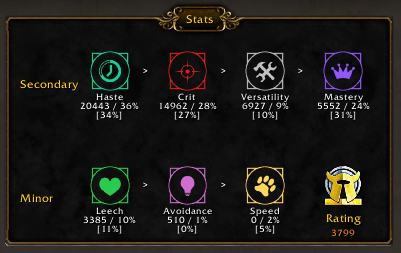
Secondary and minor stats ordered by importance: values and percentages are the average of the top 50 players. Percentages within the brackets are your own stat values.
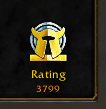
The rating of the best player is shown in the corner.
Talent strings of the top 5 players (the first one is from the best player): click the hero icon to import a string into a new talent loadout.
The new loadout gets a default name like "ME_<m+/solo/2v2…>_<date>".
You can delete any saved loadout with the hidden "cancel" button (be careful: there is no confirmation and deletion can't be undone).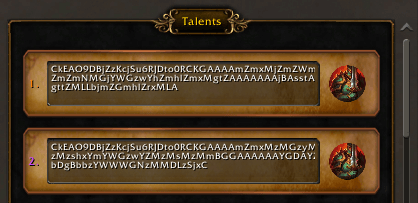
Preview before you import: compare your current traits with the ones from the selected loadout text.
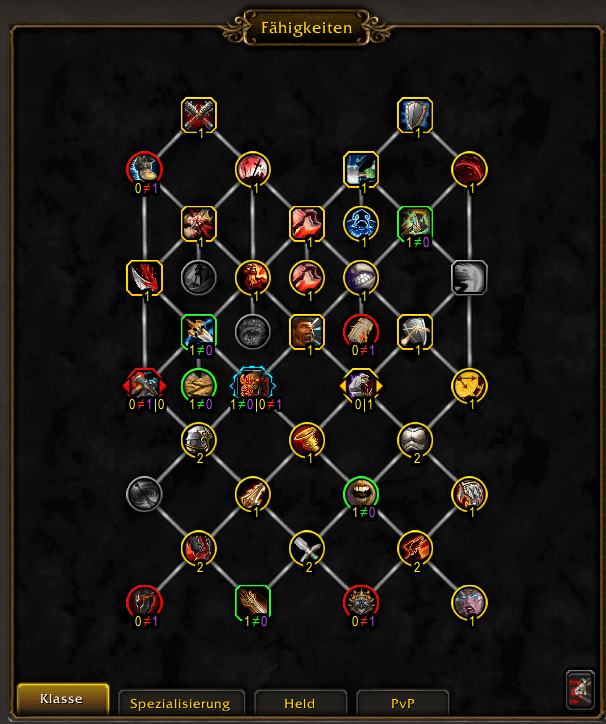
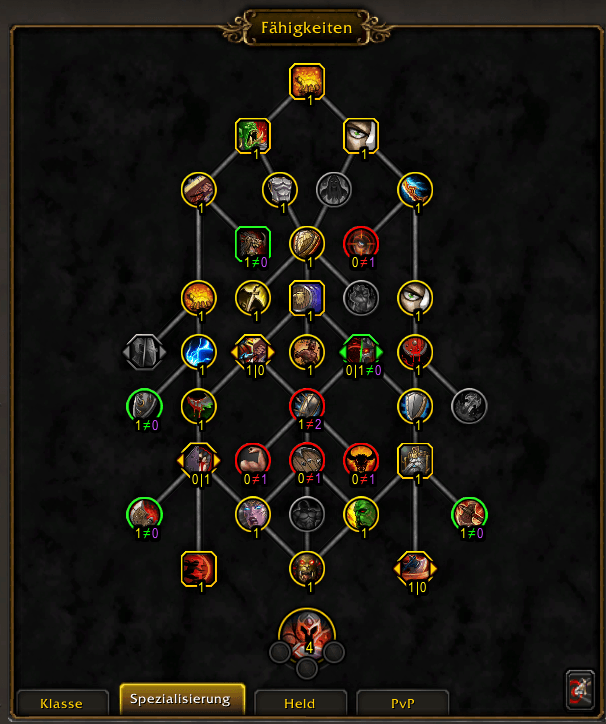
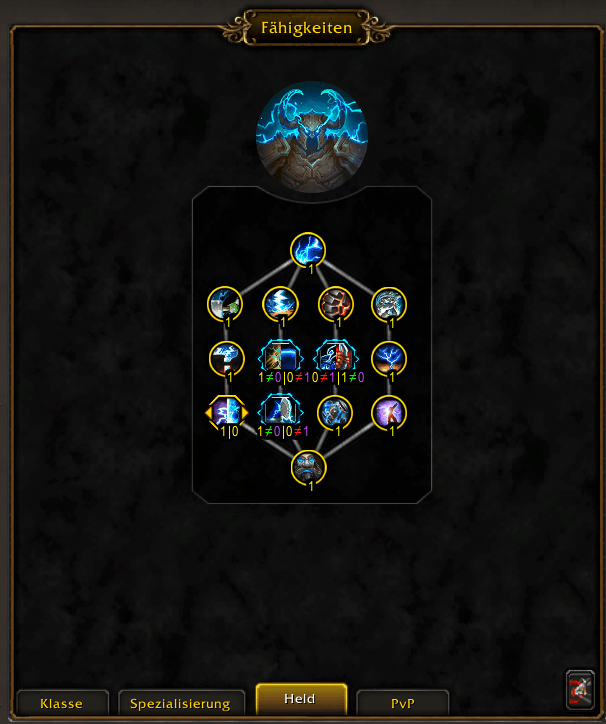
Yellow outlined traits are the same in both.
Green outlined traits are spent in your active loadout but missing in the compared loadout. The numbers below them, e.g. 1≠0, mean that you have spent 1 point in this talent and the compared loadout 0.
Red outlined traits are missing in your loadout. E.g. 0≠1 means you have spent 0 points and the compared loadout 1.
Blue outlined choice nodes mean that you need to pick the other option.If your current specialization is not the one you are comparing with, the AddOn switches your specialization for you. After that, compare again.
You can also paste your own loadout text into the text field to compare your traits against it.The talent import button in the bottom right corner puts the selected loadout text into the import dialog, with a default name for the new loadout that you can change.
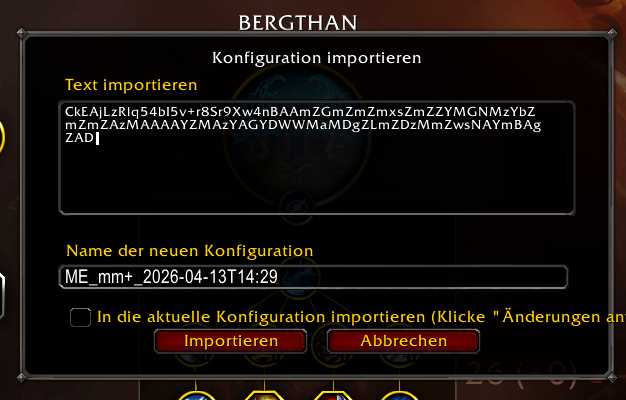
Clicking the import button changes your current talents to the imported loadout.
Traits for class/specialization/hero and PvP. The colour of the numbers shows the traits of the best player or the next 4 best players. Choice nodes show 2 numbers (left number for the left choice, right number for the right choice).
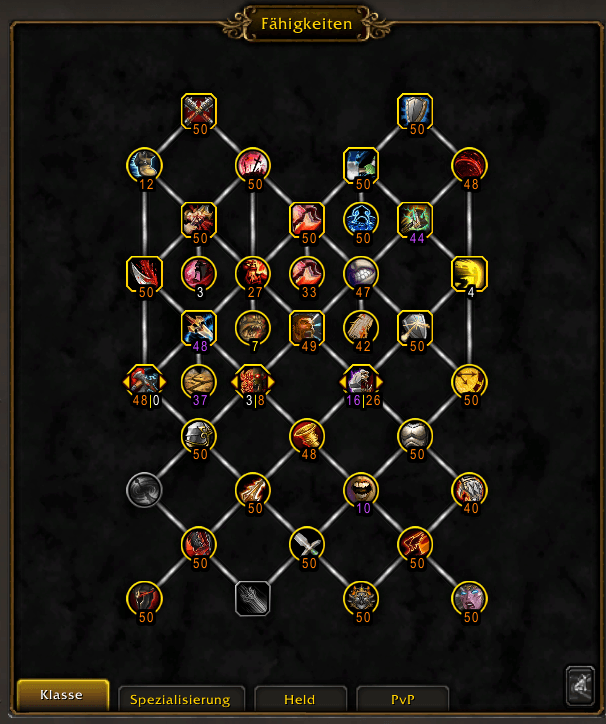
Numbers like 48⎮0 show how often the left (48 times) or right (0 times) option was chosen.
Your current equipment (on the left, right and bottom border) and the top 5 BiS items per slot,
with the gems and enchantments used. The colour of the numbers shows the equipment of the best player or the next 4 best players.
Click any slot of your equipment and the list scrolls to that slot's BiS items.
SHIFT + left click a gem, enchantment or item to link it in chat or to search for it at the Auction House.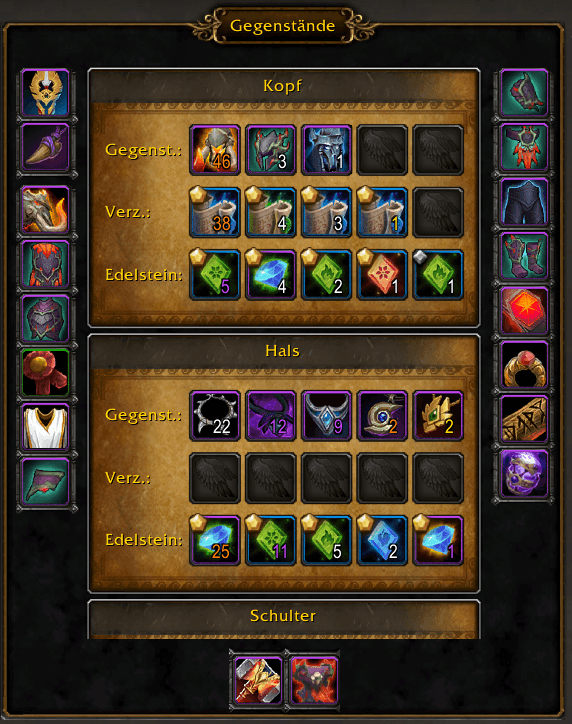
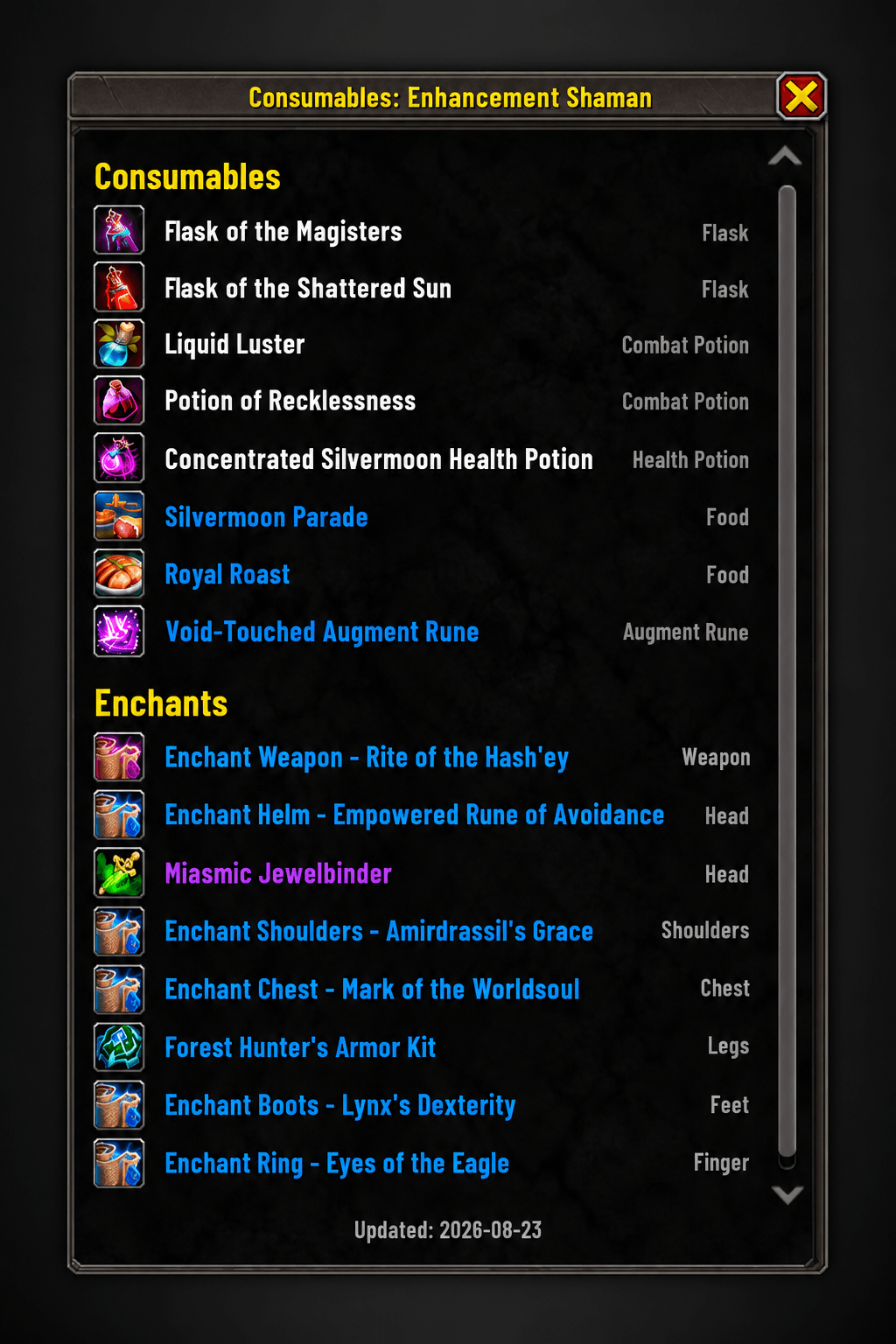
New: Consumables. The recommended flasks, potions, food, weapon buffs, enchants and gems for each specialization, from the Wowhead class guides. They need the free AddOn Gorloc Consumables, which holds the recommendations; install both.
These are PvE recommendations, so they show with the Mythic+ list:- Maximized view: the Consumables button in the top right of the Equipment panel switches between Equipment and Consumables.
- Compact view: the Consumables tab next to Equipment.
Where a guide says when to use something, it is shown below the name, e.g. "Raid" or "Mythic+". Alternatives are shown dimmed below the recommended item. SHIFT + left click links an item in chat.
The date at the bottom is when the Wowhead guide last changed its recommendations; Gorloc Consumables checks the guides weekly.New: Auction House panel. When you open the Auction House, a panel next to it lists what your current specialization should buy, with on each icon how many you already have. Click an item to search for it at the Auction House. Close the panel with its X; the MurlokExport tab on the right edge of the Auction House brings it back.
Open the AddOn with /me or /MurlokExport, or click the MurlokExport icon at your minimap.
In Options → AddOns → MurlokExport you can choose the compact view, show only your own class, or hide the minimap icon.
A big thanks goes to Murlok.io for providing the rated data, and to Alexandrix for creating MurlokExport. Maintained by Tevoll.
CurseForge: https://www.curseforge.com/wow/addons/murlokexport用户评价
暂无 / 5,0 条评价相关推荐
继续看看这些内容
