插件详情
插件中文资料库
中文说明、玩家点评、适用场景和替代推荐,方便快速判断是否适合你。
玩家一句话点评
EchoTools 适合需要增益与减益、界面增强或玩法辅助的玩家,建议结合自己的职业和版本先测试再长期使用。
适用场景
- 界面布局、头像框、姓名板和动作条优化
 RightClickSelfCast
 Mind-seekers Tracker
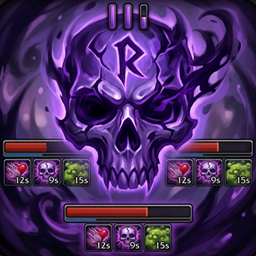 AmDotMonitor暗牧多目标监控
EchoTools 插件下载与使用指南
本页整理了 EchoTools 的功能用途、适用人群、安装方法和常见问题,方便玩家快速判断是否需要安装。
适合谁用
EchoTools 是一款 音频与视频 / 增益与减益 类插件,适合需要优化界面、提升操作效率或补充游戏信息提示的魔兽世界玩家。
基本信息
- 插件作者:chabori
- 插件分类:音频与视频 / 增益与减益
- 适配版本:12.1.0,12.1.5
- 累计下载:0
安装方法
- 点击上方下载按钮获取 EchoTools插件文件。
- 解压后将插件文件夹放入 World of Warcraft/_retail_/Interface/AddOns 目录。
- 重启游戏或在角色界面点击插件,确认 EchoTools 已启用。
- 如果插件不生效,请检查版本是否匹配,或关闭同类冲突插件后重试。
使用建议
EchoTools 安装后建议先在角色界面确认已启用,进入游戏后根据插件提供的命令、小地图按钮或设置面板进行调整。如遇到报错,可先单独启用该插件排查冲突。
EchoTools 常见问题
这个插件适合哪些玩家?
EchoTools 适合需要 音频与视频 / 增益与减益 类功能的玩家,特别是希望提升游戏便利性、界面管理或战斗信息获取效率的用户。
下载后怎么安装?
下载后解压到 Interface/AddOns 目录,然后重启游戏并在角色界面启用插件。
为什么插件不显示或不生效?
常见原因是目录多套一层、游戏版本不匹配、依赖插件缺失或同类插件冲突。
有没有类似插件可以替代?
可以查看本页的替代插件推荐和相关插件区域,按下载量和分类选择同类工具。
插件 AI 问答
可以问:这个插件正式服能用吗、和 DBM 冲突吗、怎么设置、有没有替代插件。
EchoTools 是一款魔兽世界插件,主要用于界面框架、头像、动作条或冷却显示优化、增益、减益、光环或职业状态监控、倒计时、提醒和战斗预警。建议根据自己的版本和插件环境先测试兼容性。
插件用途
EchoTools 主要面向需要增益与减益功能的玩家,用来改善游戏体验、减少重复操作或补充默认界面没有直接提供的信息。
适用场景
- 界面框架、头像、动作条或冷却显示优化
- 增益、减益、光环或职业状态监控
- 倒计时、提醒和战斗预警
使用建议
安装后建议先在角色选择界面或插件管理器中确认已启用,再进入游戏测试是否与现有整合包、WA 和其他插件冲突。如遇报错,可以先禁用同类插件排查。
# EchoTools
**LFG Alert · Skill Sound · Class Resource · Cast Bar · BRes/Lust Tracker**
An all-in-one WoW quality-of-life addon with an ElvUI-inspired dark theme. Compatible with TWW (11.0) and Midnight (12.1.0).
**파티 지원 알림 · 스킬 사운드 · 클래스 리소스 · 캐스트 바 · 전투부활/블러드 추적**
와우 편의성 기능을 하나로 모은 애드온입니다.
---
## Features / 기능
### LFG Alert / 파티 지원 알림
- Alert sound, screen notification, and chat message when new applicants arrive
- Auto-open applicant list panel
- **Leader Only** or **Always Alert** mode
- **Min iLvl / Score Filter**: only alert for applicants above threshold
- **Applicant History**: `/et history` shows recent applicants
- Customizable alert sound: built-in presets, custom .ogg file, or any WoW Sound ID
- Party frame item level display via inspect
### Skill Sound / 스킬 사운드
- Play custom sounds on spell cast start or success
- **Spell Capture Mode**: cast any spell to auto-detect Spell ID
- **Action Bar Scanner**: pick spells from your current action bars with spell icons
- **Manual ID Input**: enter Spell ID directly with real-time name lookup
- **Jump Sound**: dedicated sound on spacebar jump
- Duplicate warning before overwriting existing mappings
- Per-character settings, with Import/Export between characters
### BRes / Lust Tracker / 전투부활 · 블러드 추적
- Two icon slots on one draggable anchor: **battle-res charges** and the **lust lockout**
- **Battle res**: shows the group's shared battle-res charges and recharge timer inside raids and M+ — no roster scan needed
- **Lust**: counts down the Sated/Exhaustion lockout so you always know when the next Bloodlust is available
- **Lust Sound**: plays your own `.ogg` / `.mp3` the moment Bloodlust / Heroism / Time Warp / Drums land on you
- Built for 12.1's secret-aura restrictions: when the exact time can't be read, an estimated timer (marked `~`) takes over and snaps to the real value as soon as one is readable
- Lust timer survives `/reload` — reloading mid-pull won't reset it
- Options: per-content visibility (raid / dungeon / open world / combat-only), horizontal or vertical layout, icon size, scale, timer text, captions
### Class Resource / 클래스 리소스
- **Warlock (for now)**: pip-based Soul Shard display for all three specs
- Suppresses Blizzard's default Warlock power frame for a cleaner HUD
- Per-spec visibility and positioning
### Cast Bar / 캐스트 바
- Custom player cast bar with configurable size, position, and style
- `/et cast` commands for live tuning
### UI & Compatibility
- ElvUI-inspired dark flat design
- Draggable minimap button (LibDBIcon compatible + custom fallback)
- Addon Compartment (11.0+ minimap menu) and Blizzard Settings integration (ESC → Settings → AddOns)
- Localization: English, Korean (한국어)
- API compatibility layer for TWW + Midnight 12.1 (no deprecated API crashes)
- 12.1 secret-value safe: the only aura ever read is the Sated/Exhaustion debuff, always behind a protected call — a secret value can never leak out as a false reading
- Korean reload aliases: `/기`, `/리` (alongside `/rl`)
---
## Installation / 설치
1. Download and extract to your WoW AddOns folder:
`World of Warcraft/_retail_/Interface/AddOns/EchoTools/`
2. Place custom sound files (`.ogg` / `.mp3`) in:
`World of Warcraft/_retail_/Interface/AddOns/Sounds/`
This folder is **not** managed by addon managers — your sound files are safe from updates.
3. Reload UI (`/reload`) or restart WoW.
---
## Commands / 명령어
| Command | Description |
|---------|-------------|
| `/et` | Open settings panel / 설정 패널 열기 |
| `/et lfg` | Toggle LFG Alert / 파티 알림 토글 |
| `/et ss` | Toggle Skill Sound / 스킬 사운드 토글 |
| `/et bres ...` | BRes/Lust tracker sub-commands / 전투부활·블러드 추적 설정 |
| `/et lust` | Lust sound diagnostic + file test / 블러드 사운드 진단 |
| `/et cr ...` | Class Resource sub-commands / 클래스 리소스 설정 |
| `/et cast ...` | Cast Bar sub-commands / 캐스트 바 설정 |
| `/et status` | Show current settings / 현재 설정 확인 |
| `/et test` | Test LFG notification / 알림 테스트 |
| `/et history` | Show recent applicants / 최근 지원자 보기 |
| `/et minimap` | Toggle minimap button / 미니맵 버튼 토글 |
| `/et help` | Show all commands / 전체 명령어 |
---
## Sound Files / 사운드 파일
Place `.ogg` (or `.mp3`) files in `Interface/AddOns/Sounds/`:
- `Sounds/alert.ogg` → enter "alert.ogg" in settings
- `Sounds/skills/fireball.ogg` → enter "skills\fireball.ogg"
The `Sounds/` folder is not an addon — addon managers will not touch it, keeping your files safe from updates.
用户评价
暂无 / 5,0 条评价免费插件下载后可以评价;付费插件 / WA 购买后可以评价;委托订单完成后可以评价。
暂无评价。
相关推荐
继续看看这些内容
