插件中文资料库
中文说明、玩家点评、适用场景和替代推荐,方便快速判断是否适合你。
- 拍卖行、交易和金币管理
 Details! Mythic+ Scoreboard
 BagSync
 TankMD Misdirect
MyAccountant 插件下载与使用指南
本页整理了 MyAccountant 的功能用途、适用人群、安装方法和常见问题,方便玩家快速判断是否需要安装。
适合谁用
MyAccountant 是一款 拍卖与商业 / 泰坦面板 / 数据代理 / 其他插件 类插件,适合需要优化界面、提升操作效率或补充游戏信息提示的魔兽世界玩家。
基本信息
- 插件作者:Jeany55
- 插件分类:拍卖与商业 / 泰坦面板 / 数据代理 / 其他插件
- 适配版本:4.4.2,3.4.5,5.5.4,12.1.0,2.5.6,1.15.9,1.60.1
- 累计下载:0
安装方法
- 点击上方下载按钮获取 MyAccountant插件文件。
- 解压后将插件文件夹放入 World of Warcraft/_retail_/Interface/AddOns 目录。
- 重启游戏或在角色界面点击插件,确认 MyAccountant 已启用。
- 如果插件不生效,请检查版本是否匹配,或关闭同类冲突插件后重试。
使用建议
MyAccountant 安装后建议先在角色界面确认已启用,进入游戏后根据插件提供的命令、小地图按钮或设置面板进行调整。如遇到报错,可先单独启用该插件排查冲突。
MyAccountant 常见问题
MyAccountant 适合需要 拍卖与商业 / 泰坦面板 / 数据代理 / 其他插件 类功能的玩家,特别是希望提升游戏便利性、界面管理或战斗信息获取效率的用户。
下载后解压到 Interface/AddOns 目录,然后重启游戏并在角色界面启用插件。
常见原因是目录多套一层、游戏版本不匹配、依赖插件缺失或同类插件冲突。
可以查看本页的替代插件推荐和相关插件区域,按下载量和分类选择同类工具。
插件 AI 问答
可以问:这个插件正式服能用吗、和 DBM 冲突吗、怎么设置、有没有替代插件。
MyAccountant 是一款魔兽世界插件,主要用于倒计时、提醒和战斗预警。建议根据自己的版本和插件环境先测试兼容性。
插件用途
MyAccountant 主要面向需要拍卖与商业功能的玩家,用来改善游戏体验、减少重复操作或补充默认界面没有直接提供的信息。
适用场景
- 倒计时、提醒和战斗预警
使用建议
安装后建议先在角色选择界面或插件管理器中确认已启用,再进入游戏测试是否与现有整合包、WA 和其他插件冲突。如遇报错,可以先禁用同类插件排查。

Overview
MyAccountant is a World of Warcraft Addon that helps track where your money is going with powerful customization options!
Heavily inspired by AccountantClassic, see a detailed breakdown by source or zone across any timeframe you choose. Whether you're farming gold, managing your auction house empire, or simply curious about your spending habits, see exactly where your money is moving!
MyAccountant currently supports all versions of WoW.
Features
See your gold per hour
Track your gold per hour on the configurable minimap icon
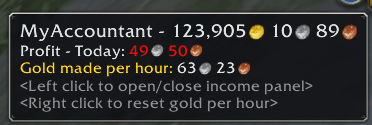
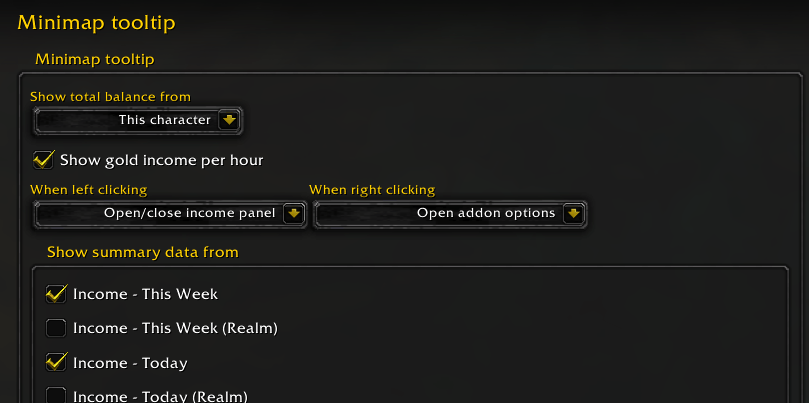
The minimap tooltip can show summary data from as many of your views as you like and allow you to pick exactly what appears on hover in the minimap tooltip settings.
See your income
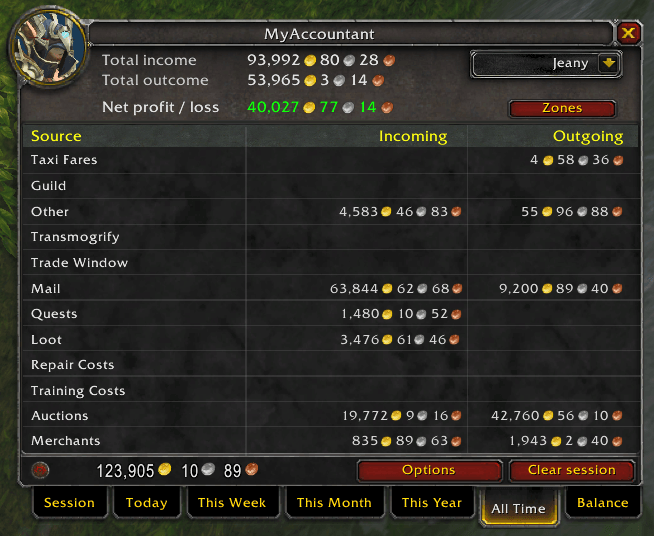
The configurable income panel allows you to see where your money is coming and going from, showing you a session or historic breakdown.
See it by source

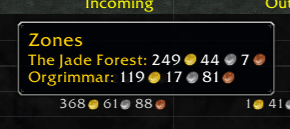
Or by zone

Mouse over a source income or outcome to see a breakdown! Configurable in options.
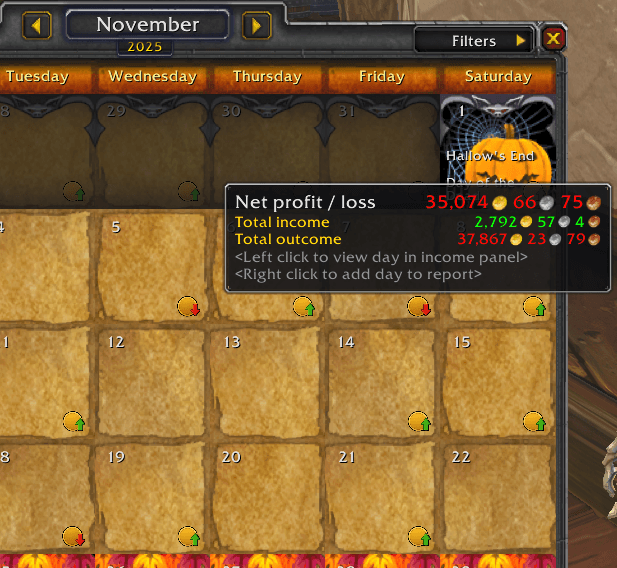
Calendar integration
For days with data, MyAccountant will add icons to the Calendar (if your WoW version has one). See at a glance if you've made or lost money. Highlight over it for more info.
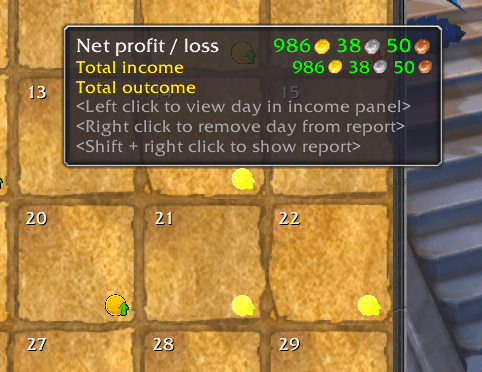
Visualize your data easily. Left click on a day to see it in the income panel or right click to add multiple days and shift + right click to see the report.
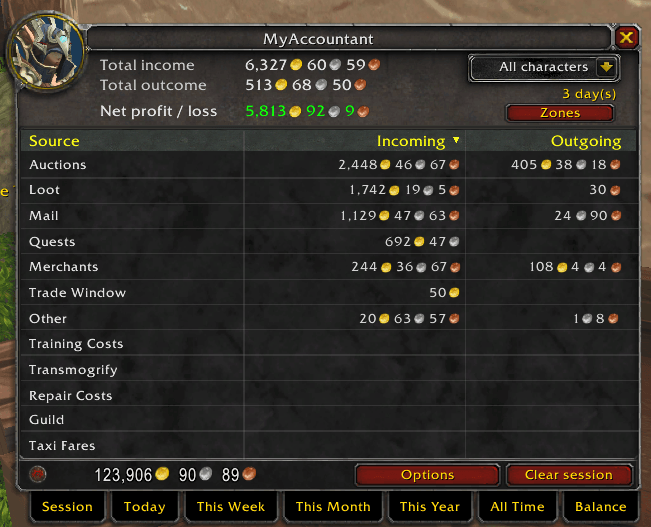
This functionality is also available through the /mya report commands.
Configure your views
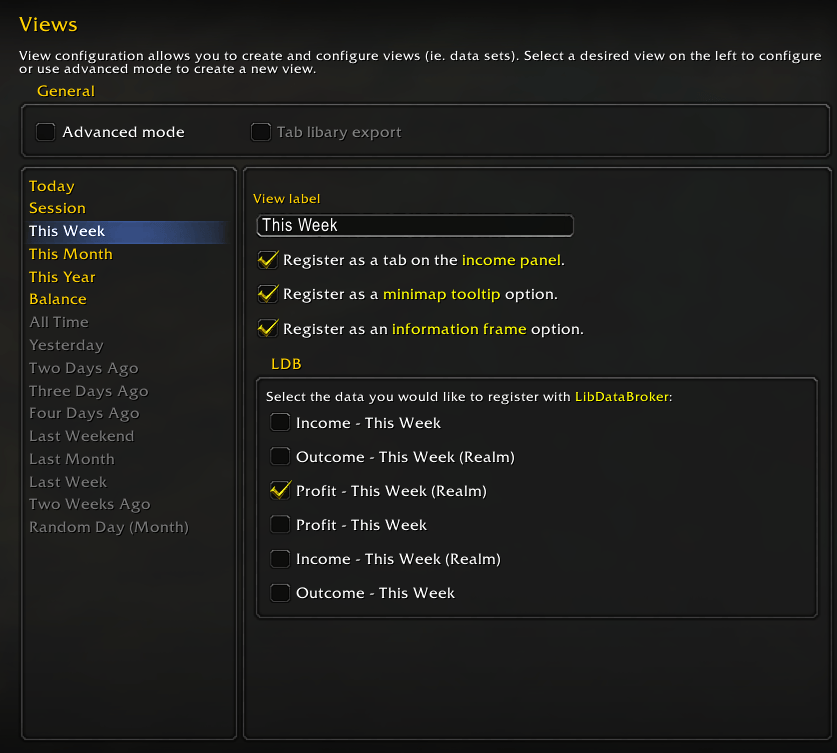
MyAccountant is built around views - data sets like your current session, realm balance, or any date range you define. Each view can be surfaced in several places independently: as a tab on the income panel, an entry in the minimap tooltip, an entry on the information frame, or as LibDataBroker data. Manage all of this from the Views options page.
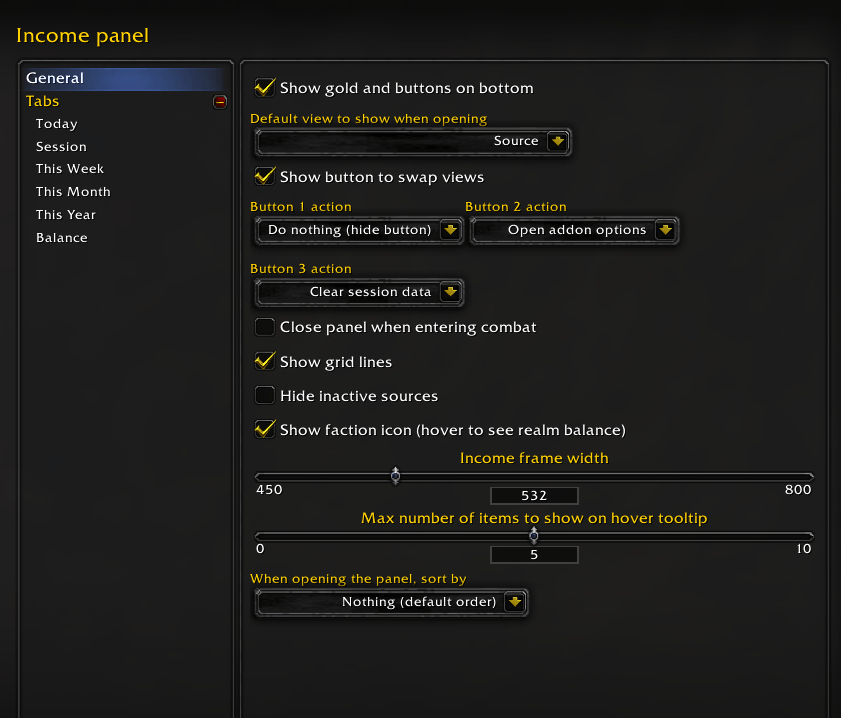
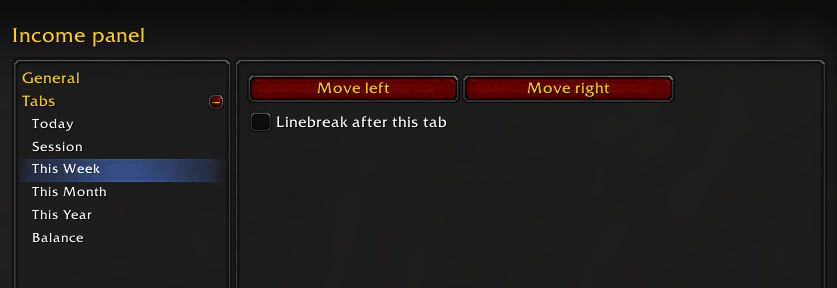
After enabling views as tabs you can configure their order and where they linebreak in the Tabs subsection in Income panel options.

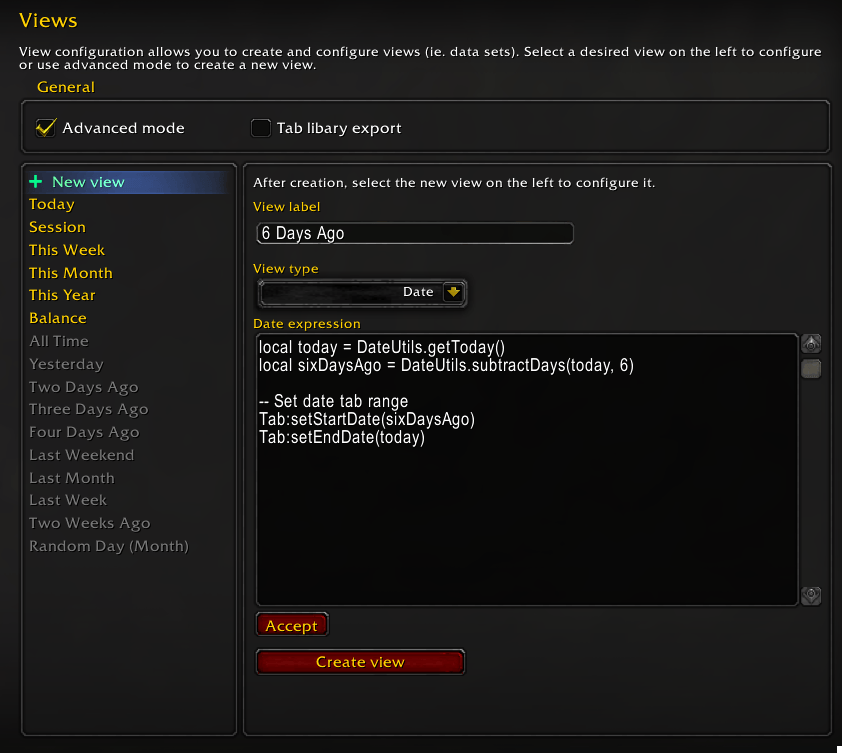
Advanced mode allows you to create your own views and configure them with lua snippets, specifying the exact date range you want to see.
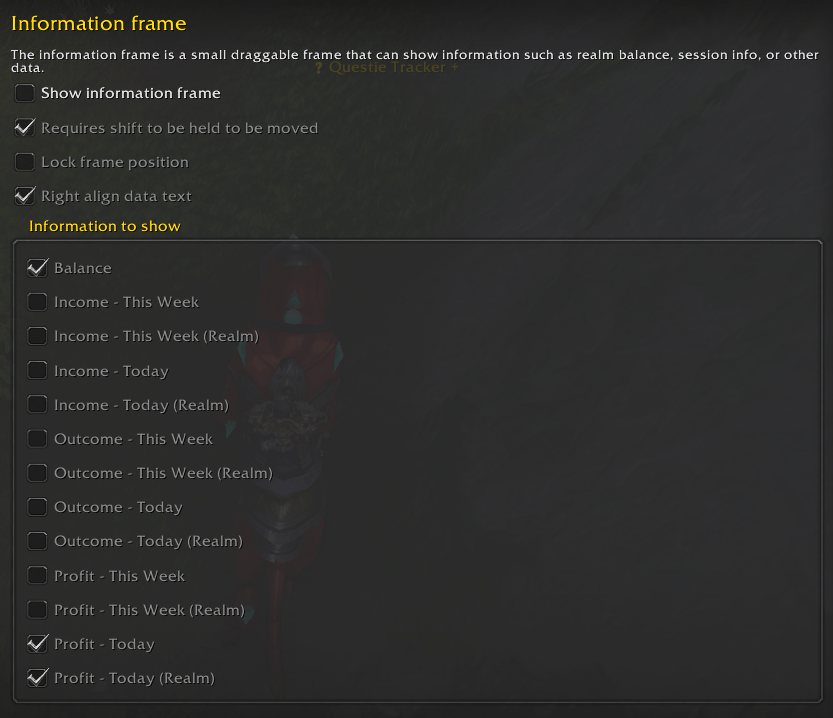
See what you want on the information frame
MyAccountant can display a small information frame containing income data. Configure it in Addon options to show what you want to see on the frame, and configure which tab should make data available to it.

See all your characters
Track your income as a whole or by each of your characters.
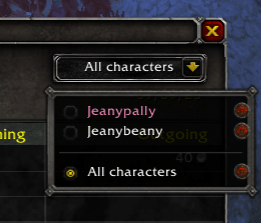
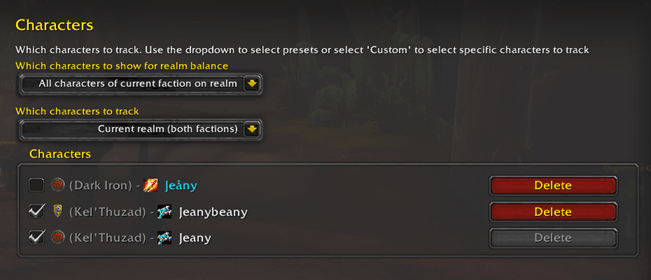
Configure which characters to track in the Characters options tab. Choose from presets like all characters, current realm, current faction, or build a custom selection. You can also delete characters you no longer need from the database.
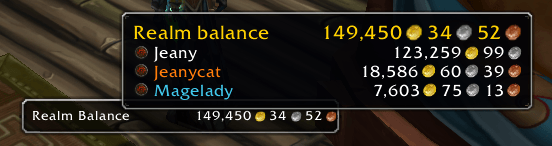
See your balance
MyAccountant tracks your gold balance across your Warband and all your characters on your realm and offers several ways to show that information. You can turn off unwanted methods in Addon options.
By default the balance covers your current realm. To see every character on your account instead (across all realms and both factions) set Which characters to show for realm balance to All characters on account (all realms) in the Characters options tab. Characters from other realms are shown with their realm name.
Faction Icon
Hover over the faction icon to see your realm's total balance.
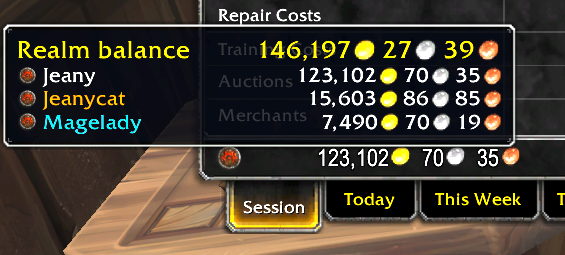
Balance tab
Use the balance tab on the income panel
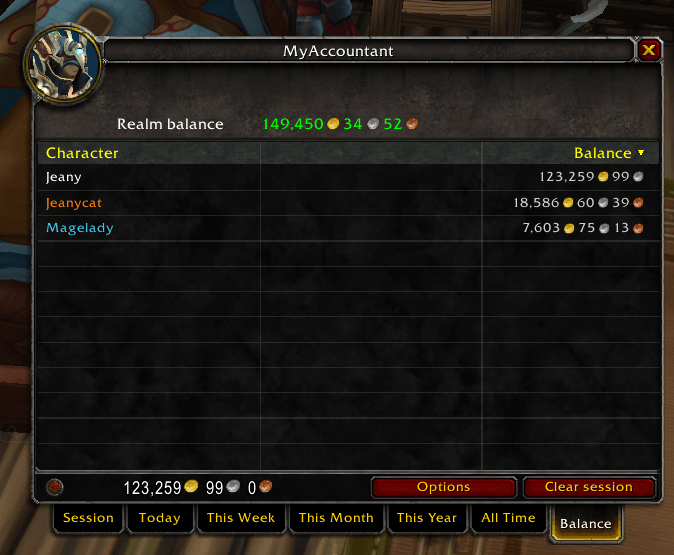
Information panel
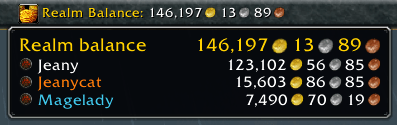
You can also configure the information panel to show realm balance.
LibDataBroker support
MyAccountant registers data from your views with LDB (Lib Data Broker). For each view you can pick exactly which values are exposed, using individual checkboxes in the Views options page.
This lets you see MyAccountant information in any addon that supports showing LDB data like Titan Panel or Bazooka.

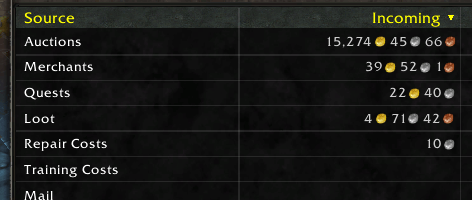
Sort by what you want
Configure the income panel to either sort when opening, or click on a table header to sort either by descending or ascending.
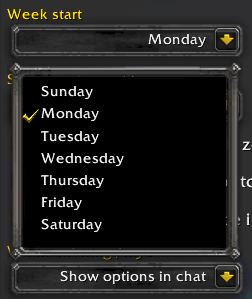
Configure your week
Set which day of the week your weekly data starts from in the General settings tab.
Supports all WoW versions
MyAccountant knows which sources are unavailable in each version of WoW. This lets this addon work on Mists Classic, Vanilla, TBC, or Retail.
Configure your income sources
Decide which income sources you want to track by disabling ones you aren't interested in

Supported Languages
- English
- Russian (by ZamestoTV)
- Simplified Chinese (by cclolz)
- German (by LaDzi)
- Mexican Spanish (by DarkChiken)
用户评价
暂无 / 5,0 条评价相关推荐
继续看看这些内容
