插件中文资料库
中文说明、玩家点评、适用场景和替代推荐,方便快速判断是否适合你。
- 副本、团队本和大秘境战斗提醒
- 背包、银行和物品整理
- 任务路线、地图标记和野外探索
 Details! Mythic+ Scoreboard
 BagSync
 TankMD Misdirect
SmartTotem 3.3.27 插件下载与使用指南
本页整理了 SmartTotem 3.3.27 的功能用途、适用人群、安装方法和常见问题,方便玩家快速判断是否需要安装。
适合谁用
SmartTotem 3.3.27 是一款 萨满祭司 / 职业 类插件,适合需要优化界面、提升操作效率或补充游戏信息提示的魔兽世界玩家。
基本信息
- 插件作者:user_94l40lzbi9ipi9vd
- 插件分类:萨满祭司 / 职业
- 适配版本:2.5.5,2.5.6,1.60.1
- 累计下载:0
安装方法
- 点击上方下载按钮获取 SmartTotem 3.3.27插件文件。
- 解压后将插件文件夹放入 World of Warcraft/_retail_/Interface/AddOns 目录。
- 重启游戏或在角色界面点击插件,确认 SmartTotem 3.3.27 已启用。
- 如果插件不生效,请检查版本是否匹配,或关闭同类冲突插件后重试。
使用建议
SmartTotem 3.3.27 安装后建议先在角色界面确认已启用,进入游戏后根据插件提供的命令、小地图按钮或设置面板进行调整。如遇到报错,可先单独启用该插件排查冲突。
SmartTotem 3.3.27 常见问题
SmartTotem 3.3.27 适合需要 萨满祭司 / 职业 类功能的玩家,特别是希望提升游戏便利性、界面管理或战斗信息获取效率的用户。
下载后解压到 Interface/AddOns 目录,然后重启游戏并在角色界面启用插件。
常见原因是目录多套一层、游戏版本不匹配、依赖插件缺失或同类插件冲突。
可以查看本页的替代插件推荐和相关插件区域,按下载量和分类选择同类工具。
插件 AI 问答
可以问:这个插件正式服能用吗、和 DBM 冲突吗、怎么设置、有没有替代插件。
SmartTotem 2.6.14 是一款魔兽世界插件,主要用于背包、银行、专业制造或物品整理、副本、团本、大秘境或钥石辅助,适合对应经典服或周年服版本使用。建议根据自己的版本和插件环境先测试兼容性。
插件用途
SmartTotem 2.6.14 主要面向需要萨满祭司功能的玩家,用来改善游戏体验、减少重复操作或补充默认界面没有直接提供的信息。
适用场景
- 背包、银行、专业制造或物品整理
- 副本、团本、大秘境或钥石辅助
使用建议
安装后建议先在角色选择界面或插件管理器中确认已启用,再进入游戏测试是否与现有整合包、WA 和其他插件冲突。如遇报错,可以先禁用同类插件排查。
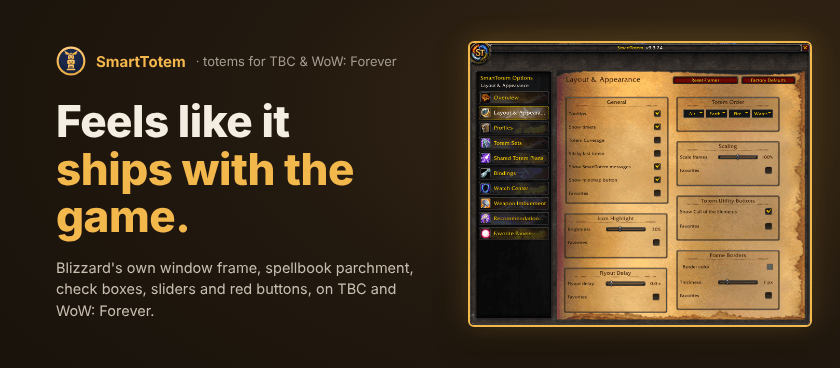
Highlights
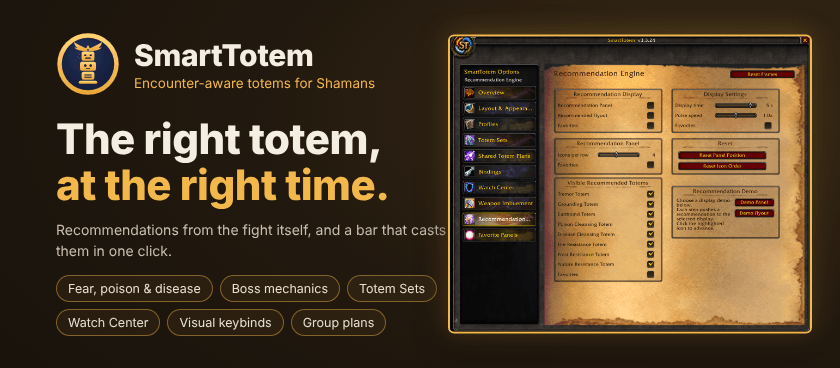
- Encounter-aware recommendations: reacts to Fear, Poison, Disease, resistance mechanics, party conditions and supported boss abilities. Poison Cleansing is suggested once three party members are poisoned.
- Recommendation Panel or flyout: a persistent panel or a compact flyout. Choose which totems it may suggest and put them in the order you like.
- Combat-safe Main Bar: one secure button per element plus Totemic Call, in your own order, with timers.
- Totem Sets and Profiles: save your four totems as a set and swap with one click, or switch a whole profile with every setting, frame position and favorite.
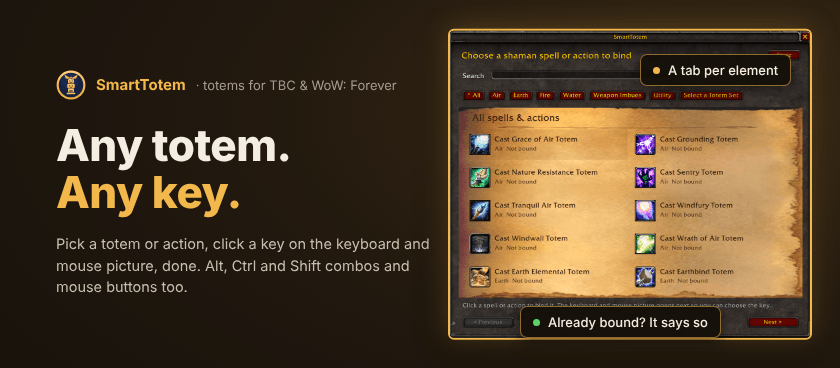
- Visual keybinds: pick a totem or action in a spellbook-style picker, then click a key on the keyboard and mouse picture. Alt, Ctrl and Shift combos and mouse buttons work, and Alt, Ctrl and Shift clicks on the element buttons too.
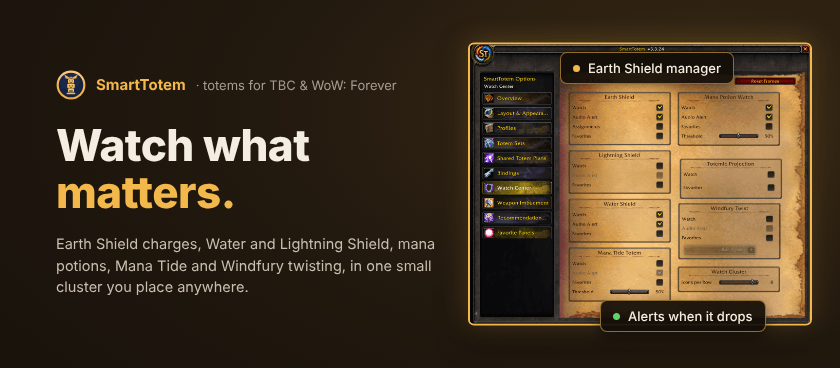
- Watch Center: Earth Shield with a manager for your targets, charges and missing-shield alerts; Water Shield and Lightning Shield reminders; a Mana Potion watch; Mana Tide; and a Windfury twisting helper with audio cues. All in one Watch Cluster you can place anywhere.
- Cooldown tracking: Mana Tide, Fire Elemental and Earth Elemental cooldowns after their totems expire.
- Weapon Imbuement bar: main-hand and off-hand imbues with presets and an optional timer.
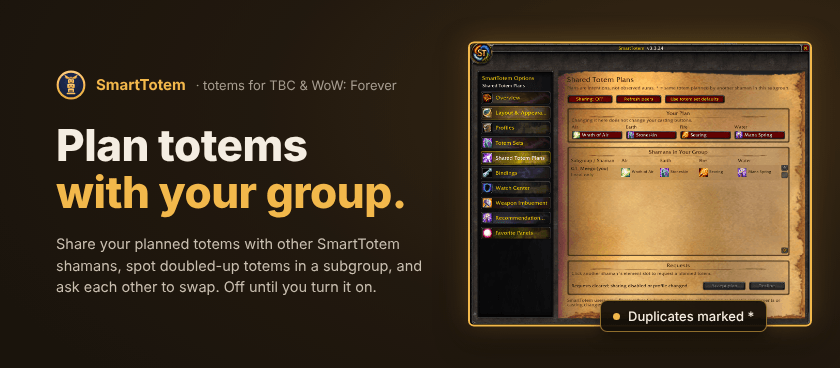
- Shared Totem Plans: share planned totems with other SmartTotem shamans in your group, spot doubled-up totems in a subgroup, and request a swap that they accept or decline. Off until you turn it on, and it never changes your casting buttons.
- Your layout: move, snap and scale every SmartTotem frame together, and reset anything to its factory place.
用户评价
暂无 / 5,0 条评价相关推荐
继续看看这些内容
