插件中文资料库
中文说明、玩家点评、适用场景和替代推荐,方便快速判断是否适合你。
- 界面布局、头像框、姓名板和动作条优化
 Copy Anything
 RightClickSelfCast
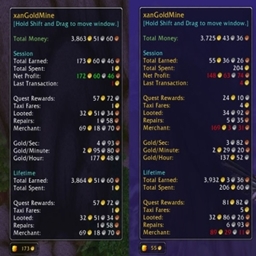 xanGoldMine
Slip Frames (Enhanced Player/Target Frame) 插件下载与使用指南
本页整理了 Slip Frames (Enhanced Player/Target Frame) 的功能用途、适用人群、安装方法和常见问题,方便玩家快速判断是否需要安装。
适合谁用
Slip Frames (Enhanced Player/Target Frame) 是一款 战斗 / 其他插件 / 单位框架 类插件,适合需要优化界面、提升操作效率或补充游戏信息提示的魔兽世界玩家。
基本信息
- 插件作者:6mot
- 插件分类:战斗 / 其他插件 / 单位框架
- 适配版本:12.0.5,12.0.7
- 累计下载:0
安装方法
- 点击上方下载按钮获取 Slip Frames (Enhanced Player/Target Frame)插件文件。
- 解压后将插件文件夹放入 World of Warcraft/_retail_/Interface/AddOns 目录。
- 重启游戏或在角色界面点击插件,确认 Slip Frames (Enhanced Player/Target Frame) 已启用。
- 如果插件不生效,请检查版本是否匹配,或关闭同类冲突插件后重试。
使用建议
Slip Frames (Enhanced Player/Target Frame) 安装后建议先在角色界面确认已启用,进入游戏后根据插件提供的命令、小地图按钮或设置面板进行调整。如遇到报错,可先单独启用该插件排查冲突。
Slip Frames (Enhanced Player/Target Frame) 常见问题
Slip Frames (Enhanced Player/Target Frame) 适合需要 战斗 / 其他插件 / 单位框架 类功能的玩家,特别是希望提升游戏便利性、界面管理或战斗信息获取效率的用户。
下载后解压到 Interface/AddOns 目录,然后重启游戏并在角色界面启用插件。
常见原因是目录多套一层、游戏版本不匹配、依赖插件缺失或同类插件冲突。
可以查看本页的替代插件推荐和相关插件区域,按下载量和分类选择同类工具。
插件 AI 问答
可以问:这个插件正式服能用吗、和 DBM 冲突吗、怎么设置、有没有替代插件。
Slip Frames (Enhanced Player/Target Frame) 是一款魔兽世界插件,主要用于界面框架、头像、动作条或冷却显示优化。建议根据自己的版本和插件环境先测试兼容性。
插件用途
Slip Frames (Enhanced Player/Target Frame) 主要面向需要其他插件功能的玩家,用来改善游戏体验、减少重复操作或补充默认界面没有直接提供的信息。
适用场景
- 界面框架、头像、动作条或冷却显示优化
使用建议
安装后建议先在角色选择界面或插件管理器中确认已启用,再进入游戏测试是否与现有整合包、WA 和其他插件冲突。如遇报错,可以先禁用同类插件排查。
Slip Frames
Adjust unit frame transparency and click-through on demand with the mouse wheel.
Is this addon for you?
If one of the following sounds familiar to you, give Slip Frames a try:
- You keep your Blizzard Player and Target frames tucked away in the corner or at the bottom of your screen because they’d otherwise get in the way.
- You have your Player and Target frames in the center area of your screen, but it’s not really great because they often do get in the way: they block your mouse clicks, or obscure your view.
- You have the Target frame in the mid/lower right part of the screen, and when you move with the right mouse button, you often get stuck because you accidentally click on the frame.
- You’ve been playing one of those mini games with fixed camera angle, like an Untangling puzzle, and could’t finish it because your Player frame made it impossible to click a node.
What the addon does
Slip Frames allows you to adjust two attributes of the frames using your mouse wheel:
- Transparency, aka opacity
- Click-through behavior: whether the frame intercepts (receives) mouse clicks, or if clicks on the frame are passed through to the background/world frame.
Adjustable frames are:
- PlayerFrame
- PetFrame
- TargetFrame
- FocusFrame
These are the game’s standard frames. Compatibility with unit-frame addons that modify these frames is uncertain; you might give it a try. (If the addon replaces the frames, Slip Frames will not work and you should not load it.)
The Point of this?
By (Blizz-)default, these frames are 100% opaque and always receive mouse clicks. This is a good starting point, but lacks flexibility.
Some third-party unit frame addons allow you to set transparency and click-through, but the settings are buried in a settings panel or require slash commands. As a result, they become permanent either-or settings, making hot swapping impossible.
Usage
With Slip Frames, you can change frame transparency and click-through behavior on the fly, without having to open any settings panel or enter slash commands, just by simple mouse wheel actions:
With your mouse over the Player, Pet, Target, or Focus frame:
- Click-through: Mouse wheel up (forward) to make the frame immune to mouse clicks (frame “locked”); mouse wheel down (backward) to make the frame receive clicks again.
- Transparency: Hold down a modifier key and roll the mouse wheel up/down to adjust transparency.
Any modifier key works: Cmd/Meta, Alt, Ctrl, or Shift.
Details
In combat
- You can change the click-through behavior also in combat, since this can be crucial, e.g. for setting raid markers via right-click. This is securely implemented so that it doesn’t taint.
- Everything else (e.g. setting transparency) is not allowed during combat.
- Opacity will automatically go to 100% when entering combat, and revert to the set values after combat ends.
Frame scope
- For the transparency value, the frames are treated as two groups:
- Player & Pet frame
- Target & Focus frame
- Changes to one group member also affect the other, but not the other group.
- This allows you to have different transparency for Player/Pet vs Target/Focus frame.
- Click-through is set per frame. (I can add an option to make this also per-group, if someone thinks it might be useful.)
Extras/other
- While you hover over an unlocked (non click-through) frame, opacity automatically goes to 100%.
- Step size for transparency adjustment is 10%. Defaults are 20% for the PlayerFrame group, 60% for the TargetFrame group.
- Any changes you make will print feedback to the chat console, for example the current alpha (opacity) value in percent; you’ll also get feedback sounds (not in combat).
- To prevent accidental changes to your transparency values, double-click any of the affected frames (alpha lock). The automatic opacity increase to 100% during combat or hovering is not blocked by this.
- If you think this doesn’t work, then disable click-through (wheel down) and try again..
UI and Settings
There are no GUI or slash command settings. Everything is done with the mouse wheel. The values will be saved account-wide (not per char).
If you forgot how the addon works, you can display a help text by entering /slipframes or /sfr in the chat console. /sfr version prints the addon version. If the little feedback sounds annoy you, toggle them with /sfr sound.
Have fun with the addon!
Feel free to share your suggestions or report issues on the GitHub Issues page of the repository.
Please avoid posting suggestions or issues in the comments on Curseforge.
Addons by me:
- PetWalker: Never lose your pet again (…or randomly summon a new one).
- Auto Quest Tracker Mk III: Continuation of the one and only original. Up to date and tons of new features.
- Goyita: Your Black Market assistant. Know when BMAH auctions will end. Tracking, notifications, history, info.
- Move 'em All: Mass move items/stacks from your bags to wherever. Works also fine with most bag addons.
- Auto Discount Repair: Automatically repair your gear – where it’s cheap.
- Auto-Confirm Equip: Less (or no) confirmation prompts for BoE and BtW gear.
- Slip Frames: Unit frame transparency and click-through on demand – for Player, Pet, Target, and Focus frame.
- Action Bar Button Growth Direction: Fix the button growth direction of multi-row action bars to what is was before Dragonflight (top --> bottom).
- EditBox Font Improver: Better fonts and font size for the macro/script edit boxes of many addons, incl. Blizz's. Comes with 70+ preinstalled monospaced fonts.
用户评价
暂无 / 5,0 条评价相关推荐
继续看看这些内容
