插件中文资料库
中文说明、玩家点评、适用场景和替代推荐,方便快速判断是否适合你。
- 任务路线、地图标记和野外探索
- 界面布局、头像框、姓名板和动作条优化
 Details! Mythic+ Scoreboard
 Copy Anything
 BagSync
zTalentPlanner 插件下载与使用指南
本页整理了 zTalentPlanner 的功能用途、适用人群、安装方法和常见问题,方便玩家快速判断是否需要安装。
适合谁用
zTalentPlanner 是一款 职业 / 任务与升级 / 其他插件 类插件,适合需要优化界面、提升操作效率或补充游戏信息提示的魔兽世界玩家。
基本信息
- 插件作者:zeachiean
- 插件分类:职业 / 任务与升级 / 其他插件
- 适配版本:1.15.8,2.5.5
- 累计下载:0
安装方法
- 点击上方下载按钮获取 zTalentPlanner插件文件。
- 解压后将插件文件夹放入 World of Warcraft/_retail_/Interface/AddOns 目录。
- 重启游戏或在角色界面点击插件,确认 zTalentPlanner 已启用。
- 如果插件不生效,请检查版本是否匹配,或关闭同类冲突插件后重试。
使用建议
zTalentPlanner 安装后建议先在角色界面确认已启用,进入游戏后根据插件提供的命令、小地图按钮或设置面板进行调整。如遇到报错,可先单独启用该插件排查冲突。
zTalentPlanner 常见问题
zTalentPlanner 适合需要 职业 / 任务与升级 / 其他插件 类功能的玩家,特别是希望提升游戏便利性、界面管理或战斗信息获取效率的用户。
下载后解压到 Interface/AddOns 目录,然后重启游戏并在角色界面启用插件。
常见原因是目录多套一层、游戏版本不匹配、依赖插件缺失或同类插件冲突。
可以查看本页的替代插件推荐和相关插件区域,按下载量和分类选择同类工具。
插件 AI 问答
可以问:这个插件正式服能用吗、和 DBM 冲突吗、怎么设置、有没有替代插件。
zTalentPlanner 是一款魔兽世界插件,主要用于界面框架、头像、动作条或冷却显示优化、地图、区域、任务路线或交通提醒,适合对应经典服或周年服版本使用。建议根据自己的版本和插件环境先测试兼容性。
插件用途
zTalentPlanner 主要面向需要任务与升级功能的玩家,用来改善游戏体验、减少重复操作或补充默认界面没有直接提供的信息。
适用场景
- 界面框架、头像、动作条或冷却显示优化
- 地图、区域、任务路线或交通提醒
使用建议
安装后建议先在角色选择界面或插件管理器中确认已启用,再进入游戏测试是否与现有整合包、WA 和其他插件冲突。如遇报错,可以先禁用同类插件排查。
zTalentPlanner
Plan, save and manage talent builds directly inside the talent window.
zTalentPlanner lets you create build plans for different specs, characters and situations, follow a defined leveling order, spend talent points according to plan, and share builds with other players via link.
What this addon does
- Create and save multiple in-game talent plans
- Follow a defined talent order while leveling
- Apply, compare, import, export and share builds
Planning
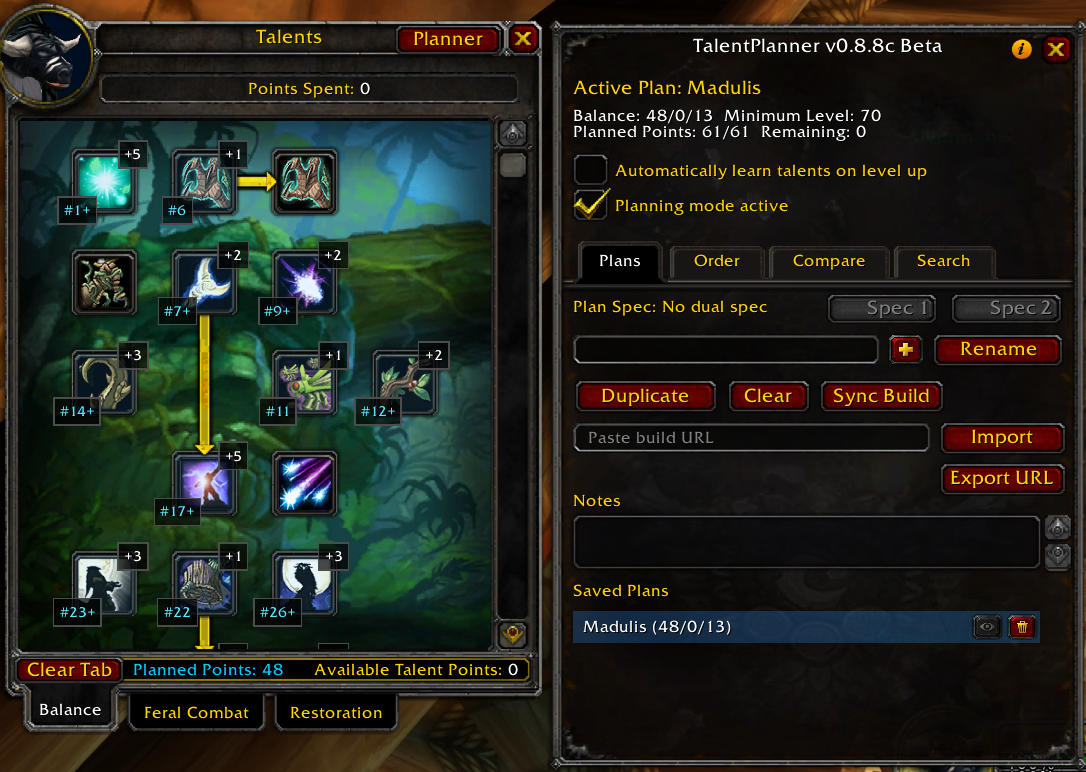
Planning mode right in the talent tree
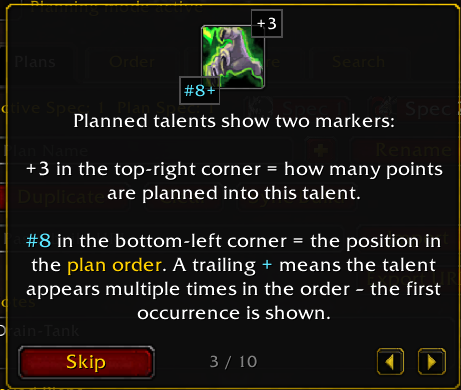
Left-click adds a planned point, right-click removes it. Every planned talent shows directly in the tree how many points you want to invest (+3) and where it sits in the learning order (#8).
Multiple plans per class
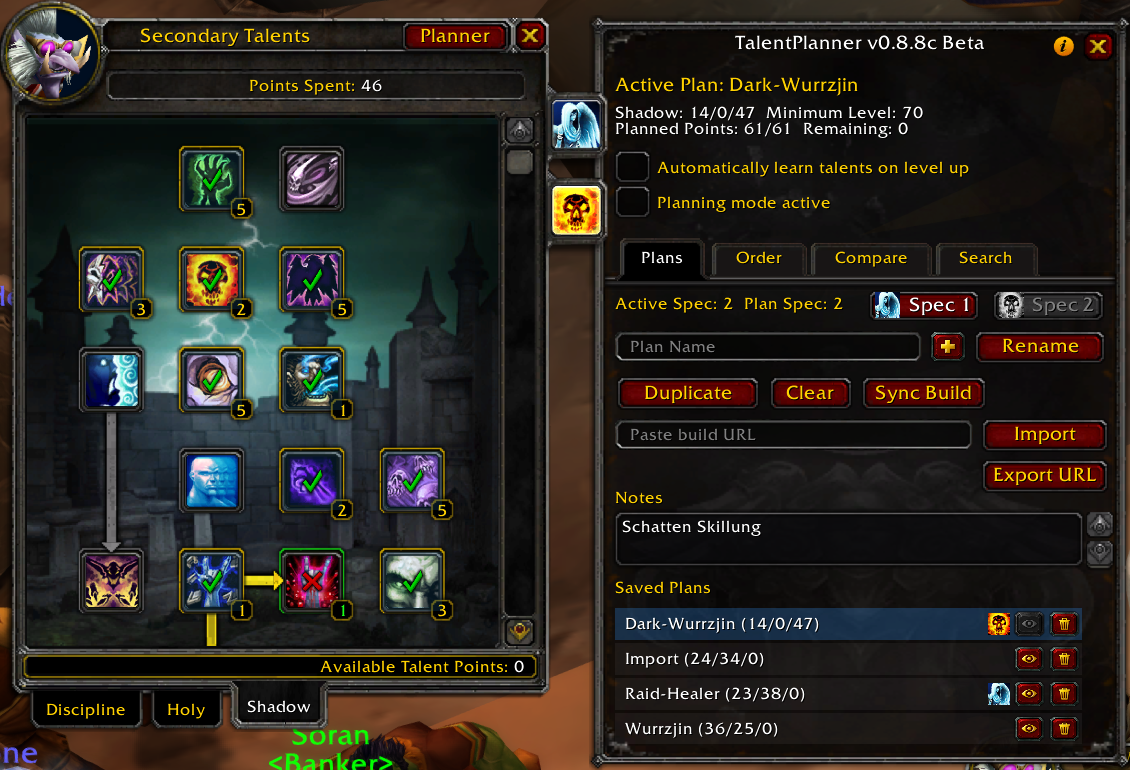
Create, rename and duplicate as many plans as you need. Plans can be assigned to Spec 1 / Spec 2 and switch automatically when you change dual spec.
Order tab
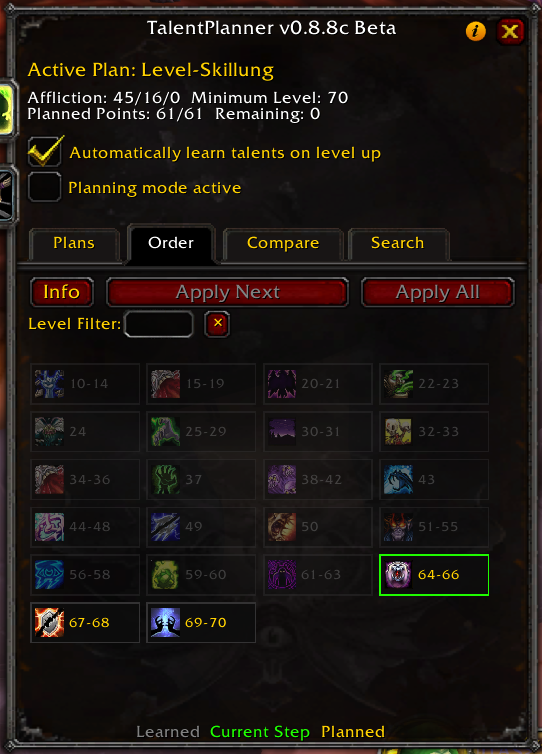
Visualizes the steps of your plan: talent, rank and minimum level, exactly in the learning order.
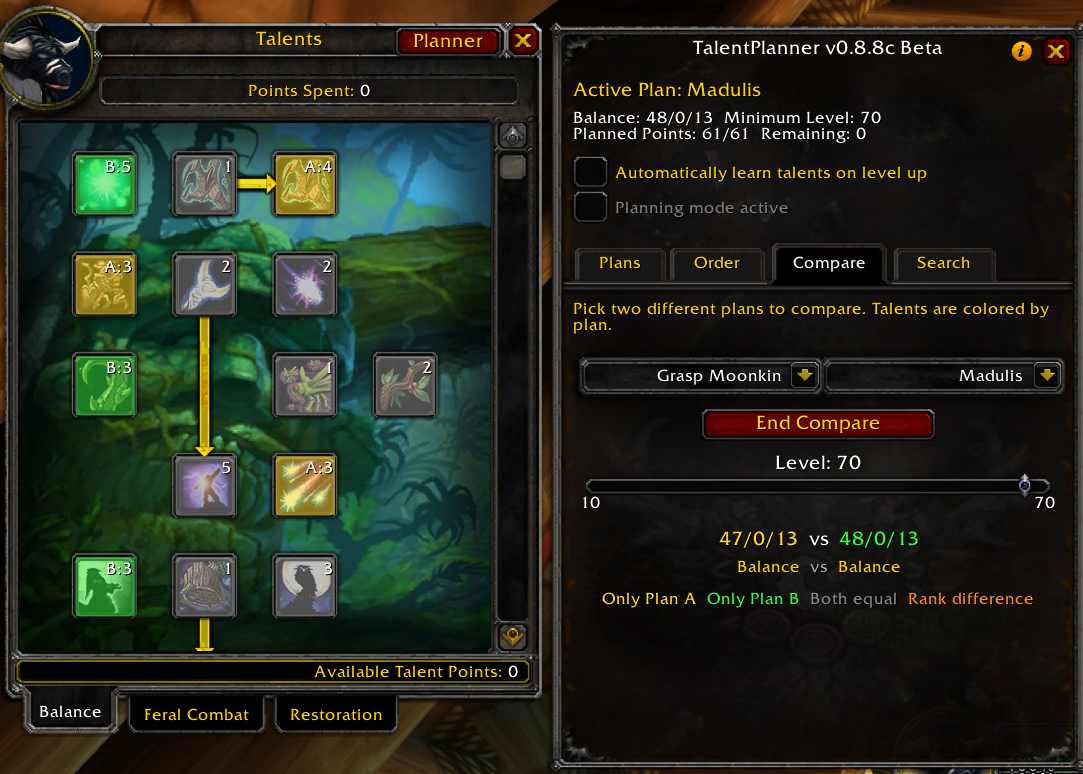
Compare tab
Compare two plans side by side and instantly see where the builds differ. Yellow: only in plan A. Green: only in plan B. Gray: identical in both plans. Orange: in both plans, but with different ranks.
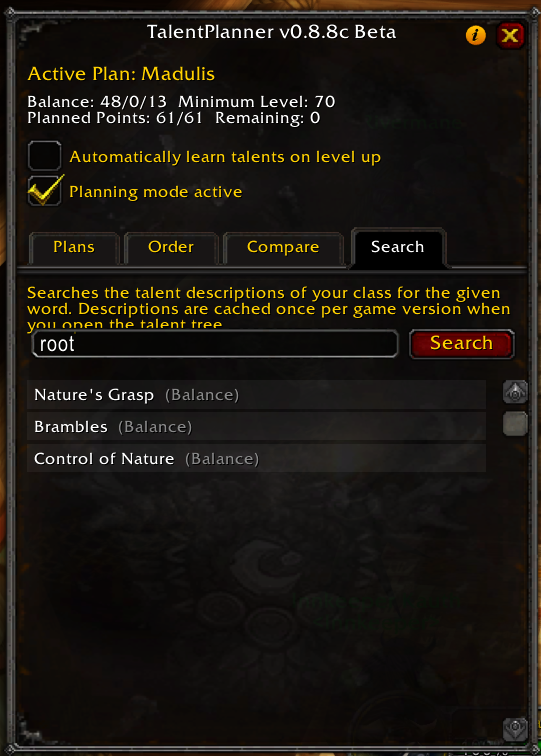
Talent search
Find talents across all trees by text search without endless scrolling, and jump straight to the matches.
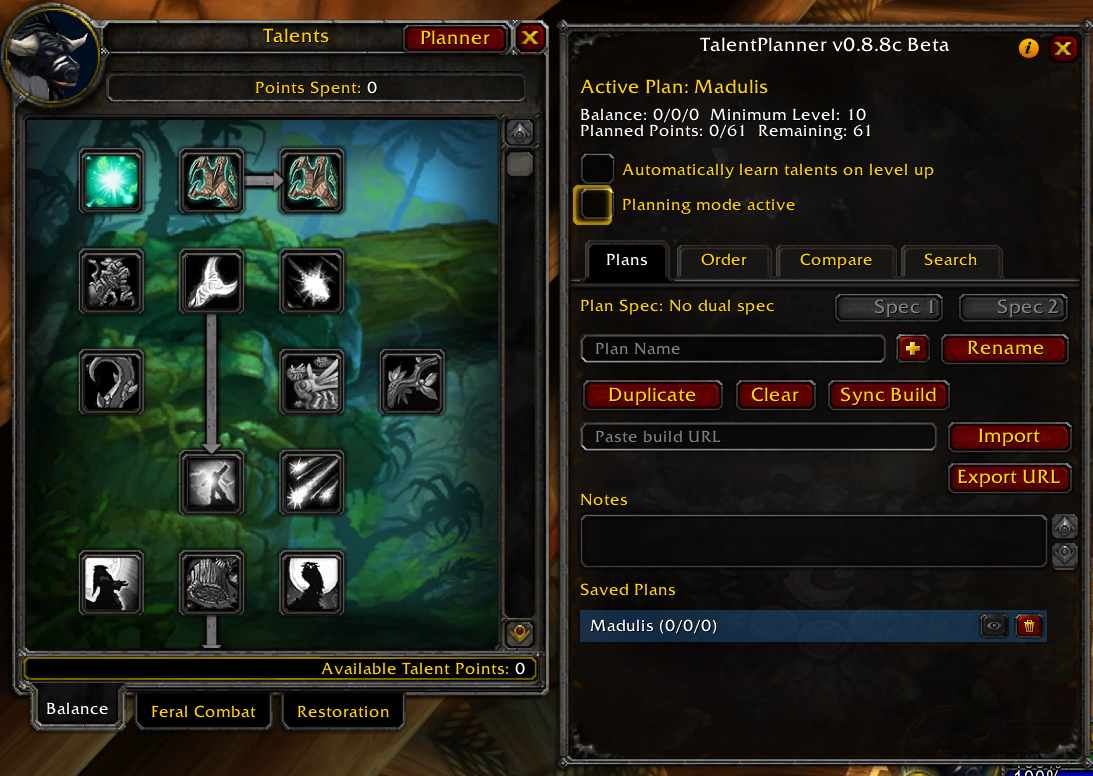
Sync Build
Imports your already learned talents as a plan. Useful for bringing an existing character into zTalentPlanner without rebuilding the spec by hand.
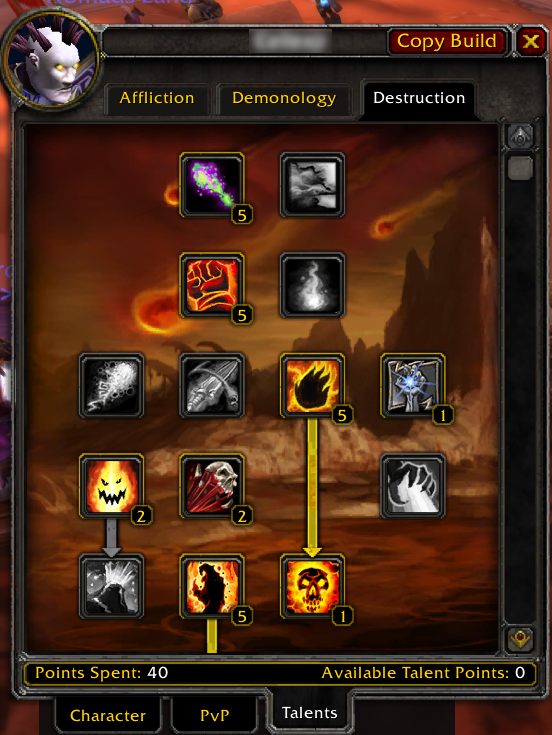
Inspect copy
Inspect another player and save their build as a new plan with one click. This also works across classes, making it easy to keep interesting builds for future characters or alts.
Spending talent points
Auto-learn on level up
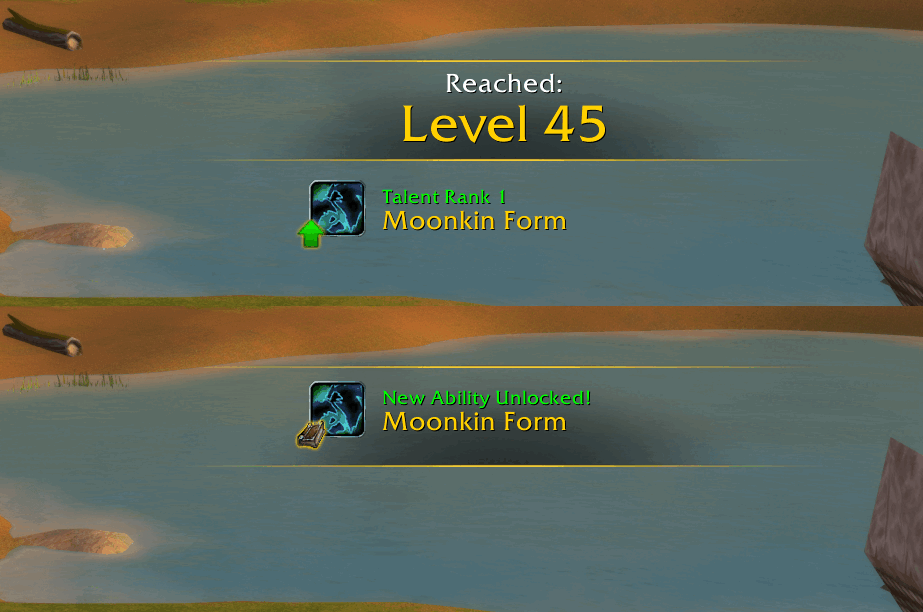
Optional: zTalentPlanner automatically learns the next talent in your plan when you level up. A toast shows which talent, and which newly unlocked spell, was added.
Apply next
The Order tab has an Apply Next button. It learns the next talent according to your plan, giving you full control over when the next point is spent.
Apply all
The Order tab also has an Apply All button. It automatically spends all available talent points according to your plan. Handy for re-spending all points in a flash after a talent reset.
Import / Export
Import builds by URL from Wowhead, Warcraft Tavern or Icy Veins. Export your active plan as a link for any of the three sites and share your builds with other players via Discord.
For Warcraft Tavern and Icy Veins, the talent learning order is preserved on both import and export, so the leveling path stays intact.
Slash commands
All regular features are available through the UI. In addition, there is one chat command:
/tplan toast <on|off>turns the level-up toast on or off, in case it bothers you.
Compatibility
Compatible with:
- ElvUI
- DragonflightUI
Supported versions


Supported languages



Want to help translate zTalentPlanner into your language or improve an existing translation? Your support is very welcome on the CurseForge localization page.
Feedback & Bugs
Please report bugs and suggestions through the CurseForge comments or the project issue tracker.
CurseForge: https://www.curseforge.com/wow/addons/ztalentplanner用户评价
暂无 / 5,0 条评价相关推荐
继续看看这些内容
