插件中文资料库
中文说明、玩家点评、适用场景和替代推荐,方便快速判断是否适合你。
- 背包、银行和物品整理
- 界面布局、头像框、姓名板和动作条优化
 Details! Mythic+ Scoreboard
 BagSync
 RightClickSelfCast
Consumable Tracker Classic/TBC 插件下载与使用指南
本页整理了 Consumable Tracker Classic/TBC 的功能用途、适用人群、安装方法和常见问题,方便玩家快速判断是否需要安装。
适合谁用
Consumable Tracker Classic/TBC 是一款 动作条 / 背包与库存 / 增益与减益 类插件,适合需要优化界面、提升操作效率或补充游戏信息提示的魔兽世界玩家。
基本信息
- 插件作者:nyxito
- 插件分类:动作条 / 背包与库存 / 增益与减益
- 适配版本:1.15.8,2.5.5
- 累计下载:33
安装方法
- 点击上方下载按钮获取 Consumable Tracker Classic/TBC插件文件。
- 解压后将插件文件夹放入 World of Warcraft/_retail_/Interface/AddOns 目录。
- 重启游戏或在角色界面点击插件,确认 Consumable Tracker Classic/TBC 已启用。
- 如果插件不生效,请检查版本是否匹配,或关闭同类冲突插件后重试。
使用建议
Consumable Tracker Classic/TBC 安装后建议先在角色界面确认已启用,进入游戏后根据插件提供的命令、小地图按钮或设置面板进行调整。如遇到报错,可先单独启用该插件排查冲突。
Consumable Tracker Classic/TBC 常见问题
Consumable Tracker Classic/TBC 适合需要 动作条 / 背包与库存 / 增益与减益 类功能的玩家,特别是希望提升游戏便利性、界面管理或战斗信息获取效率的用户。
下载后解压到 Interface/AddOns 目录,然后重启游戏并在角色界面启用插件。
常见原因是目录多套一层、游戏版本不匹配、依赖插件缺失或同类插件冲突。
可以查看本页的替代插件推荐和相关插件区域,按下载量和分类选择同类工具。
插件 AI 问答
可以问:这个插件正式服能用吗、和 DBM 冲突吗、怎么设置、有没有替代插件。
Consumable Tracker Classic/TBC 是一款魔兽世界插件,主要用于增益、减益、光环或职业状态监控、背包、银行、专业制造或物品整理、插件库、数据接口或依赖支持,适合对应经典服或周年服版本使用。建议根据自己的版本和插件环境先测试兼容性。
插件用途
Consumable Tracker Classic/TBC 主要面向需要背包与库存功能的玩家,用来改善游戏体验、减少重复操作或补充默认界面没有直接提供的信息。
适用场景
- 增益、减益、光环或职业状态监控
- 背包、银行、专业制造或物品整理
- 插件库、数据接口或依赖支持
使用建议
安装后建议先在角色选择界面或插件管理器中确认已启用,再进入游戏测试是否与现有整合包、WA 和其他插件冲突。如遇报错,可以先禁用同类插件排查。
ConsumableTracker

NEWS: Version 2.x now supports The Burning Crusade.
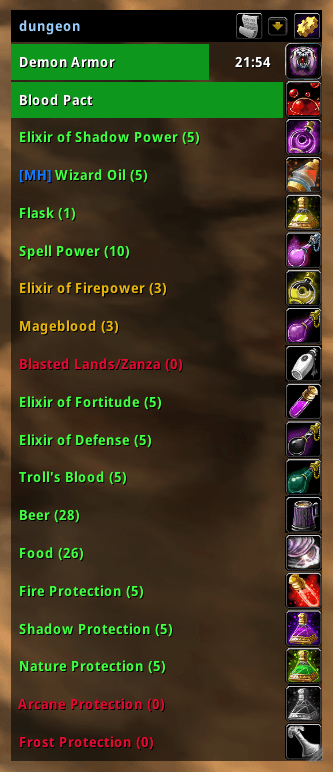
A nifty little tool that helps you keep track of your active buffs and consumables. Especially handy when you're raiding and have a lot to keep up.
Each row tracks one of three things:
- Items: consumables that grant a buff. Potions, elixirs, foods, flasks.
- Enchants: temporary weapon enchants. Poisons, oils, imbues, sharpening stones. Clicking an enchant applies it to the bound weapon slot.
- Buffs: spell IDs to track, whether you cast them yourself or receive them from someone (Power Word: Fortitude, Mark of the Wild). If you can cast it, click the icon to recast even in combat.
Each row has its own warning threshold and an optional stock target for raid prep. Buffs that consume a reagent (Holy Candles, Soul Shards) can be linked to that reagent, so the row counts it the same way an items row counts potions.
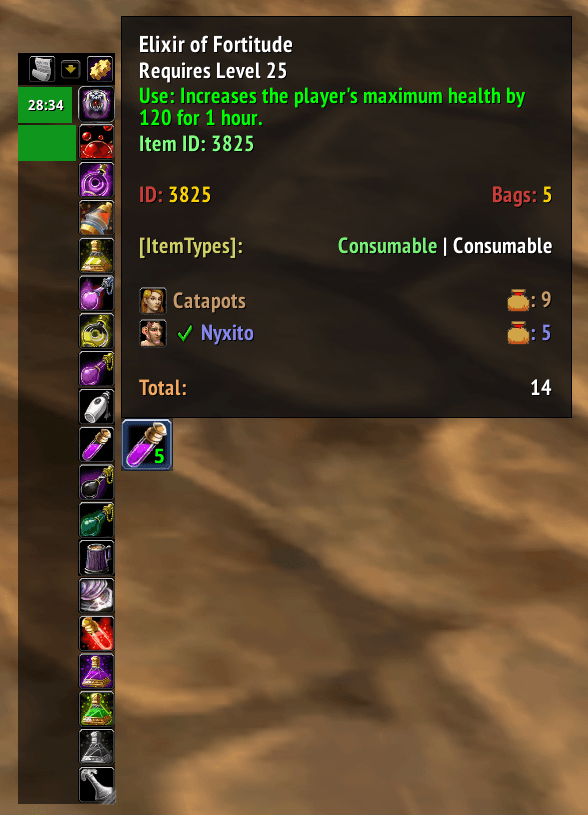
| Compressed | Expanded |
|---|---|
 |
 |
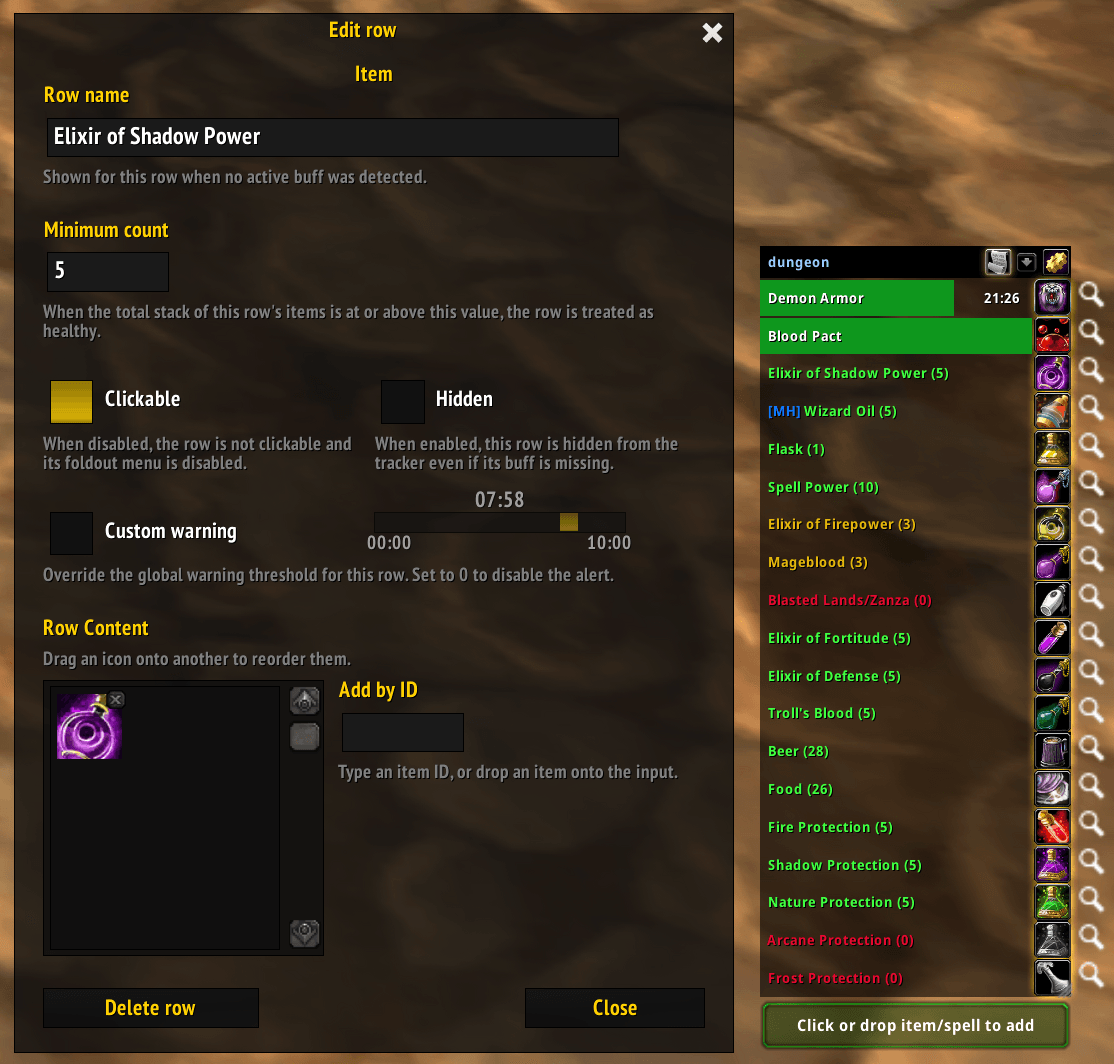
Edit mode
In Edit Mode, drag items and spells from your bags or spellbook to add them. Per-row options cover renaming, reordering, hiding, warning threshold, stock target, and linking a reagent for buffs that consume one.
Warnings
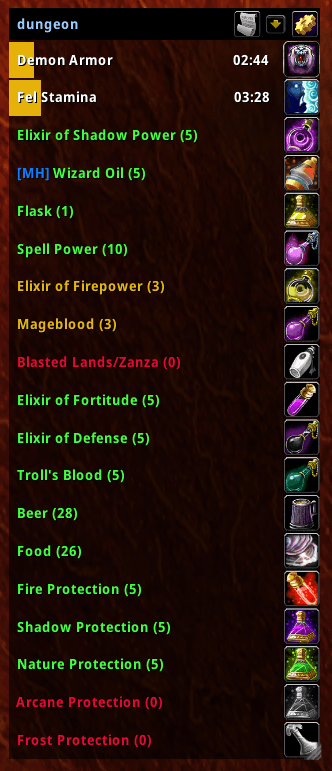
When a tracked buff is about to expire, the row turns yellow and plays a sound or prints a line in chat. The threshold is configured globally and can be overridden per row. Setting a row's threshold to zero silences it.
Rows that track charges (rogue poisons) also warn when the charges-remaining hit a low limit. Sound and chat warnings can be turned off entirely in the addon options, and the warning sound itself is configurable.
Profiles
Each character can have multiple profiles and switch between them in the addon options. You can also bind a profile to your primary and secondary talent spec, in which case the addon swaps when you change spec. Handy if your raid and 5-man setups differ, or if you want different consumables for AoE vs. single-target on a hybrid.
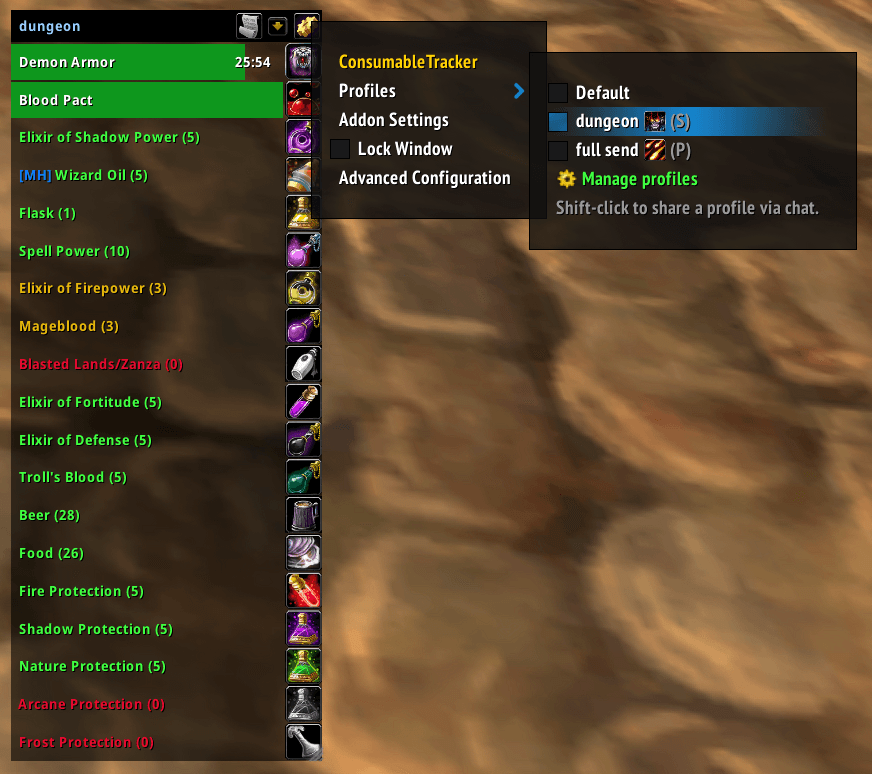
Share profiles via chat
Profiles can be shared from the addon options. Sharing drops a clickable link into chat. Anyone on the other end who has ConsumableTracker sees a clickable link, gets a confirmation popup, and the profile imports.

Stock overview
The addon also indexes every tracked item, so you can see how stocked you are. Hover the bar to get a tooltip with counts. Any row you've stocked above its target turns green, which makes the list quick to scan before raid.
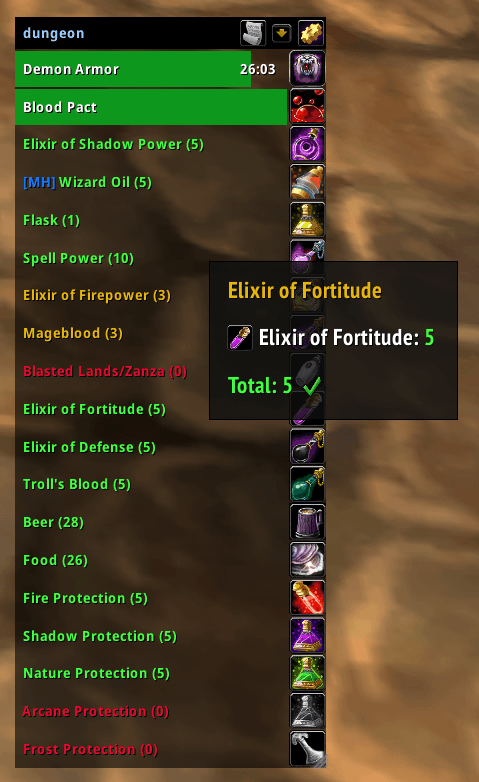
Note: this addon adds a line to the game tooltip showing Item and Spell IDs on hover. If another addon (such as ElvUI) already shows these, you can turn it off in the addon options.
Defaults
The addon ships with reasonable defaults for each class. You can customize them freely, and /ct reset puts the current
profile back to the class default. This wipes whatever was in the profile.
Manual Configuration
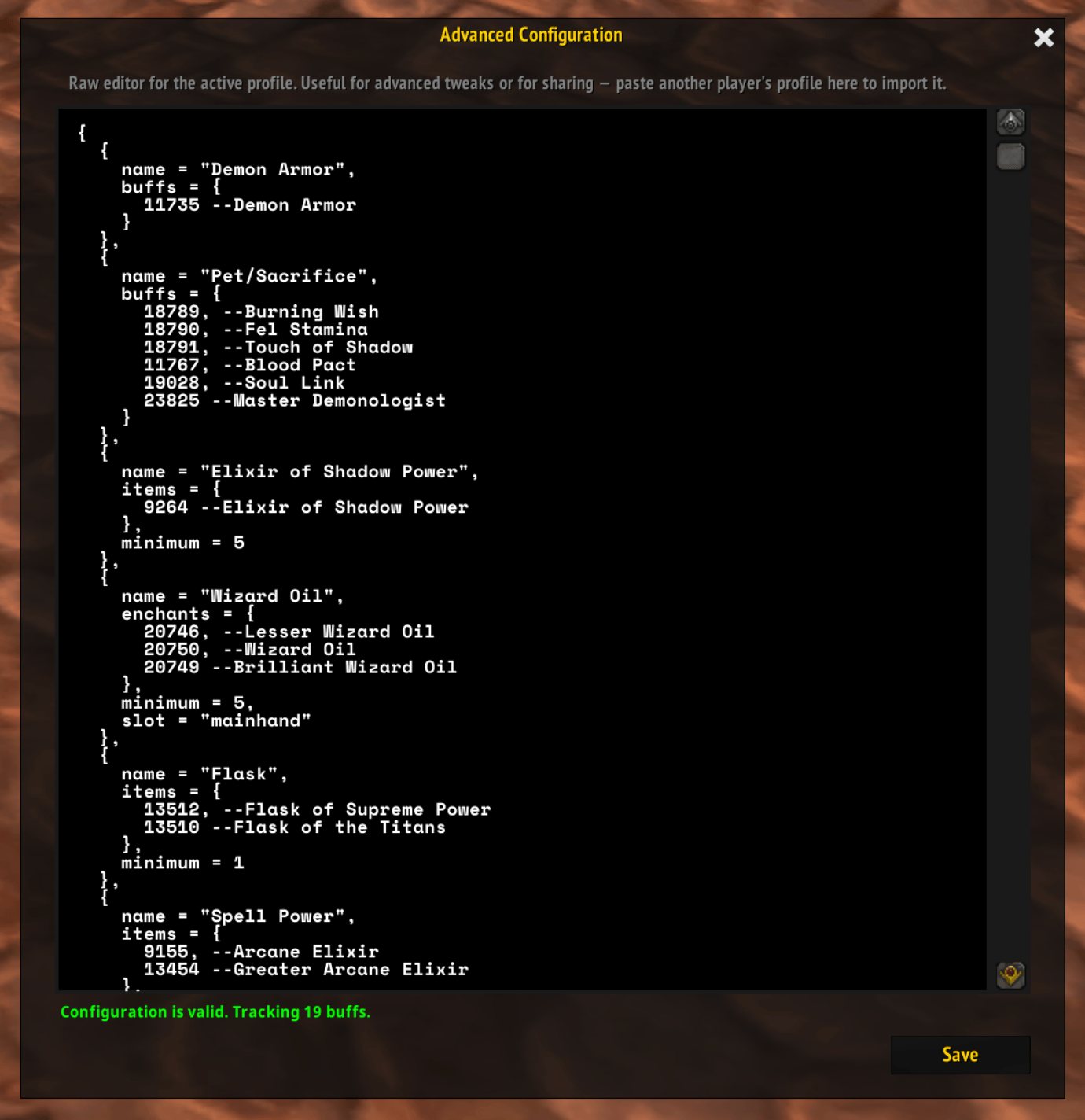
A profile is a LUA table. Normal setup is done in the UI, but editing the table by hand is there if you need it, such as if creating a manual buff-to-item mapping or pasting in a profile someone shared outside the game.
Two ways to work with the table:
- Edit in-game. Open the Advanced Configuration editor from the addon options (or
/ct config). The editor validates as you type. If the table is invalid, you get an error pointing at the bad row instead of broken bars. - Share as plain text. Copy the table out of the in-game editor and paste anywhere. Good for publishing a fixed list, like a class' "Naxx consumes" template.
Sample
{
    {
        name = "Demon Armor",
        buffs = {
            11735 -- rank 5
        },
        warning = 120
    },
    -- Comma-separate each row
    {
        name = "Defense Elixirs",
        items = {
            13445, -- Superior Defense
            8951, -- Greater Defense
            5997 -- Minor Defense
        }
    }
}
Rules
Each "row" represents one set of buffs, consumables or enchants that either don't stack at all or that you don't expect to have at the same time. Examples:
- Blasted Lands consumables (Lung Juice, ROIDS, …).
- Elixir of Superior Defense and Elixir of Greater Defense.
- Arcane Elixir and Greater Arcane Elixir.
Each row must have exactly one of
items,enchantsorbuffs(mutually exclusive). Thenameproperty is also required. Optional properties:warning,hidden,clickable,slot(enchants only),minimum,ingredient( buffs only).
Reference
name
The name of the buff row. This is used when no buff tracked on the row is active.
warning
The global warning threshold (see options) can be overridden for each row. This is useful if you want different thresholds. You can set this to zero to disable a warning entirely for that row. This parameter is optional.
hidden
Hides the row if true. Identical to toggling the Hidden attribute in the UI.
clickable
If set to false, the items/spells on the row cannot be clicked to be consumed. This is useful for very expensive
consumes as it makes you less likely to click by mistake.
items
items is a list of items the row tracks. Most rows hold consumables that grant a buff, but items without an on-use
effect are also allowed — the row then works as a pure checklist driven by minimum (see below). For instance, if you
wanted to track your defense potions:
{
    name = "Defense Elixirs",
    items = {
        13445, -- Superior Defense
        8951, -- Greater Defense
        5997   -- Minor Defense
    }
}
--or if an item does not map to a buff directly and the addon does not know about it, you provide objects instead
with a list of ids (items) and a buff property that indicates which buff the items give. Since none of these stack,
they all go on the same row. This is rarely necessary in practice.
{
    name = "Example mapping",
    items = {
        { ids = { 184938 }, buff = 22888 } -- Maps Dragonslayer to a Supercharged Chronoboon.
    }
}
buffs
buffs must be a simple array/list of spell IDs that you want to keep track of on that row. This example tracks the
three warlock pet sacrifice buffs and Blood Pact. Since the first three override each other, and you rarely have blood
pact at the same time (you'd have to be 2 warlocks in the group), you could put these on the same row.
Be sure to use the ID for the correct rank of the spell you want to track - you can add multiple ranks of course, as they would not stack.
{
    name = "Blood Pact/Sacrifice",
    buffs = {
        18789, -- Burning Wish
        18790, -- Fel Stamina
        18791, -- Touch of Shadow
        11767  -- Blood Pact
    }
}
enchants
enchants must be a list of item IDs that provide a temporary weapon enchant, such as Wizard Oils, Sharpening Stones,
Rogue poisons or Shaman imbues. The IDs in this list must be a valid item for a temporary enchant or a Shaman imbue
spell. You are allowed to mix poisons and imbues with regular enchant items for the same slot.
Clicking any tracked enchant applies it to the slot it's bound to (mainhand or offhand).
Rogue poisons will track either the remaining charges or the remaining duration, whichever is lower (percentage-wise).
{
    name = "Wizard Oil",
    enchants = {
        20749, -- Brilliant Wizard Oil
        20750, -- Wizard Oil
        20744  -- Minor Wizard Oil
    },
    slot = "mainhand"
}
slot
Only used for rows containing enchants. Must be either "mainhand" or "offhand". You can have multiple rows for
the same slot; the only constraint is that a given enchant id (item or imbue spell) appears at most once per slot
across all rows.
minimum
A stack-count threshold (positive integer). When the row is inactive but you own at least this many of the tracked consumables, the row turns green to show you're stocked. Useful for raid prep.
Allowed on:
itemsrows: counts the items themselves.enchantsrows: counts the enchant items (oils, sharpening stones, poisons).buffsrows: only valid when paired withingredient, and counts the reagent.
{
    name = "Sharpening Stone",
    enchants = {
        23529, -- Adamantite Sharpening Stone
        18262, -- Elemental Sharpening Stone
        12404  -- Dense Sharpening Stone
    },
    slot = "mainhand",
    minimum = 20
}
ingredient
The item ID of a reagent that the tracked spell consumes when cast. Soul shards, ankhs, holy candles, that sort of
thing. Only meaningful on buffs rows. Pairs with minimum to count the reagent and colour the row.
{
    name = "Prayer of Fortitude",
    buffs = {
        21562 -- Prayer of Fortitude (rank 1)
    },
    ingredient = 17028, -- Holy Candle
    minimum = 20
}用户评价
暂无 / 5,0 条评价相关推荐
继续看看这些内容
