插件中文资料库
中文说明、玩家点评、适用场景和替代推荐,方便快速判断是否适合你。
- 界面布局、头像框、姓名板和动作条优化
 Details! Mythic+ Scoreboard
 BagSync
 LaoLiHelper_UI美化系统自带框架
AmmeDatabar 插件下载与使用指南
本页整理了 AmmeDatabar 的功能用途、适用人群、安装方法和常见问题,方便玩家快速判断是否需要安装。
适合谁用
AmmeDatabar 是一款 其他插件 类插件,适合需要优化界面、提升操作效率或补充游戏信息提示的魔兽世界玩家。
基本信息
- 插件作者:Ammeina_QuelThalas_EU
- 插件分类:其他插件
- 适配版本:12.1.0
- 累计下载:0
安装方法
- 点击上方下载按钮获取 AmmeDatabar插件文件。
- 解压后将插件文件夹放入 World of Warcraft/_retail_/Interface/AddOns 目录。
- 重启游戏或在角色界面点击插件,确认 AmmeDatabar 已启用。
- 如果插件不生效,请检查版本是否匹配,或关闭同类冲突插件后重试。
使用建议
AmmeDatabar 安装后建议先在角色界面确认已启用,进入游戏后根据插件提供的命令、小地图按钮或设置面板进行调整。如遇到报错,可先单独启用该插件排查冲突。
AmmeDatabar 常见问题
AmmeDatabar 适合需要 其他插件 类功能的玩家,特别是希望提升游戏便利性、界面管理或战斗信息获取效率的用户。
下载后解压到 Interface/AddOns 目录,然后重启游戏并在角色界面启用插件。
常见原因是目录多套一层、游戏版本不匹配、依赖插件缺失或同类插件冲突。
可以查看本页的替代插件推荐和相关插件区域,按下载量和分类选择同类工具。
插件 AI 问答
可以问:这个插件正式服能用吗、和 DBM 冲突吗、怎么设置、有没有替代插件。
AmmeDatabar 是一款魔兽世界插件,主要用于界面框架、头像、动作条或冷却显示优化。建议根据自己的版本和插件环境先测试兼容性。
插件用途
AmmeDatabar 主要面向需要其他插件功能的玩家,用来改善游戏体验、减少重复操作或补充默认界面没有直接提供的信息。
适用场景
- 界面框架、头像、动作条或冷却显示优化
使用建议
安装后建议先在角色选择界面或插件管理器中确认已启用,再进入游戏测试是否与现有整合包、WA 和其他插件冲突。如遇报错,可以先禁用同类插件排查。
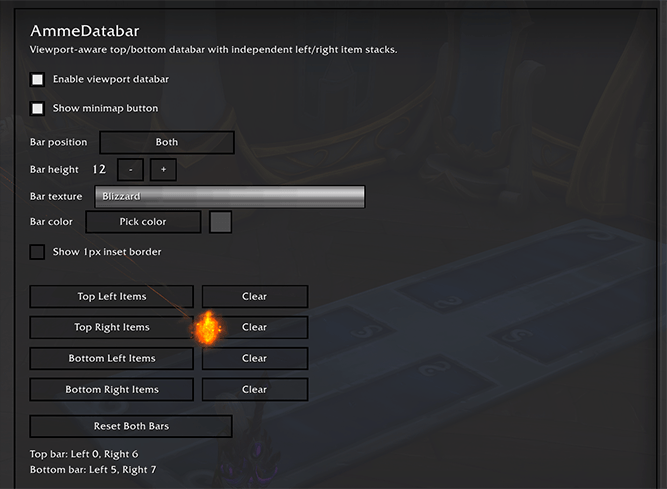
AmmeDatabar is a UI bar that you can have at the top, bottom or both of your UI where you can then place 'Providers' of your choice from a selection of 22 that show you various in game information or provide utilities.
Providers can be placed on the top or bottom bar when that bar is enabled and are added from any of the 'hamburger' menus in each corner. The providers will appear on the bar, growing out from that corner in the order they are added from these menus. (So to re-order them, just remove and re-add them in the order you want them to appear.) Most providers display some small summary on the databar, then when you left click them, display more info on the panel that appears from it. Most panels have a settings button that lets you change some options for how the panel or databar info look.
You can also customise the bar texture, color and if it has a 1px border or not.
Provider examples:
Weekly Activity: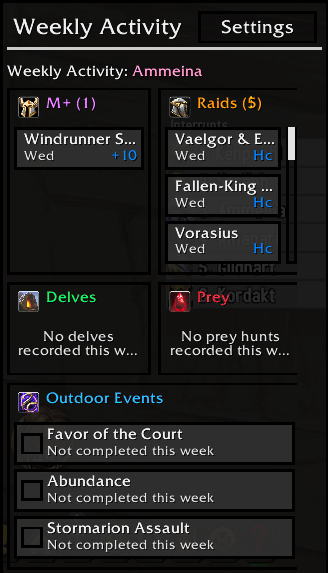
Displays a list of activities that resets each week, showing which end game activities you have completed. if you have completed any such activities on more than one character, the < > buttons at the top allow you to swipe through them from any character. (You must have logged into that character and done the activity after installing the addon for the activities to show, it's not retrospective.)
Weekly Lockouts
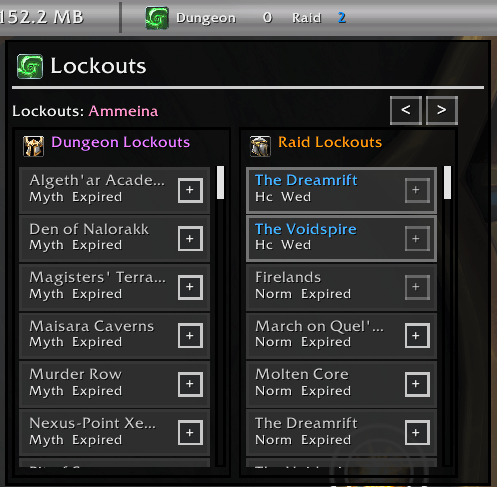
Displays a list of lockouts for instances that support them. Has buttons to extend or remove extension of lockouts if supported. You can also view this data for other characters on your account if you have logged into them to capture the data since installing the addon. Data may be inconsistnt or outdated if you have not logged into that character since the last weekly reset.
Specialisations: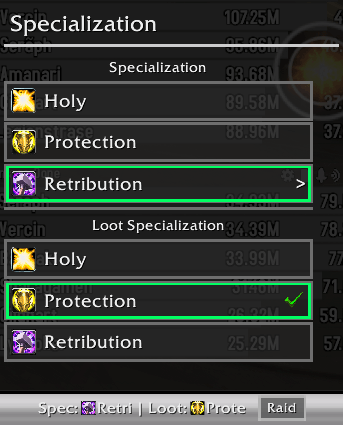
Displays Your current characters spec and loot spec and allows you to switch them. You can also use it to change talent loadout from your saved loadouts you created in the default UI. In addition, if you named your loadouts with certain keywords like raid/M+/M plus etc, it will automatically 'tag' that loadout as for that activity and will remind you to change talents with a little toast popup from the provider when you enter content zones that do not match your current talent loadout tag.
Keystones
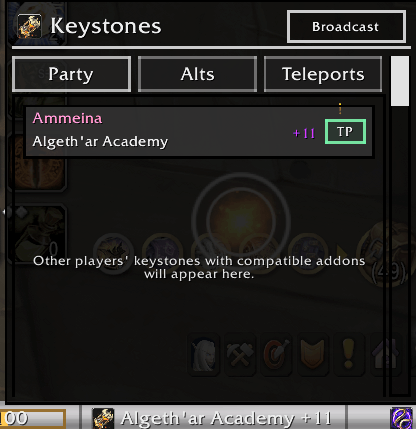
This provider will display your current keystone and any party member in your groups keystone if they use any of the addons that share this data via either of the two common libraries for this. It will also guess any other keystones from other players who dont have these addons if they link a key in party chat.
You can press the TP button to teleport to that dungeons if you have the ability unlocked
You can view what keystones your alts have if you have logged into them since the last weekly reset after installing this addon.
You can use the teleports tab to teleport to any dungeon in the current season if you know the teleport spell regardless of what keystones are detected.
If you join a group via the group finder, it will remind you which dungeon it was for after you joined.
Great Vault:
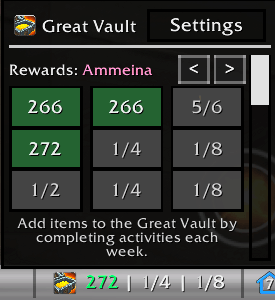
This provider will display a miniture great vault summary and let you pick in the settings which row to show on the databar when the panel is in it's closed state. You can also view the saved snapshot of this data for the current reset on any alts you have logged into with the addon installed since the last weekly reset.
Gold:
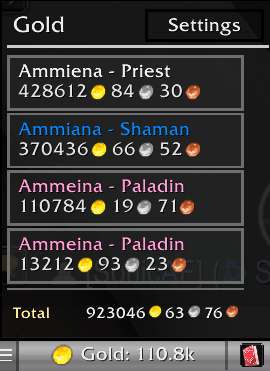
Just a simple gold tracker for your characters. You have to have logged into the character with the addon installed for the character to be considered in the total.
Player housing:
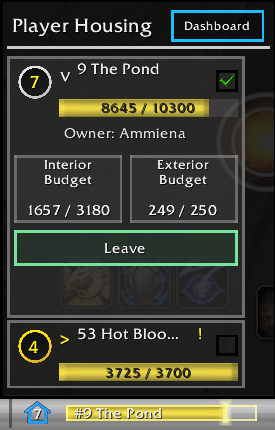
Shows you a summary of your houses/plots owned and the last seen interior and exterior decoration budget for each one. The budgets are a snapshot of the last time you visited the house, as addons can only read this data while you are in your house plot or inside. You can see the saved values from anywhere, but they will only update when in the location. Also provides a teleport/leave button to move to/from the player housing instance zones.
Currency
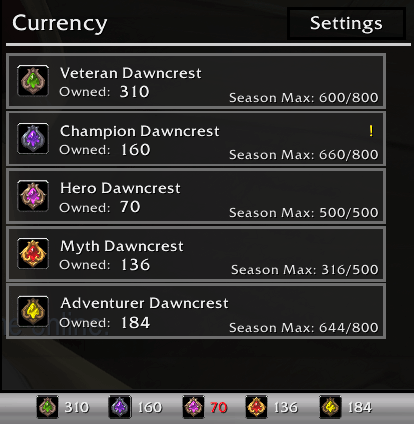
This provider tracks between 1 to 8 currencies of your choice, and displays them differently depending on which display mode you chose for them. The larger number of currencies display mode you chose, the more compact/minimal the summary on the bar is. Supports displaying info for seaonsal currencies that have a weekly cap and total collected in a season.
Reputation:
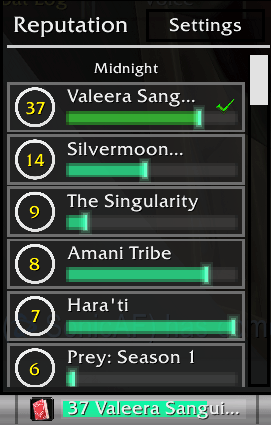
Displays current reputation/renown level for various factions and allows you to pick one to display on the databar. Factions are grouped by expansion and renown factions from previous expansions are supported.
Quests:
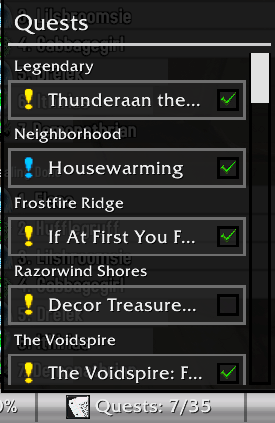
This provider essentially replaces the quest tracker in a more compact format, allowing you to turn that off if you want. You can abandon, focus or unfocus quests just like from the default tracker.
Addon CPU/RAM
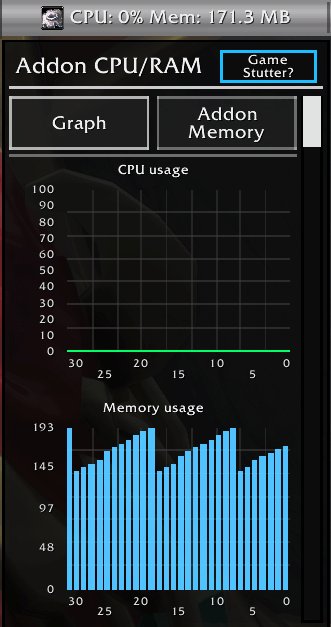
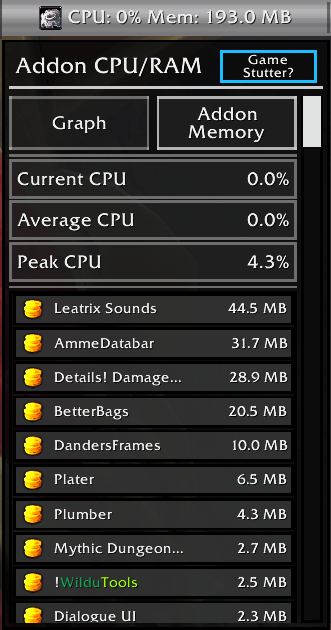
This provider is a little unique in the sense that it's not recommended for general use to leave it on the bar at all times, as it would cause framerate stutter due to how it has to poll the game for the performance data. It's intended for UI troubleshooting if you have performance problems/memory leaks etc already.
Markers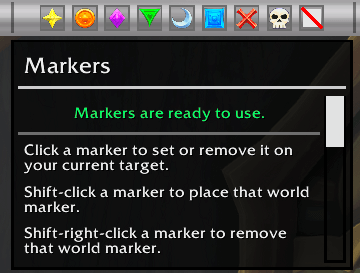
Displays a set of buttons you can use to put down target or world markers. The Provider disables the buttons when you are in a raid and you are not the leader/assistant.
Latency:
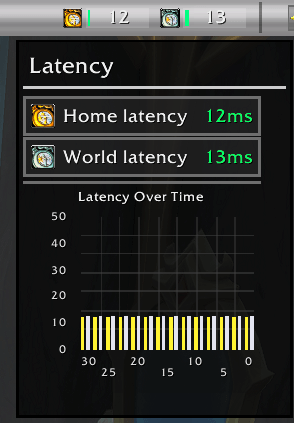
Shows your current home and world latency and graphs it over the last 30 seconds while the panel is open.
List of all Providers:
Gold
Currency
Durability
Bags
Experience
Mailbox
Location
Clock
Volume
Markers
Latency
Addon CPU/RAM
Reputation
Great Vault
Lockouts
Keystones
Player Housing
Specialization
Mounts
Quests
Item Level
Weekly Activity
Usable Items (new)
Party Tools (new)
Addon Settings:
Several providers will give you reminders about things while they are enabed, such as low durability, wrong talent loadout for zone type, player housing ready to upgrade, currency cap reached etc. Providers that have a pending reminder will have a notification red circle with the number of non-dismissed notifications pending in the providers panel, somewhat like on a smartphone. Open the providers panel and look at the notification and dismiss it with the close (X) button to remove it for the current game session.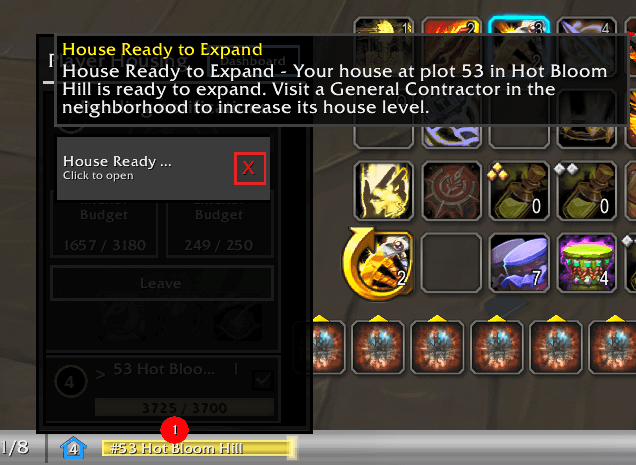
Support
To Submit a bug report or suggestion, please use my Discord:
https://discord.gg/wXwGqN67fB
用户评价
暂无 / 5,0 条评价相关推荐
继续看看这些内容
