插件中文资料库
中文说明、玩家点评、适用场景和替代推荐,方便快速判断是否适合你。
- 背包、银行和物品整理
- 拍卖行、交易和金币管理
- 界面布局、头像框、姓名板和动作条优化
 Ping Alert! LMN
 Craft Tracker
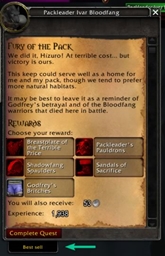 BestSellButton
Jibbs' Inventory Guardian 插件下载与使用指南
本页整理了 Jibbs' Inventory Guardian 的功能用途、适用人群、安装方法和常见问题,方便玩家快速判断是否需要安装。
适合谁用
Jibbs' Inventory Guardian 是一款 鼠标提示 / 背包与库存 类插件,适合需要优化界面、提升操作效率或补充游戏信息提示的魔兽世界玩家。
基本信息
- 插件作者:Jibbs
- 插件分类:鼠标提示 / 背包与库存
- 适配版本:12.0.5
- 累计下载:42
安装方法
- 点击上方下载按钮获取 Jibbs' Inventory Guardian插件文件。
- 解压后将插件文件夹放入 World of Warcraft/_retail_/Interface/AddOns 目录。
- 重启游戏或在角色界面点击插件,确认 Jibbs' Inventory Guardian 已启用。
- 如果插件不生效,请检查版本是否匹配,或关闭同类冲突插件后重试。
使用建议
Jibbs' Inventory Guardian 安装后建议先在角色界面确认已启用,进入游戏后根据插件提供的命令、小地图按钮或设置面板进行调整。如遇到报错,可先单独启用该插件排查冲突。
Jibbs' Inventory Guardian 常见问题
Jibbs' Inventory Guardian 适合需要 鼠标提示 / 背包与库存 类功能的玩家,特别是希望提升游戏便利性、界面管理或战斗信息获取效率的用户。
下载后解压到 Interface/AddOns 目录,然后重启游戏并在角色界面启用插件。
常见原因是目录多套一层、游戏版本不匹配、依赖插件缺失或同类插件冲突。
可以查看本页的替代插件推荐和相关插件区域,按下载量和分类选择同类工具。
插件 AI 问答
可以问:这个插件正式服能用吗、和 DBM 冲突吗、怎么设置、有没有替代插件。
Jibbs' Inventory Guardian 是一款魔兽世界插件,主要用于装备修理、金币或商人相关提醒、界面框架、头像、动作条或冷却显示优化、背包、银行、专业制造或物品整理。建议根据自己的版本和插件环境先测试兼容性。
插件用途
Jibbs' Inventory Guardian 主要面向需要背包与库存功能的玩家,用来改善游戏体验、减少重复操作或补充默认界面没有直接提供的信息。
适用场景
- 装备修理、金币或商人相关提醒
- 界面框架、头像、动作条或冷却显示优化
- 背包、银行、专业制造或物品整理
使用建议
安装后建议先在角色选择界面或插件管理器中确认已启用,再进入游戏测试是否与现有整合包、WA 和其他插件冲突。如遇报错,可以先禁用同类插件排查。
(Designed for retail bags)
Never accidentally destroy, sell, scrap, or disenchant an important item again.
Inventory Guardian allows you to lock items in your bags so they are protected from common inventory mistakes. Once an item is locked, the addon prevents actions that could permanently remove or destroy it.
Inventory Guardian combines the functionality of my previous addons Set Lock and Item Lock into a single streamlined system designed for modern World of Warcraft.
What Inventory Guardian Protects Against
Locked items cannot be:
- Sold to vendors
- Deleted or destroyed
- Scrapped
- Disenchanted
If you attempt one of these actions, Inventory Guardian will block it.
Key Features
Manual Item Locking
- Lock and unlock items directly from your inventory using a configurable keybind. Hover an item and press your keybind to toggle protection.
Equipment Set Protection
- Items belonging to Blizzard’s Equipment Manager sets are automatically protected, helping ensure you never accidentally lose gear tied to your builds.
Visual Lock Indicators
- Locked items display a clear border in your bags so you always know which items are protected.
Informative Tooltips
Tooltips show whether an item is:
- Manually locked
- Protected because it belongs to an equipment set
Simple and Lightweight
- Inventory Guardian focuses on doing one thing well: protecting your gear. No bag replacements, no complicated systems, just straightforward protection.
Keybind Setup
After installing Inventory Guardian, you can set your lock toggle key here:
ESC → Keybindings → Other → Inventory Guardian
Bind Toggle Hovered Item Lock, then hover over an item in your bag and press the key to lock or unlock it.
You can reopen the setup popup at any time with:
Commands
/iguardDisplays Inventory Guardian help and status information.
/iguard setupReopens the first-time setup popup for configuring keybinds.
/iguard visualsToggles lock visuals on or off.
/iguard refreshRefreshes Inventory Guardian protection states and bag visuals.
/iguard clearClears all manually locked items.
/iguard toggleTemporarily enables or disables Inventory Guardian protections.
/iguard setprotectionEnables or disables automatic equipment set protection.
/iguard relearnsetsRelearns the exact item instances currently equipped for Blizzard Equipment Manager sets.
/iguard debugsetsDisplays learned equipment set debugging information.
/iguard allowuseToggles whether manually locked items can still be used or equipped.
/iguard color red
/iguard color blue
/iguard color green
/iguard color gold
/iguard color purple
Changes the color of Inventory Guardian lock visuals.
Important Note
Due to how Blizzard handles bulk vendor functions, Inventory Guardian does not prevent junk items from being sold when using vendor “Sell Junk” style buttons.
However, normal vendor selling of locked items is still blocked.
About This Addon
Inventory Guardian is the unification of two of my previous addons:
- Set Lock — protected items belonging to equipment sets
- Item Lock — allowed manual locking of inventory items
These systems have been combined into a single addon to provide a simple, reliable safeguard for your inventory.
About Azeroth Morning Radio
Inventory Guardian is created by Jibbs, co-host of Azeroth Morning Radio, a World of Warcraft podcast that brings together lore, community discussion, and the everyday adventures of life in Azeroth. If you enjoy this addon, you might also enjoy the show.
Visit azerothmorningradio.com for more
CurseForge: https://www.curseforge.com/wow/addons/jibbs-inventory-guardian用户评价
暂无 / 5,0 条评价相关推荐
继续看看这些内容
