插件中文资料库
中文说明、玩家点评、适用场景和替代推荐,方便快速判断是否适合你。
- 界面布局、头像框、姓名板和动作条优化
 Details! Mythic+ Scoreboard
 BagSync
 Sleek XP Bubbles
DelveBuddy 插件下载与使用指南
本页整理了 DelveBuddy 的功能用途、适用人群、安装方法和常见问题,方便玩家快速判断是否需要安装。
适合谁用
DelveBuddy 是一款 地图与小地图 / 泰坦面板 / FuBar / 数据代理 / 鼠标提示 类插件,适合需要优化界面、提升操作效率或补充游戏信息提示的魔兽世界玩家。
基本信息
- 插件作者:malevolens
- 插件分类:地图与小地图 / 泰坦面板 / FuBar / 数据代理 / 鼠标提示
- 适配版本:12.0.5
- 累计下载:0
安装方法
- 点击上方下载按钮获取 DelveBuddy插件文件。
- 解压后将插件文件夹放入 World of Warcraft/_retail_/Interface/AddOns 目录。
- 重启游戏或在角色界面点击插件,确认 DelveBuddy 已启用。
- 如果插件不生效,请检查版本是否匹配,或关闭同类冲突插件后重试。
使用建议
DelveBuddy 安装后建议先在角色界面确认已启用,进入游戏后根据插件提供的命令、小地图按钮或设置面板进行调整。如遇到报错,可先单独启用该插件排查冲突。
DelveBuddy 常见问题
DelveBuddy 适合需要 地图与小地图 / 泰坦面板 / FuBar / 数据代理 / 鼠标提示 类功能的玩家,特别是希望提升游戏便利性、界面管理或战斗信息获取效率的用户。
下载后解压到 Interface/AddOns 目录,然后重启游戏并在角色界面启用插件。
常见原因是目录多套一层、游戏版本不匹配、依赖插件缺失或同类插件冲突。
可以查看本页的替代插件推荐和相关插件区域,按下载量和分类选择同类工具。
插件 AI 问答
可以问:这个插件正式服能用吗、和 DBM 冲突吗、怎么设置、有没有替代插件。
DelveBuddy 是一款魔兽世界插件,主要用于数据代理相关功能。建议根据自己的版本和插件环境先测试兼容性。
插件用途
DelveBuddy 主要面向需要数据代理功能的玩家,用来改善游戏体验、减少重复操作或补充默认界面没有直接提供的信息。
适用场景
- 数据代理相关功能
使用建议
安装后建议先在角色选择界面或插件管理器中确认已启用,再进入游戏测试是否与现有整合包、WA 和其他插件冲突。如遇报错,可以先禁用同类插件排查。
DelveBuddy
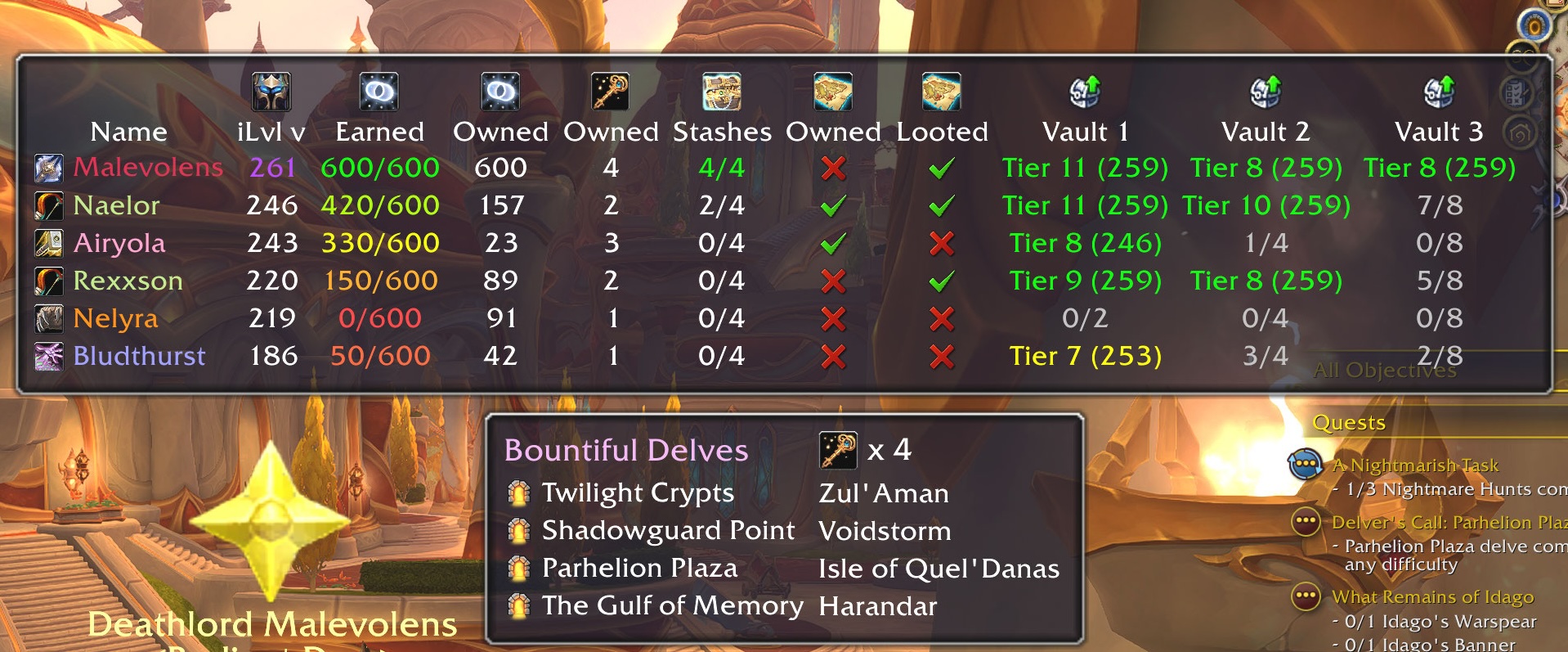
DelveBuddy is a World of Warcraft addon that helps you track weekly Delve activities and rewards across all your characters. It integrates with Data Broker displays (Titan Panel, ChocolateBar, Bazooka, etc.) and provides a minimap icon for quick access. Updated for Midnight 12.0.1 and Season 1.
Features
- Tracking
- Coffer Key Shards (weekly earned, weekly max, and total owned)
- Restored Coffer Keys (total owned)
- Gilded Stashes (weekly looted, weekly max)
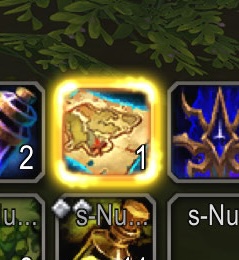
- Trovehunter's Bounty (owned and looted this week)
- Great Vault Rewards (World Delves progress per tier)
- Current Gear Item Level (so you know who needs to do more delves)
- Sorting
- Click any column in the main tooltip UI to sort by that column
- UI Enhancements
- Shows currently active Bountiful Delves
- Click a Delve to create a waypoint to it
- Click any vault cell to show the Great Vault UI
- Easy access to Trovehunter's Bounty and Beacon of Hope - one-click!
- Rewards cheat sheet to show all rewards given from each tier delve
- Reminders & Warnings
- Reminder to use Trovehunter's Bounty when inside a Bountiful Delve
- Warning when entering a Bountiful Delve without a Restored Coffer Key
- Warning when entering a Delve if your companion doesn't have an assigned role
Usage
- Minimap icon: Click the minimap icon to show/hide DelveBuddy's tooltip UI.rewards.
- Data Broker: Hover over the LibDataBroker icon to see DelveBuddy's tooltip UI.
- Right-click the broker or minimap icon for options menu
- Shift+click the minimap icon (or Shift-hover on the DataBroker) to show the rewards UI.
- Slash Commands:
/db minimap— Show/hide the minimap icon./db scale <0.75-2.0>-- Set tooltip scale/db reminders <coffer|bounty> <on|off>-- Enable/disable reminders/db waypoints <blizzard|tomtom|both>-- Set waypoint providers/db debugLogging <on|off>— Enable/disable debug logs/db debuginfo- Print useful debugging info
Screenshots

用户评价
暂无 / 5,0 条评价相关推荐
继续看看这些内容
