插件中文资料库
中文说明、玩家点评、适用场景和替代推荐,方便快速判断是否适合你。
- 拍卖行、交易和金币管理
- 界面布局、头像框、姓名板和动作条优化
 TankMD Misdirect
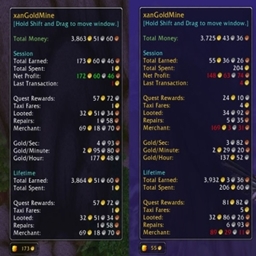 xanGoldMine
 Craft Tracker
Junkbox Breaker BCC 插件下载与使用指南
本页整理了 Junkbox Breaker BCC 的功能用途、适用人群、安装方法和常见问题,方便玩家快速判断是否需要安装。
适合谁用
Junkbox Breaker BCC 是一款 动作条 / 拍卖与商业 / 背包与库存 / 潜行者 类插件,适合需要优化界面、提升操作效率或补充游戏信息提示的魔兽世界玩家。
基本信息
- 插件作者:Kelayz
- 插件分类:动作条 / 拍卖与商业 / 背包与库存 / 潜行者
- 适配版本:2.5.5
- 累计下载:53
安装方法
- 点击上方下载按钮获取 Junkbox Breaker BCC插件文件。
- 解压后将插件文件夹放入 World of Warcraft/_retail_/Interface/AddOns 目录。
- 重启游戏或在角色界面点击插件,确认 Junkbox Breaker BCC 已启用。
- 如果插件不生效,请检查版本是否匹配,或关闭同类冲突插件后重试。
使用建议
Junkbox Breaker BCC 安装后建议先在角色界面确认已启用,进入游戏后根据插件提供的命令、小地图按钮或设置面板进行调整。如遇到报错,可先单独启用该插件排查冲突。
Junkbox Breaker BCC 常见问题
Junkbox Breaker BCC 适合需要 动作条 / 拍卖与商业 / 背包与库存 / 潜行者 类功能的玩家,特别是希望提升游戏便利性、界面管理或战斗信息获取效率的用户。
下载后解压到 Interface/AddOns 目录,然后重启游戏并在角色界面启用插件。
常见原因是目录多套一层、游戏版本不匹配、依赖插件缺失或同类插件冲突。
可以查看本页的替代插件推荐和相关插件区域,按下载量和分类选择同类工具。
插件 AI 问答
可以问:这个插件正式服能用吗、和 DBM 冲突吗、怎么设置、有没有替代插件。
Junkbox Breaker BCC 是一款魔兽世界插件,主要用于倒计时、提醒和战斗预警。建议根据自己的版本和插件环境先测试兼容性。
插件用途
Junkbox Breaker BCC 主要面向需要拍卖与商业功能的玩家,用来改善游戏体验、减少重复操作或补充默认界面没有直接提供的信息。
适用场景
- 倒计时、提醒和战斗预警
使用建议
安装后建议先在角色选择界面或插件管理器中确认已启用,再进入游戏测试是否与现有整合包、WA 和其他插件冲突。如遇报错,可以先禁用同类插件排查。
Junkbox Breaker is a lightweight Rogue-only addon to make lockpicking faster and more effecient. No configuration needed — it loads only on Rogue characters. I got tired of trying macros, keybinding lockpick press that button to then go move my mouse to press another button
Alt-Click Cracking Hover over any locked lockbox in your bags and hold Alt and click to unlock - tooltip will state if its locked or already unlocked. Works in the trade window too — if someone puts a lockbox in the will-not-trade slot, Alt-click to mark it for cracking.
Batch Cracking (/jb auto) Multiple junkboxes in your bag? Type /jb auto or hold Ctrl+Shift and click any locked lockbox to open the batch cracking panel. This panel shows a Pick Lock button that automatically targets the next locked lockbox in your bags. It's not a 1 click and batch unlocks until its done - its a UI window with a lockpick icon > states how many need cracked > click picklock icon on screen > it will unlock 1 > after click it again to unlock next one in bag - press 1 button per junkbox via the window instead of holding alt
KNOWN BUGS:
I personally use Bagnator and it has some issues opening/closing the bag ui during combat regardless if using /jb auto or not.If you have your bags open with bagnator > enter combat - your backpack keybind will not close the bag and will cause a lua error, just hit the X on the bagnator UI to close it normally. Same happens if you want to open your bag in combat - it will not open using your keybind. This is a bagnator issue not the addon issue - bagnator has a few lines of code that just dont interact with my addon.If you aren't using an addon like Bugsacker and want lua errors to dissapear - THIS WILL DISABLE ALL LUA ERRORS - type "/console scriptErrors 0" into chat and all lua errors will no longer show upPlease comment if your having errors with a specific addon so i can download and see whats going on!!
Bagnator interaction should now be fixed in 1.1!
Commands
/jb auto— Toggle the batch cracking panel/jb scan— Quick count of locked lockboxes in your bags/jb— Show all commands
CREDIT:
CurseForge: https://www.curseforge.com/wow/addons/junkbox-breaker用户评价
暂无 / 5,0 条评价相关推荐
继续看看这些内容
