插件中文资料库
中文说明、玩家点评、适用场景和替代推荐,方便快速判断是否适合你。
- 界面布局、头像框、姓名板和动作条优化
 LaoLiHelper多功能综合助手
 LL_PL带本插件
 LaoLiHelper_UI美化系统自带框架
WoW Arena CD Helper by GladPush.GG 插件下载与使用指南
本页整理了 WoW Arena CD Helper by GladPush.GG 的功能用途、适用人群、安装方法和常见问题,方便玩家快速判断是否需要安装。
适合谁用
WoW Arena CD Helper by GladPush.GG 是一款 其他插件 / 竞技场 / PVP 类插件,适合需要优化界面、提升操作效率或补充游戏信息提示的魔兽世界玩家。
基本信息
- 插件作者:Am0n3r
- 插件分类:其他插件 / 竞技场 / PVP
- 适配版本:12.0.5
- 累计下载:33
安装方法
- 点击上方下载按钮获取 WoW Arena CD Helper by GladPush.GG插件文件。
- 解压后将插件文件夹放入 World of Warcraft/_retail_/Interface/AddOns 目录。
- 重启游戏或在角色界面点击插件,确认 WoW Arena CD Helper by GladPush.GG 已启用。
- 如果插件不生效,请检查版本是否匹配,或关闭同类冲突插件后重试。
使用建议
WoW Arena CD Helper by GladPush.GG 安装后建议先在角色界面确认已启用,进入游戏后根据插件提供的命令、小地图按钮或设置面板进行调整。如遇到报错,可先单独启用该插件排查冲突。
WoW Arena CD Helper by GladPush.GG 常见问题
WoW Arena CD Helper by GladPush.GG 适合需要 其他插件 / 竞技场 / PVP 类功能的玩家,特别是希望提升游戏便利性、界面管理或战斗信息获取效率的用户。
下载后解压到 Interface/AddOns 目录,然后重启游戏并在角色界面启用插件。
常见原因是目录多套一层、游戏版本不匹配、依赖插件缺失或同类插件冲突。
可以查看本页的替代插件推荐和相关插件区域,按下载量和分类选择同类工具。
插件 AI 问答
可以问:这个插件正式服能用吗、和 DBM 冲突吗、怎么设置、有没有替代插件。
WoW Arena CD Helper by GladPush.GG 是一款魔兽世界插件,主要用于界面框架、头像、动作条或冷却显示优化。建议根据自己的版本和插件环境先测试兼容性。
插件用途
WoW Arena CD Helper by GladPush.GG 主要面向需要其他插件功能的玩家,用来改善游戏体验、减少重复操作或补充默认界面没有直接提供的信息。
适用场景
- 界面框架、头像、动作条或冷却显示优化
使用建议
安装后建议先在角色选择界面或插件管理器中确认已启用,再进入游戏测试是否与现有整合包、WA 和其他插件冲突。如遇报错,可以先禁用同类插件排查。
GladPush.GG CD Guide
Know every cooldown before the gates open.
GladPush.GG CD Guide is a comprehensive arena reference tool that shows you every CC ability, offensive cooldown, defensive cooldown, and immunity for both teams — side by side, in real time. Built for players who want to stop guessing and start planning.
Built by gladpush.gg.
Four Tabs, One Frame
CC (Crowd Control)
Every CC ability for each player, organized by Diminishing Returns category — Stun, Incapacitate, Disorient, Root, Silence, Interrupt. Each spell shows its icon, duration, and cooldown at a glance. DR categories use recognizable in-game icons so you immediately know what shares DR with what.
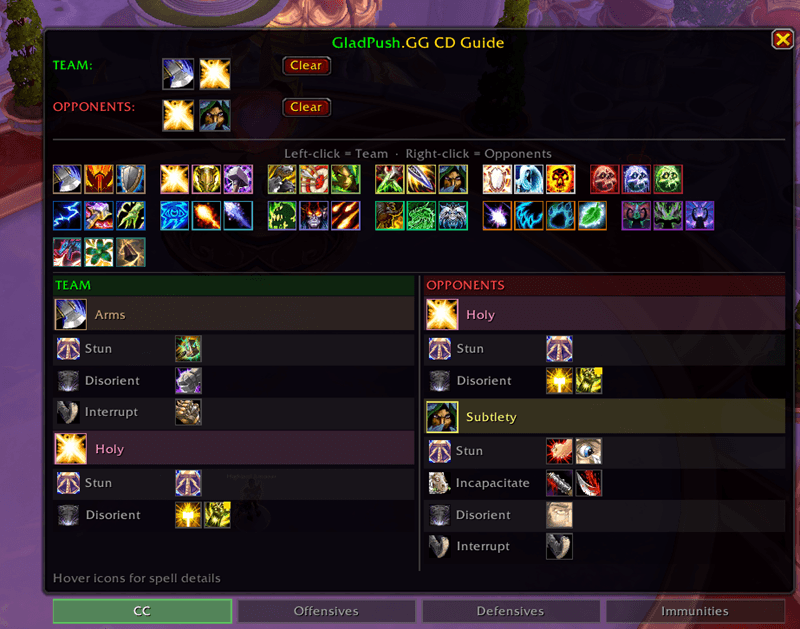 Backed by data from DRList-1.0 v82 — the same library used by Gladius, sArena, and BigDebuffs.
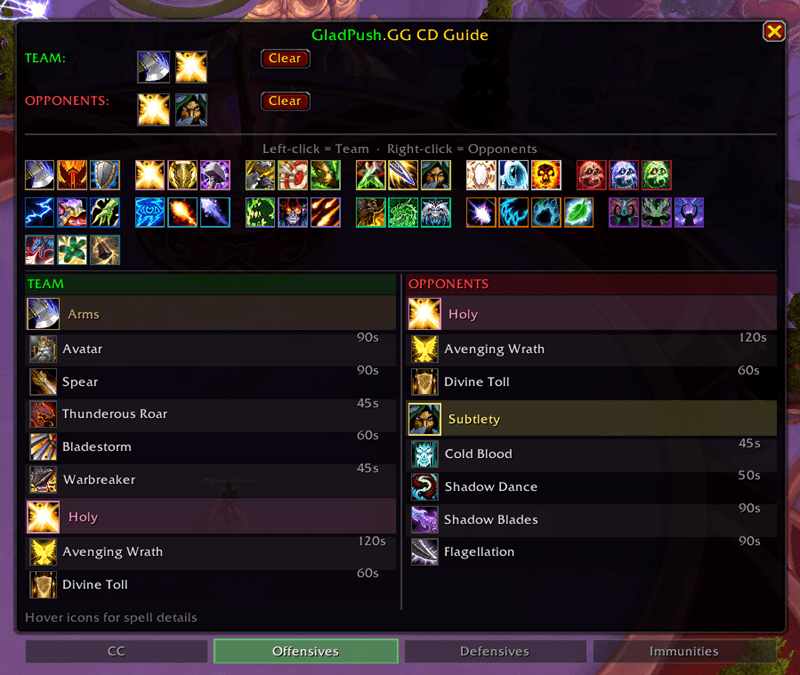
Offensives
Major burst cooldowns for each player. Know when the enemy Rogue has Shadow Dance + Shadow Blades, or when the Mage is holding Combustion. Every ability shows its cooldown duration so you can track windows.
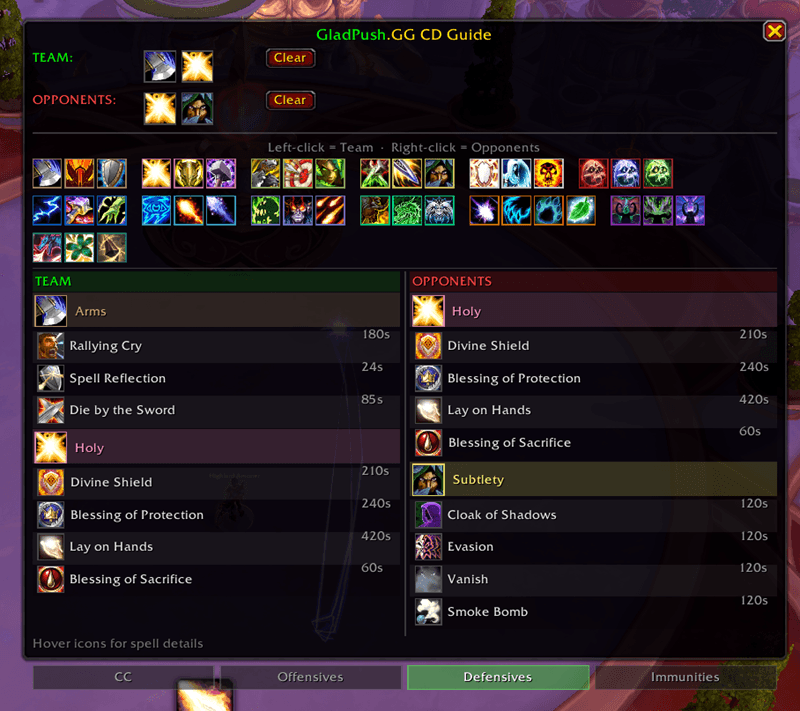
Defensives
Survival cooldowns — Divine Shield, Ice Block, Cloak of Shadows, Pain Suppression, and everything in between. See at a glance what each player has available to survive your kill attempts.
Immunities
The tab most players need but didn't know existed. Shows exactly what makes each class immune — and to what:
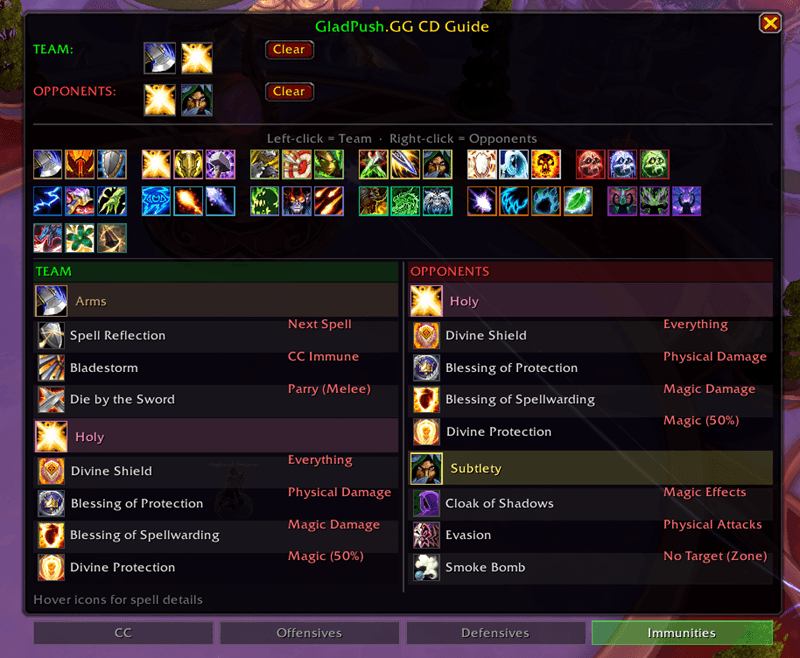
- Full immunity: Divine Shield, Ice Block, Netherwalk, Aspect of the Turtle
- Magic immunity: Anti-Magic Shell, Cloak of Shadows, Blessing of Spellwarding
- Physical immunity: Blessing of Protection, Evasion, Die by the Sword
- CC immunity: Bladestorm, Icebound Fortitude, Lichborne
- Untargetable: Vanish, Greater Invisibility, Smoke Bomb, Rain from Above
- Death prevention: Guardian Spirit
- Spell reflect: Spell Reflection, Grounding Totem, Nether Ward
- Brief avoidance: Phase Shift (Priest Fade upgrade — 1 sec full avoidance)
Hover any icon for the full spell tooltip + what it's immune to + description of how it works.
Side-by-Side Layout
Your team on the left, opponents on the right. Each player shows their spec icon, class-colored name bar, and all relevant abilities for the active tab. Alternating row backgrounds and section dividers keep everything readable during combat.
Works in Arena + Preview Mode
In arena: Auto-shows when you enter. Detects your team via party inspection and opponents via the arena API. Supports all arena formats including Solo Shuffle.
Preview mode (/gpcc): Build any composition outside of arena using a visual spec picker. All 13 classes with every spec shown as clickable icons — left-click adds to your team, right-click adds to opponents. Plan your CC chains, identify kill windows, and learn enemy defensives before you queue.
Dynamic spec discovery — automatically detects new specs (like Demon Hunter's third spec) without addon updates.
Spell Validation
Every spell ID is checked against your live game client using C_Spell.GetSpellName(). If Blizzard removes or renames an ability in a patch, it automatically disappears from the guide. No stale data.
Use /gpcc audit on any character to verify which abilities your current spec actually has.
Commands
| Command | Description |
|---|---|
/gpcc |
Toggle the guide (opens preview mode outside arena) |
/gpcc audit |
Check CC data accuracy against your current spec |
- Drag the frame to reposition (saved across sessions)
- Close button or click away to hide until next match
- Tab buttons at the bottom to switch between CC / Offensives / Defensives / Immunities
Installation
- Download and extract to
World of Warcraft/_retail_/Interface/Addons/ - Folder must be named
GladPushCC /reloador restart the game- Type
/gpccto open, or enter an arena match
Data Sources
- CC/DR categories: DRList-1.0 v82 — the authoritative diminishing returns library
- Cooldown data: Cross-referenced from OmniBar, OmniCD, and BigDebuffs
- Spell IDs: Verified against live 12.0.1 game client
Also Available
GladPush TiltShield — Anti-tilt toolkit that hides your PvP rating, filters toxic chat, and replaces whispers with encouragement during arena.
glhf — gladpush.gg
CurseForge: https://www.curseforge.com/wow/addons/wow-arena-cd-helper-by-gladpush-gg用户评价
暂无 / 5,0 条评价相关推荐
继续看看这些内容
