插件中文资料库
中文说明、玩家点评、适用场景和替代推荐,方便快速判断是否适合你。
- 日常任务、练级和满级玩法辅助
- 界面体验优化和信息展示增强
- 副本前先测试兼容性,确认不报错后再长期使用
 Details! Mythic+ Scoreboard
 Mind-seekers Tracker
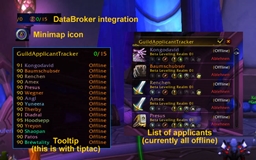 GuildApplicantTracker
Portal Authority: Interrupt Tracker & Mythic+ Utilities 插件下载与使用指南
本页整理了 Portal Authority: Interrupt Tracker & Mythic+ Utilities 的功能用途、适用人群、安装方法和常见问题,方便玩家快速判断是否需要安装。
适合谁用
Portal Authority: Interrupt Tracker & Mythic+ Utilities 是一款 地图与小地图 / 战斗 / 术士 / 首领战斗 / 增益与减益 类插件,适合需要优化界面、提升操作效率或补充游戏信息提示的魔兽世界玩家。
基本信息
- 插件作者:stormyeyes
- 插件分类:地图与小地图 / 战斗 / 术士 / 首领战斗 / 增益与减益
- 适配版本:12.0.5
- 累计下载:46
安装方法
- 点击上方下载按钮获取 Portal Authority: Interrupt Tracker & Mythic+ Utilities插件文件。
- 解压后将插件文件夹放入 World of Warcraft/_retail_/Interface/AddOns 目录。
- 重启游戏或在角色界面点击插件,确认 Portal Authority: Interrupt Tracker & Mythic+ Utilities 已启用。
- 如果插件不生效,请检查版本是否匹配,或关闭同类冲突插件后重试。
使用建议
Portal Authority: Interrupt Tracker & Mythic+ Utilities 安装后建议先在角色界面确认已启用,进入游戏后根据插件提供的命令、小地图按钮或设置面板进行调整。如遇到报错,可先单独启用该插件排查冲突。
Portal Authority: Interrupt Tracker & Mythic+ Utilities 常见问题
Portal Authority: Interrupt Tracker & Mythic+ Utilities 适合需要 地图与小地图 / 战斗 / 术士 / 首领战斗 / 增益与减益 类功能的玩家,特别是希望提升游戏便利性、界面管理或战斗信息获取效率的用户。
下载后解压到 Interface/AddOns 目录,然后重启游戏并在角色界面启用插件。
常见原因是目录多套一层、游戏版本不匹配、依赖插件缺失或同类插件冲突。
可以查看本页的替代插件推荐和相关插件区域,按下载量和分类选择同类工具。
插件 AI 问答
可以问:这个插件正式服能用吗、和 DBM 冲突吗、怎么设置、有没有替代插件。
Portal Authority: Interrupt Tracker & Mythic+ Utilities 是一款魔兽世界插件,主要用于增益、减益、光环或职业状态监控、倒计时、提醒和战斗预警、法术、物品 ID 和提示信息显示。建议根据自己的版本和插件环境先测试兼容性。
插件用途
Portal Authority: Interrupt Tracker & Mythic+ Utilities 主要面向需要增益与减益功能的玩家,用来改善游戏体验、减少重复操作或补充默认界面没有直接提供的信息。
适用场景
- 增益、减益、光环或职业状态监控
- 倒计时、提醒和战斗预警
- 法术、物品 ID 和提示信息显示
使用建议
安装后建议先在角色选择界面或插件管理器中确认已启用,再进入游戏测试是否与现有整合包、WA 和其他插件冲突。如遇报错,可以先禁用同类插件排查。
Portal Authority
Your all-in-one Mythic+ toolkit. Interrupt tracking, seasonal teleport dock, battle rez and bloodlust timers, death alerts, keystone automation, chat announcements, and warlock summon detection… all in one addon.
/pa to open settings. Every module can be independently enabled, positioned, and locked.

Interrupt Tracker
⚠️ **Warning:** Interrupt Tracker is **temporarily DISABLED** due to major API changes from April 21's 12.0.5 patch that currently make accurate tracking impossible. Work is already underway on a fix, and it will be restored as soon as a reliable solution is ready.
A real-time party interrupt tracker built for Mythic+ dungeons. Tracks every party member's kick cooldown and displays them in a live priority board, whoever is closest to ready is always at the top.

■ Portal Authority in use — most accurate tracking.
■ Tracked without Portal Authority — still works, less precise.
- Priority sorting — the board continuously re-sorts by cooldown remaining. When someone kicks, they drop to the bottom. When their kick comes back up, they rise to the top.
- Class-colored cooldown bars that drain in real-time
- Class and spell icons per row for instant recognition
- Interrupt count or cooldown timer on the right side (your choice)
- Talent-aware cooldowns — reads party talents to calculate correct kick CDs, including effects like Quick Witted
- Addon-to-addon communication — if multiple party members run Portal Authority, they share confirmed interrupt data for higher accuracy
- Sound alerts when kicks come off cooldown (configurable per-player or self-only)
- Fully customizable: bar texture, fonts, row height, row spacing, width, background opacity
- Movable, customizable, and lockable
Mythic+ Teleport Dock
A visual dock of your available M+ dungeon teleports. Click an icon, teleport to the dungeon. No spellbook digging, no keybind memorization.


- Seasonal presets — one click loads the current season's full dungeon rotation with clickable icons and customizable labels
- Custom mode — hand-pick any combination of M+ teleports, portals, teleports, Hearthstone, or class-specific travel spells (e.g. Astral Recall, etc.)
- Per-slot controls — enable/disable individual destinations, customize short labels
- Cooldown overlays — see remaining cooldown directly on each icon
- Layout options — grid layout, adjustable icons-per-row, icon size, spacing, and padding
- Label positioning — show dungeon names above, below, left, or right of icons; inside or outside; full names or abbreviations
- Visibility rules — auto-hide in major cities, inside dungeons, or during combat
Timers — Battle Rez & Bloodlust
Two M+ timers in a compact, movable frame. Active during keystones.

Battle Rez Timer
- Displays current charges and time until next charge
- Automatically tracks the M+ battle rez counter
Hybrid Lust Timer
- Tracks Bloodlust / Heroism / Time Warp / Fury of the Aspects / Primal Rage across your party
- Ensure accuracy by ensuring everyone has Portal Authority installed
- Shows Sated countdown (time until lust is usable again), Ready when available, and Active countdown when lust is running
- Audio cue when Sated expires
Combat Alerts — Death Notifications
Immediate audio and on-screen alerts when a party or raid member dies, broken out by role.

- Per-role toggles — independently enable alerts for Tank, Healer, DPS, and yourself
- Per-role sound selection — choose from bundled sounds (including retro game audio) or any LibSharedMedia sound
- On-screen message with customizable template:
[role] Died: [name]— supports[role],[name], and[class]tokens - Role icon displayed alongside the death message
- Anti-spam raid wipe suppression — prevents alert flooding when the whole group dies
- Movable, lockable, with test mode for positioning
Chat Announcements
Automatically announces portal, teleport, and M+ teleport casts to your group with smart chat routing.

- Separate toggles and templates for Portals, Teleports, M+ Teleports, and Warlock Summoning
- Smart routing — sends to RAID chat if in a raid, PARTY if in a party
[destination]token — automatically inserts the destination name into your message- Works for every Mage portal and teleport, every M+ dungeon path, Shaman Astral Recall, Druid Dreamwalk, Monk Zen Pilgrimage, DK Death Gate, and Hearthstone
Warlock Summon & Stone Detection
Summon Requests
Popup and sound alert when a grouped player asks for a summon in Party, Raid, Whisper, or Battle.net chat.

- Detects intent from common phrases:
sum,summon,123,1,pls 1, and variations - Class-colored "Summon for [Name]" popup on screen
- Configurable sound alert with per-sender throttle to prevent spam
- Suppresses during active M+ keystones
Summoning Stone Requests
Popup and sound alert when someone asks for a closet/stone.

- Triggers on
closet,stone, and similar phrases - On-screen "Summoning Stone has been requested" alert
- Same throttle and spam protection as summon requests
Keystone Utility
Automation and quality-of-life for the Keystone window.

Keystone Assistant
- Auto Slot — automatically slots your keystone when the receptacle opens
- Auto Start after Pull — starts the key when the pull countdown finishes (leader/assist only) - must use button on the keystone window
- Readycheck and Pull buttons — added directly to the Keystone window
/pullcommand — starts a pull countdown using DBM, BigWigs, or Blizzard's built-in timer (configurable short and long durations)
Release Spirit Gate
- The classic "shift to release"; prevents accidental spirit release by requiring you to hold a modifier key (Shift or Ctrl) before the Release button becomes active
- Configurable hold duration (0–5 seconds) for automatic-release
- Only activates on death — does not affect resurrection prompts
Keystone Tooltip Customization
Rewrites your keystone the way you want it to be.
- Dungeon name format — Full name, Short name, Abbreviation, or Abbreviation + Full
- Remove "Keystone:" prefix
- Level format —
+12,12,m12+, or hide entirely - Merge M+ level into name line — condense the tooltip
- Hide clutter — individually remove Resilient, Soulbound, Unique, Duration, Affixes, or the RP flavor quote
- Rename "Dungeon Modifiers" to "Affixes" with custom color
Profiles
Save and load full configuration snapshots.
Bundled Audio
Portal Authority ships with 25+ custom sound effects available as alert sounds for every module. Also supports any LibSharedMedia-registered sound.
Commands
| Command | Action |
|---|---|
/pa |
Open settings |
/pa dock |
Toggle M+ dock visibility |
/pa lock |
Lock all module positions |
/pa unlock |
Unlock all modules for repositioning |
/pa who |
Show which party members have Portal Authority |
/pull 10 |
Start pull countdown with 10 seconds |
用户评价
暂无 / 5,0 条评价相关推荐
继续看看这些内容
