插件中文资料库
中文说明、玩家点评、适用场景和替代推荐,方便快速判断是否适合你。
- 界面布局、头像框、姓名板和动作条优化
 ClassyMap
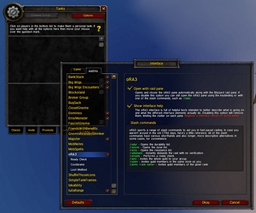 oRA3
oRA3 DFCN_PatronOffers
RP Assist 插件下载与使用指南
本页整理了 RP Assist 的功能用途、适用人群、安装方法和常见问题,方便玩家快速判断是否需要安装。
适合谁用
RP Assist 是一款 角色扮演 / 聊天与通讯 类插件,适合需要优化界面、提升操作效率或补充游戏信息提示的魔兽世界玩家。
基本信息
- 插件作者:Cytotoxic5
- 插件分类:角色扮演 / 聊天与通讯
- 适配版本:2.5.5
- 累计下载:31
安装方法
- 点击上方下载按钮获取 RP Assist插件文件。
- 解压后将插件文件夹放入 World of Warcraft/_retail_/Interface/AddOns 目录。
- 重启游戏或在角色界面点击插件,确认 RP Assist 已启用。
- 如果插件不生效,请检查版本是否匹配,或关闭同类冲突插件后重试。
使用建议
RP Assist 安装后建议先在角色界面确认已启用,进入游戏后根据插件提供的命令、小地图按钮或设置面板进行调整。如遇到报错,可先单独启用该插件排查冲突。
RP Assist 常见问题
RP Assist 适合需要 角色扮演 / 聊天与通讯 类功能的玩家,特别是希望提升游戏便利性、界面管理或战斗信息获取效率的用户。
下载后解压到 Interface/AddOns 目录,然后重启游戏并在角色界面启用插件。
常见原因是目录多套一层、游戏版本不匹配、依赖插件缺失或同类插件冲突。
可以查看本页的替代插件推荐和相关插件区域,按下载量和分类选择同类工具。
插件 AI 问答
可以问:这个插件正式服能用吗、和 DBM 冲突吗、怎么设置、有没有替代插件。
RP Assist 是一款魔兽世界插件,主要用于角色扮演相关功能。建议根据自己的版本和插件环境先测试兼容性。
插件用途
RP Assist 主要面向需要角色扮演功能的玩家,用来改善游戏体验、减少重复操作或补充默认界面没有直接提供的信息。
适用场景
- 角色扮演相关功能
使用建议
安装后建议先在角色选择界面或插件管理器中确认已启用,再进入游戏测试是否与现有整合包、WA 和其他插件冲突。如遇报错,可以先禁用同类插件排查。
RP Assist - Roleplay Reply Assistant for WoW Classic Anniversary
RP Assist is a roleplay companion addon that helps you craft in-character responses during live RP interactions. It monitors chat, analyzes incoming messages by keyword, and generates context-aware reply suggestions drawn from your character's identity — race, class, personality, professions, and appearance — so you always have something in-character to say, even when your brain goes blank mid-scene.
Features
Character Identity System
Define your character's RP identity through a full configuration panel: RP name, personality archetype (18 options like Wise, Sarcastic, Fierce, Scholarly), two professions, backstory, current status, motto, pronouns, birthplace, and home location. Your identity drives every suggestion the addon generates.
Personality Trait Sliders
Fine-tune your character's voice with 5 personality axes — Shy/Bold, Cold/Warm, Serious/Playful, Casual/Formal, Secular/Devout. These sliders influence which flavor fragments and emote styles appear in your replies, giving each character a distinct conversational tone.
At a Glance Descriptors
Set up to 3 short visual descriptors (e.g. "Scar across left eye", "Smells of pipe tobacco", "Wears a faded military insignia"). These get woven into your emote openers at random, adding subtle physical details to your RP without you having to remember to type them.
Chat Monitor Window
A dedicated window captures incoming messages from Say, Whisper, Party, Guild, and custom channels. Each message displays the sender's race, class, level, guild, and RP status (IC/OOC) when available. Click any message to instantly generate reply suggestions based on what was said.
Smart Reply Suggestions
The response engine matches incoming messages against keyword-based topic categories (greetings, combat, magic, trade, religion, travel, and more) and produces multiple reply variations. Each suggestion is enriched through layered composition: personality interjections, race-specific cultural references, class flavor, profession knowledge, gender-aware self-references, and trait-influenced fragments. The result is hundreds of unique combinations from the underlying data pools — no two suggestions are quite the same.
Race & Class Awareness
Replies reference your character's cultural background automatically. A Draenei mentions the Naaru and Argus; a Dwarf swears by Ironforge and Khaz Modan; a Tauren speaks of the Earthmother. Class flavor adds weapon references, skill mentions, and lore-appropriate boasts. Body part descriptions are race-aware too — Draenei get "hooves" instead of "feet", Tauren get "horns" instead of "ears".
Situation-Based RP (Target Mode)
Don't need to reply to a message? Target any player and open the Target Panel to generate unprompted RP — greetings, level-up congratulations, gear compliments, casual conversation starters, and more. The addon inspects your target's talents and equipped gear to craft context-specific observations like commenting on their epic weapon or spec choice.
Auto-Inspect Integration
When you click a message from someone you have targeted, RP Assist automatically inspects them to detect their talent spec and gear quality. This data feeds into reply templates — you can compliment a Frost Mage on their spec or remark on someone's Epic gear, all in-character.
Guild "Ding" Detection
When a guildmate says "ding!" or "leveled up!" in guild chat, RP Assist recognizes it as a level-up announcement and offers in-character congratulation replies instead of generic responses.
MSP Profile Reading
RP Assist passively reads Mary Sue Protocol (MSP) data from other RP addons like MyRolePlay (MRP), Total RP 3 (TRP3), and XRP. If another player has an RP name, current status, or description set, RP Assist picks it up and uses their RP name in suggestions and displays their RP status (In Character / OOC / Looking for Contact) in the chat monitor.
Enhanced Tooltips
Hover over any player to see RP information added to their tooltip — their MSP profile data, cached race/class/guild info, your own private notes about them, and (for yourself) your current RP identity summary. Great for remembering who someone is mid-scene.
Private Player Notes
Write and save private notes about any player (e.g. "Met at Goldshire, plays a blacksmith, knows my character's sister"). Notes persist across sessions and appear in tooltips whenever you encounter that player again.
Player Cache
RP Assist automatically remembers every player you interact with — their race, class, level, guild, guild rank, and any MSP profile data. This cache persists across sessions, so the addon can provide richer context about returning characters.
RP Emote Wrapping
Replies are optionally wrapped in emote-style actions — an opener like adjusts their staff thoughtfully before the spoken text and a closer after. Emote style is influenced by your personality archetype and trait sliders, and occasionally incorporates your At a Glance descriptors.
Auto Mood Switching
Enable Auto Mood to have your character's personality shift with game context: entering combat switches to Fierce, resting in a city to Friendly, stealthing to Mysterious, low health to Cautious, death to Stoic. Your original mood restores automatically when the condition ends.
Right-Click Menu Integration
"RP Assist" appears in right-click context menus on player frames, party members, raid members, friends, and guild roster entries. One click opens the RP panel pre-filled with that player's info — no need to manually target them first.
Minimap Button with Quick Mood Selector
A minimap icon provides one-click access to the chat monitor, with a dropdown for quickly switching your active personality mood on the fly.
Customizable Settings
Configure which chat channels to monitor, toggle emote wrapping, set font size, enable/disable MSP reading, tooltip enhancements, auto mood, and RP name display in the chat monitor.
How It Changes Your Experience
RP Assist solves the most common problem in live roleplay: the blank-brain moment when someone says something in-character and you can't think of a good reply fast enough. Instead of breaking immersion with a long pause or falling back on generic responses, you click the message and instantly see several in-character options that already sound like your character — flavored with their race, class, personality, and background.
It's especially useful for:
New roleplayers who want a safety net while learning to improvise
Players with many alts who need help keeping each character's voice distinct
Busy scenes where multiple people are talking and you need quick responses
Cross-faction or unfamiliar RP where you're not sure what cultural references your character would make
Guild events where you want to congratulate someone's "ding" in-character without breaking the flow
The addon never sends messages automatically — you always preview and choose what to send. Think of it as an RP writing assistant that knows your character's voice.
Slash Commands
/rp — Toggle the chat monitor window
/rp target — Open RP panel for your current target
/rp options — Open character identity settings
/rp status — Show your current identity and active settings
/rp clear — Clear captured messages
用户评价
暂无 / 5,0 条评价相关推荐
继续看看这些内容
