插件中文资料库
中文说明、玩家点评、适用场景和替代推荐,方便快速判断是否适合你。
- 背包、银行和物品整理
- 界面布局、头像框、姓名板和动作条优化
 Details! Mythic+ Scoreboard
 BagSync
 RightClickSelfCast
GatherBar 插件下载与使用指南
本页整理了 GatherBar 的功能用途、适用人群、安装方法和常见问题,方便玩家快速判断是否需要安装。
适合谁用
GatherBar 是一款 钓鱼 / 草药学 / 采矿 / 剥皮 / 专业技能 类插件,适合需要优化界面、提升操作效率或补充游戏信息提示的魔兽世界玩家。
基本信息
- 插件作者:Zippie
- 插件分类:钓鱼 / 草药学 / 采矿 / 剥皮 / 专业技能
- 适配版本:12.0.1
- 累计下载:55
安装方法
- 点击上方下载按钮获取 GatherBar插件文件。
- 解压后将插件文件夹放入 World of Warcraft/_retail_/Interface/AddOns 目录。
- 重启游戏或在角色界面点击插件,确认 GatherBar 已启用。
- 如果插件不生效,请检查版本是否匹配,或关闭同类冲突插件后重试。
使用建议
GatherBar 安装后建议先在角色界面确认已启用,进入游戏后根据插件提供的命令、小地图按钮或设置面板进行调整。如遇到报错,可先单独启用该插件排查冲突。
GatherBar 常见问题
GatherBar 适合需要 钓鱼 / 草药学 / 采矿 / 剥皮 / 专业技能 类功能的玩家,特别是希望提升游戏便利性、界面管理或战斗信息获取效率的用户。
下载后解压到 Interface/AddOns 目录,然后重启游戏并在角色界面启用插件。
常见原因是目录多套一层、游戏版本不匹配、依赖插件缺失或同类插件冲突。
可以查看本页的替代插件推荐和相关插件区域,按下载量和分类选择同类工具。
插件 AI 问答
可以问:这个插件正式服能用吗、和 DBM 冲突吗、怎么设置、有没有替代插件。
GatherBar 是一款魔兽世界插件,主要用于界面框架、头像、动作条或冷却显示优化、背包、银行、专业制造或物品整理。建议根据自己的版本和插件环境先测试兼容性。
插件用途
GatherBar 主要面向需要专业技能功能的玩家,用来改善游戏体验、减少重复操作或补充默认界面没有直接提供的信息。
适用场景
- 界面框架、头像、动作条或冷却显示优化
- 背包、银行、专业制造或物品整理
使用建议
安装后建议先在角色选择界面或插件管理器中确认已启用,再进入游戏测试是否与现有整合包、WA 和其他插件冲突。如遇报错,可以先禁用同类插件排查。


NEW! 3.3 Release!
(For Midnight & The War Within)

GatherBar is a specialized inventory tracking bar designed to help players efficiently manage their gathering profession materials. The addon creates a customizable bar that displays reagents, knowledge items, acquisitions, and more from various professions in a convenient and organized manner. Want to only track when you pick up a Knowledge item and use it instantly? That's totally possible!

Example with "Squished" items and compressed total counts.
Herbalists - Miners - Skinners
Plus Cloth for Tailors
Simply use /gbar , /gatherbar , or the minimap button to open the menu.
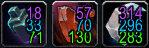
Example of "Squished" items with individual counts
Core Features
New! Fishing Tracking & Fast Fishing!
GatherBar now fully supports the Fishing profession with intelligent item tracking and a built-in fast fishing mode.
Catch Tracking by Rarity
- All Midnight expansion fish are automatically tracked and sorted by rarity — Common, Uncommon, and Rare.
- The bar displays a clean squished view that groups your catches by rarity tier with color-coded counts (white, green, and blue).
- Hovering reveals a detailed tooltip breakdown of every individual fish and how many you've caught.
Knowledge & Acquisitions
- Fishing Knowledge items and Fishing Acquisitions are tracked so you know when you've picked them up.
- Like with all Knowledge items, you can activate them right from the bar!
Fast Fishing Mode
- Toggle Fast Fishing on or off with a simple right-click on the Fishing button.
- Left-click the Fishing button to cast normally.
- When active, a pulsing gold border highlights the button so you always know it's on.
- Double-right-click anywhere in the world to cast your line, then just keep clicking
- Automatically detects when you reel in a catch and instant-loots the fish.
Item Categorization
- Automatically groups items into categories: Reagents, Knowledge Items, Acquisitions, and Seeds
- Items can be filtered by profession (Mining, Herbalism, Skinning, Tailoring, etc.)
- Special handling for paired items (e.g., Null Stone and Imperfect Null Stone)
Ranked Item Management
- Intelligently handles different ranks of the same item (Rank 1, 2, +3 for Legacy)
- Displays items with appropriate color coding based on rank
- "Squish" option to consolidate different ranks of the same item into a single button
- "Squished" items pop-out for individual rank inspection via enhanced tooltips.
- Optional "Total Count" display to show the combined count of all ranks
- Track Skinning Lures and use them from the bar
Legacy Content Toggle
- Toggle between Midnight only or Everything (Midnight + The War Within)
- When disabled, only Midnight items, reagents, knowledge items, and spells are shown
- Profession Journals are always visible regardless of this setting
Customizable Bar Layout
- Adjustable and Lockable bar position
- Selectable sorting alignment
- Automatic growth direction
- Automatic organization
Visual Customization
- Two font style options: "Classic" and "Contrast" for different numerical color schemes
- Horizontal or vertical bar
- Option to hide GatherBar in combat
- Option to show Profession Journals
- Option to show Overpower abilities
- "Sharpen Your Knife" as an overpower ability
User Interface
- In-Menu options panel for easy customization
- Clickable Bar - Use Knowledge items instantly! Combine right from the bar!
Use Cases
GatherBar is particularly useful for:
✅ Inventory Management - Track gathering materials without opening bags
✅ Material Farming - Monitor quantities of specific materials while gathering
✅ Fishing Enhancement - Enjoy tracking and fishing activities with less stress
The addon addresses a common pain point for players with gathering professions by providing a streamlined interface for accessing and monitoring profession materials without needing to search through bags, making gathering more efficient.
Recent Enhancements in 3.0
✔ Full Midnight expansion support — all new reagents, knowledge items, seeds, lures, acquisitions, and spells
✔ Added "Show Legacy Content" toggle — switch between Midnight only or Everything
✔ Midnight content separated into dedicated files for cleaner updates
✔ Profession Journals always remain visible regardless of legacy toggle
Previous Updates in 2.0
✔ Added option for multi-bar support based on pre-designed categories
✔ Added a "peek" button option
✔ Enhanced the unlocked (move) function to be compatible with peek button
✔ 2.2 Added Option to resize Buttons, change padding, and resize text
用户评价
暂无 / 5,0 条评价相关推荐
继续看看这些内容
