插件中文资料库
中文说明、玩家点评、适用场景和替代推荐,方便快速判断是否适合你。
- 副本、团队本和大秘境战斗提醒
- 界面布局、头像框、姓名板和动作条优化
 AttendanceExporter
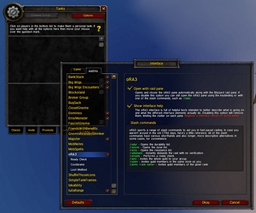 oRA3
oRA3 Craft Tracker
VoidBox 插件下载与使用指南
本页整理了 VoidBox 的功能用途、适用人群、安装方法和常见问题,方便玩家快速判断是否需要安装。
适合谁用
VoidBox 是一款 团队框架 / 增益与减益 / 坦克 / 治疗 / 单位框架 类插件,适合需要优化界面、提升操作效率或补充游戏信息提示的魔兽世界玩家。
基本信息
- 插件作者:VoiD911
- 插件分类:团队框架 / 增益与减益 / 坦克 / 治疗 / 单位框架
- 适配版本:12.0.5
- 累计下载:0
安装方法
- 点击上方下载按钮获取 VoidBox插件文件。
- 解压后将插件文件夹放入 World of Warcraft/_retail_/Interface/AddOns 目录。
- 重启游戏或在角色界面点击插件,确认 VoidBox 已启用。
- 如果插件不生效,请检查版本是否匹配,或关闭同类冲突插件后重试。
使用建议
VoidBox 安装后建议先在角色界面确认已启用,进入游戏后根据插件提供的命令、小地图按钮或设置面板进行调整。如遇到报错,可先单独启用该插件排查冲突。
VoidBox 常见问题
VoidBox 适合需要 团队框架 / 增益与减益 / 坦克 / 治疗 / 单位框架 类功能的玩家,特别是希望提升游戏便利性、界面管理或战斗信息获取效率的用户。
下载后解压到 Interface/AddOns 目录,然后重启游戏并在角色界面启用插件。
常见原因是目录多套一层、游戏版本不匹配、依赖插件缺失或同类插件冲突。
可以查看本页的替代插件推荐和相关插件区域,按下载量和分类选择同类工具。
插件 AI 问答
可以问:这个插件正式服能用吗、和 DBM 冲突吗、怎么设置、有没有替代插件。
VoidBox 是一款魔兽世界插件,主要用于界面框架、头像、动作条或冷却显示优化、副本、团本、大秘境或钥石辅助。建议根据自己的版本和插件环境先测试兼容性。
插件用途
VoidBox 主要面向需要单位框架功能的玩家,用来改善游戏体验、减少重复操作或补充默认界面没有直接提供的信息。
适用场景
- 界面框架、头像、动作条或冷却显示优化
- 副本、团本、大秘境或钥石辅助
使用建议
安装后建议先在角色选择界面或插件管理器中确认已启用,再进入游戏测试是否与现有整合包、WA 和其他插件冲突。如遇报错,可以先禁用同类插件排查。
VoidBox
Minimalist solo/party/raid unit frames with click-casting — Cell/Healbot/Grid-Click/VuhDo style.
Compatible with WoW 12.0 Midnight (secret values, new APIs).
Version 1.7.9:
fix: cooldown sweep on buff refresh
Version 1.7.8:
Config UI reorganization + scale slider max increased to 250%
Version 1.7.7:
feat: Hide when solo option
change: rename Appearance tab to Options
Version 1.7.6:
feat: New config option: Keep Groups Together (raid layout by subgroup)
Version 1.7.5:
fix: modifier+scroll wheel bindings (Alt/Ctrl/Shift+ScrollUp/Down)
Version 1.7.4:
fix: tooltip positioning to respect user settings
Version 1.7.3:
change: Class/spec-specific dispel highlight filtering
Version 1.7.2:
feat: Auto-target on click-cast option
Version 1.7.1:
feat: Absorb shields display + heal prediction fix
Version 1.7.0:
feat: Dispel highlight with pulsing border - Pulsing colored border on frames with dispellable debuffs - Colors: Poison=green, Magic=blue, Curse=purple, Disease=brown, Enrage=red-orange - Checkbox in Appearance tab to toggle dispel highlight
Version 1.6.3:
feat: Added debuffIconSize and buffIconSize sliders in Appearance tab
Version 1.6.2:
feat: Show/Hide debuffs and buffs checkboxes - Two new checkboxes in Appearance tab to toggle debuff/buff display - Localized in all 11 languages
Version 1.6.1:
fix : keyboard hover-casting bindings (voidbox configured bindings)
Version 1.6.0:
feat : cooldown sweeps
fix : buff and debuff stacks
Version 1.5.1:
feat: Range checking, when a group member is out of your healing range (~40 yards), their frame will appear faded. It works for all classes and specs, and automatically adapts when you switch specs.
Version 1.5.0:
feat : optionnal news frame for tanks
change : scaling steps 10% to 5%
Version 1.4.1 :
feat : Added a minimap button. Left-click to toggle frames visibility, right-click to open config.
Version 1.4 :
change: "Press to Bind" system — bind any key, mouse button, or scroll combo directly, supports keyboard keys (F1-F12, Numpad, etc.), MMO mouse buttons, and all modifiers
Version 1.3 :
feat: added HOTs and DOTs / Up to 5 DOTs and 5 HOTs can be displayed with Stacks (Will show 0 if only one stack - restriction due to WoW API 12.0)
change: scale on frame size
Version 1.2 :
feat: mousewheel scroll up/down binding support
feat: macro drag & drop support - drag from macro UI to binding slots
feat: profile system - create, copy, delete, switch profiles for layout/appearance settings
Usage
- The small purple square to the left of the frames lets you drag to reposition
- Right-click the purple square to open configuration
- In config, Click-Castings tab: drag a spell from the spellbook onto a slot
- Bindings are saved per class (not per character)
- Compact raid frames with health and mana bars
- Click-casting
- Health percentage
- Per-class bindings — all your priests share the same bindings
- Drag & drop from the spellbook to assign spells
- Indicators:
- Role (tank/heal/dps) — colored square, top-left
- Active HOTs/shields — green square, bottom-right
- Dispellable debuffs — icons, bottom-left (max 3)
- Threat (red/yellow border)
- Range (reduced opacity when out of range)
- Dead / Disconnected / Incoming resurrection
- Ready check
- Role sorting: Tank > DPS > Healer
- Config UI: frame size, class colors, lock/unlock
- Theme color: purple (
#9966FF) - Fully localized: enUS, frFR, deDE, esES, esMX, ptBR, itIT, ruRU, koKR, zhCN, zhTW
Commands
| Command | Description |
|---|---|
/vb config |
Open configuration |
/vb lock |
Lock frames |
/vb unlock |
Unlock frames |
/vb reset |
Reset position |
License
MIT License
CurseForge: https://www.curseforge.com/wow/addons/voidbox用户评价
暂无 / 5,0 条评价相关推荐
继续看看这些内容
