插件中文资料库
中文说明、玩家点评、适用场景和替代推荐,方便快速判断是否适合你。
- 副本、团队本和大秘境战斗提醒
- 背包、银行和物品整理
 Details! Mythic+ Scoreboard
 BagSync
 RightClickSelfCast
Looti - Scrolling Loot Notifications 插件下载与使用指南
本页整理了 Looti - Scrolling Loot Notifications 的功能用途、适用人群、安装方法和常见问题,方便玩家快速判断是否需要安装。
适合谁用
Looti - Scrolling Loot Notifications 是一款 鼠标提示 / 背包与库存 / 其他插件 类插件,适合需要优化界面、提升操作效率或补充游戏信息提示的魔兽世界玩家。
基本信息
- 插件作者:FinLaFin
- 插件分类:鼠标提示 / 背包与库存 / 其他插件
- 适配版本:5.5.3,3.80.0,2.5.5,12.0.1
- 累计下载:0
安装方法
- 点击上方下载按钮获取 Looti - Scrolling Loot Notifications插件文件。
- 解压后将插件文件夹放入 World of Warcraft/_retail_/Interface/AddOns 目录。
- 重启游戏或在角色界面点击插件,确认 Looti - Scrolling Loot Notifications 已启用。
- 如果插件不生效,请检查版本是否匹配,或关闭同类冲突插件后重试。
使用建议
Looti - Scrolling Loot Notifications 安装后建议先在角色界面确认已启用,进入游戏后根据插件提供的命令、小地图按钮或设置面板进行调整。如遇到报错,可先单独启用该插件排查冲突。
Looti - Scrolling Loot Notifications 常见问题
Looti - Scrolling Loot Notifications 适合需要 鼠标提示 / 背包与库存 / 其他插件 类功能的玩家,特别是希望提升游戏便利性、界面管理或战斗信息获取效率的用户。
下载后解压到 Interface/AddOns 目录,然后重启游戏并在角色界面启用插件。
常见原因是目录多套一层、游戏版本不匹配、依赖插件缺失或同类插件冲突。
可以查看本页的替代插件推荐和相关插件区域,按下载量和分类选择同类工具。
插件 AI 问答
可以问:这个插件正式服能用吗、和 DBM 冲突吗、怎么设置、有没有替代插件。
Looti - Scrolling Loot Notifications 是一款魔兽世界插件,主要用于背包、银行、专业制造或物品整理、团队分配、Roll 点记录或公会管理、插件库、数据接口或依赖支持。建议根据自己的版本和插件环境先测试兼容性。
插件用途
Looti - Scrolling Loot Notifications 主要面向需要背包与库存功能的玩家,用来改善游戏体验、减少重复操作或补充默认界面没有直接提供的信息。
适用场景
- 背包、银行、专业制造或物品整理
- 团队分配、Roll 点记录或公会管理
- 插件库、数据接口或依赖支持
使用建议
安装后建议先在角色选择界面或插件管理器中确认已启用,再进入游戏测试是否与现有整合包、WA 和其他插件冲突。如遇报错,可以先禁用同类插件排查。
Looti - Loot Notification System
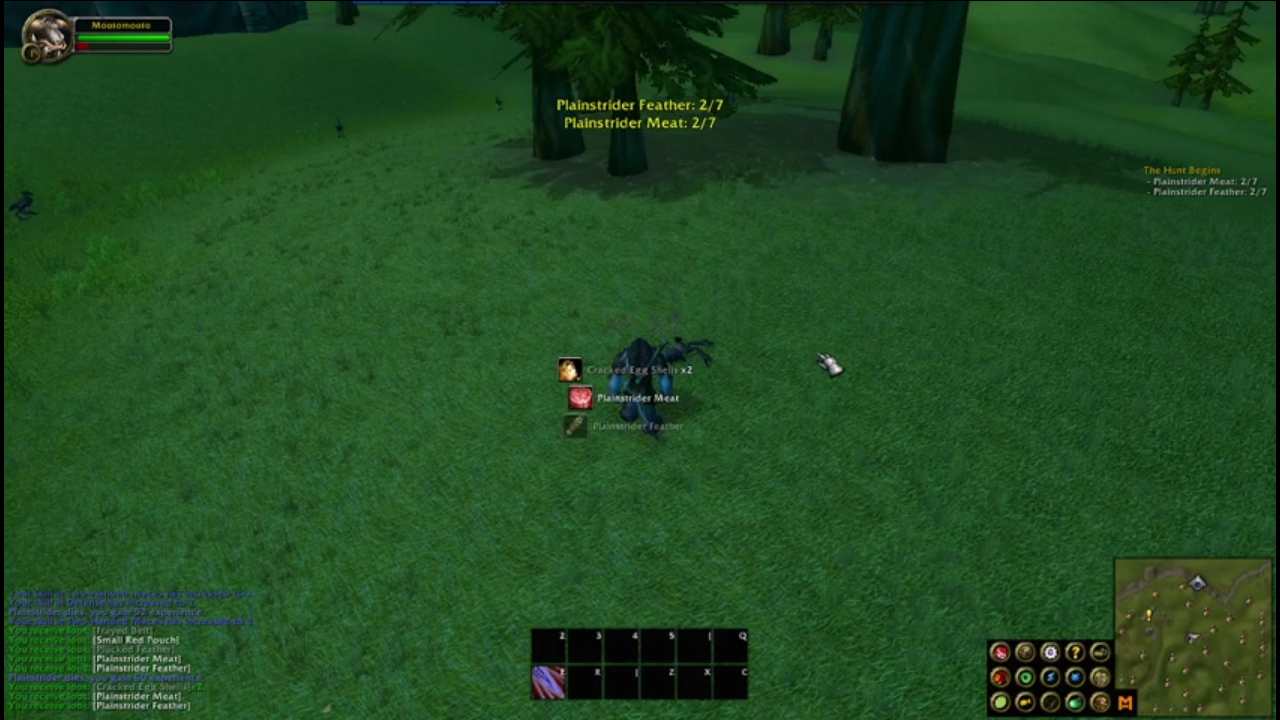
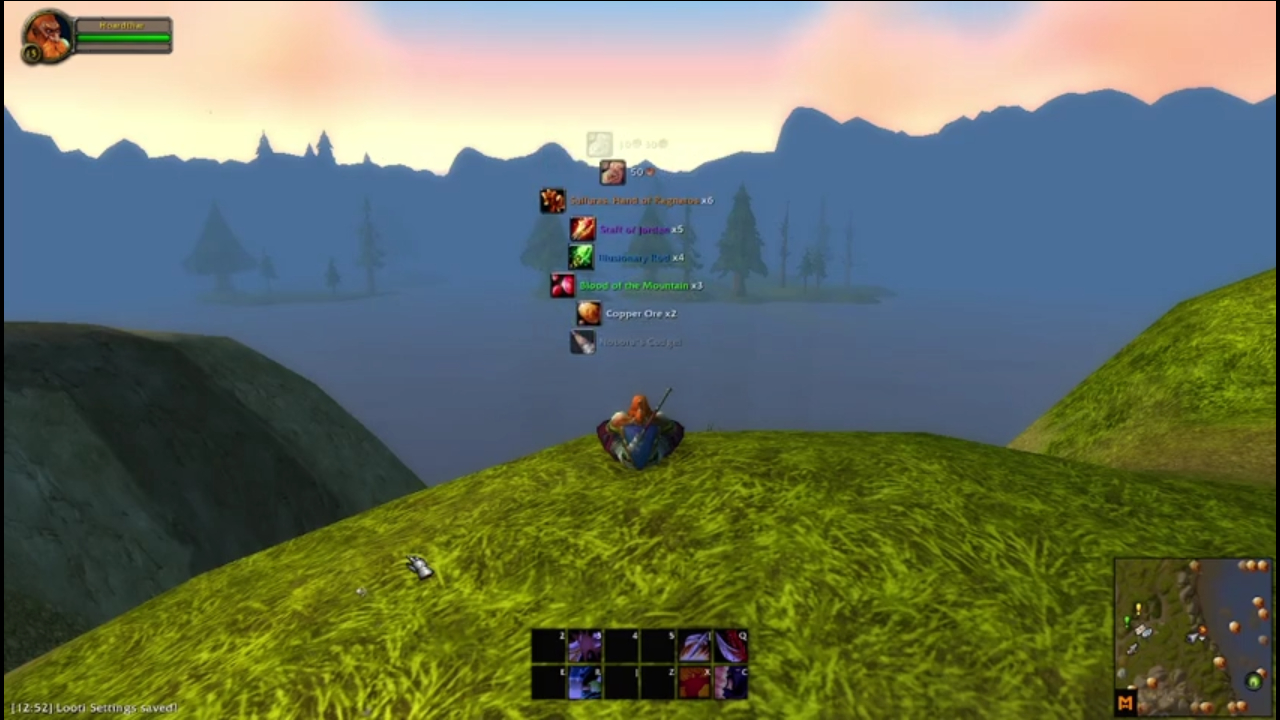
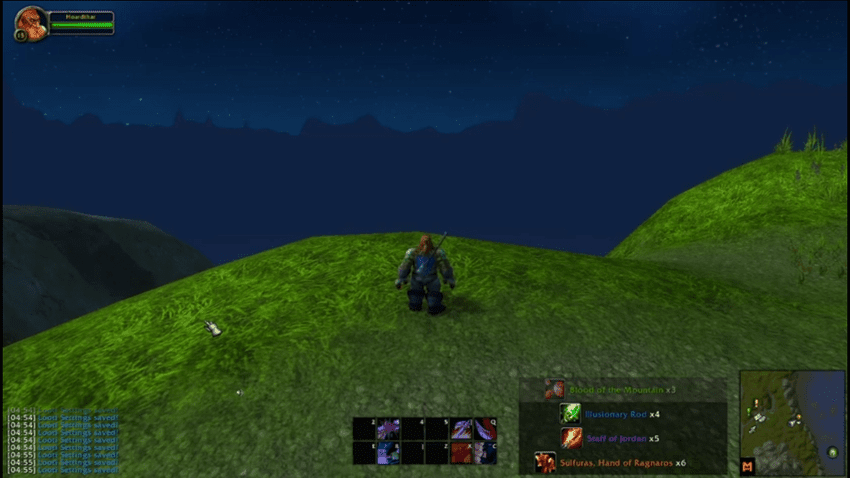
Looti is a lightweight, customizable loot notification system. Designed for simplicity and efficiency, it delivers clean, scrolling loot notifications using only core WoW and Lua commands. This ensures minimal performance impact and low risk of errors over time.
I want this project to be as community invovled as possible, so please feel free to comment or message me ideas!
Happy Looting!
📺 See Looti in action!
Features & Customization
Easy Setup & Access
To get started, simply use this command in the chat window:
/looti
Loot Notifications Your Way
- Enable/Disable Loot Alerts – Toggle notifications for item drops and currency (gold, silver, copper).
- Rarity Threshold – Set a minimum item rarity to filter what appears in notifications.
Customizable Display Settings
- Moveable Notification Frame – Drag and position notifications anywhere on your screen.
- Scroll Direction – Choose whether notifications scroll up or down.
- Background Transparency – Keep it clean or add a backdrop for visibility.
- Toggle Quantities – Display item counts for multi-stack loot.
- Toggle Icons – Remove item icons for a minimalist look.
- Customise Transparency – Stay focussed on the game while still being able to see your loot.
- Changable Scale - Make your loot notifications as big or small as you need.
Advanced Customization Options
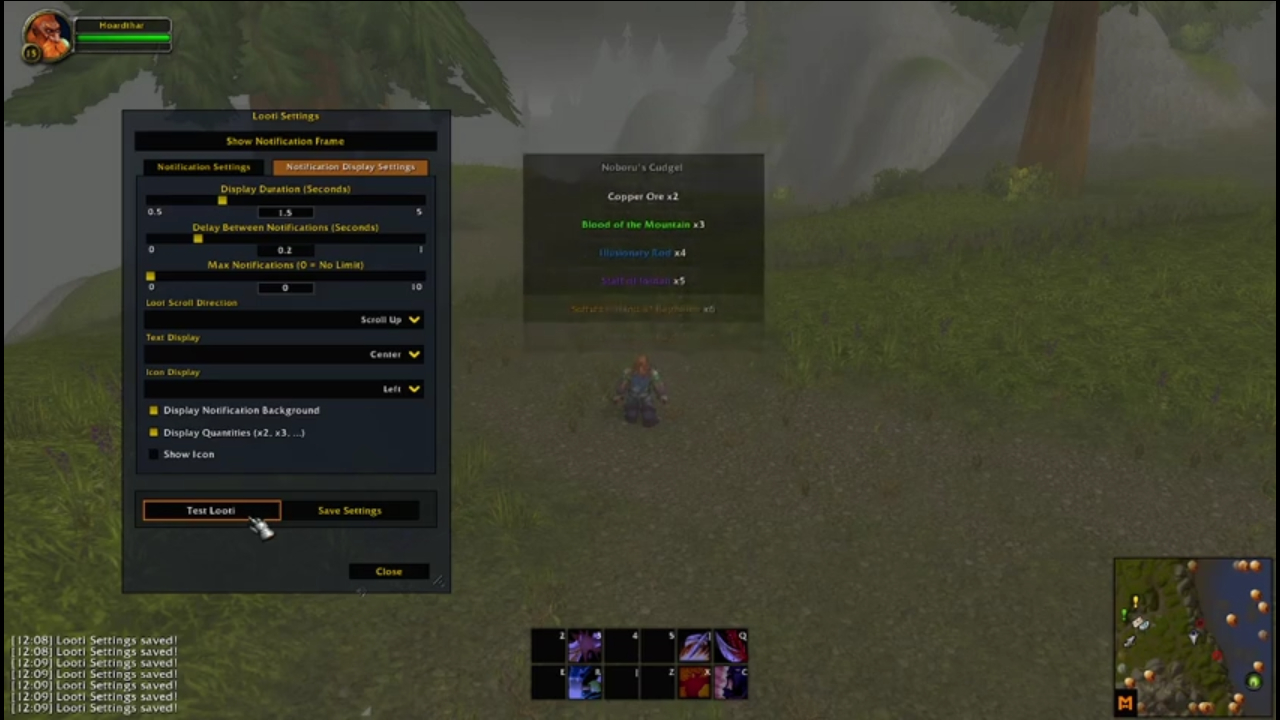
- Notification Duration – Control how long notifications remain on screen.
- Delay Between Notifications – Adjust the timing between each alert.
- Max Notifications on Screen – Prevent clutter by limiting the number of visible alerts.
- Notification Layout – Customize icon and text positioning to match your UI style.
Test Your Setup
Once you’ve configured Looti to your liking, use the "Test Looti" button to preview how notifications will appear.
📺 Watch the video demonstration here!
Project Plan
Here is what I have planned for Looti. Please feel free to comment or message me suggestions or ideas.
This list is subject to change and in no particular order:
- Whitelist/Blacklist System
- Implement a whitelist and blacklist system where users can specify which items should or shouldn’t trigger notifications. This allows for more targeted alerts, like only showing certain items of interest
用户评价
暂无 / 5,0 条评价相关推荐
继续看看这些内容
