插件中文资料库
中文说明、玩家点评、适用场景和替代推荐,方便快速判断是否适合你。
- 副本、团队本和大秘境战斗提醒
- 界面布局、头像框、姓名板和动作条优化
- 伤害、治疗、仇恨和战斗数据统计
 GroupFinder
 Sleek XP Bubbles
 FollowerLocationInfo
Infinite Raid Tools 插件下载与使用指南
本页整理了 Infinite Raid Tools 的功能用途、适用人群、安装方法和常见问题,方便玩家快速判断是否需要安装。
适合谁用
Infinite Raid Tools 是一款 战斗 / 首领战斗 / 增益与减益 / 其他插件 / 公会 类插件,适合需要优化界面、提升操作效率或补充游戏信息提示的魔兽世界玩家。
基本信息
- 插件作者:Antr
- 插件分类:战斗 / 首领战斗 / 增益与减益 / 其他插件 / 公会
- 适配版本:12.1.0
- 累计下载:33
安装方法
- 点击上方下载按钮获取 Infinite Raid Tools插件文件。
- 解压后将插件文件夹放入 World of Warcraft/_retail_/Interface/AddOns 目录。
- 重启游戏或在角色界面点击插件,确认 Infinite Raid Tools 已启用。
- 如果插件不生效,请检查版本是否匹配,或关闭同类冲突插件后重试。
使用建议
Infinite Raid Tools 安装后建议先在角色界面确认已启用,进入游戏后根据插件提供的命令、小地图按钮或设置面板进行调整。如遇到报错,可先单独启用该插件排查冲突。
Infinite Raid Tools 常见问题
Infinite Raid Tools 适合需要 战斗 / 首领战斗 / 增益与减益 / 其他插件 / 公会 类功能的玩家,特别是希望提升游戏便利性、界面管理或战斗信息获取效率的用户。
下载后解压到 Interface/AddOns 目录,然后重启游戏并在角色界面启用插件。
常见原因是目录多套一层、游戏版本不匹配、依赖插件缺失或同类插件冲突。
可以查看本页的替代插件推荐和相关插件区域,按下载量和分类选择同类工具。
插件 AI 问答
可以问:这个插件正式服能用吗、和 DBM 冲突吗、怎么设置、有没有替代插件。
Infinite Raid Tools 是一款魔兽世界插件,主要用于伤害统计、输出循环或战斗表现分析、副本、团本、大秘境或钥石辅助。建议根据自己的版本和插件环境先测试兼容性。
插件用途
Infinite Raid Tools 主要面向需要首领战斗功能的玩家,用来改善游戏体验、减少重复操作或补充默认界面没有直接提供的信息。
适用场景
- 伤害统计、输出循环或战斗表现分析
- 副本、团本、大秘境或钥石辅助
使用建议
安装后建议先在角色选择界面或插件管理器中确认已启用,再进入游戏测试是否与现有整合包、WA 和其他插件冲突。如遇报错,可以先禁用同类插件排查。
EXAMPLES OF SPECIFIC BOSS MODULES:
Volcoross Module:
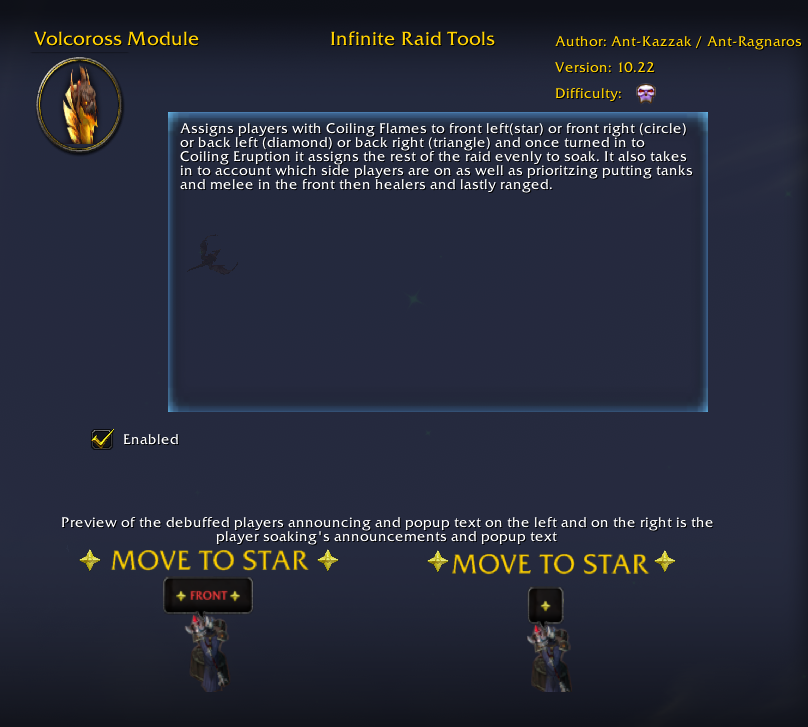
Assigns players with Coiling Flames to front left(star) or front right (circle) or back left (diamond) or back right (triangle) and once turned in to Coiling Eruption it assigns the rest of the raid evenly to soak. It also takes in to account which side players are on as well as prioritzing putting tanks and melee in the front then healers and lastly ranged.
Council of Dreams Module:
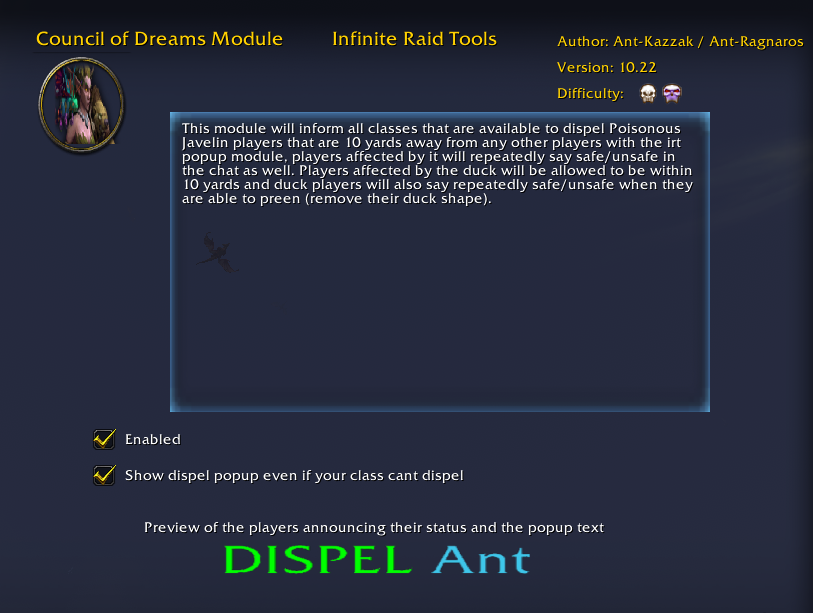
This module will inform all classes that are available to dispel Poisonous Javelin players that are 10 yards away from any other players with the irt popup module, players affected by it will repeatedly say safe/unsafe in the chat as well. Players affected by the duck will be allowed to be within 10 yards and duck players will also say repeatedly safe/unsafe when they are able to preen (remove their duck shape).
Tindral Safeswift Module:
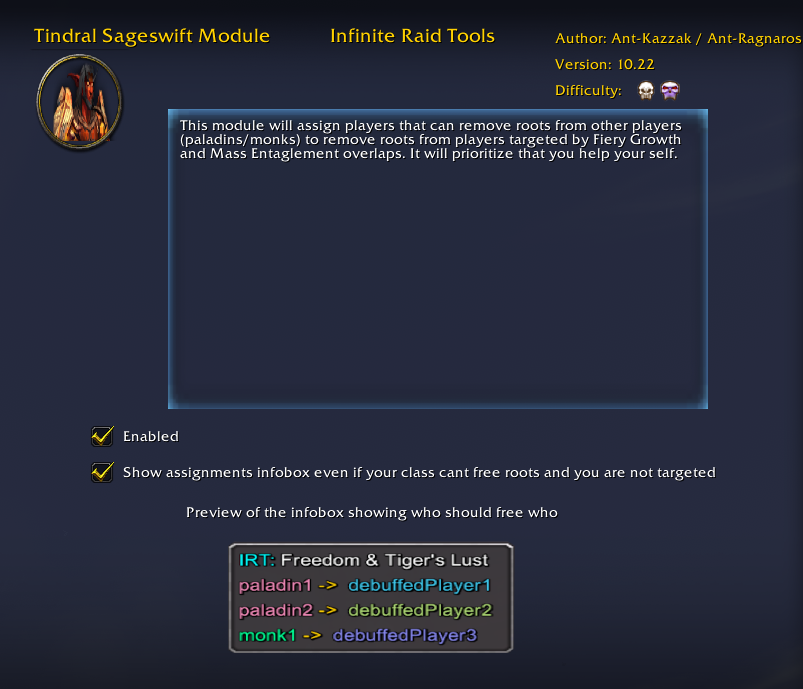
This module will assign players that can remove roots from other players (paladins/monks) to remove roots from players targeted by Fiery Growth and Mass Entaglement overlaps. It will prioritize that you help your self.
Fyrakk Module:
This module has 3 parts. First of all it assign players targeted by Darkflame Cleave to a mark based on their role as well as assigns players to soak them evenly also based on their role. Melee are prioritized melee, ranged priortized ranged etc but it always makes sure its evenly soaked. Because the aura is private you have to make a macro that says /irt fyrakkcleave if you are targeted by the cleave mechanic. Once 3 players has clicked the button it begins the assignments. Secondly it makes you start saying either cross raid mark or diamond raid mark based if you are soaking the Flame or Shadow orbs to give everyone around you information. Thirdly whenever the Molten Eruption or Shadow Cage happens you get 2 buttons that you can press to either inform everyone you are affected by Shadow Cage or Molten Eruption. Once pressed you start yelling either cross raid mark or diamond raid mark to help molten eruption players (cross) find the shadow cage players (diamond).
GENERAL RAID MODULES:
Consumable Check Module:
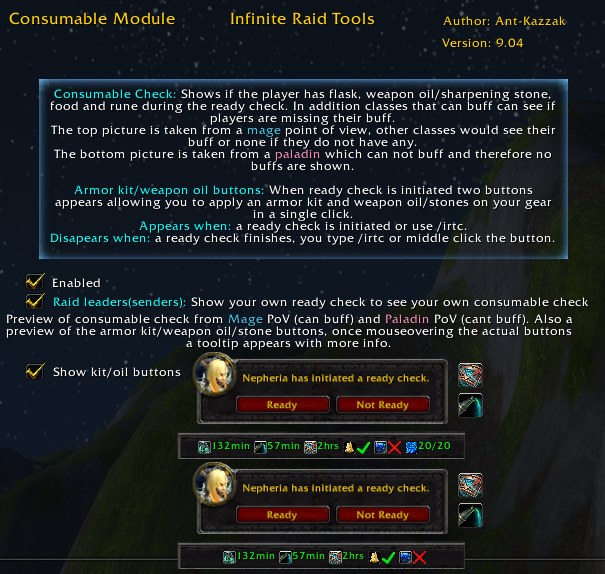
Consumable Check: Shows if the player has flask, weapon oil/sharpening stone, food and rune during the ready check. In addition classes that can buff can see if players are missing their buff. The top picture is taken from a mage point of view, other classes would see their buff or none if they do not have any. The bottom picture is taken from a paladin which can not buff and therefore no buffs are shown. Armor kit/weapon oil buttons: When ready check is initiated two buttons appears allowing you to apply an armor kit and weapon oil/stones on your gear in a single click. Appears when: a ready check is initiated or use /irtc. Disapears when: a ready check finishes, you type /irtc or middle click the button.
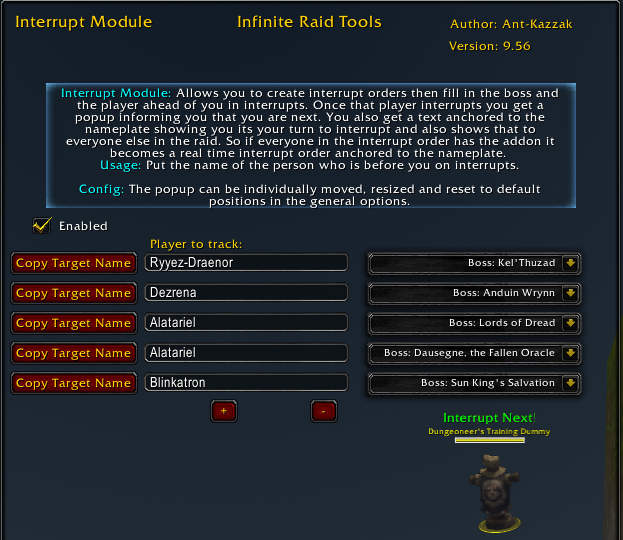
Interrupt Module:
Interrupt Module: Allows you to create interrupt orders then fill in the boss and the player ahead of you in interrupts. Once that player interrupts you get a popup informing you that you are next. You also get a text anchored to the nameplate showing you its your turn to interrupt and also shows that to everyone else in the raid. So if everyone in the interrupt order has the addon it becomes a real time interrupt order anchored to the nameplate. Usage: Put the name of the person who is before you on interrupts. Config: The popup can be individually moved, resized and reset to default positions in the general options.

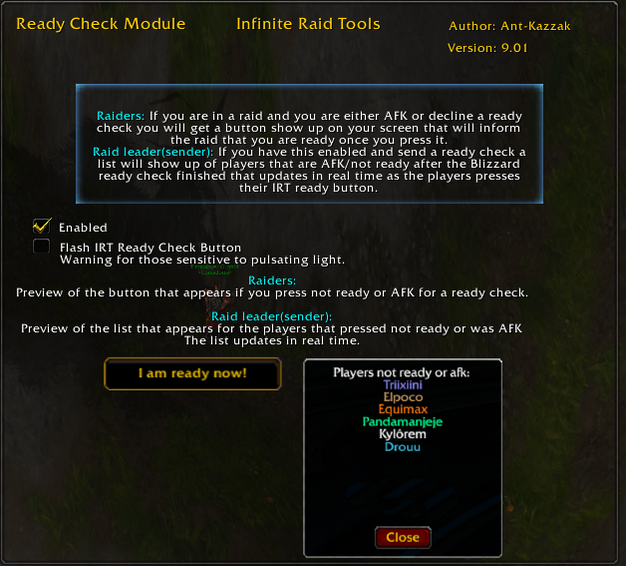
Ready Check Module:
If you are in a raid and you are either AFK or decline a ready check you will get a button that will tell your raid mates that you are ready once you press it. The sender of the ready check gets a list of players not ready or AFK that updates in real time as players get ready and presses the new ready button.
NEW! Release Module:
Stops you from accidentally releasing inside of raids. Your release button will be hidden unless you hold down SHIFT.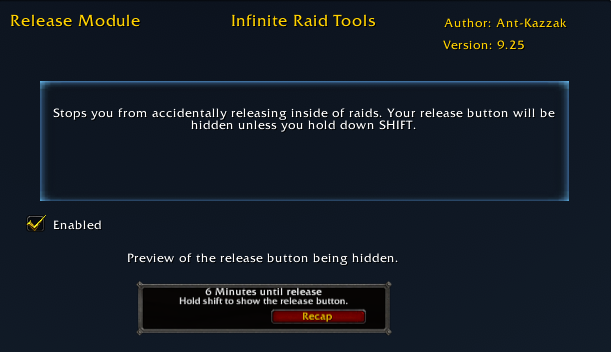
Calendar Notifcation Module:
On login a voice reads "You have X amount of unanswered calendar invites" (only counting raid events). If you have no unanswered invites you get no notification.
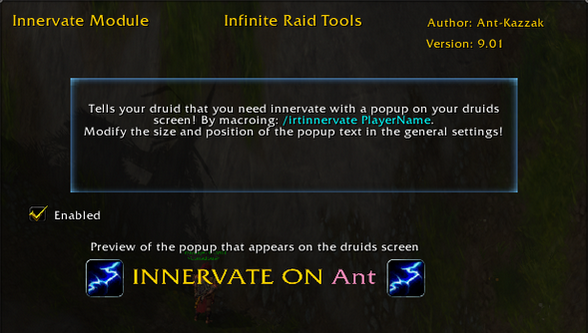
Innervate Module:
Tells your druid that you need innervate with a popup on your druids screen!
/endlessinnervate PlayerName
You can customize the popup in the general settings.
用户评价
暂无 / 5,0 条评价相关推荐
继续看看这些内容
