插件中文资料库
中文说明、玩家点评、适用场景和替代推荐,方便快速判断是否适合你。
- 副本、团队本和大秘境战斗提醒
- 任务路线、地图标记和野外探索
- 界面布局、头像框、姓名板和动作条优化
- 伤害、治疗、仇恨和战斗数据统计
 Copy Anything
 GroupFinder
 Sleek XP Bubbles
Abeyta Scrolling Combat 插件下载与使用指南
本页整理了 Abeyta Scrolling Combat 的功能用途、适用人群、安装方法和常见问题,方便玩家快速判断是否需要安装。
适合谁用
Abeyta Scrolling Combat 是一款 战斗 类插件,适合需要优化界面、提升操作效率或补充游戏信息提示的魔兽世界玩家。
基本信息
- 插件作者:AbeytaTesting
- 插件分类:战斗
- 适配版本:1.60.1
- 累计下载:2
安装方法
- 点击上方下载按钮获取 Abeyta Scrolling Combat插件文件。
- 解压后将插件文件夹放入 World of Warcraft/_retail_/Interface/AddOns 目录。
- 重启游戏或在角色界面点击插件,确认 Abeyta Scrolling Combat 已启用。
- 如果插件不生效,请检查版本是否匹配,或关闭同类冲突插件后重试。
使用建议
Abeyta Scrolling Combat 安装后建议先在角色界面确认已启用,进入游戏后根据插件提供的命令、小地图按钮或设置面板进行调整。如遇到报错,可先单独启用该插件排查冲突。
Abeyta Scrolling Combat 常见问题
Abeyta Scrolling Combat 适合需要 战斗 类功能的玩家,特别是希望提升游戏便利性、界面管理或战斗信息获取效率的用户。
下载后解压到 Interface/AddOns 目录,然后重启游戏并在角色界面启用插件。
常见原因是目录多套一层、游戏版本不匹配、依赖插件缺失或同类插件冲突。
可以查看本页的替代插件推荐和相关插件区域,按下载量和分类选择同类工具。
插件 AI 问答
可以问:这个插件正式服能用吗、和 DBM 冲突吗、怎么设置、有没有替代插件。
加入 Discord 获取帮助、反馈以及了解后续更新。
为什么这样设计
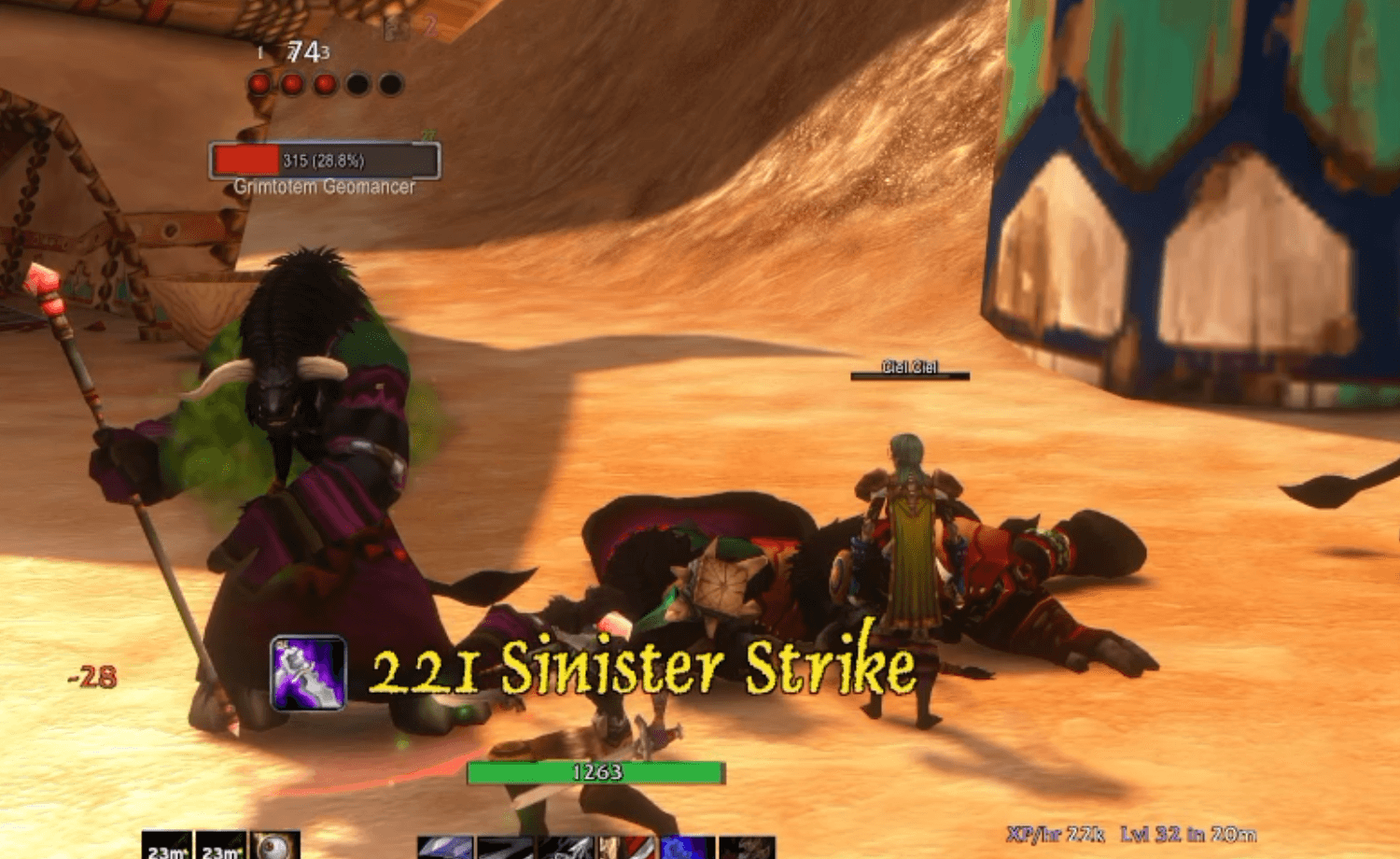
在 WoW 之前很久,我就玩过《最终幻想》网游,在那里朋友们的伤害会直接飘在你自己的伤害旁边。我一直没忘记那种感觉有多好,所以在这里把它做了出来。
ASC 会显示周围玩家打出的伤害,无论你与他们同队还是只是路过,都会以他们的职业颜色显示在世界中。别再盯着伤害统计了。看着眼前的怪物,享受彼此把它们撕碎的过程。
最棒的部分是旁边那个陌生人在任务时打出了一次怪物暴击。你说“哇,好暴击!”,然后他们一脸懵:“……你怎么知道的?O_O”
看到所有人的伤害,而不只是你自己的
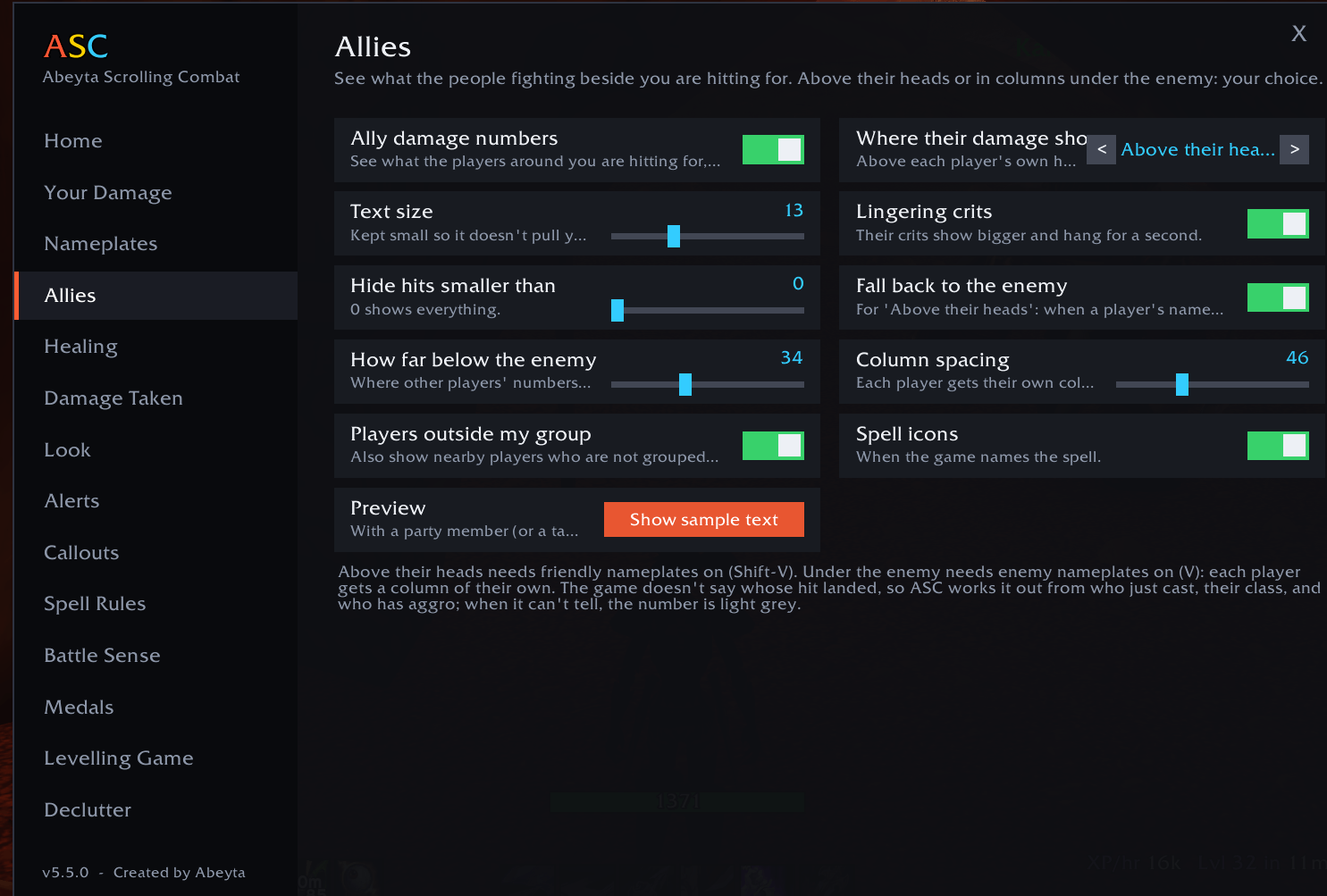
你的命中会从被击中的敌人身上飘出。其他玩家的命中会显示在他们自己头顶,或以整齐的列显示在敌人下方:由你选择
对队伍外的玩家也有效:任何在你附近战斗的人
按职业着色,使用游戏自带的职业颜色:与你在团队框架和聊天中看到的相同
当多个玩家攻击同一个敌人时,ASC 会根据谁在攻击什么、谁刚使用了技能以及伤害类型来判断这一击是谁打出的。无法判断时,数字显示为浅灰色
他们的暴击显示得更大并停留一秒,让大伤害更醒目
如果你只想看到自己的伤害,主页上有一个开关可以关掉
你的伤害,显示在敌人身上
七种运动方式:喷泉、弧线、对角线、降雨、螺旋、震动和直线
用一个滑块就能把数字调成任意大小,和暴雪自带的一样大甚至更大
ASC 会为你隐藏游戏自带的伤害数字,所以你永远不会看到重复
大暴击会带着法术名称、图标、震动和音效砸进自己的位置
每一次命中、治疗和持续伤害跳数都会标注其法术
更大的命中看起来更大:每次命中都会与你近期的平均值进行大小对比
法术规则:隐藏任何法术或将其高亮,从你使用的法术列表中选择。无需输入
连击计量条:你能叠到多高?
在没有长时间中断的情况下连续击杀怪物,屏幕上会攀升一个连击计数器,并带有计时条显示你还有多久找到下一个击杀目标
计时只在脱战时流逝,所以长时间战斗永远不会让你断连。AoE 职业可以快速叠加
播报员会报出里程碑:On a Roll(5)、Mob Mower(10)、Relentless(15)、Slaughterhouse(20)、Unstoppable(25)、Exterminator(30)、One-Person Army(40)、Legendary Grind(50)
每个角色的个人纪录:最长连击、最快升级和单级最多击杀,打破纪录时会有 NEW RECORD 提示
给治疗者:治疗模式
你的治疗会像伤害输出者的命中从怪物身上飘出一样,从你治疗的人身上喷涌而出,暴击治疗会在其头顶停留片刻
在地下城中,游戏不允许插件显示友方姓名板,你的治疗会改为从该玩家的治疗框架上喷涌而出(ClickMend,或默认的小队和团队框架)
当你的治疗落在濒死的人身上时会喊出 SAVED!,当他们血量低于 10% 时会喊出 CLUTCH!,每场战斗后会有拯救计数和一个可打破的个人纪录
持续治疗跳数,以及 Cleansed 和 BACK FROM THE DEAD 提示
当你的天赋点在治疗树上时会自动开启,也可以为任何角色手动开启
语音提示和内置生命条
技能一好,语音就会说“Kidney Shot ready”。所有职业超过 200 个技能都有各自的语音台词
选择所有冷却、仅一分钟以下的,或仅大技能
当玩家、精英或首领血量降低时喊出 FINISH IT,还有 LOW HEALTH 警告,以及脚下一条不挡视线的小 AGGRO! 提示
角色下方一个小生命条,显示你的生命值数字和“DoTs will kill you”警告。悬停可拖动,右键可隐藏
触发监视:绝不错过触发
一排发光的图标,在触发或反应就绪的瞬间亮起:招架后的还击、躲闪后的压制、斩杀阶段、清晰预兆、夜幕等等,覆盖全部九个职业
它还能在关键技能冷却结束时告诉你,让你在就绪的瞬间按下
默认关闭,直到你打开它。每个触发和技能都有自己的开关,你也可以按名称添加自己的
打开 /asc 并选择 Proc Watch,或输入 /asc procs
给萨满:漩涡武器条
五条随你的漩涡武器层数积累而填充的条,达到五层时会闪耀
在战斗中持续计数,并将你的层数从一个敌人带到下一个
只出现在萨满身上。可移动、锁定、调整大小,或在脱战时隐藏
给采集者:绝不错过草药
当草药或矿脉是范围内最近的目标时,生命条下方会有一条发光横幅标出它:“Wild Steelbloom nearby”。无需光标
扫过鼠标,光标在草药上会发绿光,在矿脉上会发橙光
每个部分在采集页面都有自己的开关,或输入 /asc gather
PvP 额外功能
击杀奖章:双杀、三杀、超杀,以及杀戮盛宴和疯狂杀戮等连杀
战斗感知:最近受到伤害的死亡回顾、战斗回顾、暴击链、控制警报、战场信息流和团队死亡
统计面板:致命一击、PvP 击杀、连杀和死亡
设置简单
安装并登录。它会立即生效。
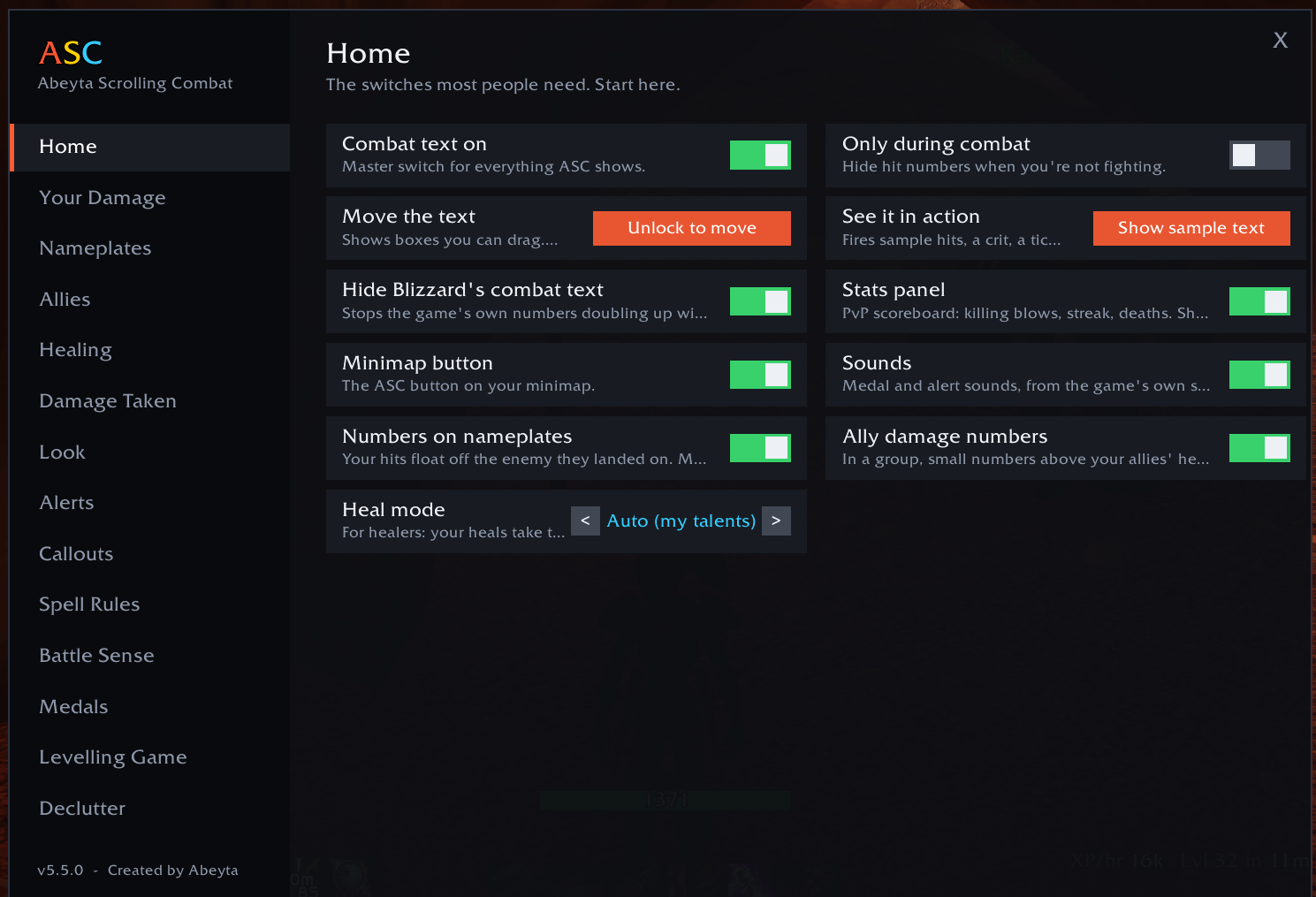
输入 /asc 或点击小地图按钮打开菜单。主页有大多数人需要的开关。
输入 /asc move 拖动文字区域到你想要的位置,输入 /asc test 查看示例文字。
开启敌方姓名板(V)以在敌人身上显示伤害,开启友方姓名板(Shift-V)以在其他玩家头顶看到他们的数字。
命令
/asc procs 打开触发监视(procs on、procs test、procs add Name)
/asc mael 在萨满上设置漩涡武器条(mael test、mael unlock)
/asc blizzard 隐藏或显示游戏自带的伤害数字
/asc 打开菜单,/asc move 拖动文字区域,/asc test 显示示例文字
/asc allies 和 /asc plates 开启或关闭友方和姓名板数字,/asc look 选择一键外观
/asc heal 开启、关闭或自动设置治疗模式,/asc health 显示或隐藏生命条
/asc arcade 用于连击计量条,/asc records 列出你的纪录
/asc hide、/asc big 和 /asc show 后跟法术名称可设置法术规则
须知
WoW Forever 不会给插件完整的战斗日志,也不会说明是谁的命中落地。ASC 会根据谁在打什么、谁刚施法以及他们的职业来推算其他玩家的伤害。大多数时候它是正确的;当无法判断职业时,数字会显示为浅灰色。
如果敌人在屏幕上没有姓名板,你的数字会改为显示在侧面,所以不会丢失任何信息。
如果数字显示两次,请在主页开启“Hide Blizzard's combat text”,并关闭任何其他战斗文字插件。
更多来自 Abeyta
Capped,我为 WoW Forever 制作的 PvP 插件,会为你计算军衔:本周你究竟需要多少胜场或败场、一条荣誉条,以及一个会喊出“Last chance to enter!”的战场排队计时器。在 CurseForge 上搜索 Capped。
我在 WoW 之外也做东西。目前我正在为 Up & Down 筹集资金,那是我自己的切杆推杆高尔夫球场,我们的吉祥物 Chip Abeyta 带头冲锋。对所有其他高尔夫球手来说,它是技术上限的。去 upanddowngj.com 看看吧。
问题、bug 或想法?加入 Discord 或在 twitch.tv/captsaveyaaz 看我直播。
由 Abeyta 制作。不是 alpha。只是 Abeyta。
CurseForge:https://www.curseforge.com/wow/addons/abeyta-scrolling-combat
Scrolling combat text built from scratch for WoW Forever. See your own damage come off the enemy, see what the players around you are hitting for, chase a combo meter while you quest, and hear your cooldowns called out. One addon, no libraries.
Join the Discord for help, feedback and what's coming next.
Why it works this way
Long before WoW, I played Final Fantasy online, where your friends' damage floated up right next to your own. I never forgot how good that felt, so I built it here.
ASC shows you what the people around you are hitting for, whether you're grouped with them or just passing by, in their class color, right there in the world. Stop staring at a damage meter. Watch the mobs in front of you and enjoy seeing each other tear them apart.
The best part is the stranger questing next to you who lands a monster crit. You say "whoa, nice crit!" and they go "...how did you know? O_O"
See everyone's damage, not just yours
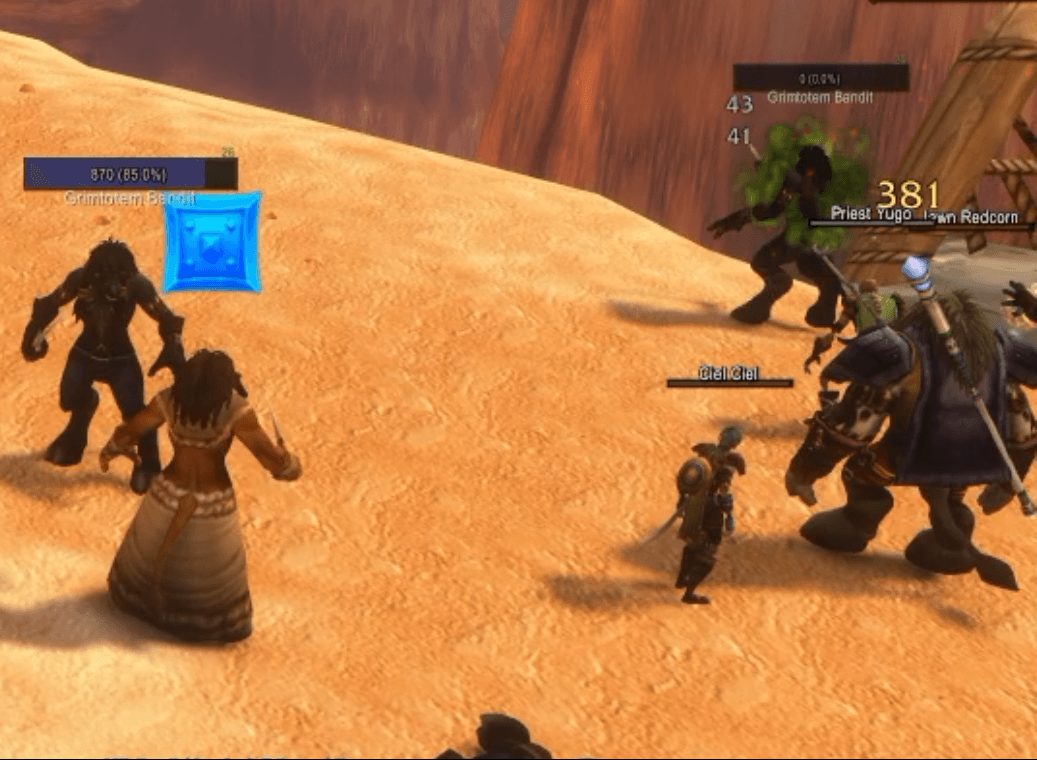
- Your hits float off the enemy they landed on. Other players' hits show above their own heads, or in tidy columns under the enemy: your choice
- Works for players outside your group too: anyone fighting near you
- Colored by class, using the game's own class colors: the same ones you see on raid frames and in chat
- With several players on one enemy, ASC works out whose hit it was from who is attacking, who just used an ability, and the kind of damage. When it can't tell, the number is light grey
- Their crits show bigger and hang for a second, so the big hits stand out
- One switch on the Home page turns it off if you'd rather see only your own
Your damage, on the enemy
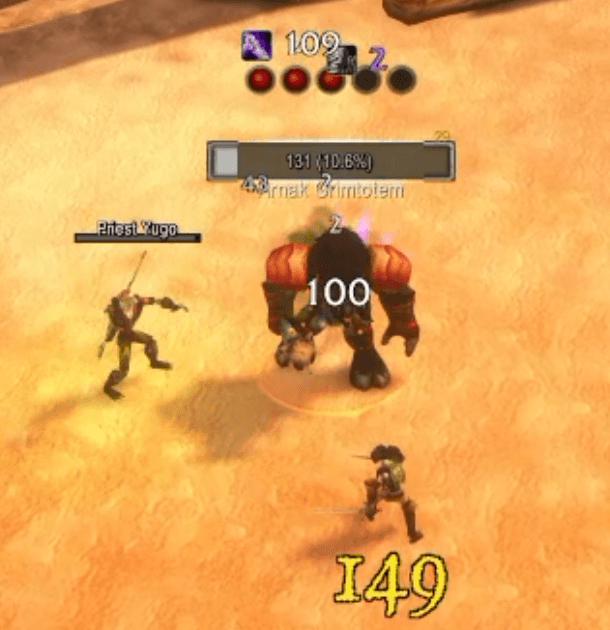
- Seven motions: Fountain, Arc, Diagonal, Rainfall, Spiral, Shake and Straight
- Make your numbers any size you like, as big as Blizzard's own or bigger, with one slider
- ASC hides the game's own damage numbers for you, so you never see doubles
- Big crits slam into their own spot with the spell name, icon, shake and sound
- Every hit, heal and damage-over-time tick labeled with its spell
- Bigger hits look bigger: each hit is sized against your recent average
- Spell Rules: hide any spell or spotlight it, picked from a list of the spells you use. Nothing to type
The combo meter: how high can you get?
- Chain mob kills without a long break and a combo counter climbs on screen, with a timer bar showing how long you have to find the next kill
- The clock only runs out of combat, so a long fight never costs you the chain. AoE classes can stack it fast
- An announcer calls the milestones: On a Roll (5), Mob Mower (10), Relentless (15), Slaughterhouse (20), Unstoppable (25), Exterminator (30), One-Person Army (40), Legendary Grind (50)
- Personal records per character: longest combo, fastest level and most kills in a level, with a NEW RECORD callout when you beat one
For healers: heal mode
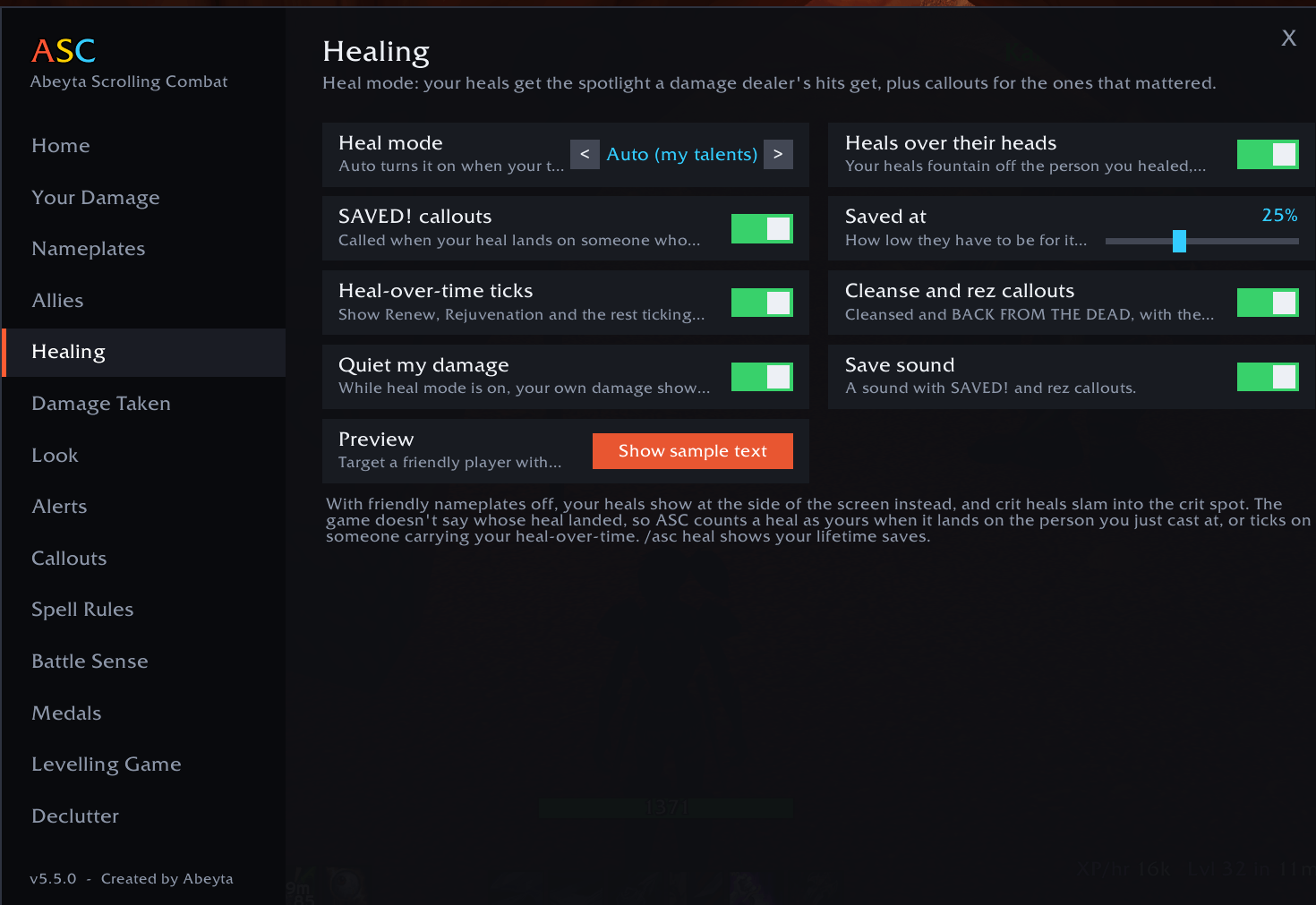
- Your heals fountain off the person you healed, the same way a damage dealer's hits come off a mob, and crit heals hang over their head for a moment
- In dungeons, where the game keeps friendly nameplates away from addons, your heals fountain off that player's healing frame instead (ClickMend, or the default party and raid frames)
- SAVED! is called when your heal lands on someone nearly dead, CLUTCH! when they were under 10%, with a save count after each fight and a personal record to beat
- Heal-over-time ticks, plus Cleansed and BACK FROM THE DEAD callouts
- Turns on by itself when your talents are in a healing tree, or switch it on for any character
Callouts and a built-in health bar
- A voice says "Kidney Shot ready" the moment an ability comes back. Over 200 abilities across every class have their own spoken line
- Choose all cooldowns, only those under a minute, or only the big ones
- FINISH IT when a player, elite or boss drops low, a LOW HEALTH warning, and a small AGGRO! line at your feet that stays out of the way
- A small health bar under your character with your HP number and a "DoTs will kill you" warning. Hover it to drag it, right-click to hide it
Proc Watch: never miss a proc
- A row of glowing icons that lights up the moment a proc or reaction is ready: Riposte after a parry, Overpower after a dodge, execute range, Clearcasting, Nightfall and more, for all nine classes
- It can also tell you when a key ability comes off cooldown, so you press it the moment it's ready
- Off until you switch it on. Every proc and ability has its own on/off switch, and you can add your own by name
- Open /asc and choose Proc Watch, or type /asc procs
For shamans: Maelstrom Weapon bars
- Five bars that fill as your Maelstrom Weapon stacks build, and flare when you hit five
- Keeps counting in combat and carries your stacks from one enemy to the next
- Only appears on shamans. Move it, lock it, resize it, or hide it outside combat
For gatherers: never run past a herb
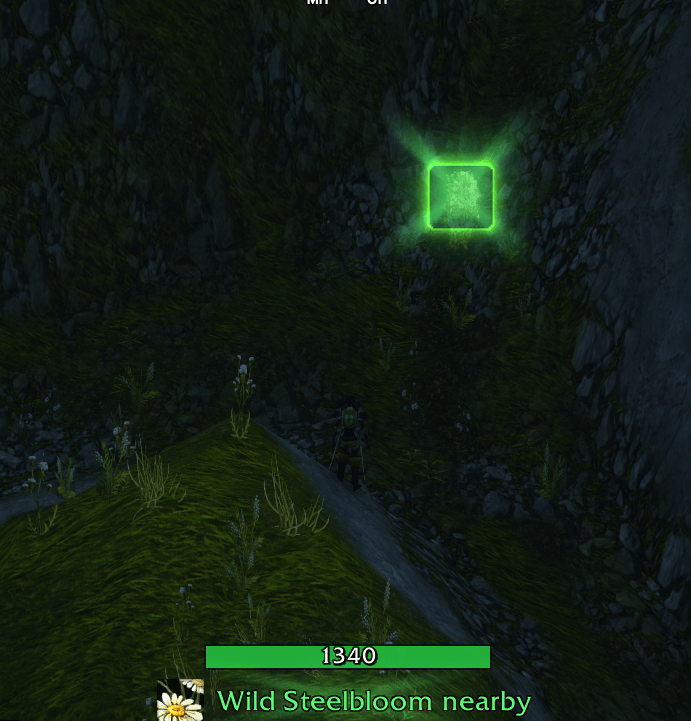
- When a herb or an ore vein is the nearest thing in reach, a glowing banner under your health bar names it: "Wild Steelbloom nearby". No cursor needed
- Sweep your mouse across and the cursor glows green over a herb, orange over an ore vein
- Every part has its own switch on the Gathering page, or type /asc gather
PvP extras
- Kill medals: Double Kill, Triple Kill, Overkill, and sprees like Killing Spree and Running Riot
- Battle Sense: a death recap of the last hits you took, a fight recap, crit chains, control alerts, a battleground feed and team deaths
- Stats panel: killing blows, PvP kills, kill streak and deaths
Simple to set up
- Install it and log in. It works straight away.
- Type /asc or click the minimap button to open the menu. The Home page has the switches most people need.
- Type /asc move to drag the text areas where you want them, and /asc test to see sample text.
- Turn on enemy nameplates (V) for damage on the enemy, and friendly nameplates (Shift-V) to see other players' numbers above their heads.
Commands
- /asc procs opens Proc Watch (procs on, procs test, procs add Name)
- /asc mael sets up the Maelstrom bars on a shaman (mael test, mael unlock)
- /asc blizzard hide or show for the game's own damage numbers
- /asc opens the menu, /asc move drags the text areas, /asc test shows sample text
- /asc allies and /asc plates turn ally and nameplate numbers on or off, /asc look picks a one-click look
- /asc heal turns heal mode on, off or auto, /asc health shows or hides the health bar
- /asc arcade for the combo meter, /asc records lists your records
- /asc hide, /asc big and /asc show followed by a spell name set spell rules
Good to know
- WoW Forever doesn't give addons the full combat log, and it doesn't say whose hit landed. ASC works out other players' damage from who is fighting what, who just cast, and their class. It gets it right most of the time; when it can't tell the class, the number shows in light grey.
- If an enemy has no nameplate on screen, your number shows at the side instead, so nothing is lost.
- If numbers show twice, turn on "Hide Blizzard's combat text" on the Home page and turn off any other combat text addon.
More from Abeyta
Capped, my PvP addon for WoW Forever, does the rank math for you: exactly how many wins or losses you need this week, an honor bar, and a battleground queue timer that calls "Last chance to enter!". Search for Capped on CurseForge.
I build things outside of WoW too. Right now I'm working on funding Up & Down, my very own chip-and-putt golf course, with our mascot Chip Abeyta leading the charge. It's skill capped, for all you other golfers out there. Go check it out at upanddowngj.com.
Questions, bugs or ideas? Join the Discord or catch me live at twitch.tv/captsaveyaaz.
Created by Abeyta. Not an alpha. Just Abeyta.
CurseForge: https://www.curseforge.com/wow/addons/abeyta-scrolling-combat用户评价
暂无 / 5,0 条评价相关推荐
继续看看这些内容