插件中文资料库
中文说明、玩家点评、适用场景和替代推荐,方便快速判断是否适合你。
- 背包、银行和物品整理
- 任务路线、地图标记和野外探索
- 界面布局、头像框、姓名板和动作条优化
 Details! Mythic+ Scoreboard
 BagSync
 RightClickSelfCast
RareScanner 插件下载与使用指南
本页整理了 RareScanner 的功能用途、适用人群、安装方法和常见问题,方便玩家快速判断是否需要安装。
适合谁用
RareScanner 是一款 地图与小地图 / 成就 / 其他插件 / 伙伴 / 幻化 类插件,适合需要优化界面、提升操作效率或补充游戏信息提示的魔兽世界玩家。
基本信息
- 插件作者:maqjav
- 插件分类:地图与小地图 / 成就 / 其他插件 / 伙伴 / 幻化
- 适配版本:12.0.7
- 累计下载:54
安装方法
- 点击上方下载按钮获取 RareScanner插件文件。
- 解压后将插件文件夹放入 World of Warcraft/_retail_/Interface/AddOns 目录。
- 重启游戏或在角色界面点击插件,确认 RareScanner 已启用。
- 如果插件不生效,请检查版本是否匹配,或关闭同类冲突插件后重试。
使用建议
RareScanner 安装后建议先在角色界面确认已启用,进入游戏后根据插件提供的命令、小地图按钮或设置面板进行调整。如遇到报错,可先单独启用该插件排查冲突。
RareScanner 常见问题
RareScanner 适合需要 地图与小地图 / 成就 / 其他插件 / 伙伴 / 幻化 类功能的玩家,特别是希望提升游戏便利性、界面管理或战斗信息获取效率的用户。
下载后解压到 Interface/AddOns 目录,然后重启游戏并在角色界面启用插件。
常见原因是目录多套一层、游戏版本不匹配、依赖插件缺失或同类插件冲突。
可以查看本页的替代插件推荐和相关插件区域,按下载量和分类选择同类工具。
插件 AI 问答
可以问:这个插件正式服能用吗、和 DBM 冲突吗、怎么设置、有没有替代插件。
RareScanner 是一款魔兽世界插件,主要用于倒计时、提醒和战斗预警、背包、银行、专业制造或物品整理、地图、区域、任务路线或交通提醒。建议根据自己的版本和插件环境先测试兼容性。
插件用途
RareScanner 主要面向需要成就功能的玩家,用来改善游戏体验、减少重复操作或补充默认界面没有直接提供的信息。
适用场景
- 倒计时、提醒和战斗预警
- 背包、银行、专业制造或物品整理
- 地图、区域、任务路线或交通提醒
使用建议
安装后建议先在角色选择界面或插件管理器中确认已启用,再进入游戏测试是否与现有整合包、WA 和其他插件冲突。如遇报错,可以先禁用同类插件排查。
RareScanner is an addon for World of Warcraft that includes a group of tools to help you track rare NPCs, treasures and events while you play.
The notable tools that RareScanner includes are:
Alerts from nearby rare NPCs/treasures/events
This is the main feature of RareScanner. The addon displays a button in the middle of the screen with information about all the entities detected nearby. Around the button information related to the entity is displayed, such as a miniature (in the case of an NPC), the name of the entity and the loot that you could obtain after killing/collecting it.
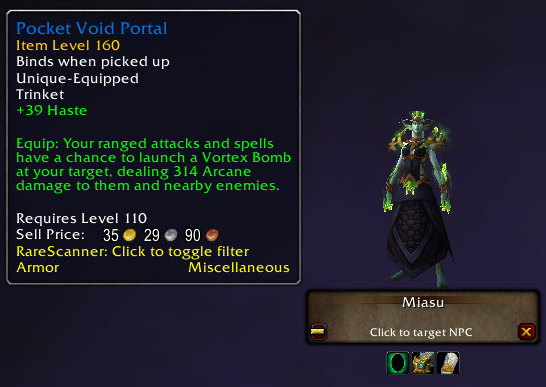
World map information
RareScanner adds icons of every rare NPC, treasure and event that it tracks to your worldmap. When you hover your mouse over these icons you will get extra information in a tooltip.
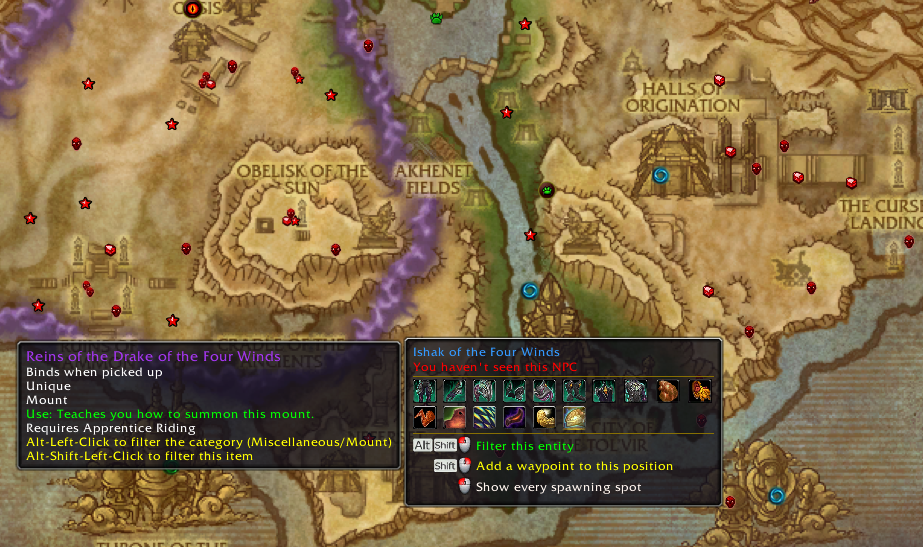
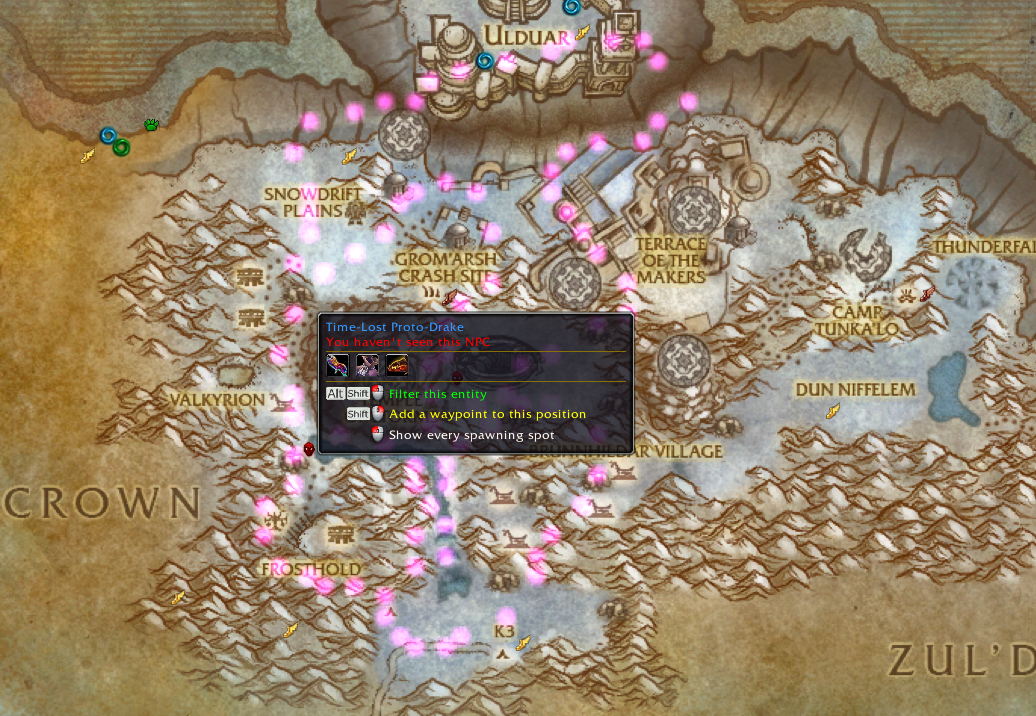
It also shows all the spawning spots for every tracked entity and for some entities it also adds some guidance icons to help you reach to its position, force its spawn or unlock it.
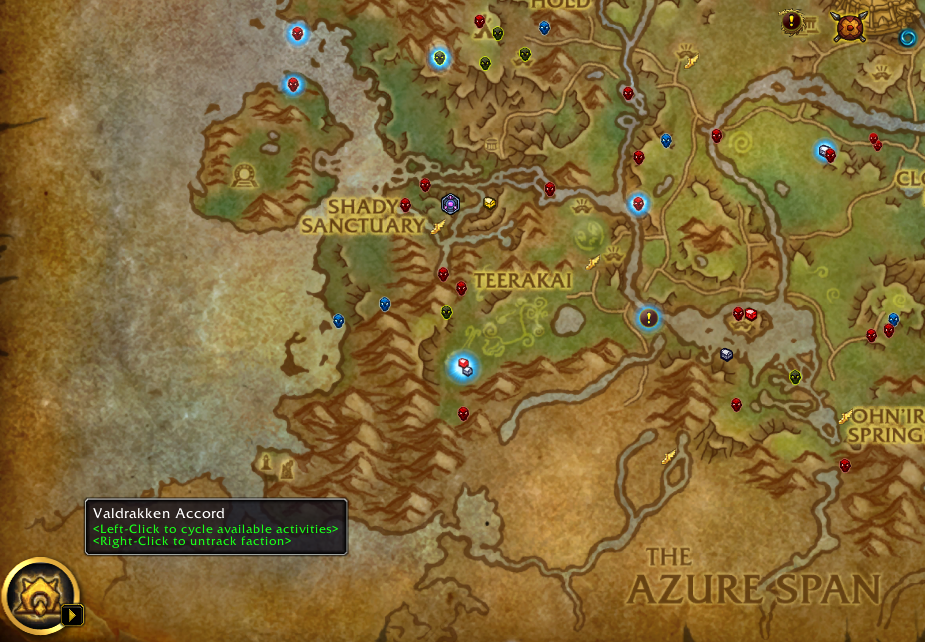
Starting with Dragonflight, now RareScanner integrates with the new control that highlights reputation sources in the world map, so when you select a faction it will also highlight every rare NPC and container that grants reputation with the faction selected.
You can customize all the information displayed in the map and the tooltips from RareScanner options panel.
Rare NPCs explorer
RareScanner is designed to help you track every rare NPC/treasure/event in the game, but usually you will be more interested in finding NPCs that drop useful loot, like missing mounts or pets that you want to add to your collection.
While you can use the world map to check the loot of every NPC/treasure by hovering the mouse over their icons, it will take a lot of work to find exactly those missing items, so here is where the explorer comes in handy.
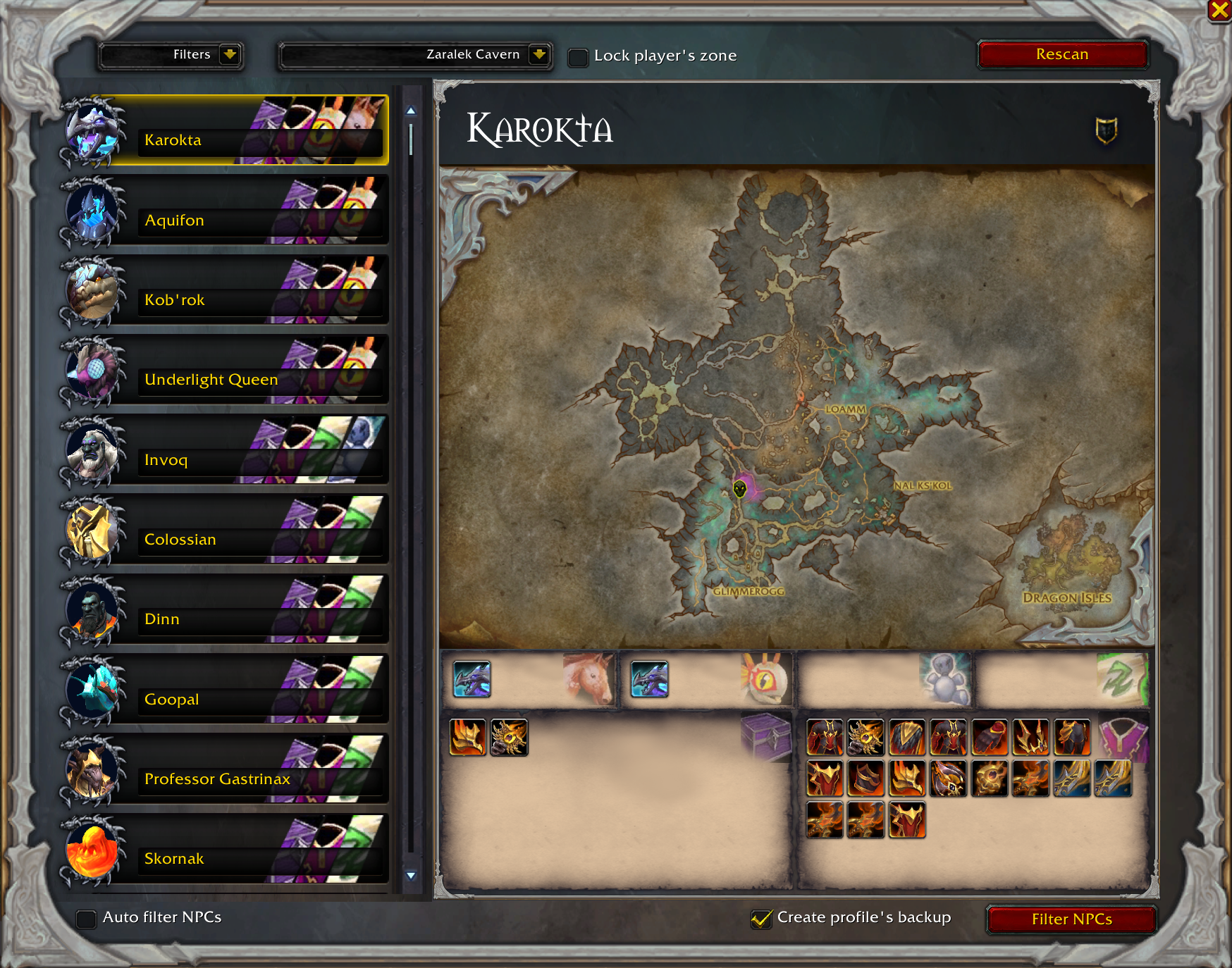
Custom NPC
RareScanner allows you to add your own NPCs (even if they aren't rare), so you can get alerts whenever you pass by them.
Filtering entities
Out of the box RareScanner will be tracking every entity in the game, however you might be interested only in a few. Using the previous tools (the world map interface, the explorer, the button with the alert or RareScanner options), you can configure the addon to track only for what you are interested in.
More information
Visit the pages for this project to learn more about the addon.
Important notes for Khaz Algar.
1. There are several treasures in Hallowfall and The Ringing Deeps that spawn everywhere. In order to avoid getting constant alerts for them you should filter them completely or at least filter their visual/audio alerts so they won't drive you crazy. You can find these options under "RareScanner -> Container filters".
2. With the launch of a new patch I need one or two weeks to collect all the loot tables, so every rare NPC added in 11.0.2.x don't have much loot available yet. For this reason, you shouldn't use the explorer to filter NPCs yet, because it will filter all these new entities. If you do, use the "NPC filters panel or the world map menu" to reenable them.
How to increase the detection range (Classic/Wrath and Retail in older zones).
By default, in older zones the addon will use very light basic systems to detect rare/custom NPCs in the area (mouse events and nameplates).
These systems are very limited in range, so that's why the addon includes a new system called Target Unit that will detect NPCs in a target range.
This system is disabled by default so you have to manually enable it.
Click on this link to access all the information regarding this new system and how to enable it.
Elite import lists for WoW Classic Hardcore
Midnight pre-patch
You can print the next spawn timers for all rare NPCs using this command: /rs midnight
Midnight (Important notes)
- NPCs in Midnight reward reputation only the first time you kill them, this means that if you have enabled the "Filter by missing reputation" in your world map, rare NPCs won't come back and you won't get alerts to them.
- As soon as you hit level 90 there will be plenty of containers to find, I suggest you to use the "STOP" button in the notifications as you find them to don't be bothered constantly.
用户评价
暂无 / 5,0 条评价相关推荐
继续看看这些内容
