插件中文资料库
中文说明、玩家点评、适用场景和替代推荐,方便快速判断是否适合你。
- 背包、银行和物品整理
- 界面布局、头像框、姓名板和动作条优化
 Details! Mythic+ Scoreboard
 BagSync
 RightClickSelfCast
Baganator 插件下载与使用指南
本页整理了 Baganator 的功能用途、适用人群、安装方法和常见问题,方便玩家快速判断是否需要安装。
适合谁用
Baganator 是一款 背包与库存 类插件,适合需要优化界面、提升操作效率或补充游戏信息提示的魔兽世界玩家。
基本信息
- 插件作者:plusmouse
- 插件分类:背包与库存
- 适配版本:1.15.8,2.5.5,12.0.5,3.80.1,5.5.4,12.0.7
- 累计下载:0
安装方法
- 点击上方下载按钮获取 Baganator插件文件。
- 解压后将插件文件夹放入 World of Warcraft/_retail_/Interface/AddOns 目录。
- 重启游戏或在角色界面点击插件,确认 Baganator 已启用。
- 如果插件不生效,请检查版本是否匹配,或关闭同类冲突插件后重试。
使用建议
Baganator 安装后建议先在角色界面确认已启用,进入游戏后根据插件提供的命令、小地图按钮或设置面板进行调整。如遇到报错,可先单独启用该插件排查冲突。
Baganator 常见问题
Baganator 适合需要 背包与库存 类功能的玩家,特别是希望提升游戏便利性、界面管理或战斗信息获取效率的用户。
下载后解压到 Interface/AddOns 目录,然后重启游戏并在角色界面启用插件。
常见原因是目录多套一层、游戏版本不匹配、依赖插件缺失或同类插件冲突。
可以查看本页的替代插件推荐和相关插件区域,按下载量和分类选择同类工具。
插件 AI 问答
可以问:这个插件正式服能用吗、和 DBM 冲突吗、怎么设置、有没有替代插件。
Baganator 是一款魔兽世界插件,主要用于背包、银行、专业制造或物品整理、插件库、数据接口或依赖支持。建议根据自己的版本和插件环境先测试兼容性。
插件用途
Baganator 主要面向需要背包与库存功能的玩家,用来改善游戏体验、减少重复操作或补充默认界面没有直接提供的信息。
适用场景
- 背包、银行、专业制造或物品整理
- 插件库、数据接口或依赖支持
使用建议
安装后建议先在角色选择界面或插件管理器中确认已启用,再进入游戏测试是否与现有整合包、WA 和其他插件冲突。如遇报错,可以先禁用同类插件排查。




Baganator is an easy to use categories or single view bag addon for World of Warcraft.
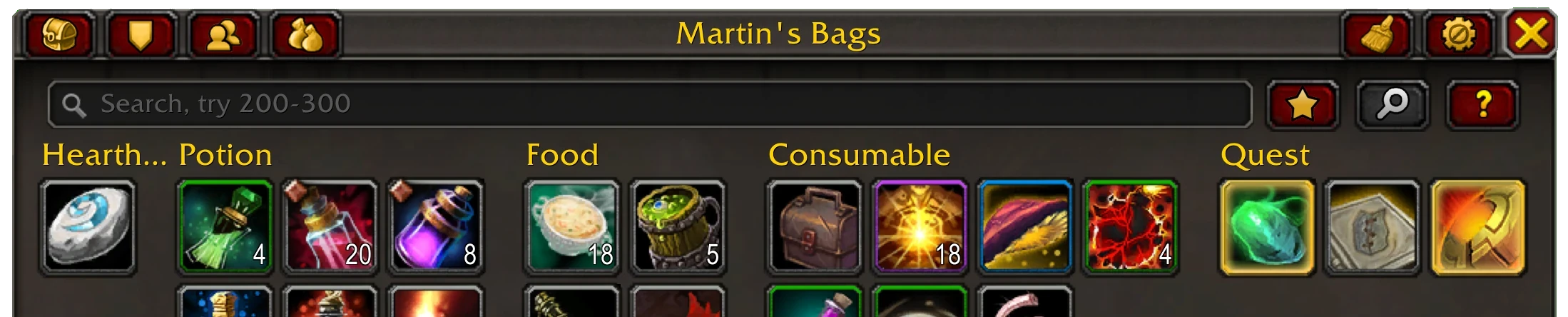
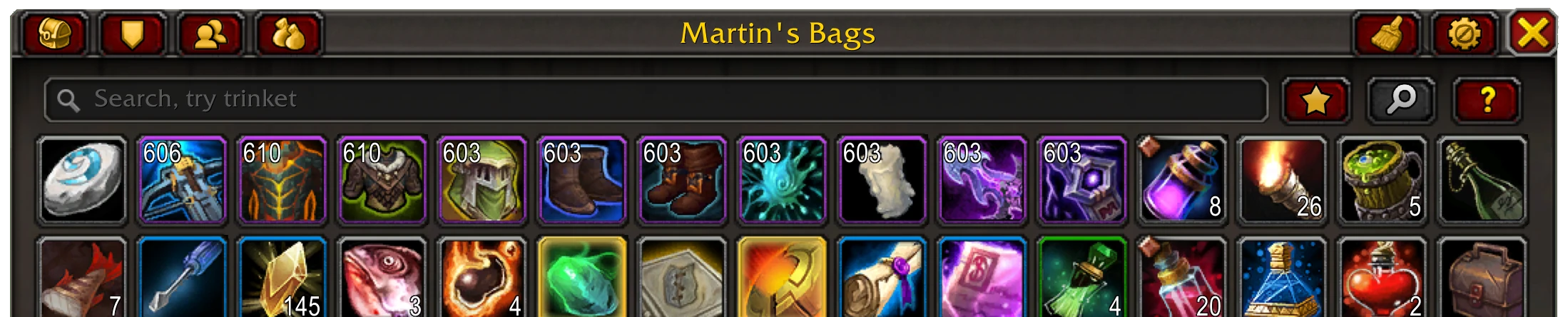
Note: Requires Syndicator in order to work, installed automatically on the Curseforge client.
Why this addon?
- Kept up to date, and has bugfixes applied before the latest patch is released.
- Just works, no configuration needed.
- The features you need are in it.
- It is fast, so fast it averages 4x faster than the Blizzard bag UI.
Highlights
- Single or categories view bags and single or categories view bank, with sections for special containers.
- Inventory information in item tooltips, from bags, banks, guild banks, void storage, mail and active auctions.
- No taint/protected action errors caused by it.
- Browsing any characters' bags, bank and guild bank from anywhere.
- Sorting items built in. This includes ignoring slots, different ordering (type, quality, expansion), and doing the bank bags/reagent bank together.
- Simple, fast and efficient searches. Has keywords, by name, item type (armor/etc.), inventory slot (head/etc.), other keywords (like potion, food, etc.) and expansion (retail only, vanilla/df/etc.), item level searches (200-210, <190, >220), combining searches with & or | and inverting with !
- Supports common bag item icon enhancement addons.
- Can show BoE, item level, Pawn upgrade arrows etc. on the item icons and customise which corners the information shows on, prioritising the most wanted info.
- Guild bank view, split into tabs, that supports all the search/icon features the bags/bank do and remote guild bank viewing.
- Transfer button to move searched for items into the bank or bags or vendor/scrap/mail the items.
Supports Retail (The War Within) and all Classic versions (Cata, SoD, etc.)
Categories

- By default each item is placed in a category matching its item type.
- To add an item to a category pick it up and place it in the empty slot for the category that appears, or put it in the uncategorised empty slot to remove it from the category. Items can only be added to custom categories.
- Searches have a priority, and an item can only appear in one category, with the priority deciding which category the item appears in if there is a conflict.
- Stacks of items will be separated when at a vendor, mailbox, etc.
- Equipment sets each get their own category named after the set (can be disabled).
- Categories can be transferred to the bank/mail/scrapper/etc by right-clicking on the category's title.
- See the keywords for a given item in their tooltip by running
/bgr keywordsonce (run again to turn off) - See the categories matching a given item in their tooltip by running
/bgr categoriesonce - Remove any custom categories you aren't using with
/bgr removeunusedcategories
Search
As well as searching by item name there is a lot more the Baganator search can do. See the Syndicator page for everything.
- You can use an item category like "consumable" or "glyph".
- A part of the item's tooltip, say "drakewatcher manuscript", "secrets of azeroth" or "reputation" for items that grant reputation.
- Combine any searches with "&" (and) "|" (or) and "!" (not) to get more exact results.
- A keyword, there's quite a few, such as "battle pet", expansion keywords like "dragonflight" or "mop" and bind on equip items with "boe".
- Equipment sets with "equipment set", or the equipment set name.
- By item level >110, <100, 50.
Transferring items

When at a vendor, bank or scrapping machine clicking the transfer button (top right next to the sort button) that appears in that scenario will vendor or transfer only the searched for items to the merchant or bank.
Plugins
Several addons are automatically integrated with Baganator.
- Item Icon Styling: Masque
- Junk Management: Dejunk, SellJunk. Scrap, Vendor
- Item Upgrades: Pawn, Simple Item Levels
- Transmogs: Can I Mog It, AppearanceTooltip, Caerdon Wardrobe, Transmog Loot Helper
- Catalyst Information: Transmog Upgrade Master
- Equipment Manager: ItemRack Classic (classic only), Outfitter
- Battle Pets: Battle Pet BreedID
- Expansion: ItemVersion, All The Things
- Sorting: BankStack, SortBags, tdPack2
- Groups: TradeSkillMaster, All The Things
For addon authors the current API is documented here.
Themes
Themes are built in and will automatically activate when using a UI overhaul listed below.
GW2 UI (requires GW2 UI)
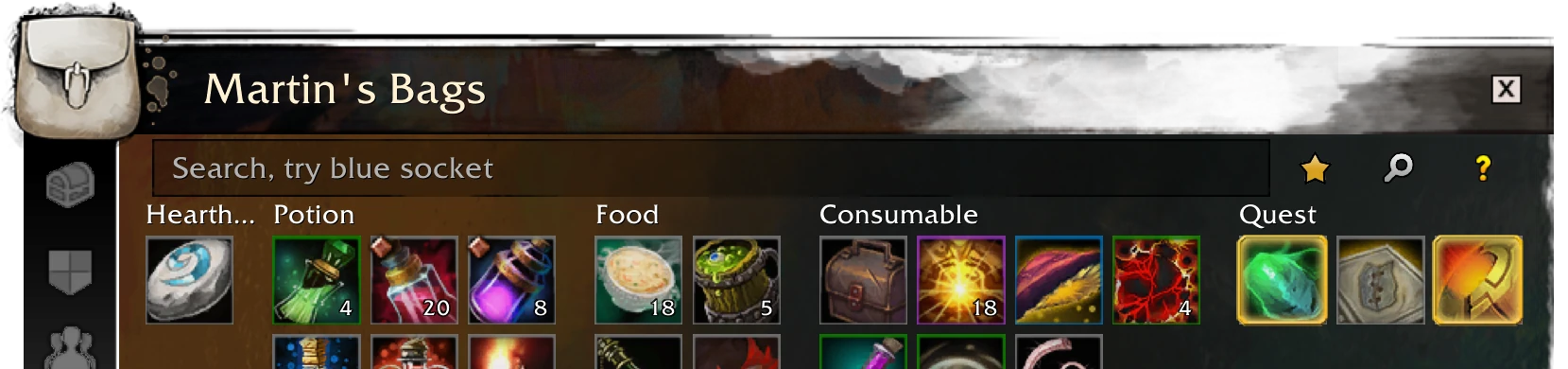
ElvUI (requires ElvUI)

Dark

NDui (requires NDui)

Upcoming features
Feature requests are welcome.
Comments
For any issues or feedback open a Github Issue or use the Discord server
CurseForge: https://www.curseforge.com/wow/addons/baganator用户评价
暂无 / 5,0 条评价相关推荐
继续看看这些内容
