插件中文资料库
中文说明、玩家点评、适用场景和替代推荐,方便快速判断是否适合你。
- 界面布局、头像框、姓名板和动作条优化
 TankMD Misdirect
 GroupFinder
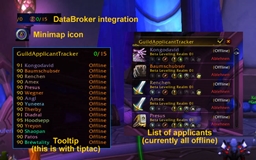 GuildApplicantTracker
Guild Manager 插件下载与使用指南
本页整理了 Guild Manager 的功能用途、适用人群、安装方法和常见问题,方便玩家快速判断是否需要安装。
适合谁用
Guild Manager 是一款 聊天与通讯 / 公会 类插件,适合需要优化界面、提升操作效率或补充游戏信息提示的魔兽世界玩家。
基本信息
- 插件作者:_ForgeUser10020927
- 插件分类:聊天与通讯 / 公会
- 适配版本:7.1.0
- 累计下载:33
安装方法
- 点击上方下载按钮获取 Guild Manager插件文件。
- 解压后将插件文件夹放入 World of Warcraft/_retail_/Interface/AddOns 目录。
- 重启游戏或在角色界面点击插件,确认 Guild Manager 已启用。
- 如果插件不生效,请检查版本是否匹配,或关闭同类冲突插件后重试。
使用建议
Guild Manager 安装后建议先在角色界面确认已启用,进入游戏后根据插件提供的命令、小地图按钮或设置面板进行调整。如遇到报错,可先单独启用该插件排查冲突。
Guild Manager 常见问题
Guild Manager 适合需要 聊天与通讯 / 公会 类功能的玩家,特别是希望提升游戏便利性、界面管理或战斗信息获取效率的用户。
下载后解压到 Interface/AddOns 目录,然后重启游戏并在角色界面启用插件。
常见原因是目录多套一层、游戏版本不匹配、依赖插件缺失或同类插件冲突。
可以查看本页的替代插件推荐和相关插件区域,按下载量和分类选择同类工具。
插件 AI 问答
可以问:这个插件正式服能用吗、和 DBM 冲突吗、怎么设置、有没有替代插件。
Guild Manager 是一款魔兽世界插件,主要用于界面框架、头像、动作条或冷却显示优化。建议根据自己的版本和插件环境先测试兼容性。
插件用途
Guild Manager 主要面向需要聊天与通讯功能的玩家,用来改善游戏体验、减少重复操作或补充默认界面没有直接提供的信息。
适用场景
- 界面框架、头像、动作条或冷却显示优化
使用建议
安装后建议先在角色选择界面或插件管理器中确认已启用,再进入游戏测试是否与现有整合包、WA 和其他插件冲突。如遇报错,可以先禁用同类插件排查。
Video Demonstrating Addon: {http://youtu.be/4OYyIFQg1fg} [Outdated in 6.2.3]
1.0 General Overview - Guild Manager is an advanced guild management system for handling recruiting new players, removing inactive and undesirable players, promoting guild members, and distributing important information to guild members. Contained herein is a detailed outline of all features.
2.0 Recruitment - Recruitment is divided into two parts with three configuration interfaces.
2.1 Zone Recruitment - Zone Recruitment is a chat message that periodically gets broadcast to the zone that the character that is recruiting is currently in.
2.1.1 City Spam Enabled? - This setting when toggled on will treat each city as one and recruit in Trade chat.
2.1.2 Zone Spam Enabled? - This setting when toggled on will recruit in every other general zone.
2.1.3 Outdoor PVP Zones Enables? - This setting when toggled on will recruit in PvP zones such as Tol Barad, Wintergrasp, and Ashran.
2.1.4 Interval - This setting is a sliding scale from 15 minutes to 120 minutes. This setting how long the addon will wait before recruiting again in the same zone.
2.1.5 General Chat Message - This is the message that will be broadcast when recruiting. There is a 255 character limit.
2.1.6 City Channel Number - This is the number that your Trade Channel is currently. The default is 2.
2.1.7 Zone Channel Number - This is the channel of the zone you want to broadcast in. The default is 1 for General but can be any zone channel number.
2.2 Toon Recruitment - Toon Recruitment searches the Who list for individual un-guilded characters that meet the set criteria and invites them to your guild.
2.2.1 Run Who Search - A button that will begin to search for characters that meet the criteria. It will stop when manually stopped (See Stop in Invitation Control) or when it completes one cycle.
2.2.2 Automate - Will continuously cycle through the Who list until unchecked or until manually stopped.
2.2.3 Launch IQ Controls? - A button that will open a submenu where you can manually configure who is in the Invite Queue.
2.2.3a The game does NOT allow an addon to invite individual characters on its own. The player MUST click a button for this to happen. Therefore the addon only adds these players to a list where they can be invited to the guild manually. Fortunately there is a semi-automatic method that this addon supports. You will need to create a macro and add the line - run GuildManager:InviteAction()- to it. You will then but that macro on your bars somewhere. IF you spam that button it will automatically add the people in your Invite Queue to the guild one by one. Alternatively if you use macros for your abilities you can add the above line of code to each macro and it will execute the Invite action even while in combat.
2.2.4 Target Specific Classes - When checked it will activate a list of checkboxes corresponding to the classes you want to recruit. If unchecked it will search for all classes.
2.2.5 Whisper Message - This is the message that you will send to individual players upon recruitment. There is a 255 character limit.
2.2.6 Minimum Level - This is the minimum level of characters that the addon will invite to the guild.
2.2.7 Maximum Level - This is the maximum level of characters that the addon will invite to the guild.
2.2.8 Class List - A list of classes that can be selected or unselected if Target Specific Classes is enabled.
2.3 Invitation Control - Menu for additional recruitment settings.
2.3.1 Launch DNIL Controls? - A button that will open a submenu where you can manually configure who is on the Do Not Invite List.
2.3.1a The Do Not Invite List is an anti-spam measure that records the character name of every character invited to the guild. To this end if a character has been invited once to the guild and declined then they will not be invited again provided they are on the Do Not Invite List.
2.3.2 Member Maximum - This is the target number of members you wish to recruit. If the Toon Recruiter is active, it will continue to invite players to the guild until the member population reaches the target number. After which, it will shut off until such time as the population is below the target number.
2.3.3 Stop! - A button that when pressed will shut down a toon recruitment cycle.
2.3.4 Announce New Members - This drop down box designates the channel that a notification will go to when a new member joins the guild. The options are none, guild, and officer.
2.3.5 Guild Welcome Whisper - This is a message that will go to everyone who joins the guild at the time that they join the guild.
2.3.6 Guild Invite Decline Whisper - This is a message that will go to everyone who decides not to join the guild.
2.3.7 (Formerly 2.1.8) Invite on Whisper - This setting when toggled on will automatically invite players to your guild if they whisper you the words LF guild.
2.3.8 Whisper Only - This will cause only a whisper to go out instead of a whisper and a guild invite. NOTE: There is an issue where guilded members show up in the Who list as not guilded. Using this feature will result in guilded players getting your invite message.
3.0 Pruning - Pruning is an automatic or manual function of removing players from the guild who meet a certain criteria.
3. Prune - A button that when pressed will remove players from the guild that meet a certain criteria.
3.2 Remove Inactive - A setting that when toggled will remove players for being inactive. (See: Days Offline)
3.3 Remove Low Levels - A setting that when toggled will remove players that are at or below a certain level. (See: Low Level)
3.4 Automate - A setting that when toggled will automatically check for people who meet pruning criteria.
3.5 Days Offline - A scale measured in days between 1 and 365. Characters that are offline for the set number of days or more while 迭emove Inactive- is enabled will be removed unless exempt.
3.6 Low Level - A scale measured in levels between 1 and 100. Characters that are at or below the set level will be removed unless exempt.
3.6a NOTE: Using Remove Inactive AND Remove Low Levels at the same time will require that BOTH criteria will be met before a character is removed. For example, if Days Offline is set to 30 and Low Level is set to 40 then the addon will only remove characters that are at or below level 40 AND have been offline for 30 days or more.
3.7 Announce Prunes - This drop down box designates the channel that a notification will go to when members are removed from the guild. The options are none, guild, and officer.
3.8 Launch Black List Controls? A button that will open a submenu where you can manually configure who is on the Black List.
3.8a The Black List is a list of characters that are banned from the guild. If anybody invites a character who is banned to the guild then the character that was banned will be automatically removed from the guild again.
3.9 Launch Prune Exemption Controls? A button that when pressed will open a submenu where you can manually configure who is on the Prune Exemption List.
3.9a The Prune Exemption list is a list of characters that are exempt from removal even if they meet the criteria for removal. To this end players on the list will never be kicked by the addon unless they are on the Black List.
3.10 Alts Exempt - This is a setting that when toggled will not remove characters from the guild that have the word 殿lt- in their public or officer notes even if they meet the criteria for removal. Characters on the Black List will still be removed.
3.11 Exempt Ranks - This is a setting that when toggled will activate a list of ranks in your guild where you can mark those ranks for exemption. (See: Rank Exemption List)
3.12 Remove from DNIL - This setting when toggled will remove any guild member that is kicked from the guild from the Do Not Invite List.
3.13 Rank Exemption List - This is a dynamic list of the ranks in the guild. Any rank that is toggled while the 摘xempt Ranks- setting is active will not be removed from the guild even if they meet the criteria for removal. Characters on the Black List will still be removed.
4.0 Promotions - The Promotions module is designed to promote members of the guild from certain ranks to certain ranks depending on set criteria.
4.1 Run Promotions - This button when pressed will scan the guild roster and promote (or demote) based on the settings applied.
4.2 Automate - This setting when toggled will automatically scan for characters qualifying for promotions (or demotions) and make the changes accordingly.
4.3 Demote Mode - This setting when toggled will automatically demote someone to the appropriate rank if they are at a rank beyond their designation. Players that are exempt will not be moved (See: Player Exemption List)
4.4 Announce Promotions/Demotions - This drop down box designates the channel that a notification will go to when members are promoted or demoted. The options are none, guild, and officer.
4.5 Character Level - One of Two modes that the promotion module will run in. (See: Promote To By Level)
4.7 Promote From Ranks - A dynamic list of ranks that the addon will promote (or demote) from. Characters in unchecked ranks will not be promoted (or demoted).
4.9 Promote To By Level - A dynamic submenu with the list of ranks. Each rank has a setting that will toggle it on or off and a Level Threshold scale ranging from 1 to 111. Characters in the checked ranks to search for (See: Promote From Ranks) will be promoted to the most appropriate rank depending on their current level.
4.10 Player Exemption List - A submenu that contains one button to launch the Demote Exemption List Controls The Demote Exemption List is a list that the addon checks before making demotions. Any character on the list will not be demoted even if they meet the criteria for demotion.
5.0 Announcements - The Announcements module is used to make recurring and periodic announcements and can support up to 5 different announcements. Each announcement will cycle to the next one with an interval of time between each one.
5.1 Announcement Stats - A button that when pressed will display which announcement was made last, which is coming next, and how long it has been since the last announcement was made.
5.2 Skip Announcement - A button that when pressed will move from the next announcement to the one after if there are announcements to be made after it.
5.3 Announce Now - A button that when pressed will override the timer and immediately make the guild announcement.
5.4 Announcement 1(and 2-5) - This is the text box for each announcement. Announcements can be unlimited characters. The addon will automatically split the text into individual string of 255 characters and when announced will broadcast them in order.
5.5 Announcement 1 (and 2-5) Timer - This is the interval of time in minutes the addon will wait from making the last announcement to making this announcement. Range is between 1 and 60 minutes.
5.6 Announce to Officer/Guild 1(and 2-5) - This is the channel that the announcement will be made in. The options are disabled, guild, and officer.
5.7 Announce Border 1(and 2-5) - This is the border that will go at the top of the first chuck of text in the announcement and at the bottom of the last chunk of text in the announcement. It is a drop down list that corresponds to each of the in game chat or raid icons.
6.0 Context Menus - This addon supports context menus that allows the user to Invite members to the guild, add them to (or remove them from) any list (DNIL, Black List, Prune Exemption List, Demote Exemption List) min this addon. This can be done by right clicking the characters portrait, right clicking their name in chat, or right clicking their name in the group/raid list. Only certain context menu items will appear under certain conditions.
7.0 Legal - As-Is Free Use & Distribution: This add-on is provided free of charge and distributed as-is. There are no guarantees either written or implied to the quality of workmanship, usefulness, functionality or the like. As such this add-ons maker is NOT responsible for any damage this add-on may or may not do to you or your property through use, possession, or modification of the code. You (The User) are free to modify, distribute and use the code of this add-on so long as you do not modify, distribute or use it in any way that conflicts with applicable Law, this add-ons Host痴 Policies, or Blizzards Policies. Furthermore you may not modify, distribute or use this add-on for financial gain.
8.0 Tags - guild, manager, promoter, kicker, pruner, recruiter, manage, promote, kick, prune, recruit, invite, inviter, auto, member, roster, ban, banner, black, list
10.0 Changelog
7.1.0 Updated Ace3 Libary to the latest build. Updated TOC to be 7.1 compatible.
6.2.3b Fixed "Invite!" button to conform to Whisper Only feature. Fixed Promotions tab that had some bad code.
6.2.3a Fixed Right Click Functionality. Added Multirealm support for guilds on merged realms. Added "Whisper Only" Feature. Moved "Invite on Whisper" to Invitation Control Panel.
6.2.3 Removed Promote By Guild Activity. (Guild Activity is no longer tracked by Blizzard) Removed Member Mode and Guild Master Alt Mode (Too Much hasstle with merged realm system, and Addon Channel system) Added Support for Demon Hunter Class Added Support for characters up to level 110 Removed Support for characters below level 20. (Characters 1-19 no longer show up in Who Results due to changes made by Blizzard)
6.0.0 Addon Created
CurseForge: https://www.curseforge.com/wow/addons/guild-management-system用户评价
暂无 / 5,0 条评价相关推荐
继续看看这些内容
