插件中文资料库
中文说明、玩家点评、适用场景和替代推荐,方便快速判断是否适合你。
- 任务路线、地图标记和野外探索
- 界面布局、头像框、姓名板和动作条优化
 GroupFinder
 FollowerLocationInfo
 Sleek XP Bubbles
project-860689 插件下载与使用指南
本页整理了 project-860689 的功能用途、适用人群、安装方法和常见问题,方便玩家快速判断是否需要安装。
适合谁用
project-860689 是一款 聊天与通讯 / 任务与升级 类插件,适合需要优化界面、提升操作效率或补充游戏信息提示的魔兽世界玩家。
基本信息
- 插件作者:yazpad
- 插件分类:聊天与通讯 / 任务与升级
- 适配版本:2.5.6,1.15.9
- 累计下载:46
安装方法
- 点击上方下载按钮获取 project-860689插件文件。
- 解压后将插件文件夹放入 World of Warcraft/_retail_/Interface/AddOns 目录。
- 重启游戏或在角色界面点击插件,确认 project-860689 已启用。
- 如果插件不生效,请检查版本是否匹配,或关闭同类冲突插件后重试。
使用建议
project-860689 安装后建议先在角色界面确认已启用,进入游戏后根据插件提供的命令、小地图按钮或设置面板进行调整。如遇到报错,可先单独启用该插件排查冲突。
project-860689 常见问题
project-860689 适合需要 聊天与通讯 / 任务与升级 类功能的玩家,特别是希望提升游戏便利性、界面管理或战斗信息获取效率的用户。
下载后解压到 Interface/AddOns 目录,然后重启游戏并在角色界面启用插件。
常见原因是目录多套一层、游戏版本不匹配、依赖插件缺失或同类插件冲突。
可以查看本页的替代插件推荐和相关插件区域,按下载量和分类选择同类工具。
插件 AI 问答
可以问:这个插件正式服能用吗、和 DBM 冲突吗、怎么设置、有没有替代插件。
Deathlog 是一款魔兽世界插件,主要用于聊天与通讯相关功能。建议根据自己的版本和插件环境先测试兼容性。
插件用途
Deathlog 主要面向需要聊天与通讯功能的玩家,用来改善游戏体验、减少重复操作或补充默认界面没有直接提供的信息。
适用场景
- 聊天与通讯相关功能
使用建议
安装后建议先在角色选择界面或插件管理器中确认已启用,再进入游戏测试是否与现有整合包、WA 和其他插件冲突。如遇报错,可以先禁用同类插件排查。
Deathlog
A WoW Hardcore addon that provides a UI for exploring the deathlog and death statistics. Works on Classic Era Hardcore realms and TBC Anniversary Soul of Iron servers!
Over 1,000,000 death records collected and counting!
If you find an issue please send an email to yazpadfb@gmail.com or find us on discord at username yazpadfb
SEE WIKI FOR OFFLINE STATS The wiki will be updated as the database grows
Feel free to use the database for any purpose! Database
Compatibility
- Classic Era: Full support on official Hardcore realms
- TBC Anniversary: Full support via Soul of Iron buff detection
This addon is completely safe to run alongside the Hardcore addon. Alternatively, this addon can be run without the Hardcore addon running, however, it does not provide verification for the solo self-found challenge.
Features
Death Detection & Enrichment
- Automatic
/whoenrichment — Blizzard death messages only include the player's name; Deathlog fills in level, class, race, and guild via a background lookup - Party/raid death reporting — automatically captures deaths of group members, even if they don't have the addon
- Universal broadcast parser — uses Blizzard's own localized globals to parse death messages in all 11 client languages
- Compatible with the Hardcore addon's faction-wide death notifications (can be set to guild only)
Death Alerts
- 6 visual themes with NPC creature portraits (static + animated 3D models)
- Customize messages with substitution tags:
<name>,<race>,<class>,<level>,<guild>,<source>,<zone>,<playtime>,<last_words>,<reported_by> - Group syntax for context-aware messages:
(...)Relaxed group — shown if at least one tag inside has a value[...]Strict group — shown only if all tags inside have values
- Example:
<name>( the <race> <class>)[ of <guild>] has been slain by <source>[ at lvl <level>][ in <zone>]. - Real-time input validation catches unknown tags, unbalanced groups, and formatting errors
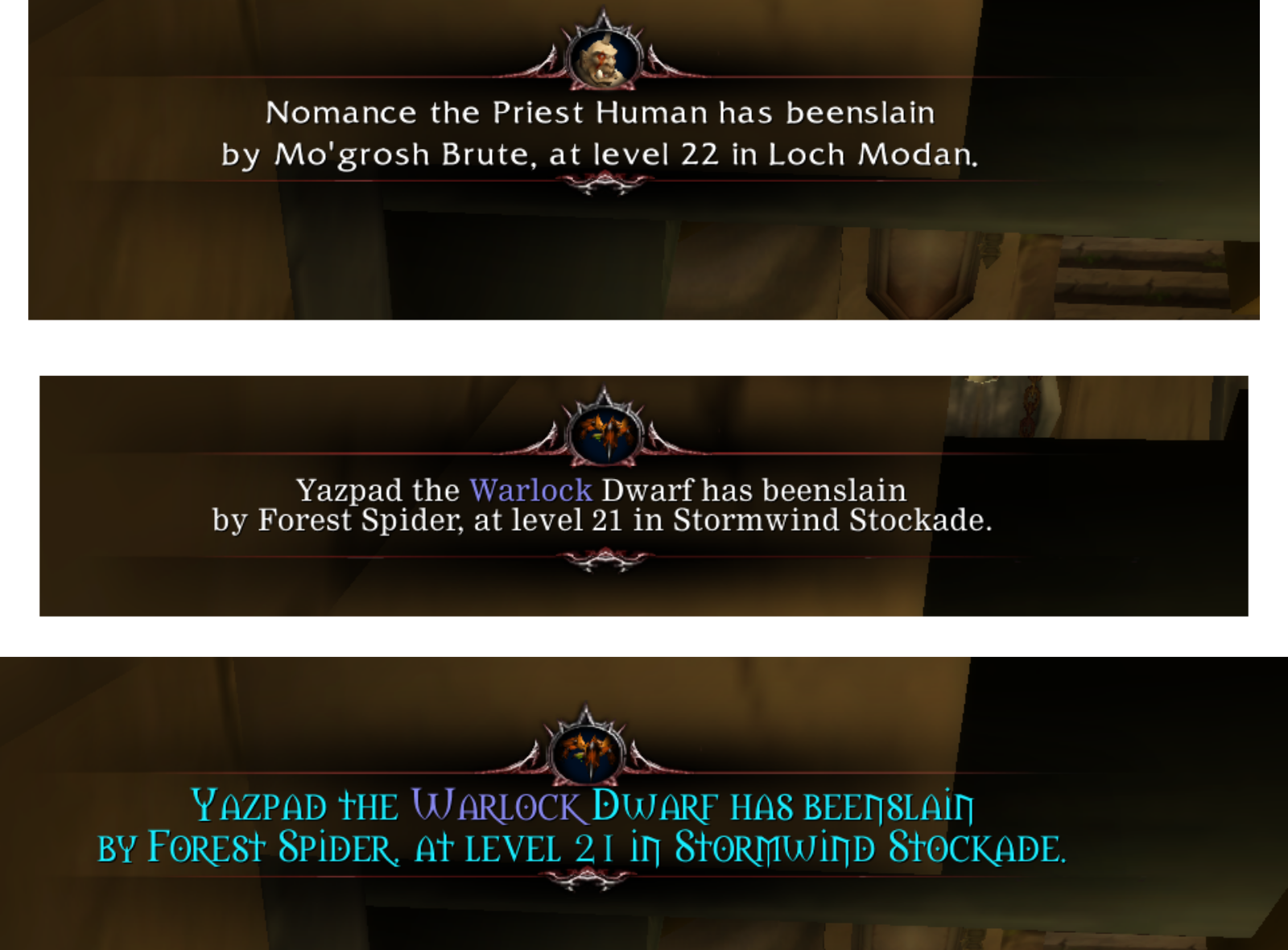
Death Report Widget (TBC Anniversary / Soul of Iron)
- Detects when a nearby player loses their Soul of Iron
- A popup appears asking you to help report their death — even without Deathlog installed
- Click the button to gather and log their character info
Background Database Sync
- Automatically exchange death entries with nearby Deathlog users — no setup required
- Configurable in settings: Interface → AddOns → Deathlog → Database Sync
Playtime Tracking
- Total
/playedtime recorded in every death report - Displayed in the minilog, search log, tooltips, and death alert messages
- Privacy opt-out available in settings
Browse the Deathlog
- Search by name, level, class, race, guild, zone, death source, and more
- Filter by server, level range, and class
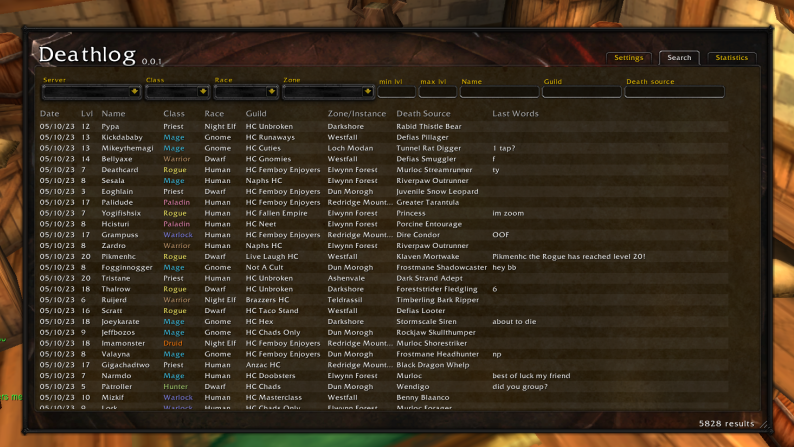
Local Moderation
- Right-click any death (log or minilog) to Report player via Blizzard's in-game report dialog; offensive names/guilds are flagged in red as Report name
- Hide name removes every entry for a character from your log and stops your client from sharing them — purely local, never deletes anyone else's data, and reversible with
/dl unhide <name>(/dl hiddenlists what you've hidden) - For deaths a peer broadcast to you, Report sender or Ignore sender (ignoring drops all their future live broadcasts)
- Reported by attribution shows who relayed a death — a minilog column, a tooltip row, the
<reported_by>death-alert tag, and a trailing*after the name in the search window - Fake-death floods (junk names, impossible sources) are rejected on arrival, and each sender is volume-capped so no one can flood your log
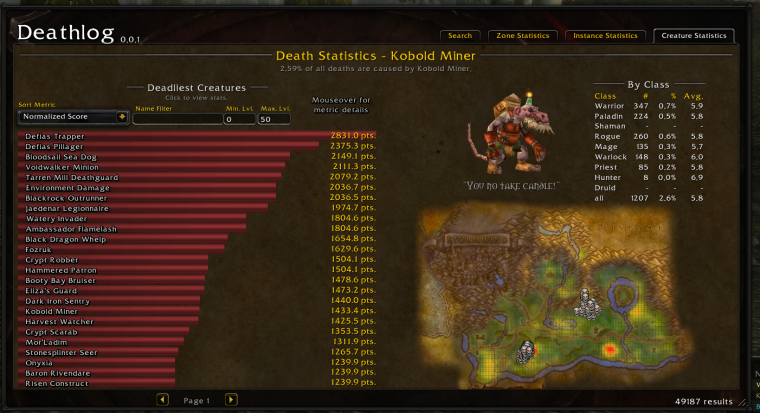
Statistics per Zone
- Fully functional map with heatmap overlay and death location overlays
- Deadliest creatures per zone
- Death statistics by class with probability density graphs
- Continental aggregation: Kalimdor, Eastern Kingdoms, Outland, or all of Azeroth
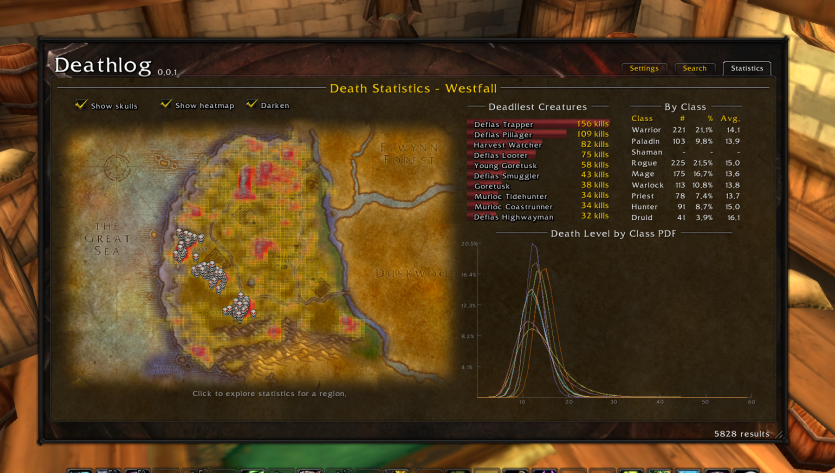
Statistics per Instance
- Death stats for all Classic & TBC dungeons and raids
- Scrollable grid for easy navigation
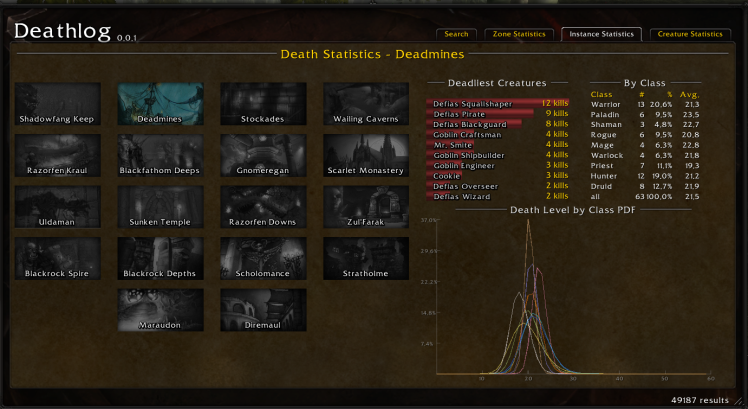
Statistics by NPC/Creature
- Normalized and total kill rankings across Azeroth
- Creature locations and 3D models
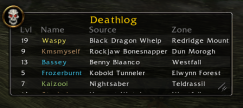
Minilog Widget
- Configurable columns and font
- Toggle with
/dl minilogor Ctrl-click on the minimap button - Playtime column available
Heatmap
- Skull icon turns red when you enter a dangerous area
- World map overlay shows death hotspots

Tooltip Information
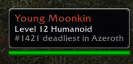
- NPC deadly ranking shown on hover
Data Contribution
- One-time popup for users with large databases, asking you to share data with the community
- Banner in the main menu with your entry count and contact info
Hardcore Status Info
- Info button in the main menu shows your tracking state
- Displays detected hardcore addons (Hardcore, HardcoreTBC, UltraHardcore)
- Guides you through enabling Soul of Iron on TBC Anniversary realms
Preprocessed Collection
- Large database of death entries used for statistics (separate databases for Classic Era and TBC Anniversary)
用户评价
暂无 / 5,0 条评价相关推荐
继续看看这些内容
