插件中文资料库
中文说明、玩家点评、适用场景和替代推荐,方便快速判断是否适合你。
- 任务路线、地图标记和野外探索
 Details! Mythic+ Scoreboard
 BagSync
 GroupFinder
Cooldown Manager Ckraigs 插件下载与使用指南
本页整理了 Cooldown Manager Ckraigs 的功能用途、适用人群、安装方法和常见问题,方便玩家快速判断是否需要安装。
适合谁用
Cooldown Manager Ckraigs 是一款 动作条 / HUD界面 / 其他插件 / 单位框架 类插件,适合需要优化界面、提升操作效率或补充游戏信息提示的魔兽世界玩家。
基本信息
- 插件作者:CKRAIGFRIEND
- 插件分类:动作条 / HUD界面 / 其他插件 / 单位框架
- 适配版本:12.0.0,12.0.1,12.0.5,12.0.7
- 累计下载:49
安装方法
- 点击上方下载按钮获取 Cooldown Manager Ckraigs插件文件。
- 解压后将插件文件夹放入 World of Warcraft/_retail_/Interface/AddOns 目录。
- 重启游戏或在角色界面点击插件,确认 Cooldown Manager Ckraigs 已启用。
- 如果插件不生效,请检查版本是否匹配,或关闭同类冲突插件后重试。
使用建议
Cooldown Manager Ckraigs 安装后建议先在角色界面确认已启用,进入游戏后根据插件提供的命令、小地图按钮或设置面板进行调整。如遇到报错,可先单独启用该插件排查冲突。
Cooldown Manager Ckraigs 常见问题
Cooldown Manager Ckraigs 适合需要 动作条 / HUD界面 / 其他插件 / 单位框架 类功能的玩家,特别是希望提升游戏便利性、界面管理或战斗信息获取效率的用户。
下载后解压到 Interface/AddOns 目录,然后重启游戏并在角色界面启用插件。
常见原因是目录多套一层、游戏版本不匹配、依赖插件缺失或同类插件冲突。
可以查看本页的替代插件推荐和相关插件区域,按下载量和分类选择同类工具。
插件 AI 问答
可以问:这个插件正式服能用吗、和 DBM 冲突吗、怎么设置、有没有替代插件。
Cooldown Manager Ckraigs 是一款魔兽世界插件,主要用于界面框架、头像、动作条或冷却显示优化、增益、减益、光环或职业状态监控、背包、银行、专业制造或物品整理。建议根据自己的版本和插件环境先测试兼容性。
插件用途
Cooldown Manager Ckraigs 主要面向需要其他插件功能的玩家,用来改善游戏体验、减少重复操作或补充默认界面没有直接提供的信息。
适用场景
- 界面框架、头像、动作条或冷却显示优化
- 增益、减益、光环或职业状态监控
- 背包、银行、专业制造或物品整理
使用建议
安装后建议先在角色选择界面或插件管理器中确认已启用,再进入游戏测试是否与现有整合包、WA 和其他插件冲突。如遇报错,可以先禁用同类插件排查。
https://discord.gg/uVwVre9UgF
PRESET PROFLES FOR BEGINNERS!!!! FOR ALL CLASSES AND SPECS
/CKCDM ,/CCM ,OPEN OPTIONS MENU OR MINIMAPICON
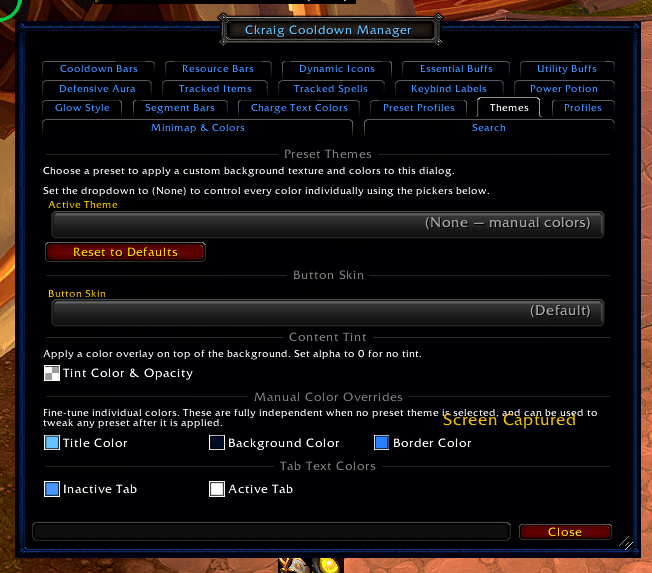
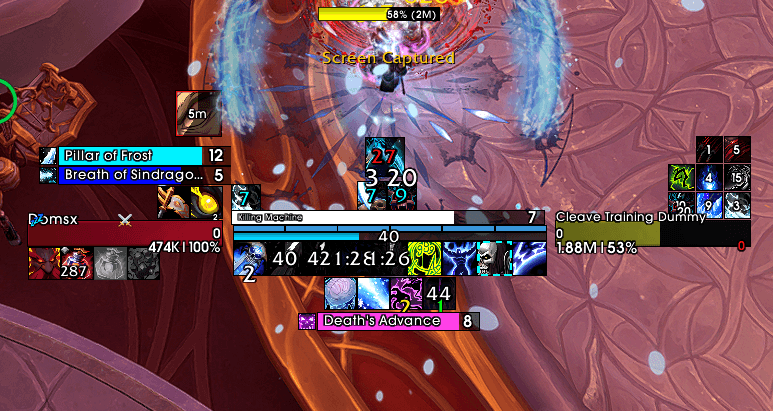
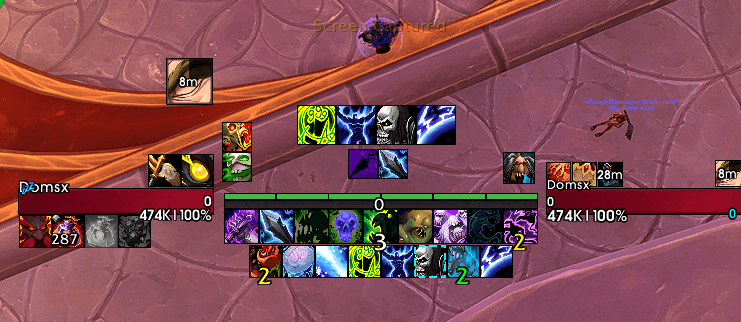
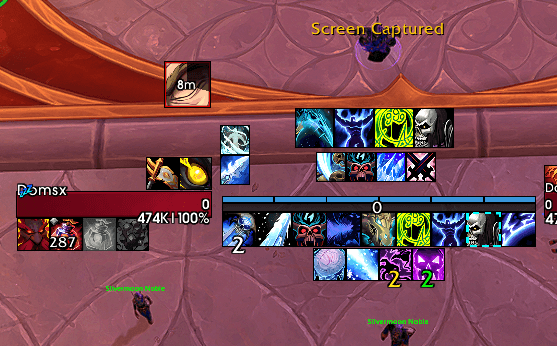
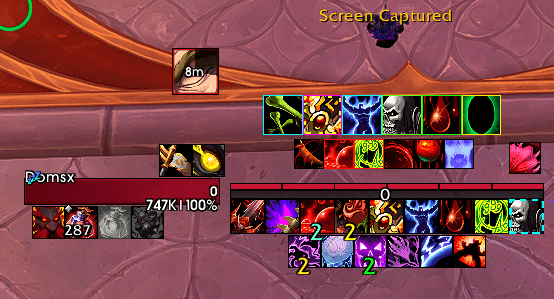
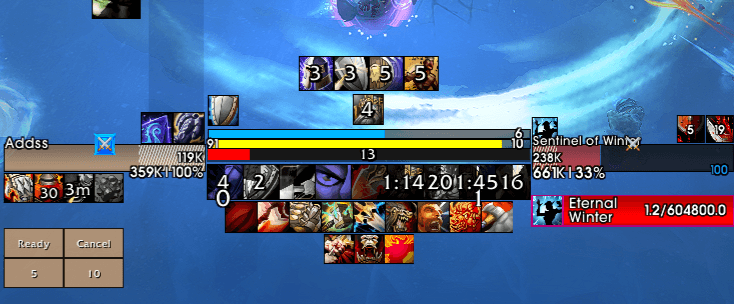
https://www.youtube.com/watch?v=VFo7Hlbqf7w&t=21s VIDEO might be to complicated sorry i dont know how to explain it all in one video pls feel free to join discord and ask more questions or comment here
https://discord.gg/Y9BR7euG3R CkraigFriends Discord
ckraig cooldown manager how to set up
CkraigCooldownManager
CkraigCooldownManager is a modular cooldown, buff, and proc tracking addon for World of Warcraft that gives you a highly customizable way to monitor the abilities, items, buffs, and utility tools that matter most. It is built for players who want a clean UI, flexible layouts, modern in-game configuration, and full control over how their cooldown information is displayed.
Whether you prefer centered icon trackers, dynamic layouts, clustered cooldown groups, or customizable cooldown bars, CkraigCooldownManager is designed to let you build the setup that fits your class, spec, and playstyle.
What It Does
CkraigCooldownManager combines several tracking systems into one addon:
- Essential Buff tracking for your most important class buffs and core effects
- Utility Buff tracking for secondary utility cooldowns and support effects
- Dynamic Icon tracking with customizable layouts, spacing, sizing, and grouping
- Cooldown Bars for players who prefer bar-based tracking over icons
- Cluster Mode layouts for organizing cooldowns into separate movable groups
- Trinket, racial, potion, and custom spell tracking
- Power potion success tracking with configurable spell or item IDs
- Segment bars for spells or effects that benefit from segmented visual tracking
- Per-spell glow options and visual emphasis tools
- Charge and stack text color customization
- Profile-based settings with support for different classes and specs
Key Features
- Modular system so you can enable only the parts you want
- Modern Blizzard Settings integration for in-game configuration
- Edit Mode support for moving and sizing supported elements
- Customizable icon and bar sizes, spacing, fonts, textures, colors, and layouts
- Clustered cooldown organization for players who want grouped tracking setups
- Support for custom tracked spell IDs and item IDs
- Profile support for different specs, roles, or character setups
- Combat-safe behavior and UI updates
- Designed to work well for PvE, PvP, Mythic+, raiding, and general play
Included Modules
- Essential Buff Tracker
- Utility Buff Tracker
- Dynamic Icons
- Cooldown Bars
- Custom Tracked Spells
- Power Potion Success Icon
- Trinket and Racial Tracking
- Segment Bars
- Glow and color customization tools
Why Use It
CkraigCooldownManager is built for players who want more than a basic cooldown tracker. Instead of forcing one layout, it gives you multiple systems you can mix and match. You can keep things minimal with a few centered icons, or build a more advanced setup with clustered bars, custom spell tracking, and profile-based layouts for each spec.
It is especially useful if you want:
- Better visibility for important cooldowns and buffs
- A centered or compact UI setup
- More layout control than default Blizzard tracking provides
- Separate tracking for essential, utility, potion, racial, and custom abilities
- A single addon that covers multiple cooldown display styles
Setup
After installing the addon:
- Open the Blizzard Settings menu and find Ckraig Cooldown Manager.
- Choose which modules you want to enable.
- Adjust icon or bar size, spacing, fonts, colors, and layout options.
- Use Edit Mode or the addon’s built-in positioning tools where available.
- Add custom spell IDs or item IDs if you want to track abilities outside the default lists.
- Save separate profiles for different specs if needed.
Dependencies
- Ace3
- LibSharedMedia
- LibStub
- CallbackHandler
https://www.twitch.tv/ckraigfriend for Prime subs :P
CurseForge: https://www.curseforge.com/wow/addons/cooldownmanagerckraig用户评价
暂无 / 5,0 条评价相关推荐
继续看看这些内容
