# GMS - Guild Management System
GMS is a modular guild management addon for World of Warcraft.
---
## Deutsch
GMS ist ein modulares Guild-Management-Addon fuer World of Warcraft.
Es kombiniert zentrale Verwaltungsfunktionen mit einer eigenen UI, synchronisierten Gildendaten und klar getrennten Modulen.
### Warum GMS?
- Modulare Architektur (`CORE`, `EXT`, `MOD`) fuer saubere Erweiterbarkeit
- Eigene UI mit Seiten, Dock-Icons und integriertem Dashboard
- Gildenfokus: Roster, Charakterdaten, Raid- und Mythic+-Uebersichten
- Lokale Daten plus Guild-Sync, damit wichtige Infos gildenweit verfuegbar sind
- Integriertes Logging, Changelog und Slash-Command-System
### Hauptfunktionen
- **Roster**
Gildenmitglieder mit Filtern, Sortierung, Kontextaktionen und erweiterten Tooltips
- **CharInfo**
Kompakte Charakteransicht mit Mythic+, Raids, Equipment, Talenten und PvP
- **AccountInfo**
Freiwillige Profilangaben (Name, Geburtstag, Geschlecht) plus Main-Charakter-Auswahl
- **Raids / MythicPlus / Equipment**
Snapshot-Erfassung und Synchronisierung relevanter Daten innerhalb der Gilde
### Bedienung
- `/gms` - Hauptfenster oeffnen
- `/gms ?` - Hilfe anzeigen
- `/gms changelog` - Release Notes anzeigen
### Kompatibilitaet und Daten
- Aktive Interface-Version siehe `GMS/GMS.toc`
- Daten werden ueber SavedVariables gespeichert
- Bestimmte Modulinfos koennen innerhalb der Gilde synchronisiert werden
- AccountInfo-Felder sind freiwillig
---
## English
GMS is a modular guild management addon for World of Warcraft.
It combines core management workflows with a dedicated UI, synchronized guild data, and clearly separated modules.
### Why GMS?
- Modular architecture (`CORE`, `EXT`, `MOD`) for clean extensibility
- Dedicated UI with pages, dock icons, and an integrated dashboard
- Guild-focused workflows: roster, character data, raid and Mythic+ overviews
- Local data plus guild sync so important information is available across the guild
- Built-in logging, changelog, and slash command system
### Core Features
- **Roster**
Guild member overview with filters, sorting, context actions, and enhanced tooltips
- **CharInfo**
Compact character view with Mythic+, raids, equipment, talents, and PvP
- **AccountInfo**
Optional profile fields (name, birthday, gender) and main-character selection
- **Raids / MythicPlus / Equipment**
Snapshot collection and synchronization of relevant data across guild members
### Commands
- `/gms` - open main window
- `/gms ?` - show help
- `/gms changelog` - open release notes
### Compatibility and Data
- Active interface version is defined in `GMS/GMS.toc`
- Data is stored via SavedVariables
- Selected module data can be synchronized within the guild
- AccountInfo fields are optional
 GroupFinder
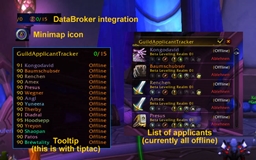 GuildApplicantTracker
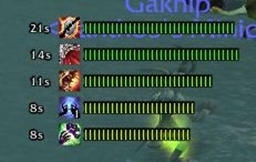 xanDebuffTimers