插件中文资料库
中文说明、玩家点评、适用场景和替代推荐,方便快速判断是否适合你。
- 界面布局、头像框、姓名板和动作条优化
 Details! Mythic+ Scoreboard
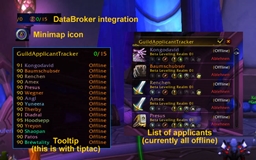 GuildApplicantTracker
 Tae's Guild Tithe
DoamneAjuta 插件下载与使用指南
本页整理了 DoamneAjuta 的功能用途、适用人群、安装方法和常见问题,方便玩家快速判断是否需要安装。
适合谁用
DoamneAjuta 是一款 公会 类插件,适合需要优化界面、提升操作效率或补充游戏信息提示的魔兽世界玩家。
基本信息
- 插件作者:Gnocc
- 插件分类:公会
- 适配版本:2.5.5
- 累计下载:0
安装方法
- 点击上方下载按钮获取 DoamneAjuta插件文件。
- 解压后将插件文件夹放入 World of Warcraft/_retail_/Interface/AddOns 目录。
- 重启游戏或在角色界面点击插件,确认 DoamneAjuta 已启用。
- 如果插件不生效,请检查版本是否匹配,或关闭同类冲突插件后重试。
使用建议
DoamneAjuta 安装后建议先在角色界面确认已启用,进入游戏后根据插件提供的命令、小地图按钮或设置面板进行调整。如遇到报错,可先单独启用该插件排查冲突。
DoamneAjuta 常见问题
DoamneAjuta 适合需要 公会 类功能的玩家,特别是希望提升游戏便利性、界面管理或战斗信息获取效率的用户。
下载后解压到 Interface/AddOns 目录,然后重启游戏并在角色界面启用插件。
常见原因是目录多套一层、游戏版本不匹配、依赖插件缺失或同类插件冲突。
可以查看本页的替代插件推荐和相关插件区域,按下载量和分类选择同类工具。
插件 AI 问答
可以问:这个插件正式服能用吗、和 DBM 冲突吗、怎么设置、有没有替代插件。
DoamneAjuta 是一款魔兽世界插件,主要用于界面框架、头像、动作条或冷却显示优化。建议根据自己的版本和插件环境先测试兼容性。
插件用途
DoamneAjuta 主要面向需要公会功能的玩家,用来改善游戏体验、减少重复操作或补充默认界面没有直接提供的信息。
适用场景
- 界面框架、头像、动作条或冷却显示优化
使用建议
安装后建议先在角色选择界面或插件管理器中确认已启用,再进入游戏测试是否与现有整合包、WA 和其他插件冲突。如遇报错,可以先禁用同类插件排查。
DoamneAjuta Commands
All commands work with either /da or /doamneajuta.
Main Window
/da
Opens or closes the main addon window. The default tab is Rolls.
Current tab order:
RollsRaidGuild MembersImport/Exportadmin only
Regular users can view rolls, raid points, guild points, logs, and the mini card. Admin-only controls are hidden for regular users.
Rolls
The Rolls tab tracks the current roll item and everyone who rolled.
Roll item detection:
- Only the raid or party leader can start a new roll announcement.
- The leader can announce in raid chat or raid warning.
- Announcements are detected when the message contains
rollor an item link.
Roll tracking:
- System roll lines are recorded automatically.
- Only the first roll per player is kept. Later rolls from the same player are ignored until
Reset rollor a new leader announcement. - Normal
/rollranges are1-100. - Rolls with a different range are colored orange and sorted below normal rolls.
- Normal rolls sort first by
current-points, then roll value, then name.
Admin controls:
Reset rollis admin-only.Giveis admin-only and only works when master loot is available and the UI is unlocked.
Mini Rolls Card
/da mini
Opens or closes the small read-only rolls card.
Shows:
- current roll item announcement
my pointsName,current-points, andRollfor players who rolled
The mini card is available to regular users. It has no admin edit controls, no Give, and no Reset roll.
Raid Tab
Shows current group or raid members with point stats.
Admin-only controls:
Unlock+1 all- row
+1 - row
-1 - row
-item
Regular users only see the table.
Guild Members Tab
Shows guild roster point stats.
Admin-only controls:
Unlock- row
+1 - row
-1 - row
-item - row
sat-out
Regular users only see the table, online filter, and search.
Import / Export
Admin-only tab.
/da export
Admin-only shortcut. Exports all guild members as tab-separated text and opens the Import/Export tab with the export ready to copy.
Import workflow:
- Open
/da. - Go to
Import/Export. - Copy the table range from Excel, including the
PLAYERheader row. - Paste it into the text area.
- Click
Preview. - Click
Unlock, thenUpdate points, and confirm.
Export workflow:
- Open
Import/Export. - Click
Export. - Copy the text box contents.
- Paste into Excel.
Import mapping:
PTS GAINED-> stored gainedLOOTED-> stored lootedSat-out-> stored sat-out countPTS Spent-> derives extra spent asmax(0, PTS Spent - LOOTED * 2)current points-> warning-only checkAttendance-> warning-only checkinvite priority-> ignored on import- CSV rows that do not match guild members are skipped
- Guild members missing from the CSV are left unchanged
Export formulas:
PTS Spent=LOOTED * 2 + extra spentcurrent points=PTS GAINED - PTS Spentinvite priority=PTS GAINED / 7, shown with 2 decimalsAttendance=PTS GAINED / 12, shown as a percentage
Loot Debug
/da debug
Toggles local loot debug logging on or off.
/da debug on
Turns loot debug logging on.
/da debug off
Turns loot debug logging off.
/da lootlogs
Prints the last 20 loot debug lines.
/da clearlogs
Admin-only. Clears loot debug logs.
Activity Logs
/da logs
Prints the last 30 activity lines.
/da activity
Same as /da logs.
Activity logs include point changes, imports, master loot actions, and related admin writes.
/da clearactivity
Admin-only. Clears activity logs.
Audit Logs
/da audit
Prints the last 20 audit entries for today.
/da audit YYYY-MM-DD
Prints the last 20 audit entries for a specific day.
Example:
/da audit 2026-06-04/da clearaudit
Admin-only. Clears saved audit logs and activity logs.
Log Locations
/da logpath
Explains where logs are stored.
On TBC Anniversary, WoW usually blocks addon file writes, so this folder normally stays empty except the README:
Interface/AddOns/DoamneAjuta/logs/Logs are still saved in SavedVariables after /reload or logout:
WTF/Account/<ACCOUNT>/SavedVariables/DoamneAjuta.luaSearch that file for:
activityLogsauditLogslootLogs
/da exportlogs
Admin-only. Opens activity and today's audit logs in the Import/Export text box so they can be copied and saved as .txt.
用户评价
暂无 / 5,0 条评价相关推荐
继续看看这些内容
