插件中文资料库
中文说明、玩家点评、适用场景和替代推荐,方便快速判断是否适合你。
- 副本、团队本和大秘境战斗提醒
- 界面布局、头像框、姓名板和动作条优化
 Details! Mythic+ Scoreboard
 Questie
 GroupFinder
GearMenu 插件下载与使用指南
本页整理了 GearMenu 的功能用途、适用人群、安装方法和常见问题,方便玩家快速判断是否需要安装。
适合谁用
GearMenu 是一款 动作条 / 战斗 / PVP 类插件,适合需要优化界面、提升操作效率或补充游戏信息提示的魔兽世界玩家。
基本信息
- 插件作者:ragedunicornwow
- 插件分类:动作条 / 战斗 / PVP
- 适配版本:1.15.8,2.5.5,5.5.4
- 累计下载:39
安装方法
- 点击上方下载按钮获取 GearMenu插件文件。
- 解压后将插件文件夹放入 World of Warcraft/_retail_/Interface/AddOns 目录。
- 重启游戏或在角色界面点击插件,确认 GearMenu 已启用。
- 如果插件不生效,请检查版本是否匹配,或关闭同类冲突插件后重试。
使用建议
GearMenu 安装后建议先在角色界面确认已启用,进入游戏后根据插件提供的命令、小地图按钮或设置面板进行调整。如遇到报错,可先单独启用该插件排查冲突。
GearMenu 常见问题
GearMenu 适合需要 动作条 / 战斗 / PVP 类功能的玩家,特别是希望提升游戏便利性、界面管理或战斗信息获取效率的用户。
下载后解压到 Interface/AddOns 目录,然后重启游戏并在角色界面启用插件。
常见原因是目录多套一层、游戏版本不匹配、依赖插件缺失或同类插件冲突。
可以查看本页的替代插件推荐和相关插件区域,按下载量和分类选择同类工具。
插件 AI 问答
可以问:这个插件正式服能用吗、和 DBM 冲突吗、怎么设置、有没有替代插件。
GearMenu 是一款魔兽世界插件,主要用于界面框架、头像、动作条或冷却显示优化、副本、团本、大秘境或钥石辅助,适合对应经典服或周年服版本使用。建议根据自己的版本和插件环境先测试兼容性。
插件用途
GearMenu 主要面向需要动作条功能的玩家,用来改善游戏体验、减少重复操作或补充默认界面没有直接提供的信息。
适用场景
- 界面框架、头像、动作条或冷却显示优化
- 副本、团本、大秘境或钥石辅助
使用建议
安装后建议先在角色选择界面或插件管理器中确认已启用,再进入游戏测试是否与现有整合包、WA 和其他插件冲突。如遇报错,可以先禁用同类插件排查。
GearMenu

GearMenu aims to help the player switching between items in and out of combat. When the player is in combat a combatqueue will take care of switching the item as soon as possible. It also allows you to define switching rules and keybinding slots.
Providers


What is GearMenu?
GearMenus goal is to help the player switching between items on certain slots. Often players have items such as engineering items that have a one time use followed by a long cooldown. After using them during a fight the player wants to switch back to a more useful item. While changing items during combat is not possible (with some exceptions such as weapons) GearMenu can help with switching them as soon as possible. When a player tries to switch an item during combat it will be put into the combatqueue and switched as soon as possible. If the player leaves combat for just a split second all the items in the combatqueue will be switched. For some classes this might be even easier because they can use spells such as rogue - vanish or hunter - feign death.
Supported slots:
- Head/Helmet slot
- Neck slot
- Shoulder slot
- Chest/Robe slot
- Waist/Belt slot
- Legs slot
- Feet/Boots slot
- Wrist/Bracers slot
- Hands slot
- First/Upper ring slot
- Second/Upper ring slot
- First/Upper trinket slot
- Second/Lower trinket slot
- Back/Cloak slot
- Main-hand slot
- Secondary-hand/Off-hand slot
- Ranged slot
- Ammo slot
Issues
Source
Features of GearMenu
Item switch for certain slots
With GearMenu it is easy to switch between items in supported slots. This is especially useful for engineering items that you wear for a certain amount of time and then switch back to your usual gear.
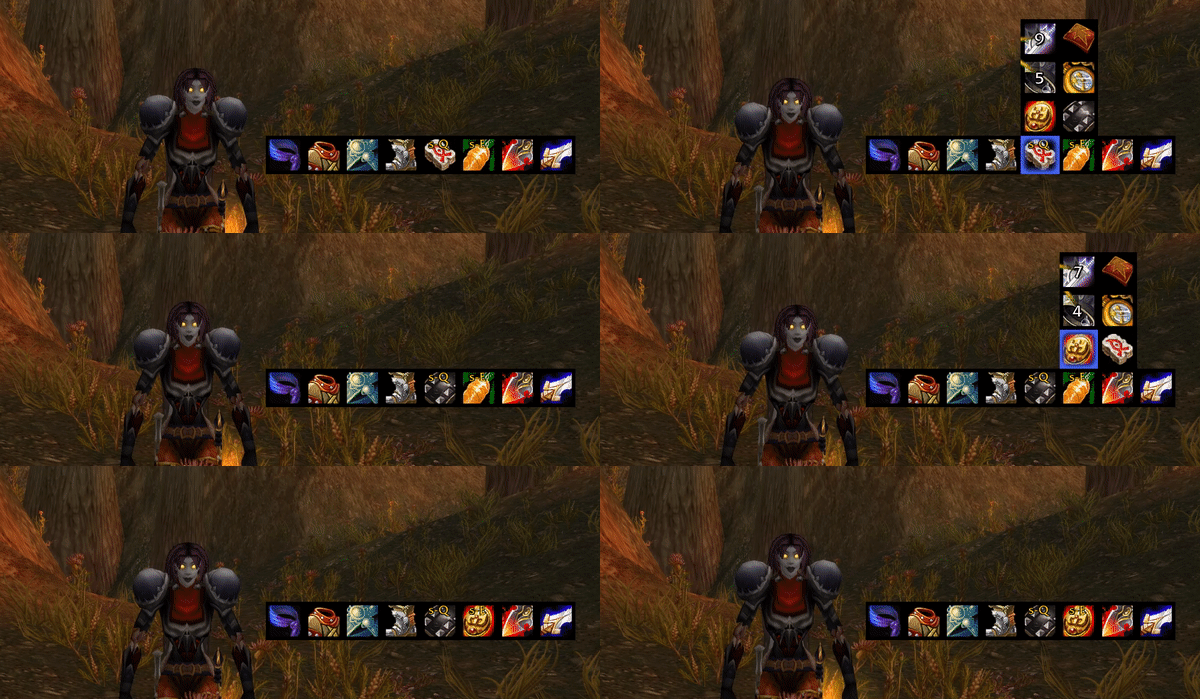
CombatQueue
Certain items cannot be switched while the player is in combat. Weapons will be switched immediately whether the player is in combat or not. Other items that cannot be switched in combat will be enqueued in the combatqueue and switched as soon as possible. This is especially useful in PvP when you leave combat for a short time.
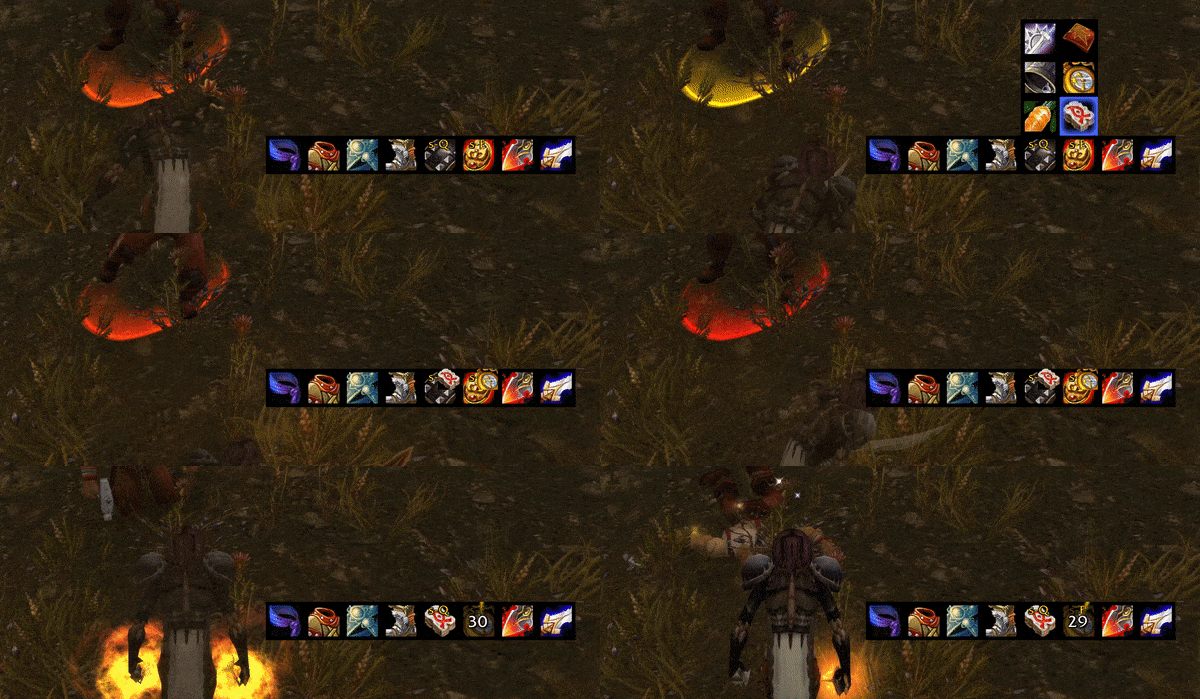
Note: You can right-click any slot to clear the combatqueue for that slot
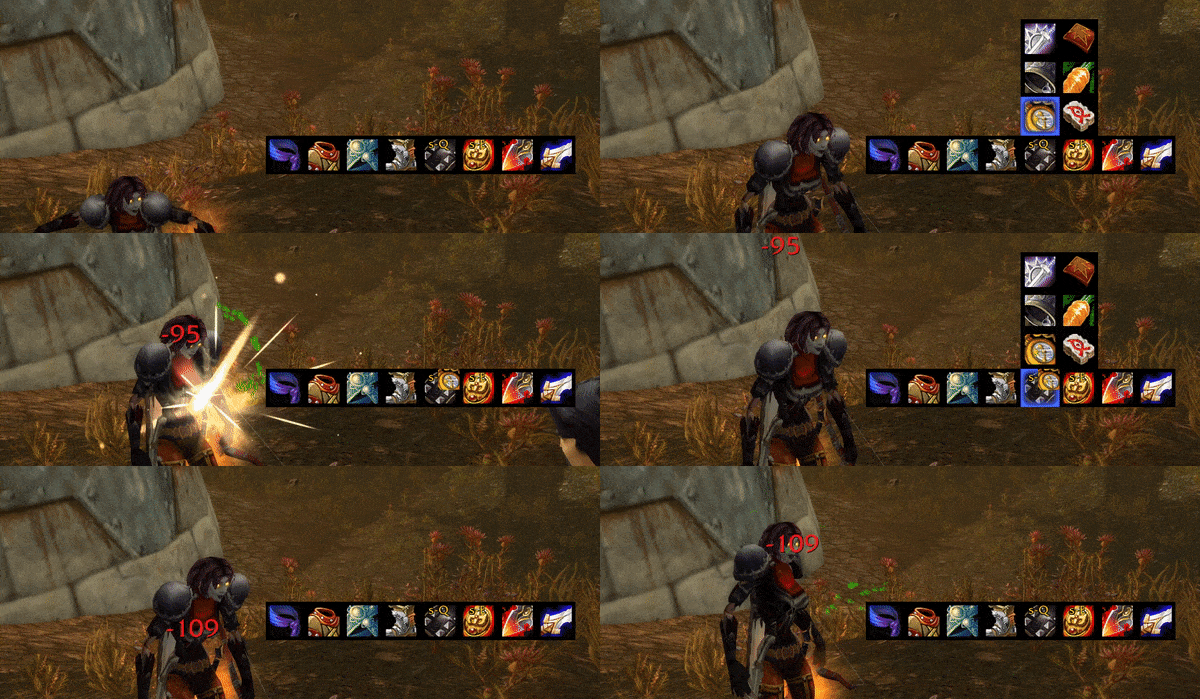
GearMenu also detects whether an itemswitch is possible even when out of combat. If you're switching an item while you're casting your mount or any other spell it will put the item in the combatqueue. As soon as the cast is over the item will be switched.

This is also the case if you cancel your cast.

Quick Change
Quick change consists of rules that apply when certain items are used. The player can define rules for items that have a usable effect. An item might be immediately switched after use or only after a certain delay. Otherwise, the same rules for item switching apply. This means that if the user is in combat it will be moved to the combat queue and if he is out of combat the item will be immediately switched. See the optionsmenu for defining new rules based on the item type.
Note: If an item has a buff effect, and you immediately change the item you will usually also lose its buff. In most cases it makes sense to set the delay to the duration of the buff
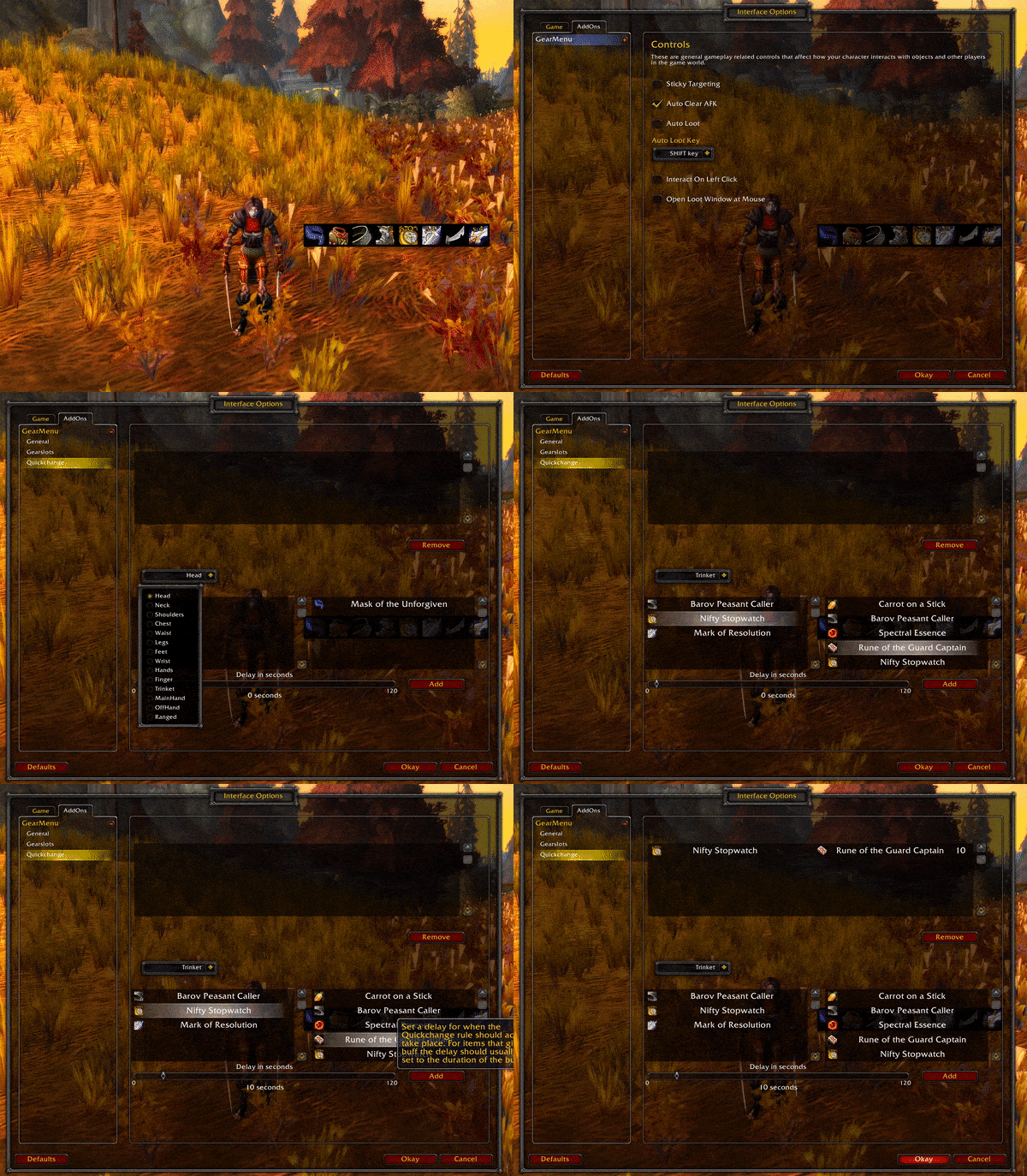
Keybinding
GearMenu allows to keybind to every slot with a keybinding. Instead of having a keybind for every item that you have to remember you set it directly on the slot itself.
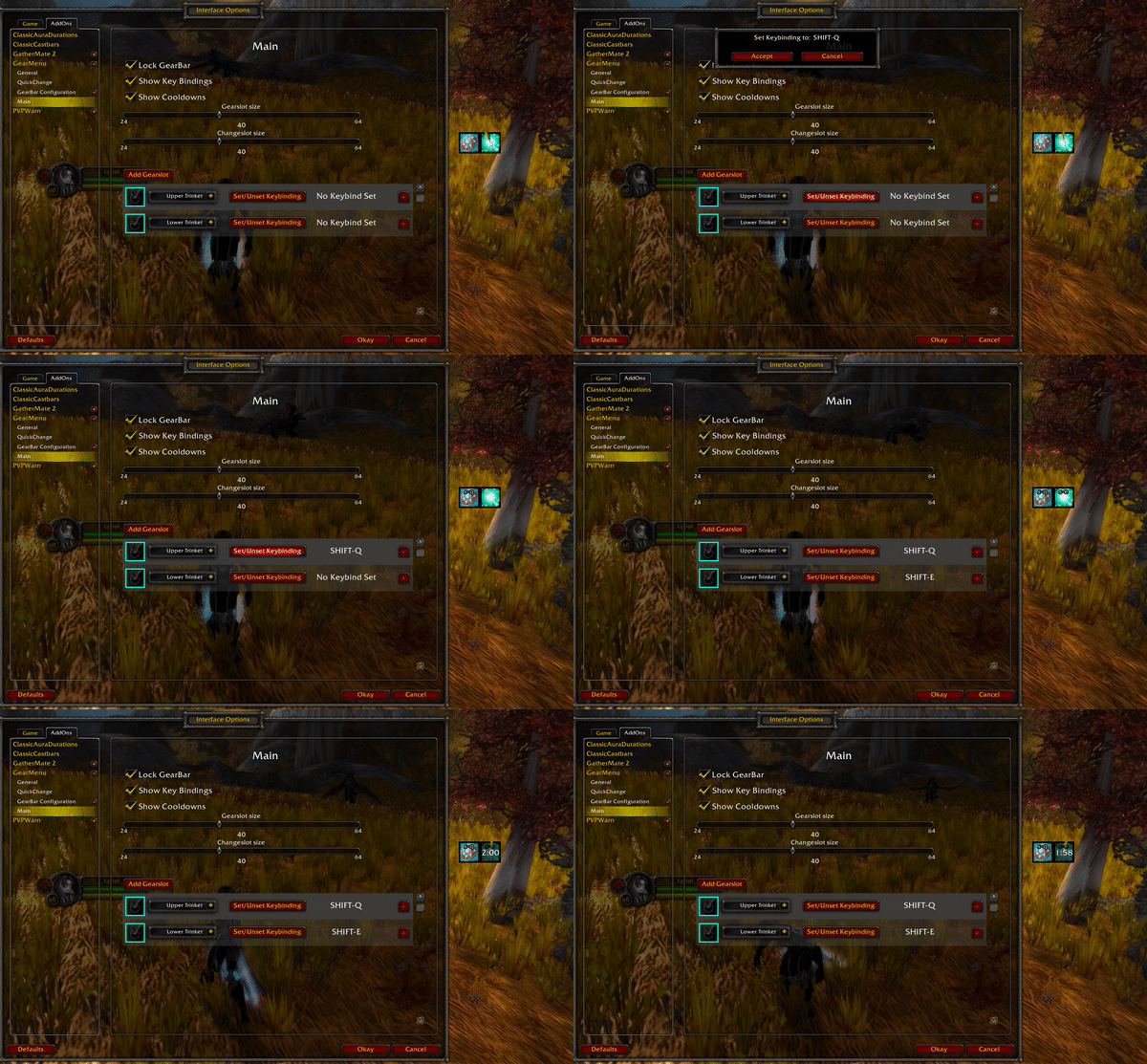
Drag and drop support
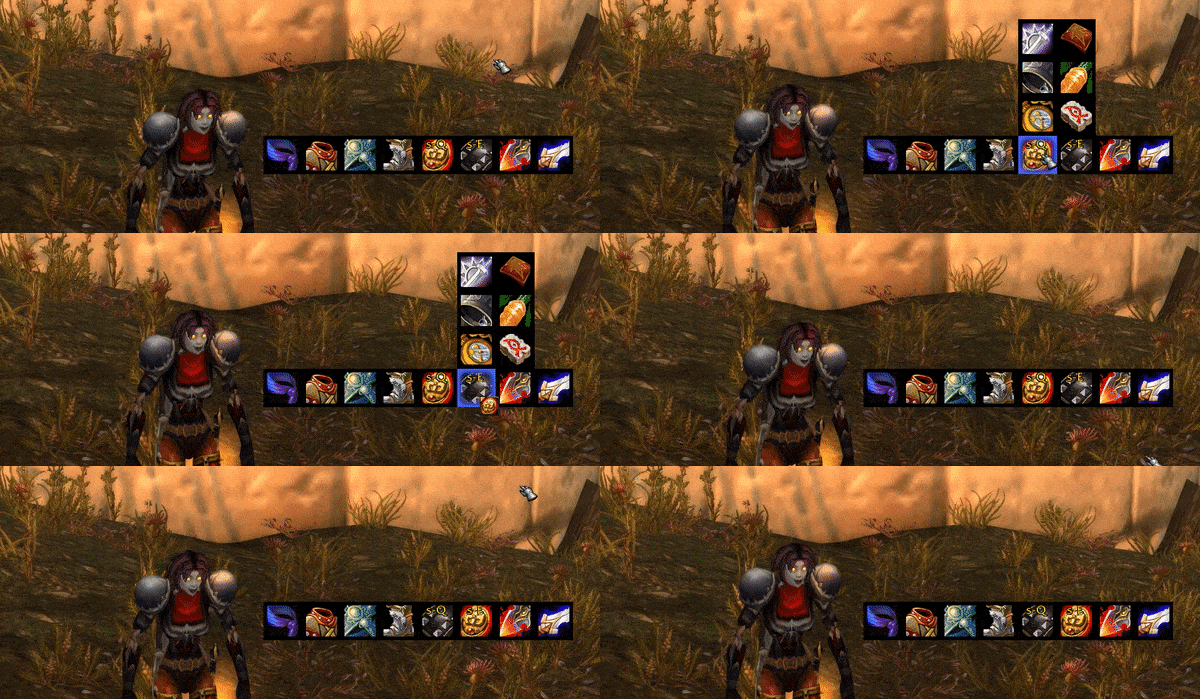
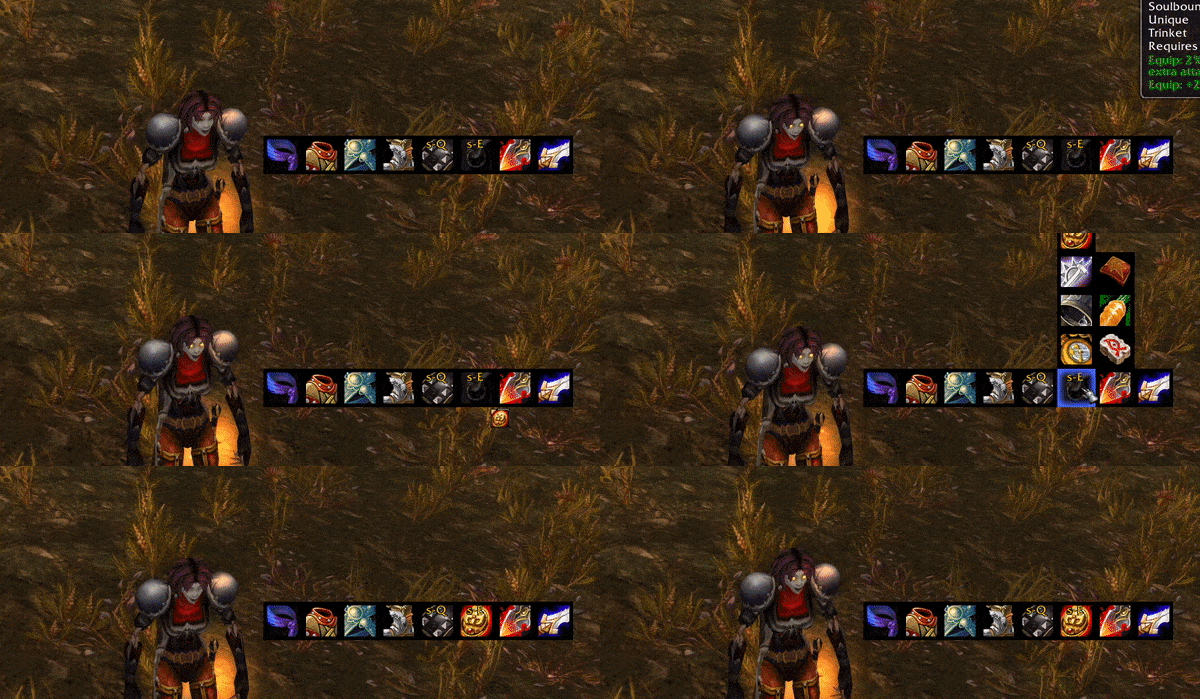
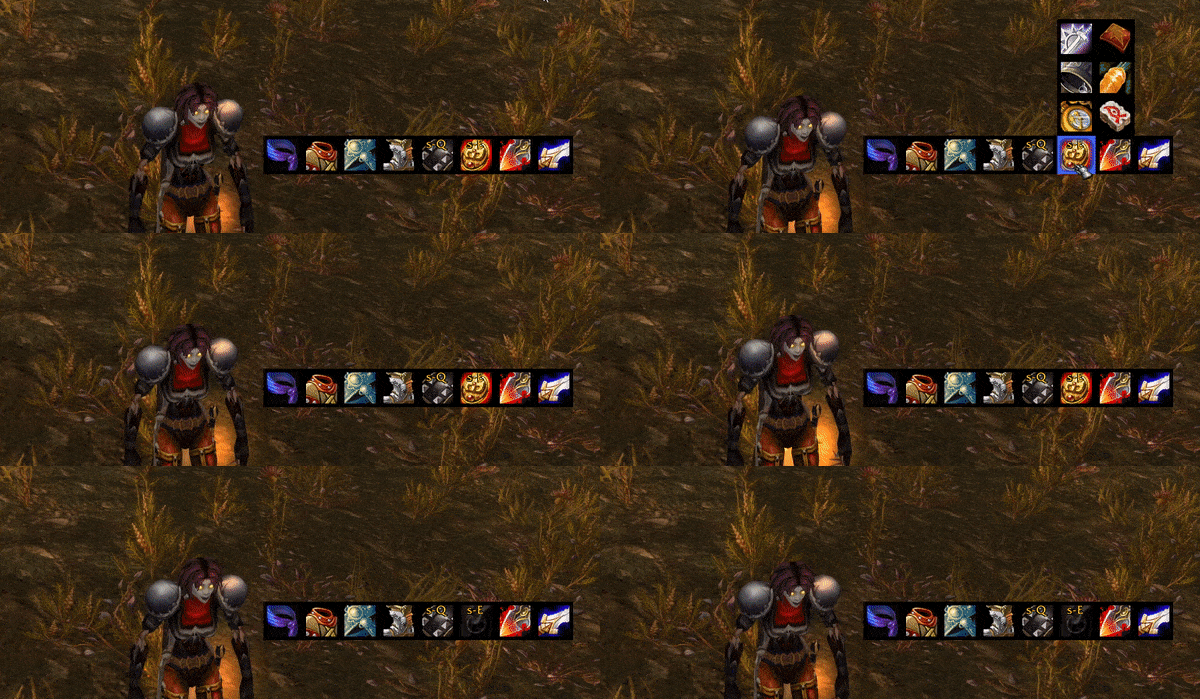
GearMenu allows to drag and drop items onto slots, remove from slots and slots can even be switched in between.
Drag and drop between slots
Drag and drop item to GearMenu
Unequip item by drag and drop
Combined Equipping
Slots such as trinket and ring slots have combined equipping enabled. This means that in addition to a left click on the item the player wishes to equip they also support right click. Slots that do not support combined quipping (which most don't) will normally equip any item whether it was left- or right-clicked. If the slot has combined equipping enabled a right click will instead put the chosen item into the opposite slot.
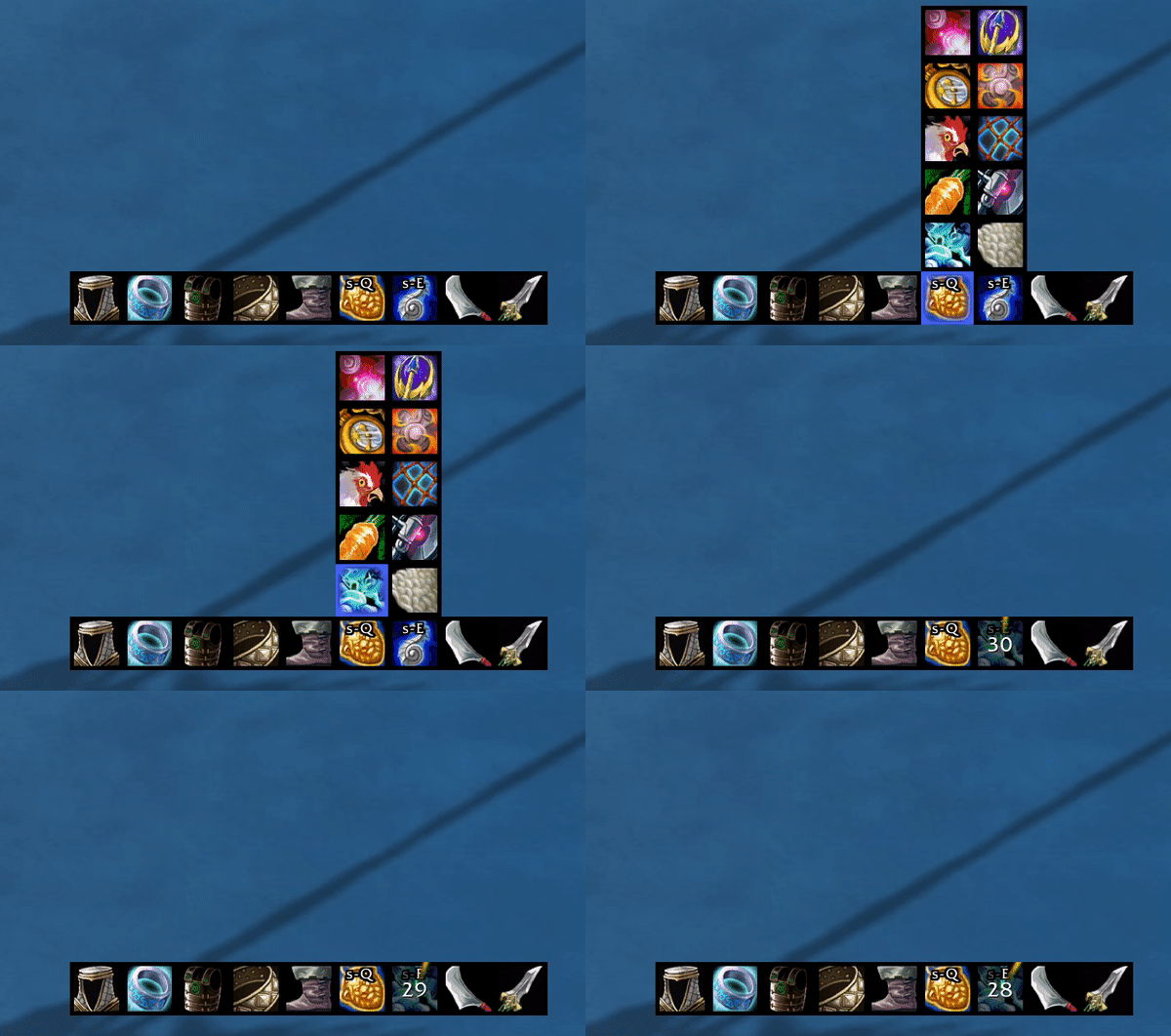
Unequip Items
Enable an empty slot in the changeMenu that allows for quicker and easier unequipping of items.
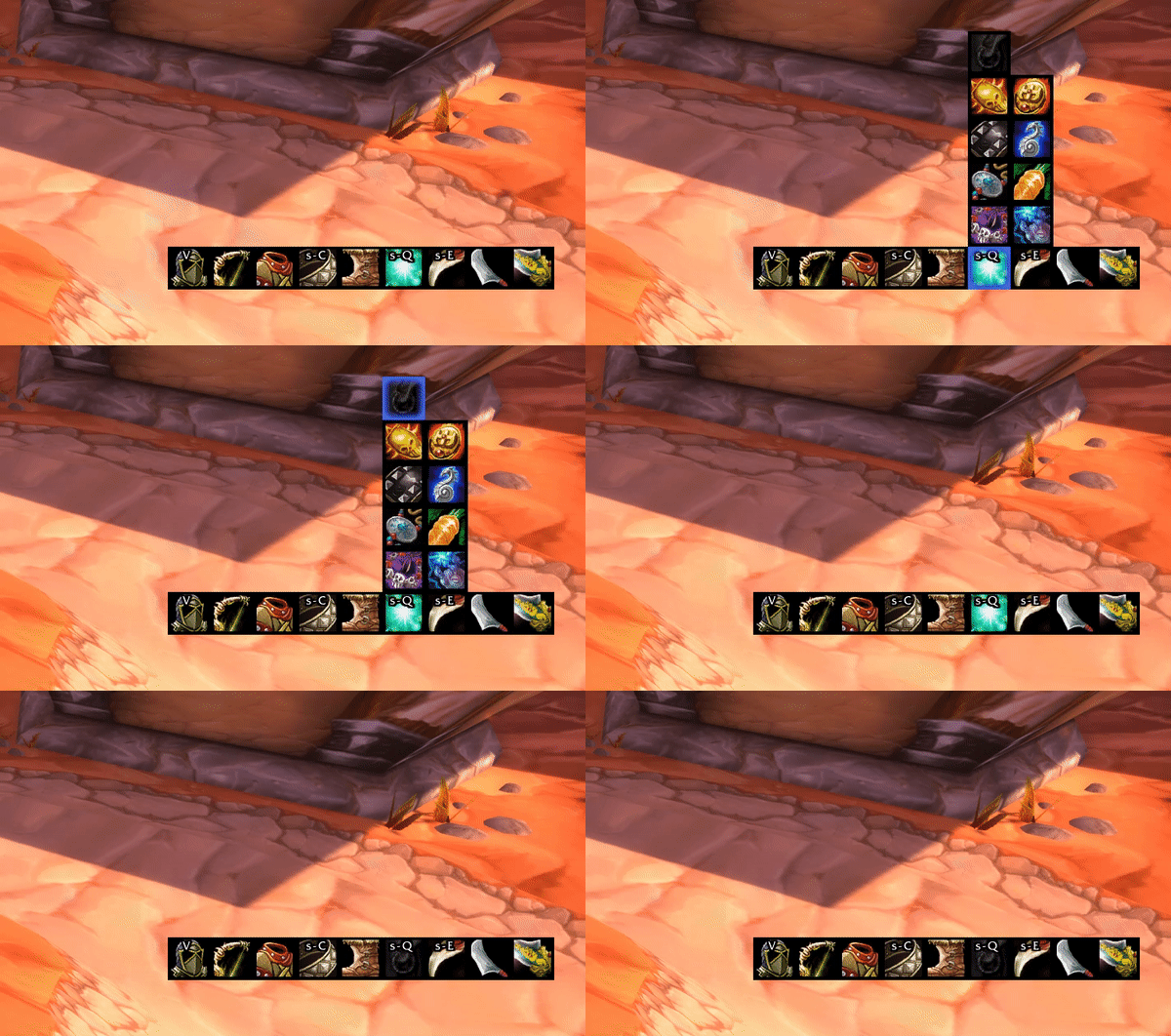
TrinketMenu
TrinketMenu allows the player to have all available trinkets and their status in view at all times. This makes it easier for the player to plan when to equip a trinket with a long cooldown. A left click will equip the trinket into the upper trinketslot and a right click will equip the item into the lower trinketslot.
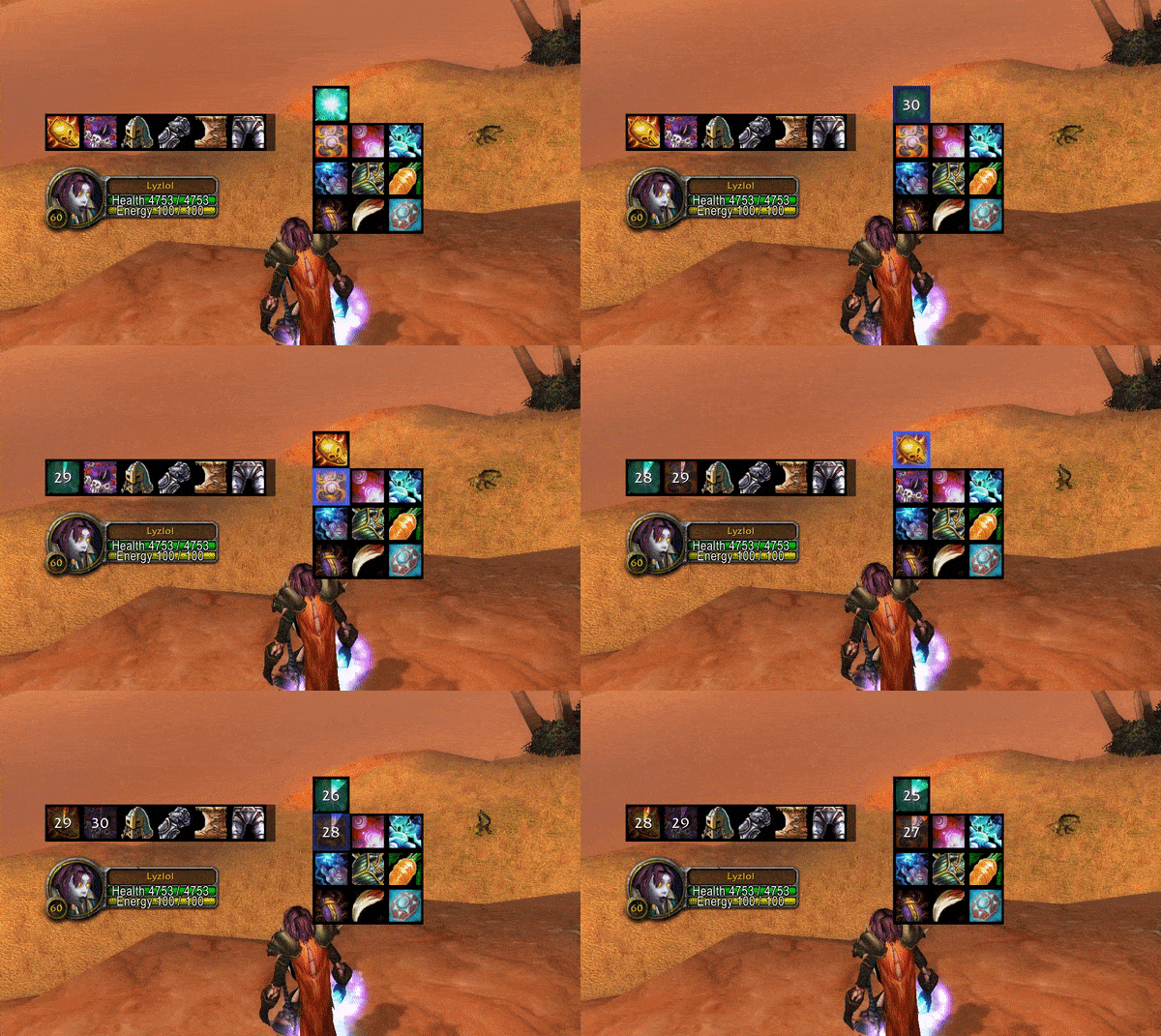
Season of Discovery Rune Support
Gearmenu has some support for displaying active runes on items that the player is either wearing or has in his inventory. This feature can be deactivated in the options' menu.

Macro Support
If you prefer having certain items in your actionslots GearMenu can still be of use. By using the macro-bridge you get all the advantages of the combatQueue in a normal macro.
Add Item to CombatQueue
Classic Era and Seasons
/run GM_AddToCombatQueue(itemId, enchantId, runeAbilityId, slotId)Example - Equip Hand of Justice into the lower trinket slot
/run GM_AddToCombatQueue(233734, 0, 0, 11)Note: For classic era and seasons the enchantId is needed additionally for this to work. The enchantId is optional. If you don't have multiple items with different enchantIds in your inventory, set it to 0.
Note: Season of Discovery requires the runeAbilityId to be set. This affects classic era as well. Just set it to 0 if you don't have a runeAbilityId or you don't care about the rune(usually the case if you don't have multiple items with different runes).
Classic (Wrath of The Lich King)
/run GM_AddToCombatQueue(itemId, slotId)
Example - Equip Hand of Justice into the lower trinket slot
/run GM_AddToCombatQueue(11815, 14)
Note: It is not recommended using this for weapons because addons cannot switch weapons during combat (GearMenu will put the item into the combatQueue). With a normal weaponswitch macro however this is still possible.
Clear Slot From CombatQueue
/run GM_RemoveFromCombatQueue(slotId)
Finding itemId
Finding the id of a certain item is easiest with websites such as wowhead.
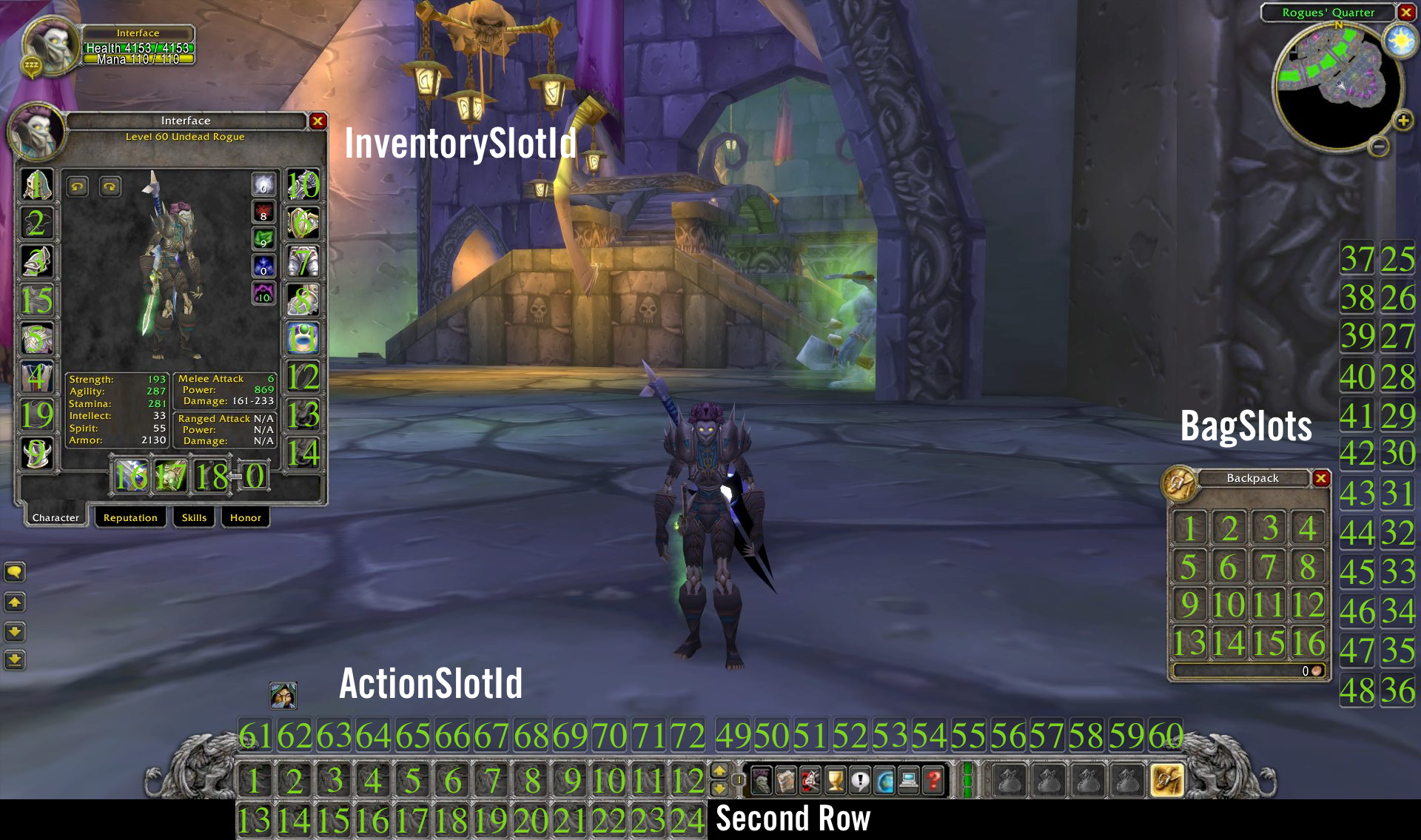
Finding slotId
For finding the correct slotId refer to the image below. Only InventorySlotIds are valid targets for GearMenu
Configurability
GearMenu is configurable. Don't need a certain slot? You can hide it.
To show the configuration screen use /rggm opt while ingame and /rggm info for an overview of options or check the standard blizzard addon options.
Creating a GearBar
With the latest release it is possible to create multiple GearBars that can act independently of eachother.
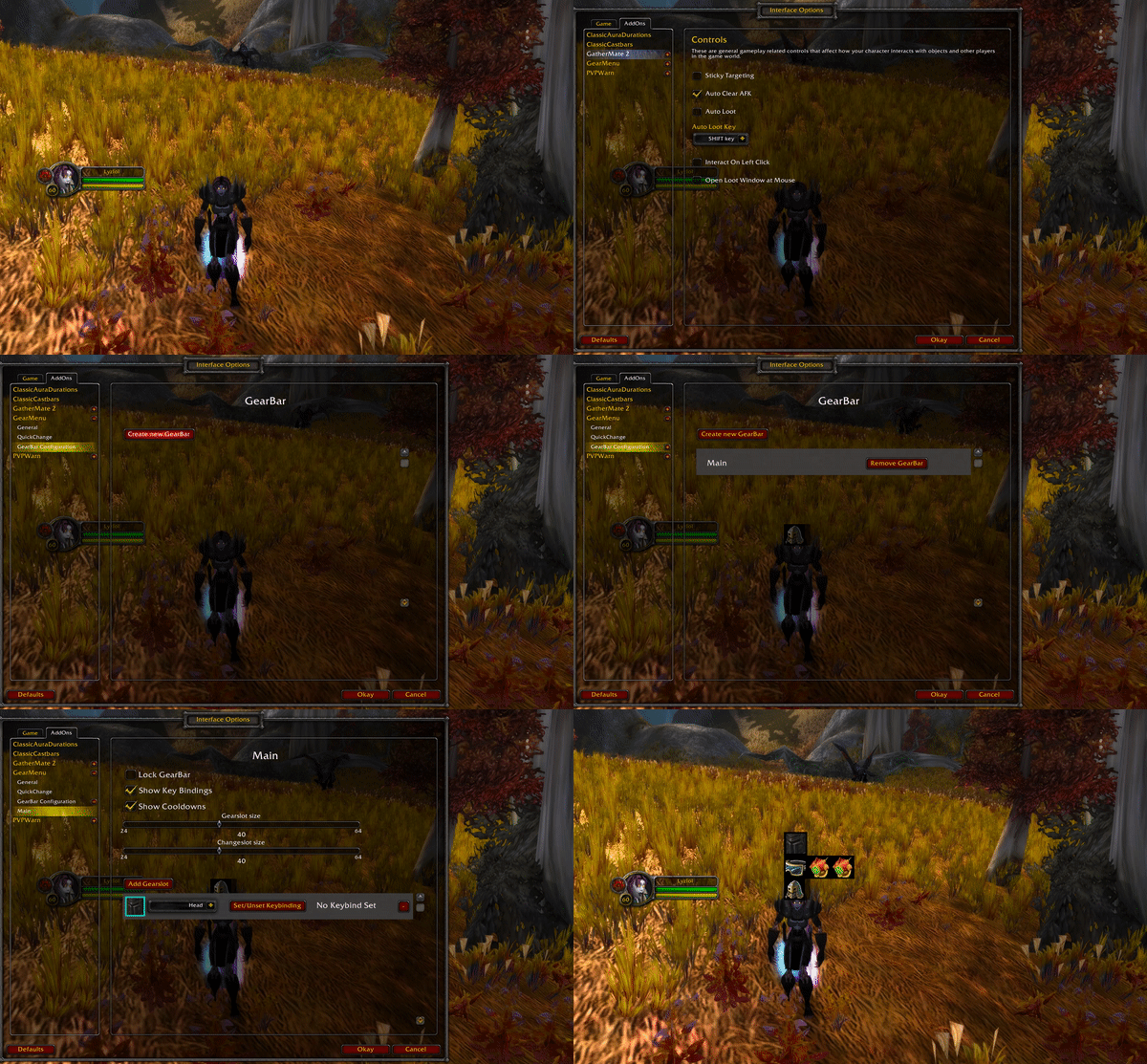
Configure a GearBar
Each GearBar has some configurations that can be done individually for each GearBar. This includes various sizes of the GearBar, its locked or unlocked state and what GearSlots are configured for the GearBar.
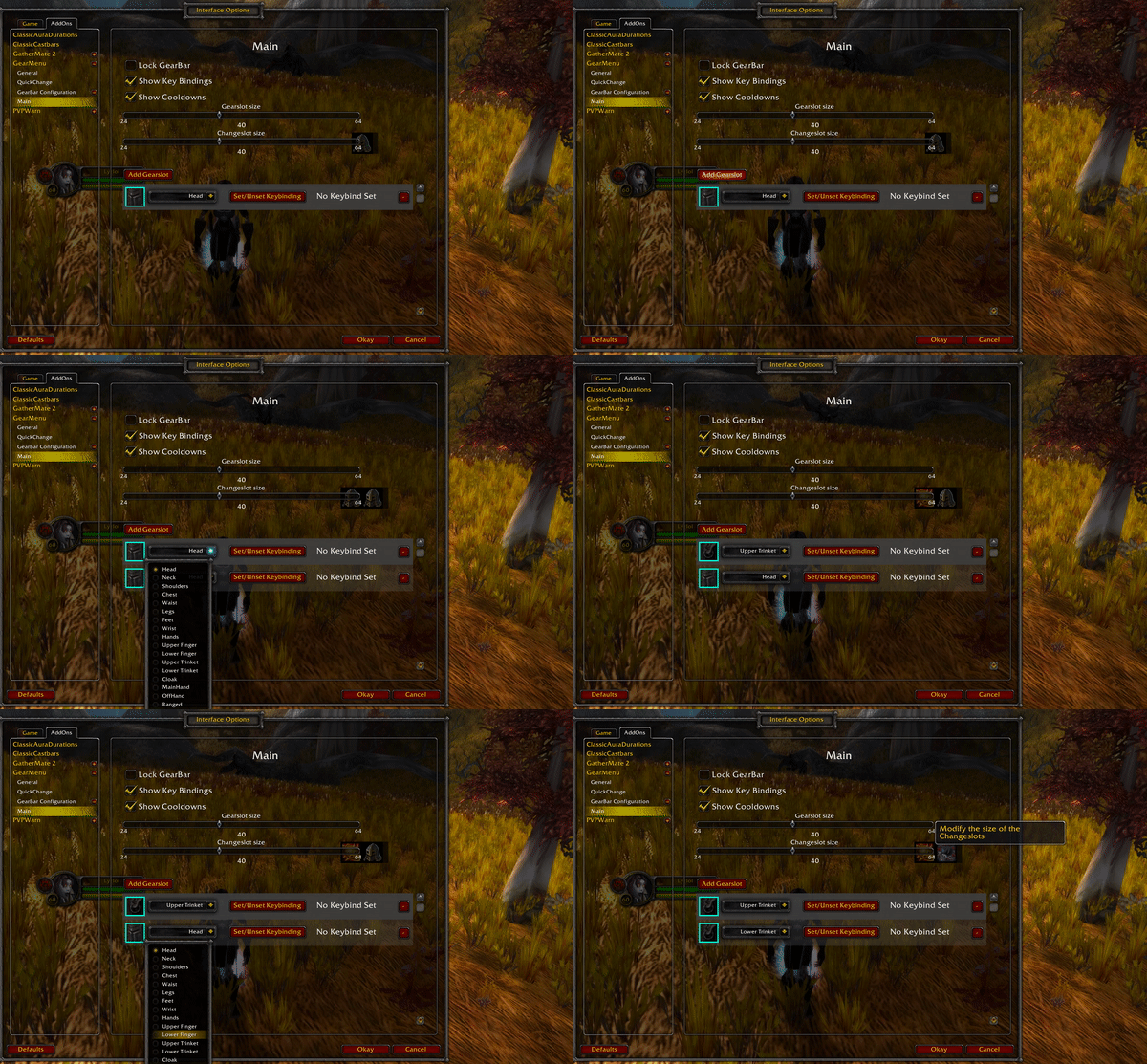
Individual GearBar Configuration
Hide/Show Cooldowns
Whether cooldowns should be shown or hidden can be configured individually for each GearBar.
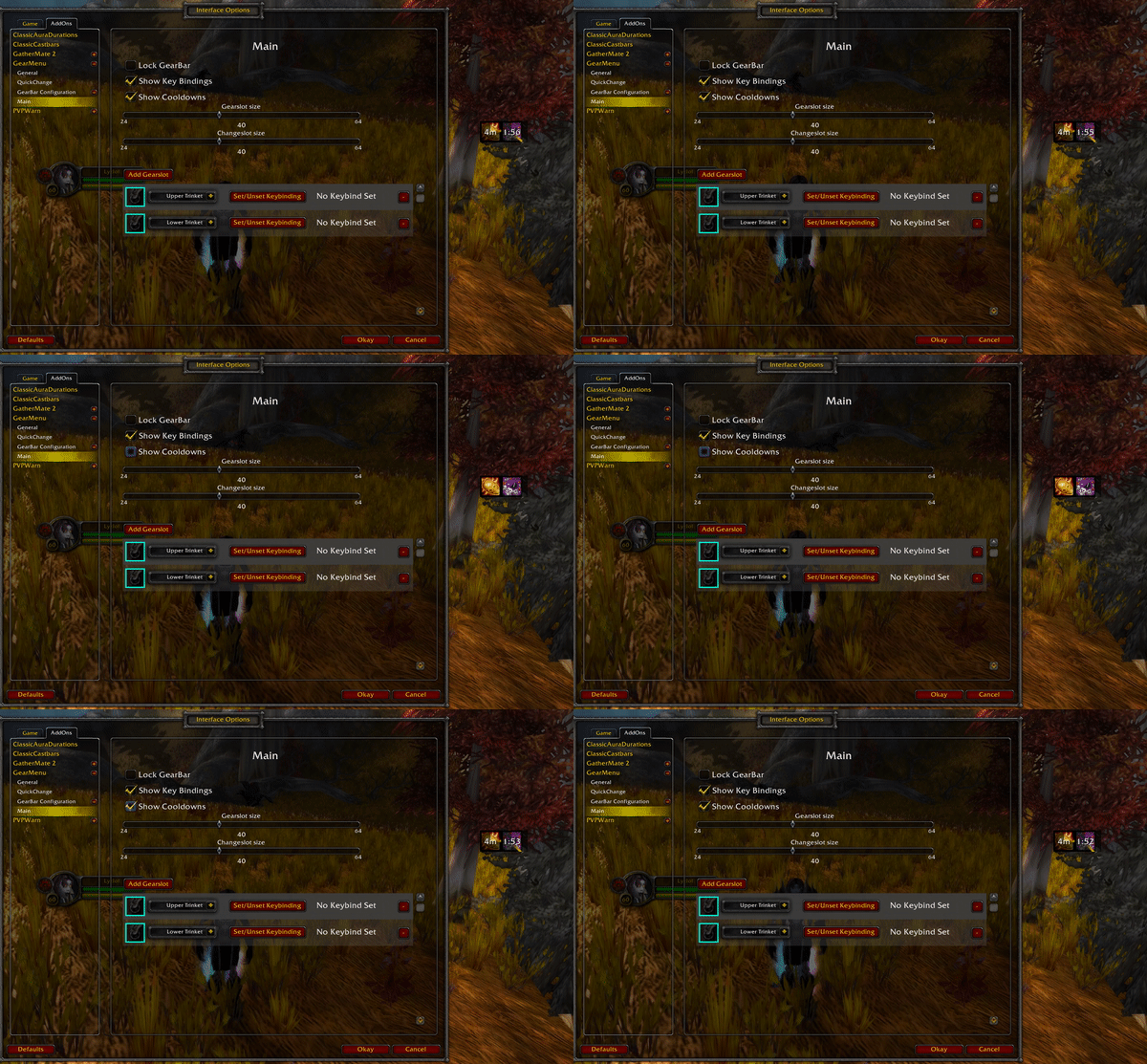
Hide/Show Keybindings
Whether keybindings should be shown or hidden can be configured individually for each GearBar.
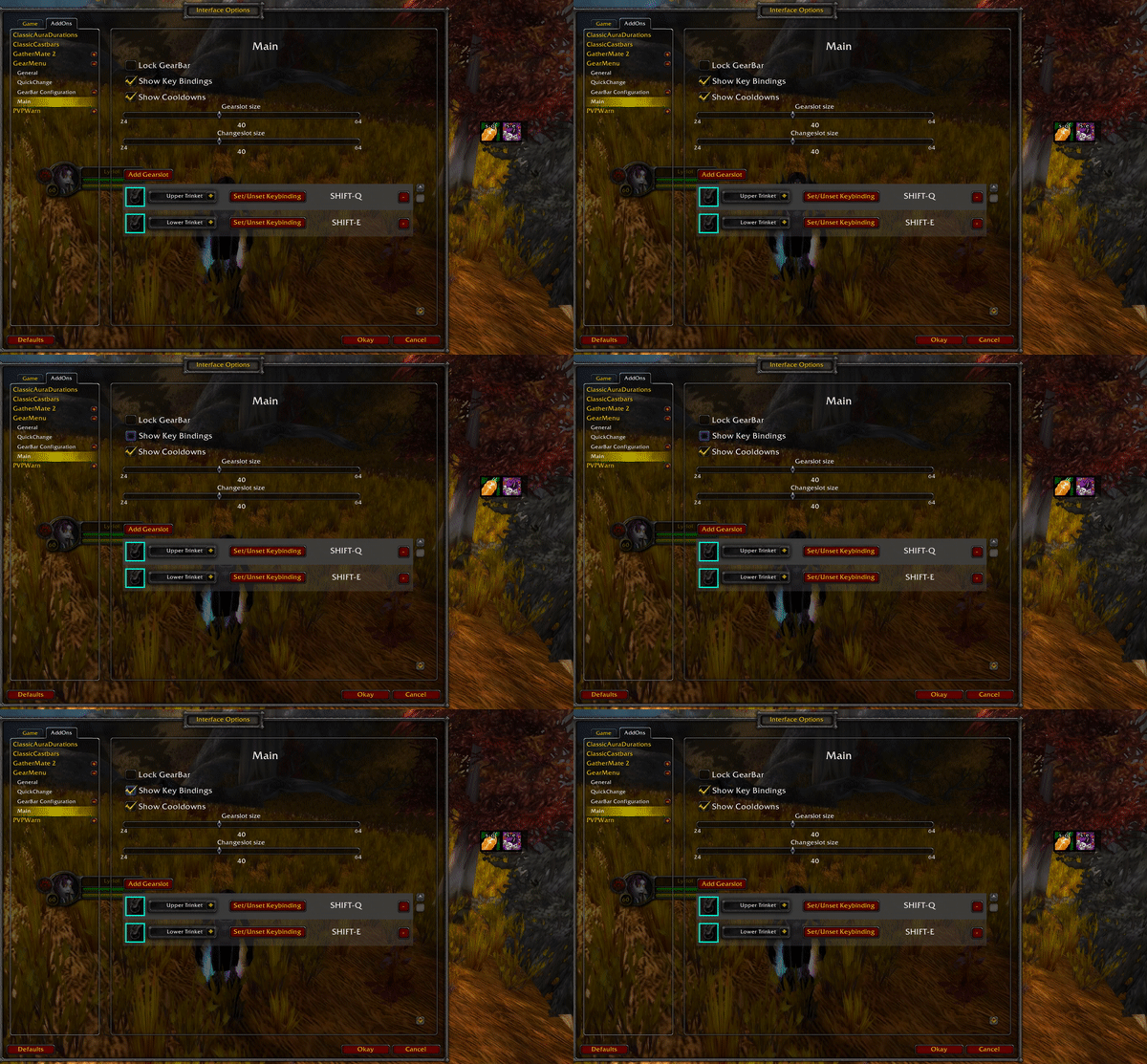
Lock/Unlock Window
Whether a GearBar should be freely movable or be locked in place can be configured individually for each GearBar.
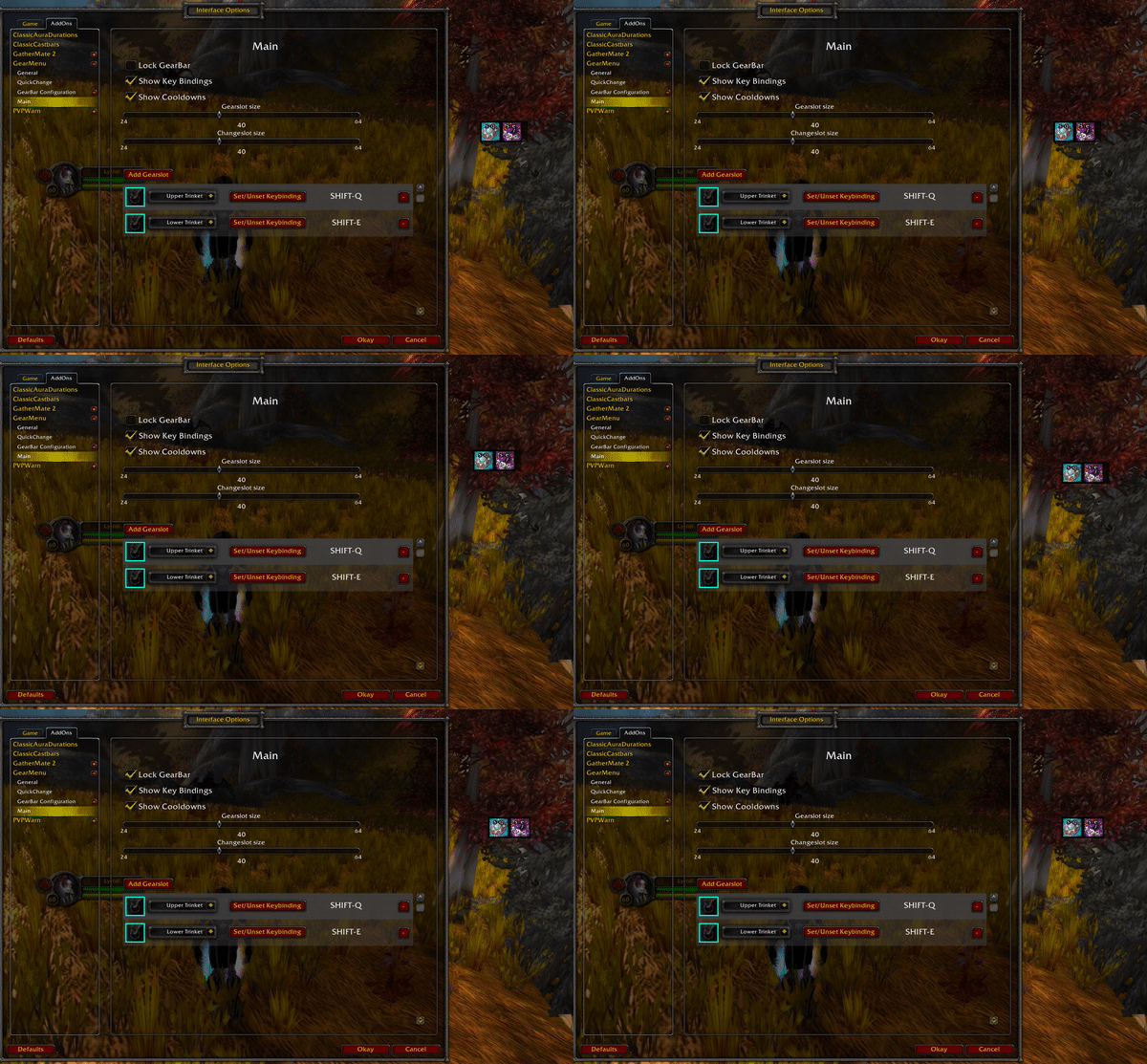
GearSlot Size
Every GearBar can have a different size for its GearSlots. You could for an example have a GearBar with very big trinkets and another with smaller slots for less important items.
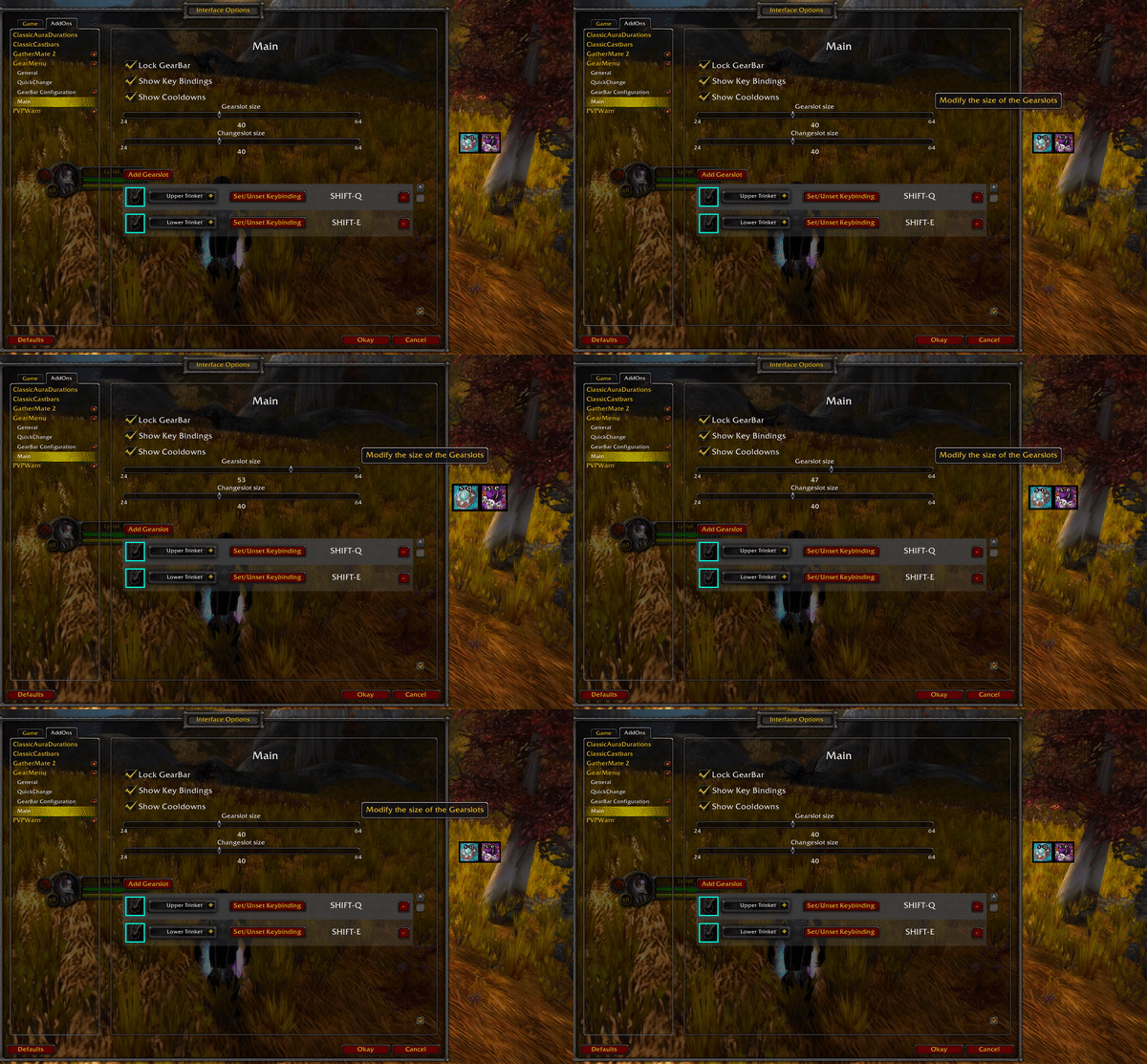
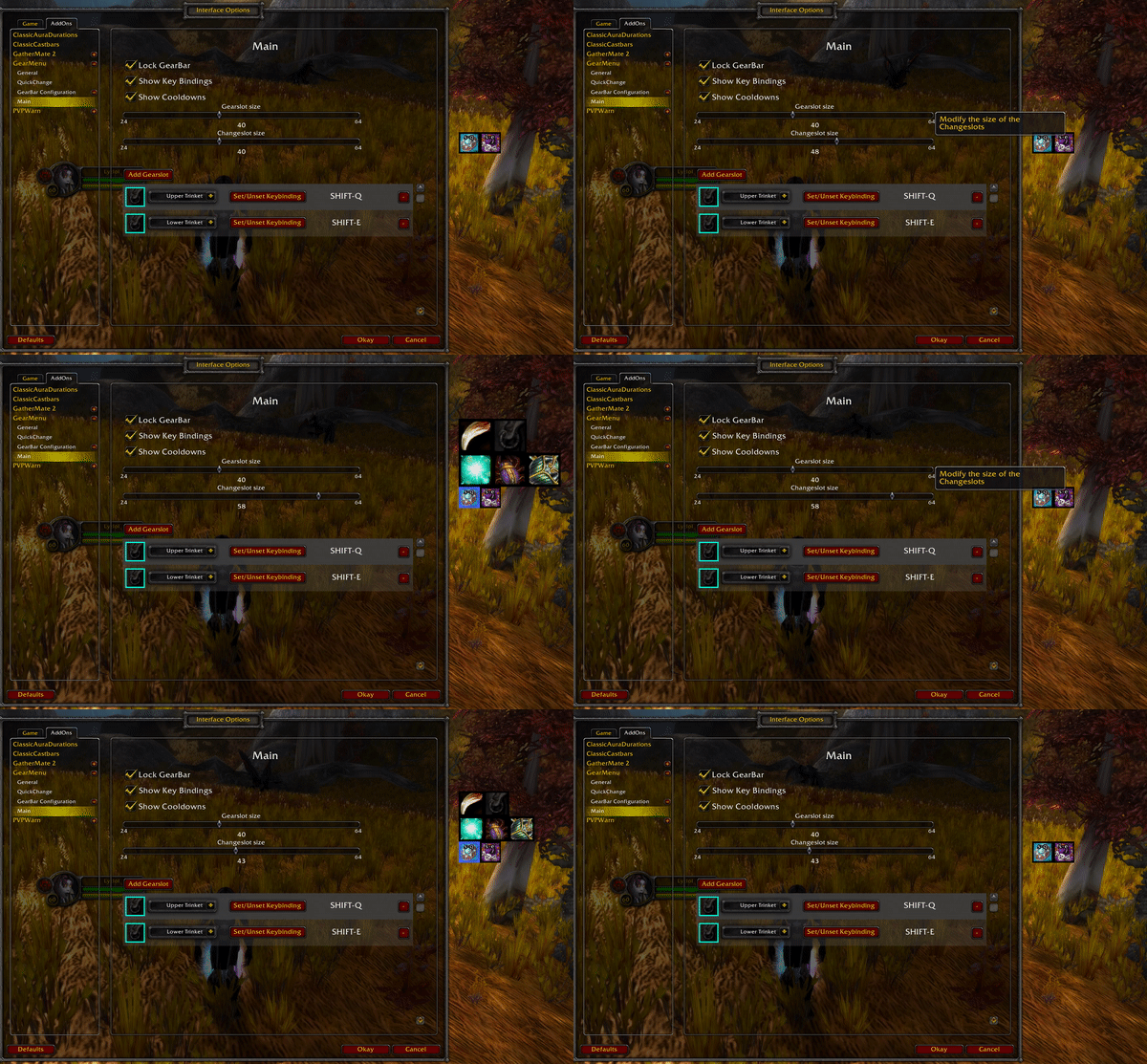
ChangeMenu Size
The size of the ChangeMenu can be configured individual from the GearSlot size.
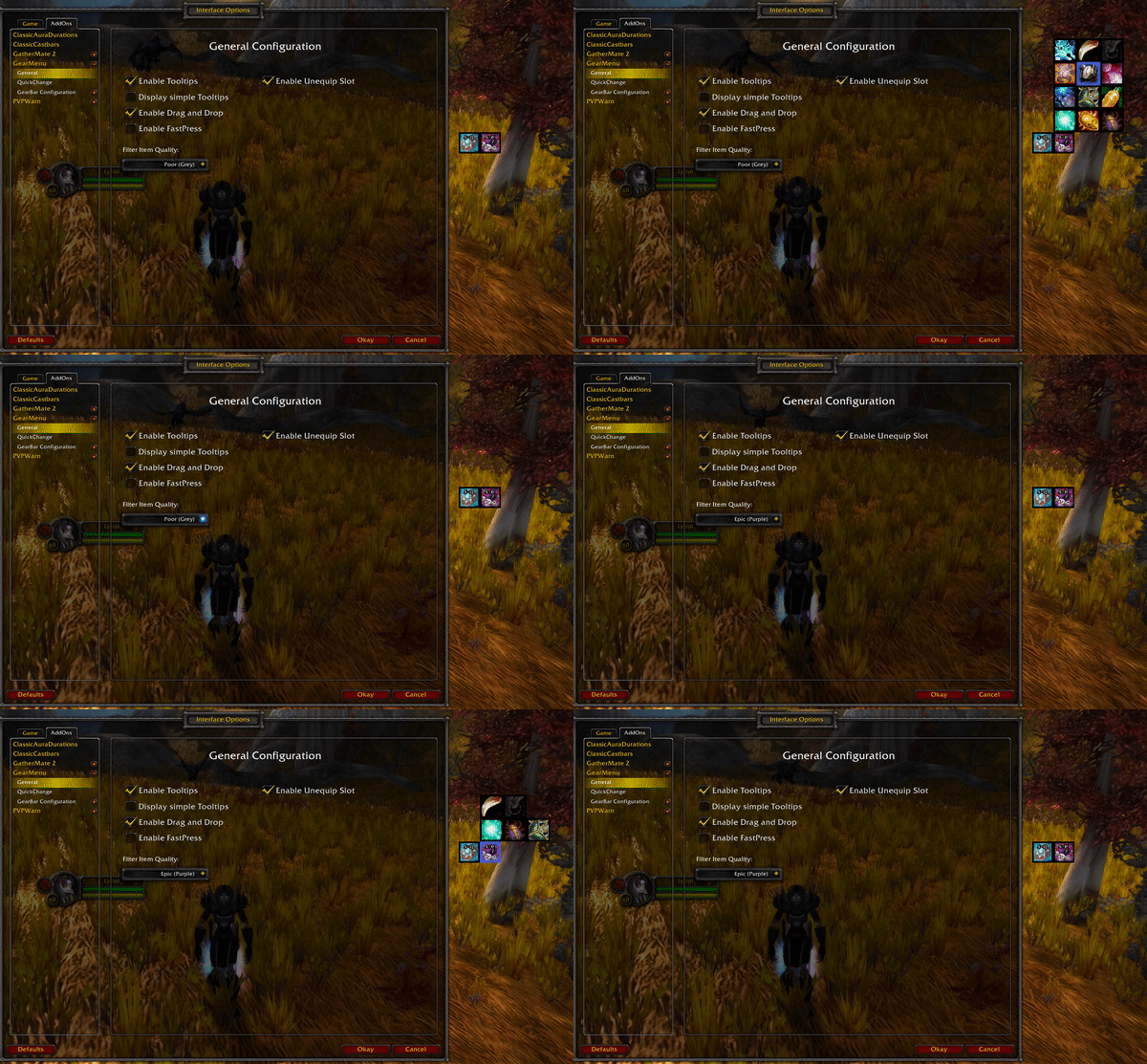
General Configuration
FastPress Support
Enable whether an item in a Gearslot should be used when the player pressed down(keydown) or only after the key was released(keyup).
Filter Items by Quality
Not interested to see items with a quality level below a certain level? Filter them out and only items that meet your set level will be considered to be displayed in GearMenu.
Themes
GearMenu supports two different themes for its ui elements. By default, the custom theme will be used.
Custom

Classic

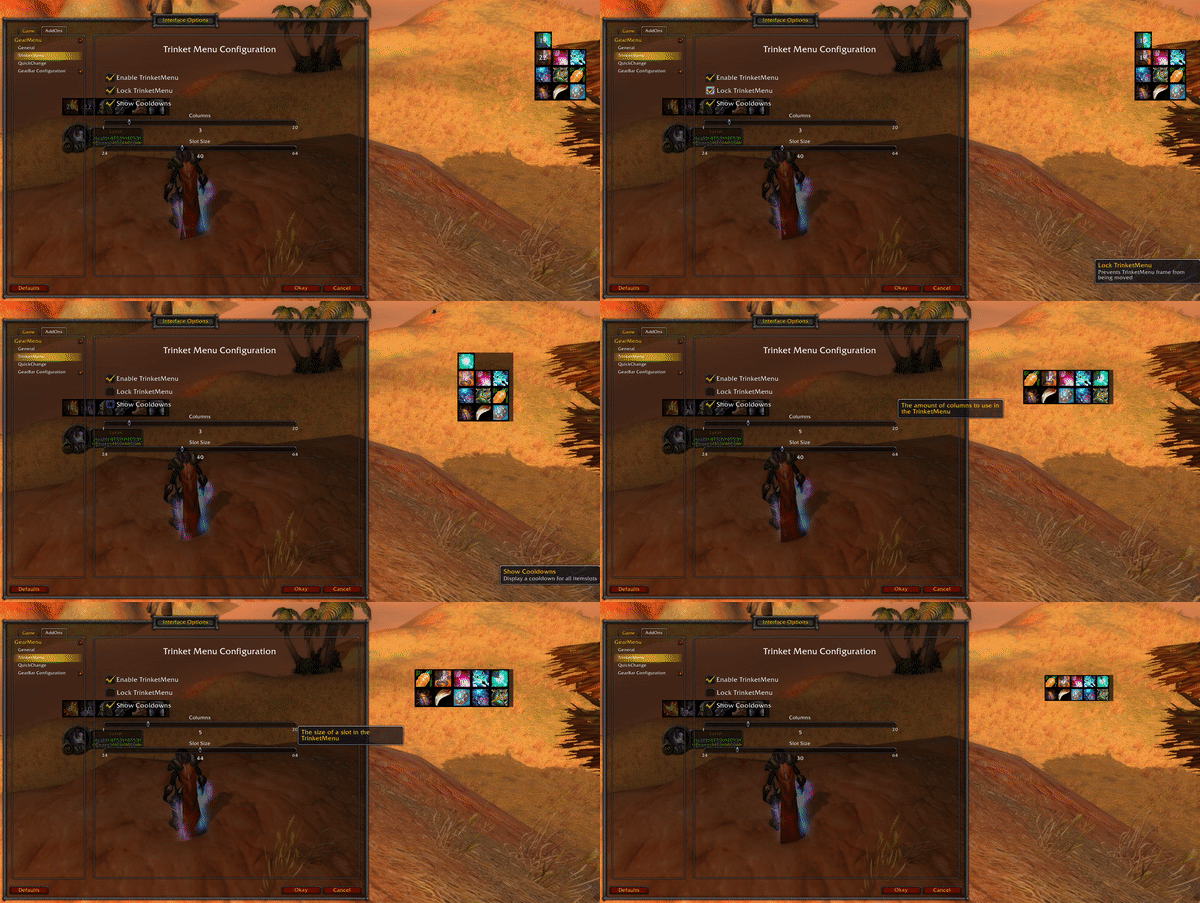
TrinketMenu Configuration
TrinketMenu supports the following configuration features.
- Enabling/Disabling TrinketMenu completely
- Lock/Unlock the TrinketMenu
- Show or Hide trinket cooldowns
- Adapt size of the TrinketMenu
FAQ
I get a red error (Lua Error) on my screen. What is this?
This is what we call a Lua error, and it usually happens because of an oversight or error by the developer (in this case me). Take a screenshot off the error and create a GitHub Issue with it, and I will see if I can resolve it. It also helps if you can add any additional information of what you were doing at the time and what other addons you have active. Additionally, if you are able to reproduce the error make sure to check if it still happens if you disable all others addons.
A certain item is not showing up when I hover a slot. Why is that?
GearMenu filters by default, items that are below common (green) quality. This can be changed in the addon configuration settings in the option "Filter Item Quality".
GearMenu failed to switch my item. What happened?
There are certain limitations that make it harder to switch an item even if the player is out of combat. One such example is that WoW prevents switching items while the player is casting a spell. GearMenu detects this and changes the item as soon as there is a pause between two spells or if a spell was cancelled. Just keep this in mind if you absolutely need the item switch to happen as soon as possible. Another factor can be a loss of control effect such as sap, iceblock and similar effects. In such circumstances it is not possible to switch an item. GearMenu is aware of such effects on the player and will switch the item as soon as possible.
If you still think you found an issue where GearMenu doesn't switch items as expected feel free to create an issue.
Why can't I switch Weapons during Combat?
This is a limitation that Blizzard puts on addons. It is not currently possible to switch to an arbitrary weapon while in combat. It is however possible to create weaponswitch macros because it is already known from which weapon to what weapon the player wants to switch. While it is not ideal, to work around this issue GearMenu puts weapons in the CombatQueue if a weaponswitch is done while the player is in combat. If he is not in combat the switch will happen immediately. This might be improved in a future release if there is a better workaround possible.
Note: It is also possible to switch a weapon by dragging and dropping the weapon in the standard Blizzard interfaces. This however is in no way connected to GearMenu
Why can't I create an Itemset?
This addon does not have the intention on supporting the functionality of switching between a PVE and a PVP set (or any other set). Its intention is to assist the player in switching single items fast and possibly during combat. It does not try to be the next Outfitter addon.
CurseForge: https://www.curseforge.com/wow/addons/gearmenu用户评价
暂无 / 5,0 条评价相关推荐
继续看看这些内容
