插件详情
插件中文资料库
中文说明、玩家点评、适用场景和替代推荐,方便快速判断是否适合你。
玩家一句话点评
ToxiUI - ElvUI edit 适合需要单位框架、界面增强或玩法辅助的玩家,建议结合自己的职业和版本先测试再长期使用。
适用场景
- 界面布局、头像框、姓名板和动作条优化
 Details! Mythic+ Scoreboard
 RightClickSelfCast
 GroupFinder
ToxiUI - ElvUI edit 插件下载与使用指南
本页整理了 ToxiUI - ElvUI edit 的功能用途、适用人群、安装方法和常见问题,方便玩家快速判断是否需要安装。
适合谁用
ToxiUI - ElvUI edit 是一款 动作条 / 团队框架 / 战斗 / HUD界面 / 单位框架 类插件,适合需要优化界面、提升操作效率或补充游戏信息提示的魔兽世界玩家。
基本信息
- 插件作者:theToxi_
- 插件分类:动作条 / 团队框架 / 战斗 / HUD界面 / 单位框架
- 适配版本:1.15.8,2.5.5,12.0.5,5.5.4
- 累计下载:0
安装方法
- 点击上方下载按钮获取 ToxiUI - ElvUI edit插件文件。
- 解压后将插件文件夹放入 World of Warcraft/_retail_/Interface/AddOns 目录。
- 重启游戏或在角色界面点击插件,确认 ToxiUI - ElvUI edit 已启用。
- 如果插件不生效,请检查版本是否匹配,或关闭同类冲突插件后重试。
使用建议
ToxiUI - ElvUI edit 安装后建议先在角色界面确认已启用,进入游戏后根据插件提供的命令、小地图按钮或设置面板进行调整。如遇到报错,可先单独启用该插件排查冲突。
ToxiUI - ElvUI edit 常见问题
这个插件适合哪些玩家?
ToxiUI - ElvUI edit 适合需要 动作条 / 团队框架 / 战斗 / HUD界面 / 单位框架 类功能的玩家,特别是希望提升游戏便利性、界面管理或战斗信息获取效率的用户。
下载后怎么安装?
下载后解压到 Interface/AddOns 目录,然后重启游戏并在角色界面启用插件。
为什么插件不显示或不生效?
常见原因是目录多套一层、游戏版本不匹配、依赖插件缺失或同类插件冲突。
有没有类似插件可以替代?
可以查看本页的替代插件推荐和相关插件区域,按下载量和分类选择同类工具。
插件 AI 问答
可以问:这个插件正式服能用吗、和 DBM 冲突吗、怎么设置、有没有替代插件。
ToxiUI - ElvUI edit 是一款魔兽世界插件,主要用于界面框架、头像、动作条或冷却显示优化。建议根据自己的版本和插件环境先测试兼容性。
插件用途
ToxiUI - ElvUI edit 主要面向需要单位框架功能的玩家,用来改善游戏体验、减少重复操作或补充默认界面没有直接提供的信息。
适用场景
- 界面框架、头像、动作条或冷却显示优化
使用建议
安装后建议先在角色选择界面或插件管理器中确认已启用,再进入游戏测试是否与现有整合包、WA 和其他插件冲突。如遇报错,可以先禁用同类插件排查。

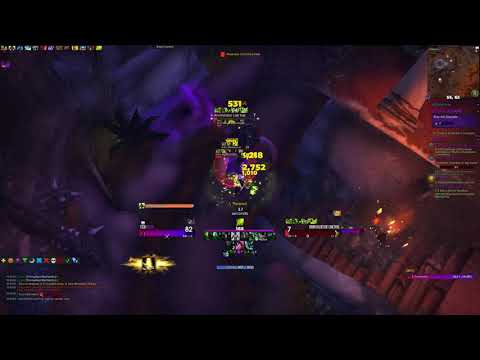

- Three themes to choose from: Gradient Mode, Dark Mode and Standard
- Beautiful Armory packed with information
- Custom-built Profile Updater to keep up with the changes
- Install & update landing pages for information and ease-of-access
- Elegant WunderBar to have all the important information at your fingertips
- Unique hand-made specialization icons
- Game Menu Skin to personalize your gameplay and provide useful information
- Enhanced custom installer
- Active Discord community
- …and more!

Required AddOns:
Recommended AddOns:
- ElvUI WindTools (Retail only)
Additional supported AddOns:

For detailed instructions, check out our installation guide on the ToxiUI website!
- Make a backup of your WTF folder (it is recommended to install ToxiUI on a clean profile)
- Install the required addons
- Enter game & make sure that all of the AddOns are loaded correctly
- Once you load up your character, the ToxiUI installer will pop-up
- If ElvUI installer pops up first, simply
/reload, you don't need to go through it's installation process! - Simply follow the installers instructions very closely
- If you have any problems or issues at any step, please visit our discord server for support!

- Nawuko for developing the initial ToxiUI codebase
- Ryada, Wolen and others for contributing to the project staying alive
- Hekili for help with coding the first version of installer framework
- Releaf for those lovely WunderBar icons
- v0dKa for supporting heavily in the early days - real MVP
- Redtuzk & his team for the inspiration
- ElvUI discord for continuous help and support
- PayPal & Patreon supporters! You guys rock!

- If you're having any problems or just wanna chat with us, please join our discord server
用户评价
暂无 / 5,0 条评价免费插件下载后可以评价;付费插件 / WA 购买后可以评价;委托订单完成后可以评价。
暂无评价。
相关推荐
继续看看这些内容
