插件中文资料库
中文说明、玩家点评、适用场景和替代推荐,方便快速判断是否适合你。
- 界面布局、头像框、姓名板和动作条优化
 Details! Mythic+ Scoreboard
 BagSync
 RightClickSelfCast
DrumTempo 插件下载与使用指南
本页整理了 DrumTempo 的功能用途、适用人群、安装方法和常见问题,方便玩家快速判断是否需要安装。
适合谁用
DrumTempo 是一款 制皮 / 增益与减益 类插件,适合需要优化界面、提升操作效率或补充游戏信息提示的魔兽世界玩家。
基本信息
- 插件作者:GraveofBears
- 插件分类:制皮 / 增益与减益
- 适配版本:2.5.5
- 累计下载:49
安装方法
- 点击上方下载按钮获取 DrumTempo插件文件。
- 解压后将插件文件夹放入 World of Warcraft/_retail_/Interface/AddOns 目录。
- 重启游戏或在角色界面点击插件,确认 DrumTempo 已启用。
- 如果插件不生效,请检查版本是否匹配,或关闭同类冲突插件后重试。
使用建议
DrumTempo 安装后建议先在角色界面确认已启用,进入游戏后根据插件提供的命令、小地图按钮或设置面板进行调整。如遇到报错,可先单独启用该插件排查冲突。
DrumTempo 常见问题
DrumTempo 适合需要 制皮 / 增益与减益 类功能的玩家,特别是希望提升游戏便利性、界面管理或战斗信息获取效率的用户。
下载后解压到 Interface/AddOns 目录,然后重启游戏并在角色界面启用插件。
常见原因是目录多套一层、游戏版本不匹配、依赖插件缺失或同类插件冲突。
可以查看本页的替代插件推荐和相关插件区域,按下载量和分类选择同类工具。
插件 AI 问答
可以问:这个插件正式服能用吗、和 DBM 冲突吗、怎么设置、有没有替代插件。
DrumTempo 是一款魔兽世界插件,主要用于增益、减益、光环或职业状态监控。建议根据自己的版本和插件环境先测试兼容性。
插件用途
DrumTempo 主要面向需要制皮功能的玩家,用来改善游戏体验、减少重复操作或补充默认界面没有直接提供的信息。
适用场景
- 增益、减益、光环或职业状态监控
使用建议
安装后建议先在角色选择界面或插件管理器中确认已启用,再进入游戏测试是否与现有整合包、WA 和其他插件冲突。如遇报错,可以先禁用同类插件排查。
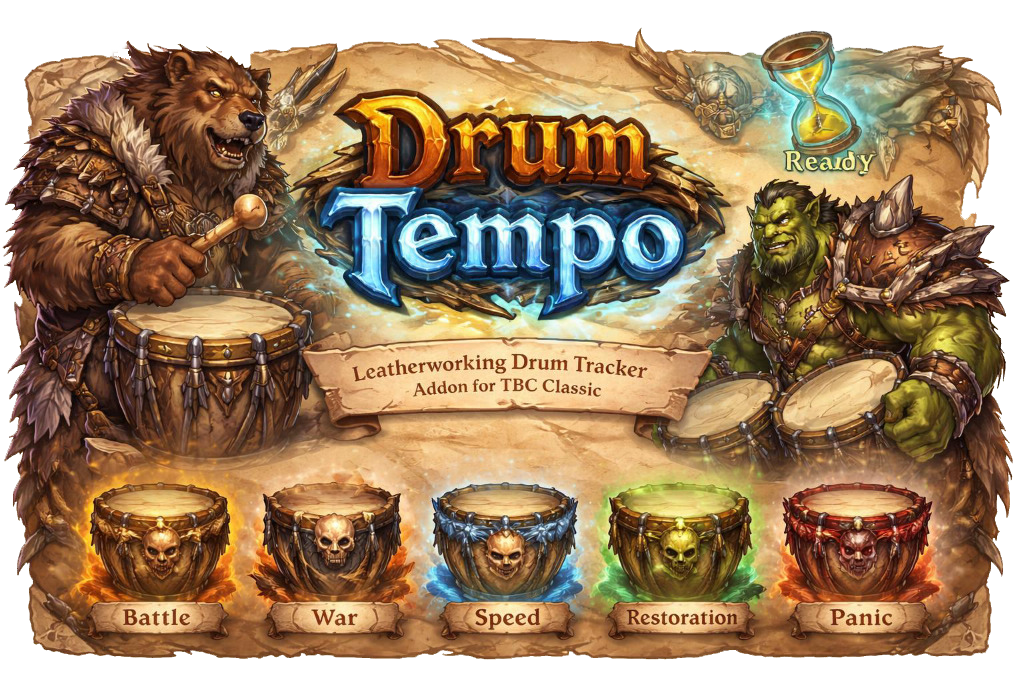
DrumTempo
A World of Warcraft addon for tracking Leatherworking drums — cooldowns, debuffs, and person who drummed last — through a clean, movable icon on your screen.
What It Does
DrumTempo puts a single button on your screen showing whichever drum item you want to watch. When anyone in your group uses drums, the addon detects the cast, starts a visual cooldown swipe on the icon, and tracks the Tinnitus debuff that prevents you from using drums again for 2 minutes. While you have Tinnitus, the button is greyed out and unclickable. When the debuff expires, the button returns to full color and a glow effect fires to catch your attention.
DrumTempo works correctly whether you use the drums or a party/raid member does — the lockout and timer are driven by the actual Tinnitus aura on your character, not by who cast the spell.
Supported Drums
| Drum | Effect Duration |
|---|---|
| Drums of Battle | 30 seconds |
| Drums of War | 30 seconds |
| Drums of Speed | 30 seconds |
| Drums of Restoration | 15 seconds |
| Drums of Panic | 2 seconds |
All drums share the same 2-minute Tinnitus lockout.
Layouts
DrumTempo ships with two layouts, switchable at any time from the options panel without a reload.
Default Drum
The full-information layout. The icon shows a cooldown swipe when drums are used, along with three text elements:
- Drummer Name — appears above the icon showing who used the drums
- Debuff Timer — appears below the icon in red, counting down the Tinnitus duration in
M:SSformat (e.g.1:45) - Charge Count — shown in the bottom-right corner of the icon, displaying how many of the watched drum you currently have in your bags
When Tinnitus expires the icon returns to full color and optionally plays a glow effect.
Minimal Drum
A clean, no-text layout. The icon is the only element — it greys out when you have Tinnitus and becomes clickable again when the debuff ends. A white pulse glow starts when 5 seconds remain on the debuff as an early warning, and a ready glow fires when it's fully expired.
Features
Lockout tracking — The button becomes unclickable and greyed out the moment drums are used (by you or anyone else in your group) and stays that way until your Tinnitus debuff expires. This is enforced via the actual aura on your character, so it survives latency and mid-combat UI reloads.
Debuff countdown — The Default layout shows a live M:SS countdown of your remaining Tinnitus time, reading directly from the aura expiration so the number is always accurate.
Drummer name display — The Default layout shows the name of whoever used the drums above the icon, so you know at a glance who triggered the current lockout.
Charge count — The Default layout shows how many of the watched drum you have in your bags in the corner of the icon. Updates automatically when your bags change.
5-second warning pulse — Both layouts play a soft white glow animation when 5 seconds remain on Tinnitus, giving you a heads-up to get ready.
Ready glow — When Tinnitus expires and drums are available again, a Blizzard-style proc shine plays on the icon to draw your eye.
Party or Raid announcements — When you use drums, the addon can automatically post the item link to party or raid chat so your group knows drums were used and the Tinnitus debuff is active so they dont waste their drums.
Hide when solo — Optionally hide the button entirely when you are not in a group.
Movable icon — Unlock the button from the options panel and drag it anywhere on screen. Position is saved per profile.
Scalable icon — Resize the icon from 50% to 300% of its default size.
Per-profile settings — All settings are stored per character profile via AceDB, with full profile switching support in the options panel.
Options
Open the options panel with /dt or /drumtempo, or through the standard Interface > AddOns menu.
General Settings
| Setting | Default | Description |
|---|---|---|
| Lock Drums | On | Locks the icon in place. Turn off to drag it to a new position. |
| Announce in Party | On | Posts the drum item link to party chat when you use drums. |
| Announce in Raid | Off | Posts the drum item link to raid chat when you use drums. |
| Hide When Solo | Off | Hides the icon entirely when you are not in a party or raid. |
| Layout Choice | Default Drum | Switches between Default Drum and Minimal Drum layouts. Takes effect immediately. |
| Drums to Watch | Drums of Battle | Which drum item the icon displays and tracks charges for. |
Appearance
Icon Scale — Slider from 0.5× to 3.0×. Resizes the entire button. Default is 1×.
Default Layout Visibility
These four checkboxes control which elements are shown in the Default Drum layout. All are enabled by default. Changes take effect immediately without a reload.
| Setting | Default | Description |
|---|---|---|
| Show Drummer Name | On | Shows the name of whoever used drums above the icon. |
| Show Debuff Timer | On | Shows the Tinnitus countdown in red below the icon. |
| Show Charge Count | On | Shows how many drums you have in the corner of the icon. |
| Ready Glow Effect | On | Plays a glow animation on the icon when Tinnitus expires. |
Font & Positioning
Three text elements each have their own font controls. Settings apply live to all active frames.
Drummer Name
- Size — font size from 8 to 40
- Vertical Offset — moves the text up or down relative to its default anchor
- Type — font selection (includes LibSharedMedia fonts if installed)
Debuff Timer
- Size — font size from 8 to 40
- Vertical Offset — moves the text up or down relative to its default anchor
- Type — font selection
Charges Count
- Size — font size from 8 to 40
- Vertical Offset — moves the text up or down relative to its default anchor
- Type — font selection
Profiles
Full AceDB profile management — create, copy, delete, and switch between profiles. Useful for maintaining different settings across characters or roles.
Chat Commands
| Command | Description |
|---|---|
/dt |
Opens the options panel |
/drumtempo |
Opens the options panel |
Author: Gravebear Category: TBC Classic WoW Addon
CurseForge: https://www.curseforge.com/wow/addons/drumtempo用户评价
暂无 / 5,0 条评价相关推荐
继续看看这些内容
