插件中文资料库
中文说明、玩家点评、适用场景和替代推荐,方便快速判断是否适合你。
- 界面布局、头像框、姓名板和动作条优化
 RightClickSelfCast
 YuXuanToolbox
 rCompassCastbar Redux
BarDozer 插件下载与使用指南
本页整理了 BarDozer 的功能用途、适用人群、安装方法和常见问题,方便玩家快速判断是否需要安装。
适合谁用
BarDozer 是一款 动作条 / HUD界面 / 其他插件 类插件,适合需要优化界面、提升操作效率或补充游戏信息提示的魔兽世界玩家。
基本信息
- 插件作者:Peralex
- 插件分类:动作条 / HUD界面 / 其他插件
- 适配版本:12.0.1,12.0.5
- 累计下载:0
安装方法
- 点击上方下载按钮获取 BarDozer插件文件。
- 解压后将插件文件夹放入 World of Warcraft/_retail_/Interface/AddOns 目录。
- 重启游戏或在角色界面点击插件,确认 BarDozer 已启用。
- 如果插件不生效,请检查版本是否匹配,或关闭同类冲突插件后重试。
使用建议
BarDozer 安装后建议先在角色界面确认已启用,进入游戏后根据插件提供的命令、小地图按钮或设置面板进行调整。如遇到报错,可先单独启用该插件排查冲突。
BarDozer 常见问题
BarDozer 适合需要 动作条 / HUD界面 / 其他插件 类功能的玩家,特别是希望提升游戏便利性、界面管理或战斗信息获取效率的用户。
下载后解压到 Interface/AddOns 目录,然后重启游戏并在角色界面启用插件。
常见原因是目录多套一层、游戏版本不匹配、依赖插件缺失或同类插件冲突。
可以查看本页的替代插件推荐和相关插件区域,按下载量和分类选择同类工具。
插件 AI 问答
可以问:这个插件正式服能用吗、和 DBM 冲突吗、怎么设置、有没有替代插件。
BarDozer 是一款魔兽世界插件,主要用于界面框架、头像、动作条或冷却显示优化。建议根据自己的版本和插件环境先测试兼容性。
插件用途
BarDozer 主要面向需要其他插件功能的玩家,用来改善游戏体验、减少重复操作或补充默认界面没有直接提供的信息。
适用场景
- 界面框架、头像、动作条或冷却显示优化
使用建议
安装后建议先在角色选择界面或插件管理器中确认已启用,再进入游戏测试是否与现有整合包、WA 和其他插件冲突。如遇报错,可以先禁用同类插件排查。
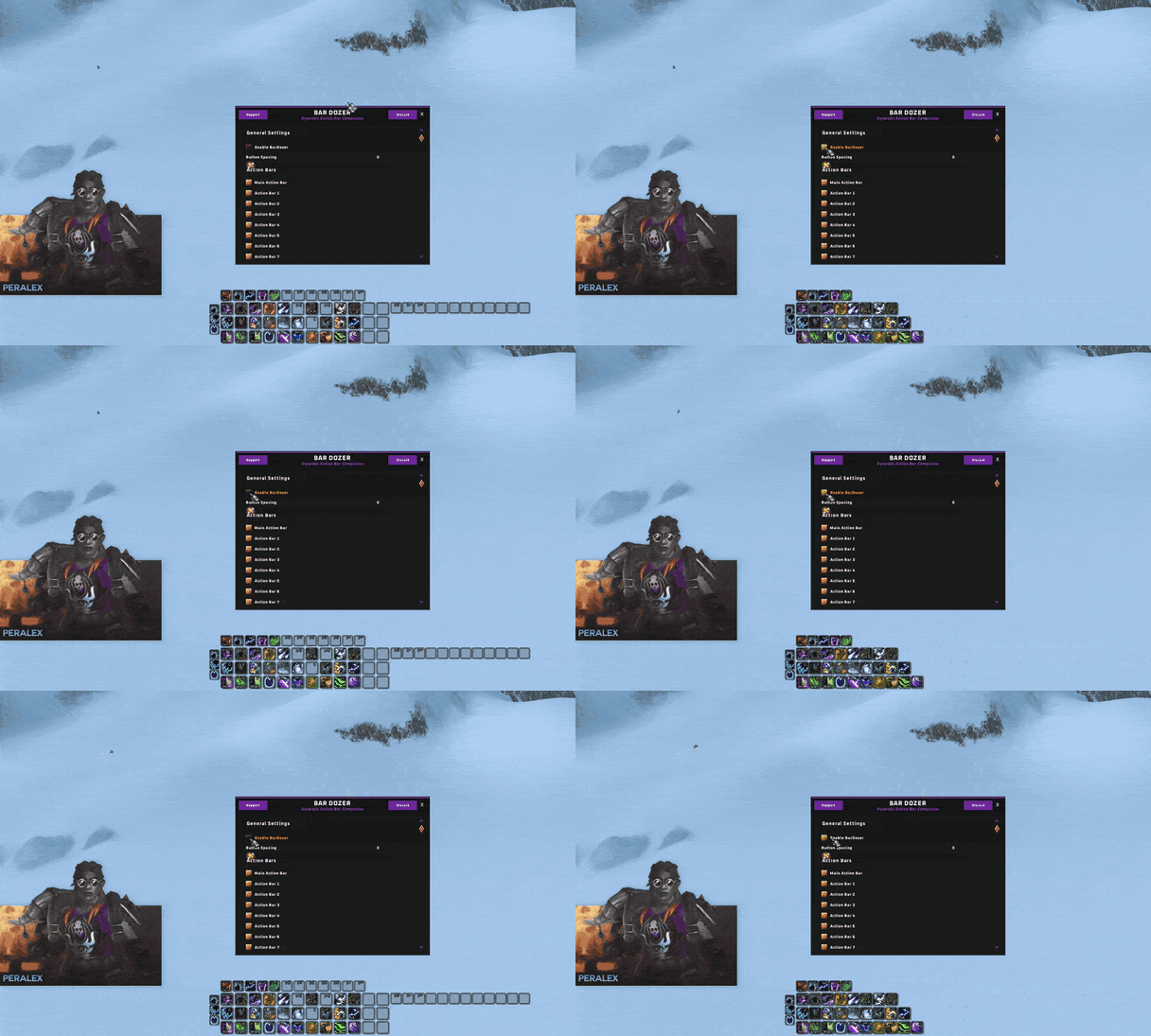

- Dynamically collapses empty action bar slots and shoves active buttons together.
- Works in real time, no need for reloading.
- Has drag & drop support, you can still freely drag spells/items to actionbars, even ones not currently in use, it recognizes when you are dragging so you can still see the entire action bars in real time.
- No need to worry about changing keybinds or swapping action bars around to fill empty space anymore!
- Has native support for Dominos
- Has native support for Bartender
- Has native support for most addons that skin/theme action bars
- Beautiful, simple, inutive UI config window
- Extremely lightweight and low bearing, everything is event driven, no constant load on performance, works like other top tier action bar related addons.
How To:
- Use /bard command to bring up the UI settings window
- Addtionally, you can go to Options>Interface>Addons and use the button directly to bring up the UI
Discord help/issues: https://discord.gg/hWBy2ghZSm
Also make sure that you follow me on Twitch.tv/Peralex and YouTube.com/Peralexlol
Check out my other addon's and consider donating to keep production alive, anything help's! <3
https://ko-fi.com/peralex
Any issues that you find, please use !BugGrabber and BugSack to provide meaningful information to help determine your issue, without which, we probably won't be able help
用户评价
暂无 / 5,0 条评价相关推荐
继续看看这些内容
