插件中文资料库
中文说明、玩家点评、适用场景和替代推荐,方便快速判断是否适合你。
- 背包、银行和物品整理
- 任务路线、地图标记和野外探索
- 界面布局、头像框、姓名板和动作条优化
 BagSync
 RightClickSelfCast
 GroupFinder
CouchMode (formerly ConsoleBags) 插件下载与使用指南
本页整理了 CouchMode (formerly ConsoleBags) 的功能用途、适用人群、安装方法和常见问题,方便玩家快速判断是否需要安装。
适合谁用
CouchMode (formerly ConsoleBags) 是一款 地图与小地图 / 鼠标提示 / HUD界面 / 单位框架 类插件,适合需要优化界面、提升操作效率或补充游戏信息提示的魔兽世界玩家。
基本信息
- 插件作者:Hildaware
- 插件分类:地图与小地图 / 鼠标提示 / HUD界面 / 单位框架
- 适配版本:12.0.5
- 累计下载:46
安装方法
- 点击上方下载按钮获取 CouchMode (formerly ConsoleBags)插件文件。
- 解压后将插件文件夹放入 World of Warcraft/_retail_/Interface/AddOns 目录。
- 重启游戏或在角色界面点击插件,确认 CouchMode (formerly ConsoleBags) 已启用。
- 如果插件不生效,请检查版本是否匹配,或关闭同类冲突插件后重试。
使用建议
CouchMode (formerly ConsoleBags) 安装后建议先在角色界面确认已启用,进入游戏后根据插件提供的命令、小地图按钮或设置面板进行调整。如遇到报错,可先单独启用该插件排查冲突。
CouchMode (formerly ConsoleBags) 常见问题
CouchMode (formerly ConsoleBags) 适合需要 地图与小地图 / 鼠标提示 / HUD界面 / 单位框架 类功能的玩家,特别是希望提升游戏便利性、界面管理或战斗信息获取效率的用户。
下载后解压到 Interface/AddOns 目录,然后重启游戏并在角色界面启用插件。
常见原因是目录多套一层、游戏版本不匹配、依赖插件缺失或同类插件冲突。
可以查看本页的替代插件推荐和相关插件区域,按下载量和分类选择同类工具。
插件 AI 问答
可以问:这个插件正式服能用吗、和 DBM 冲突吗、怎么设置、有没有替代插件。
CouchMode (formerly ConsoleBags) 是一款魔兽世界插件,主要用于背包、银行、专业制造或物品整理、地图、区域、任务路线或交通提醒。建议根据自己的版本和插件环境先测试兼容性。
插件用途
CouchMode (formerly ConsoleBags) 主要面向需要地图与小地图功能的玩家,用来改善游戏体验、减少重复操作或补充默认界面没有直接提供的信息。
适用场景
- 背包、银行、专业制造或物品整理
- 地图、区域、任务路线或交通提醒
使用建议
安装后建议先在角色选择界面或插件管理器中确认已启用,再进入游戏测试是否与现有整合包、WA 和其他插件冲突。如遇报错,可以先禁用同类插件排查。
CouchMode (formerly ConsoleBags)
A controller-first UI overhaul for World of Warcraft.
CouchMode is built from the ground up for couch play — a complete reimagining of the WoW interface designed for controller gameplay, big screens, and the relaxed pace of playing from across the room. Pair it with ConsolePort and turn Azeroth into the console-style action RPG it always wanted to be.
Certain parts of the UI have been rebuilt with clarity, atmosphere, and readability at a distance in mind. No tiny text. No information overload. Just a clean, cinematic interface that gets out of your way and lets you enjoy the game.
✦ Features
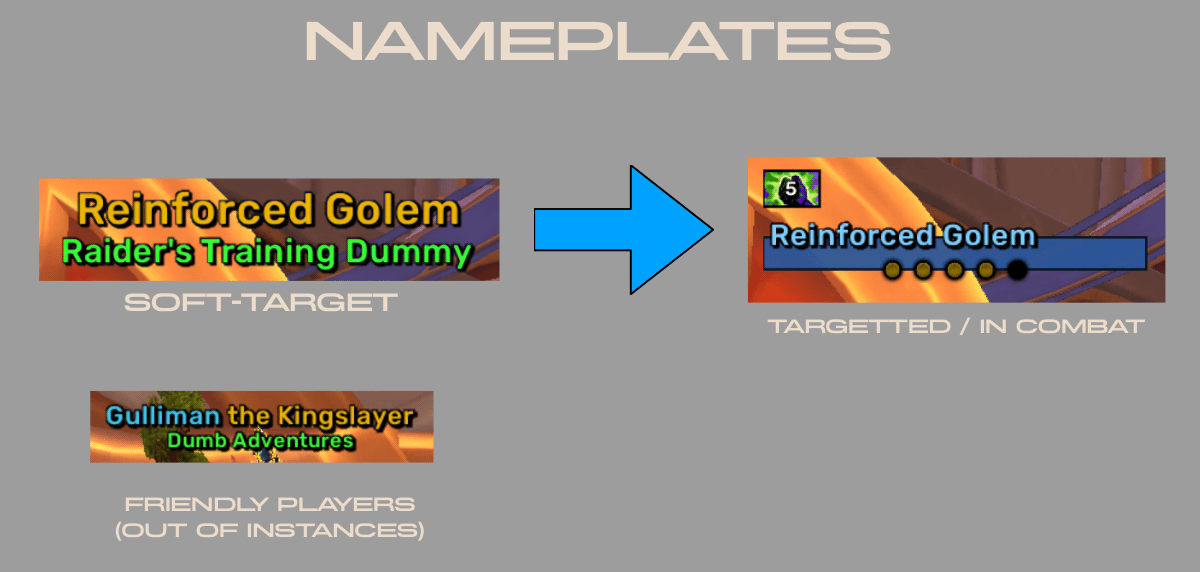
🛡️ Nameplates
Custom-built nameplates that replace Blizzard's defaults entirely. Built with soft-targeting as a focus from the beginning. Includes support for TRP3 names, and Musician icon built in.
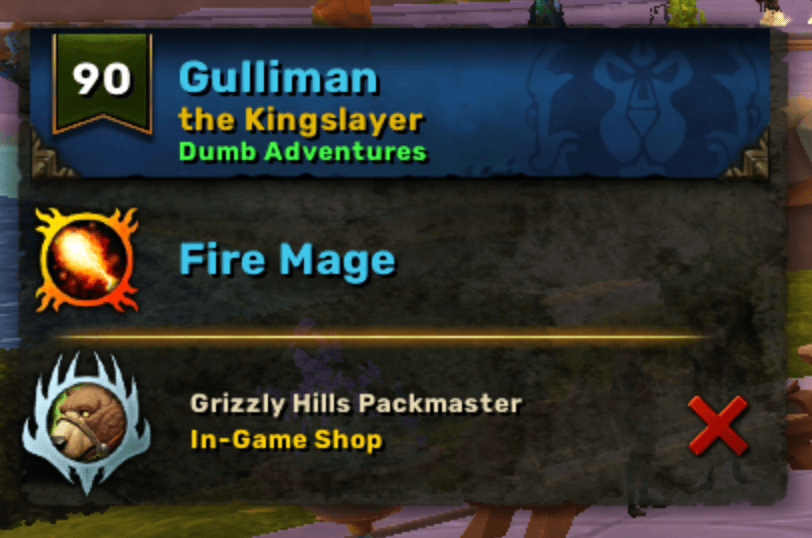
💬 Tips (Tooltips)
Rebuilt unit tooltips designed for big-screen readability. Levels, classes, mounts, and quest progress come together in one elegant tooltip that tells you what matters without burying it in noise. Includes TRP3 name support.
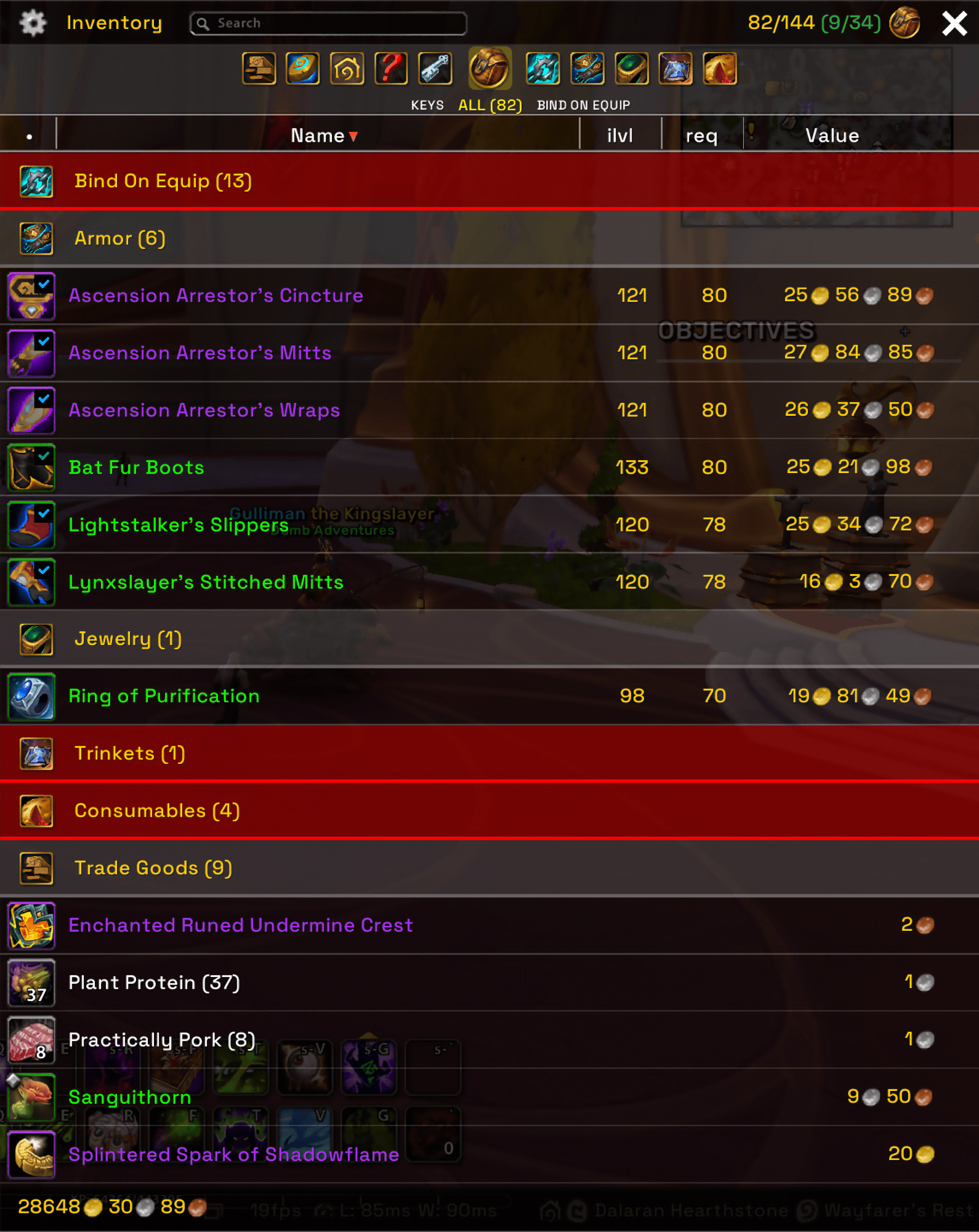
🎒 Bags (Formerly ConsoleBags)
A console-inspired inventory experience. Forget the cluttered grid of icons — CouchMode's bags are designed for controller navigation with a layout that feels at home on a TV. Sort, browse, and equip without ever needing a mouse.
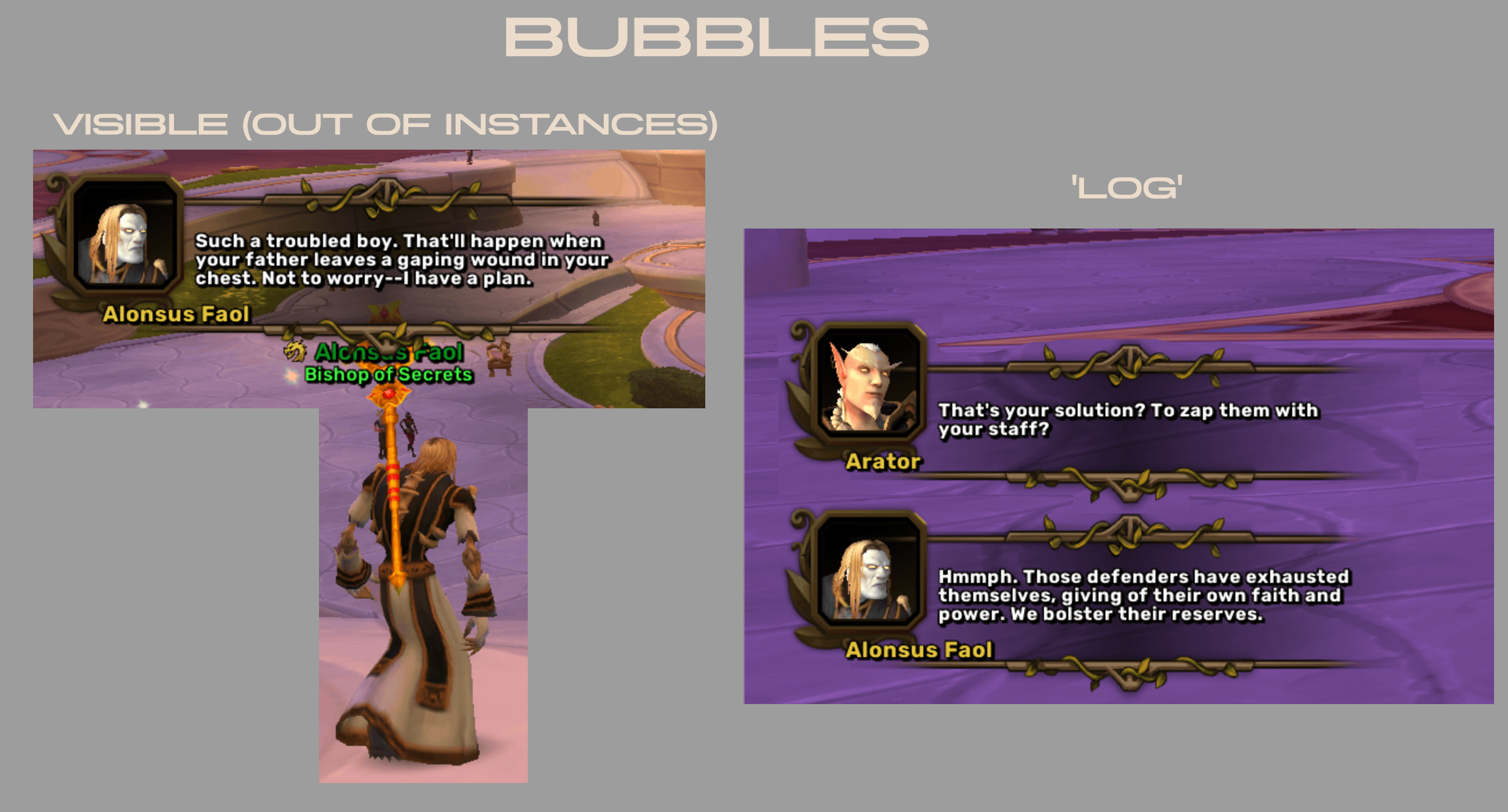
🗨️ Chat Bubbles
Floating chat bubbles for NPC and player dialogue that bring the world to life. Conversations feel like a single-player RPG rather than a wall of chat-frame text, making questing and roleplay genuinely immersive.
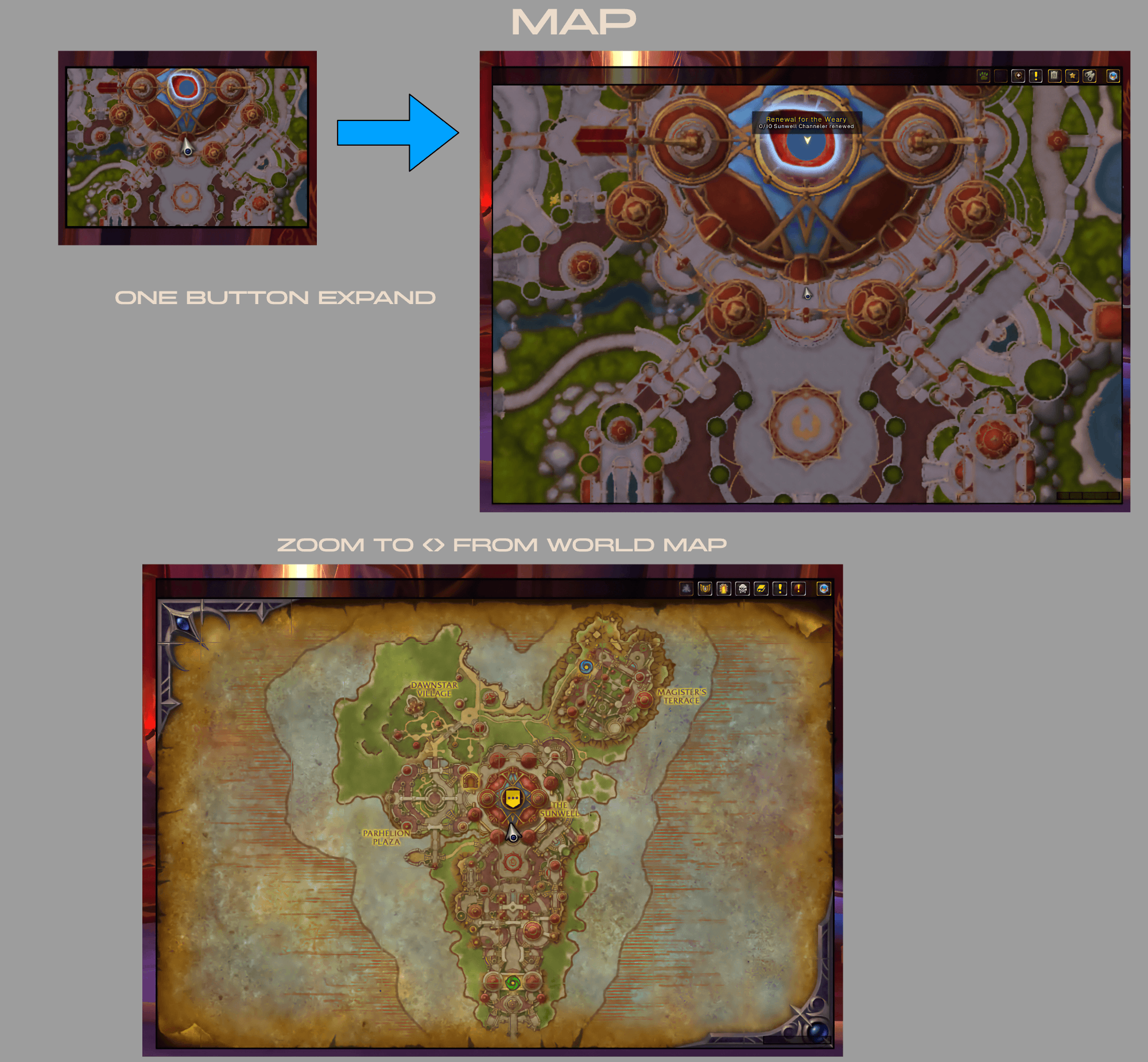
🗺️ Map
A reshaped minimap which can be resized on the fly via a key bind, refined world map, custom POI labels, and a clean toolbar — all designed to be readable from a distance and navigable with a controller. Set a custom key bind to toggle the Minimap 'growth' mode. Double tap the key bind to directly open the world map!
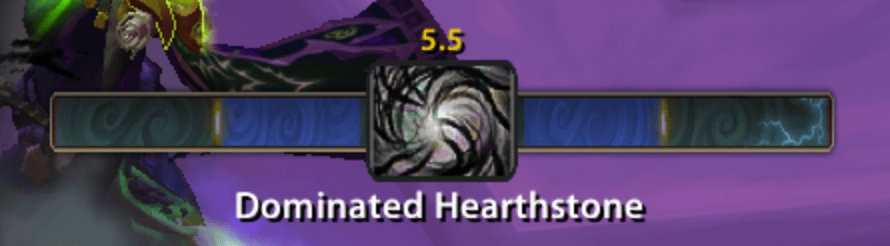
🎯 CastBar
A 'WoW-like' castbar with a bit of flair.
❤️ Player Bars
Simple health, mana, and resource bars rebuilt to match the rest of the interface.
✦ Designed for Edit Mode
Every CouchMode frame integrates with WoW's native Edit Mode, so you can drag, position, and tune your layout exactly how you want it — no separate configuration headache, no remembering which addon owns which window.
✦ Plays Nicely With
CouchMode has optional integrations with ConsolePort, Masque, Pawn, CanIMogIt, Scrap, TotalRP3, and Musician.
✦ Getting Started
Type /cm or /couchmode in-game to open the options panel. Each module can be toggled and tuned independently — use what you love, leave the rest.
Built for the couch. Made for Azeroth.
CurseForge: https://www.curseforge.com/wow/addons/consolebags用户评价
暂无 / 5,0 条评价相关推荐
继续看看这些内容
