插件中文资料库
中文说明、玩家点评、适用场景和替代推荐,方便快速判断是否适合你。
- 界面布局、头像框、姓名板和动作条优化
 Copy Anything
 BagSync
 GroupFinder
RatRadio 插件下载与使用指南
本页整理了 RatRadio 的功能用途、适用人群、安装方法和常见问题,方便玩家快速判断是否需要安装。
适合谁用
RatRadio 是一款 数据导出 / 音频与视频 / 聊天与通讯 / 其他插件 / 伙伴 类插件,适合需要优化界面、提升操作效率或补充游戏信息提示的魔兽世界玩家。
基本信息
- 插件作者:fyrat
- 插件分类:数据导出 / 音频与视频 / 聊天与通讯 / 其他插件 / 伙伴
- 适配版本:12.0.1,12.0.5
- 累计下载:0
安装方法
- 点击上方下载按钮获取 RatRadio插件文件。
- 解压后将插件文件夹放入 World of Warcraft/_retail_/Interface/AddOns 目录。
- 重启游戏或在角色界面点击插件,确认 RatRadio 已启用。
- 如果插件不生效,请检查版本是否匹配,或关闭同类冲突插件后重试。
使用建议
RatRadio 安装后建议先在角色界面确认已启用,进入游戏后根据插件提供的命令、小地图按钮或设置面板进行调整。如遇到报错,可先单独启用该插件排查冲突。
RatRadio 常见问题
RatRadio 适合需要 数据导出 / 音频与视频 / 聊天与通讯 / 其他插件 / 伙伴 类功能的玩家,特别是希望提升游戏便利性、界面管理或战斗信息获取效率的用户。
下载后解压到 Interface/AddOns 目录,然后重启游戏并在角色界面启用插件。
常见原因是目录多套一层、游戏版本不匹配、依赖插件缺失或同类插件冲突。
可以查看本页的替代插件推荐和相关插件区域,按下载量和分类选择同类工具。
插件 AI 问答
可以问:这个插件正式服能用吗、和 DBM 冲突吗、怎么设置、有没有替代插件。
RatRadio 是一款魔兽世界插件,主要用于聊天与通讯相关功能。建议根据自己的版本和插件环境先测试兼容性。
插件用途
RatRadio 主要面向需要聊天与通讯功能的玩家,用来改善游戏体验、减少重复操作或补充默认界面没有直接提供的信息。
适用场景
- 聊天与通讯相关功能
使用建议
安装后建议先在角色选择界面或插件管理器中确认已启用,再进入游戏测试是否与现有整合包、WA 和其他插件冲突。如遇报错,可以先禁用同类插件排查。
WHAT IS IT? 
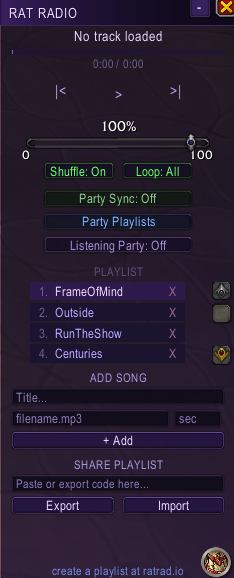
RatRadio is an all-in-one real-time music playlist sharing and playback addon & web companion! Players can visit the web companion to build and upload their first playlists that they can then share to other players.
HOW DO I USE IT? 🤔
-
Visit radrad.io to get started, no account creation required!
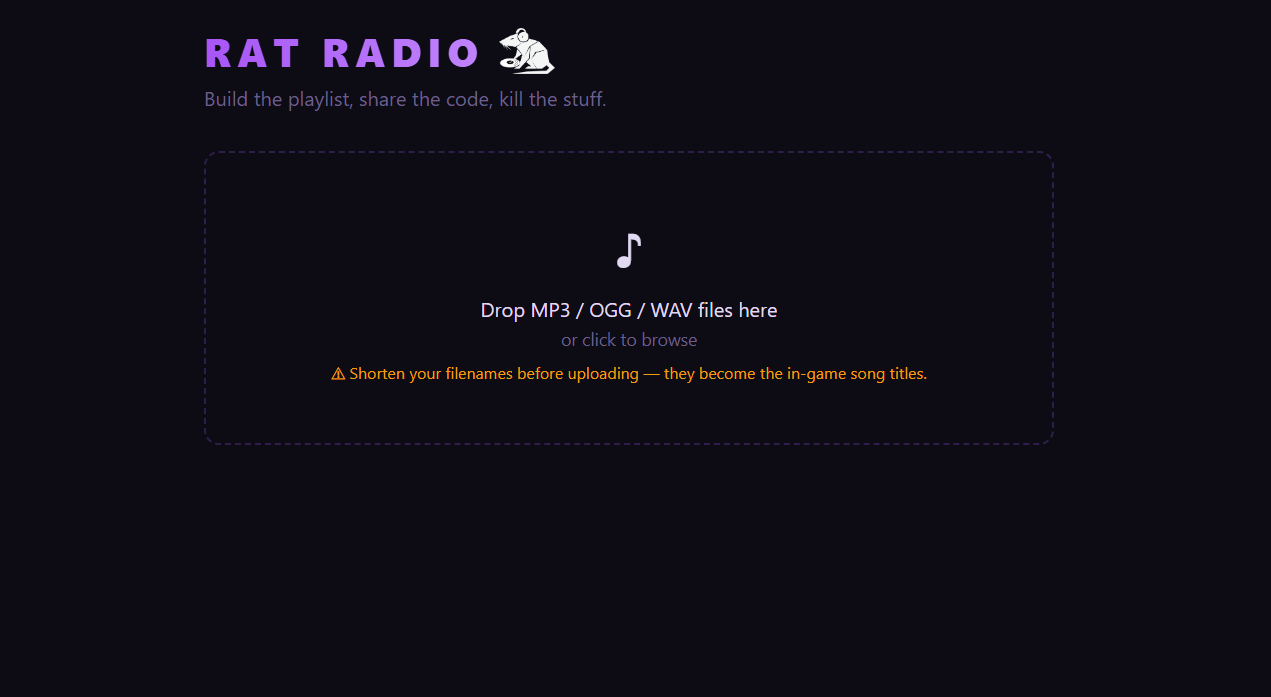
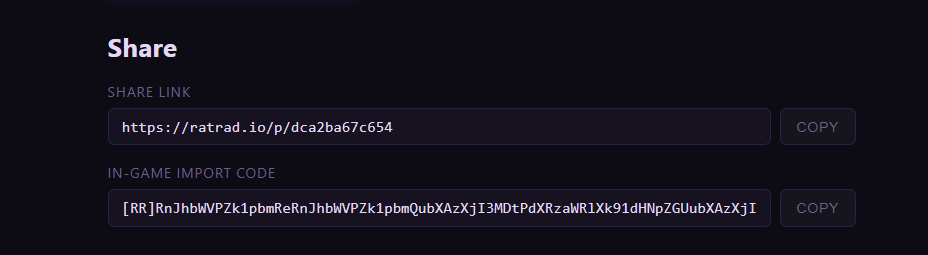
2. Just drag & drop your favorite songs and we will generate you a link for other players to download your songs & give you a nifty import code for your in-game addon!
3. Move your songs into the Music folder in the addon directory. The full path is C:\World of Warcraft\_retail_\Interface\AddOns\RatRadio\Music\.
4. Take that import code from earlier and plop it in the Share Playlists box at the bottom of the in-game addon window and hit Import! (P.S. You can also export your existing playlist codes straight from here as well!)
5. That's it! Your playlist is now set up and ready to use! You can listen to your playlist as a normal music player, but the magic lies in the real-time Party Sync, or Listening Party feature if you're in addon protected content (M+, PVP, Raid encounters)!
Party Sync 🔁
Party Sync allows the your group to listen to the same songs in absolute real-time! While in a group, the group leader can enable Party Sync to broadcast their song controls to all other players!
While in this mode, all listeners will move to the same songs that the group leader moves to whenever they change songs! Don't worry, if bro is not cooking then you can opt out of this at any point to go back to your own music.
Please note that for this to work, listeners need to have the same songs as the group leader, you can check what songs everyone has through the Party Playlists tab, where you can see what songs you share with your other groupmates! From here, you can start a Listening Party (more on that later!) and export other playlists.
JUST TO CLARIFY: Your playlist does not need to MATCH the group leader's exactly, you just need to have the same songs that they do with the same information (Title, file path, length in seconds) if you want to listen to what they're listening to.
Listening Party 🎧
Unfortunately, Midnight took away the ability for addons to communicate peer-to-peer during certain types of content. Fear not, you can still  with your group in real-time(ish) with the Listening Party feature!
The Group Leader can start a Listening Party at any point, which broadcasts their songs as a static playlist that any player can opt into at any point. Although you won't be able to join in on an on-going song, you can see what song is up next and how long you have to join before it starts again, and of course you can leave at any point and go back to your own music!
This will work in content like M+, where you will still be able to listen to the same songs as your group in real-time, albeit without real-time functionality!
MANUALLY ADD SONGS 🎶
Sometimes you just wanna add a couple songs to your playlist without needing to use the web companion, you can do that with the Add Song feature in the addon window!
All you have to do is move your mp3 file into the Music folder and feed the addon a little bit of information about your song, then hit +Add! This will add just that song to your existing playlist (which you can reorganize by just dragging the songs around, by the way!).
CurseForge: https://www.curseforge.com/wow/addons/ratradio用户评价
暂无 / 5,0 条评价相关推荐
继续看看这些内容
