插件中文资料库
中文说明、玩家点评、适用场景和替代推荐,方便快速判断是否适合你。
- 任务路线、地图标记和野外探索
 Details! Mythic+ Scoreboard
 BagSync
 TankMD Misdirect
RoutePlanner 插件下载与使用指南
本页整理了 RoutePlanner 的功能用途、适用人群、安装方法和常见问题,方便玩家快速判断是否需要安装。
适合谁用
RoutePlanner 是一款 地图与小地图 / 团队框架 / 专业技能 / HUD界面 / 任务与升级 类插件,适合需要优化界面、提升操作效率或补充游戏信息提示的魔兽世界玩家。
基本信息
- 插件作者:0Karma0
- 插件分类:地图与小地图 / 团队框架 / 专业技能 / HUD界面 / 任务与升级
- 适配版本:1.15.1,1.15.2,1.15.3,1.14.1,4.4.2,1.14.0,1.13.2,1.14.4
- 累计下载:52
安装方法
- 点击上方下载按钮获取 RoutePlanner插件文件。
- 解压后将插件文件夹放入 World of Warcraft/_retail_/Interface/AddOns 目录。
- 重启游戏或在角色界面点击插件,确认 RoutePlanner 已启用。
- 如果插件不生效,请检查版本是否匹配,或关闭同类冲突插件后重试。
使用建议
RoutePlanner 安装后建议先在角色界面确认已启用,进入游戏后根据插件提供的命令、小地图按钮或设置面板进行调整。如遇到报错,可先单独启用该插件排查冲突。
RoutePlanner 常见问题
RoutePlanner 适合需要 地图与小地图 / 团队框架 / 专业技能 / HUD界面 / 任务与升级 类功能的玩家,特别是希望提升游戏便利性、界面管理或战斗信息获取效率的用户。
下载后解压到 Interface/AddOns 目录,然后重启游戏并在角色界面启用插件。
常见原因是目录多套一层、游戏版本不匹配、依赖插件缺失或同类插件冲突。
可以查看本页的替代插件推荐和相关插件区域,按下载量和分类选择同类工具。
插件 AI 问答
可以问:这个插件正式服能用吗、和 DBM 冲突吗、怎么设置、有没有替代插件。
RoutePlanner 是一款魔兽世界插件,主要用于地图、区域、任务路线或交通提醒、副本、团本、大秘境或钥石辅助、插件库、数据接口或依赖支持。建议根据自己的版本和插件环境先测试兼容性。
插件用途
RoutePlanner 主要面向需要任务与升级功能的玩家,用来改善游戏体验、减少重复操作或补充默认界面没有直接提供的信息。
适用场景
- 地图、区域、任务路线或交通提醒
- 副本、团本、大秘境或钥石辅助
- 插件库、数据接口或依赖支持
使用建议
安装后建议先在角色选择界面或插件管理器中确认已启用,再进入游戏测试是否与现有整合包、WA 和其他插件冲突。如遇报错,可以先禁用同类插件排查。
A addon for managing and visualizing farming, dungeon routes across all WoW versions.
What you get:
- Create & manage routes - Save routes with waypoints, assign colors, toggle loop mode
- Visualize on minimap - Display route dots that update with player position and zoom level
- Visualize on world map - Show route lines with full interactive waypoint editor
- Record routes - Click on the map to place waypoints and build routes in real-time
- Export/import routes - Share routes with other players (version-specific format)
- Share through ingame chat (say, group, instance, guild, raid)
- Customize appearance - Adjust line thickness, dot size, waypoint labels, colors
- Multi-version support - Works on Retail, Classic Era, TBC Classic, and Cata Classic
- 100% dynamic zone discovery (no hardcoded zone lists)
- Language-independent (works with all WoW localizations)
- Automatic WoW version detection
- Visual waypoint editor with drag-and-drop
- Real-time coordinate conversion via HereBeDragons library
- Full API support
- Full chat support
-----------------
How it works?
Route Creation (Create, Save):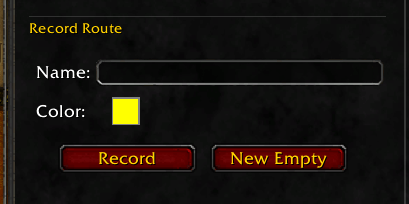
There are 3 options to create routes.
Option 1: Recording by walking. Enter a name for your new route and press the Record button to create a route by tracking your player character. You will get a small popup window to track your recording: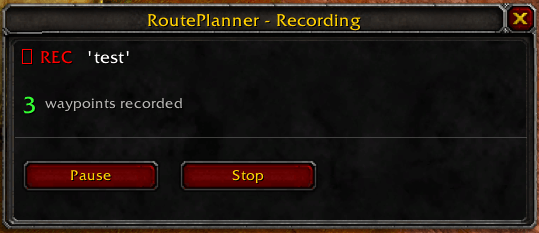
Use “Pause” to pause the current recording to resume later. Use “Stop” to stop the recording.
Option 2: New Empty. This will open your world map and you will be asked to navigate to the zone you want to create the route for. Enter a name for the route and press “Create”.
From there, you will jump directly into edit mode. See the Edit chapter below.
Option 3: Import. There is an Export/Import function in this addon. You can always import routes from other players by simply importing a text string. See the Export/Import chapter below.
Route Edit (Edit, Loop, Save):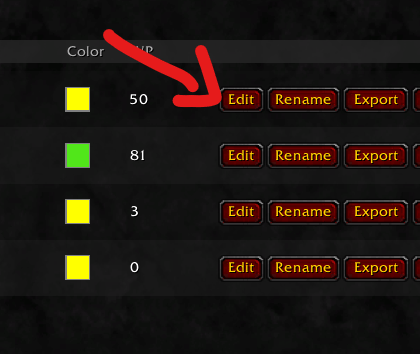
You always have the option to manually edit routes by pressing the Edit button to fine-tune your routes.
By pressing “Edit,” your WorldMap will open and you can easily edit the waypoints by drag and drop: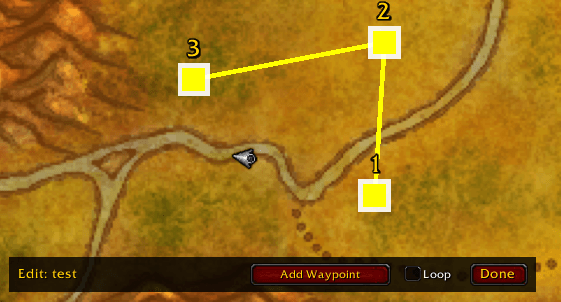
Functions in Edit mode:
1. Add Waypoint - By pressing “Add Waypoint,” you can easily left-click new waypoints into your route. By pressing right-click, you can remove waypoints.
2. Move Waypoints - By holding left-click on a waypoint, you can easily move waypoints.
3. Loop - When you activate Loop, your route will be a “Loop”. These are good for farming routes. You can disable Loop for one-way routes. Good for dungeons and raids, for example.
AI Route Helper
This is an experimental feature to convert pictures of routes and notes for zones into an import string.
Let's say you find a helpful picture of mining notes in Tanaris or something else and you don't want to manually create a route. With AI Route Helper, you get a preconfigured prompt for your ChatGPT, Claude....
1. Look up the zone for which you want to create the route: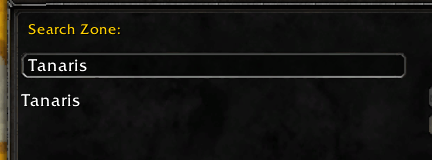
2. Copy this prompt text with all the necessary information.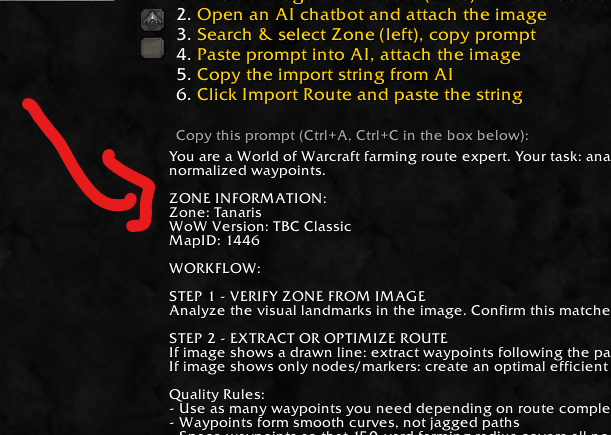
3. Paste this together with a picture of the farming route you are looking for in an AI chat (ChatGPT, Claude, whatever).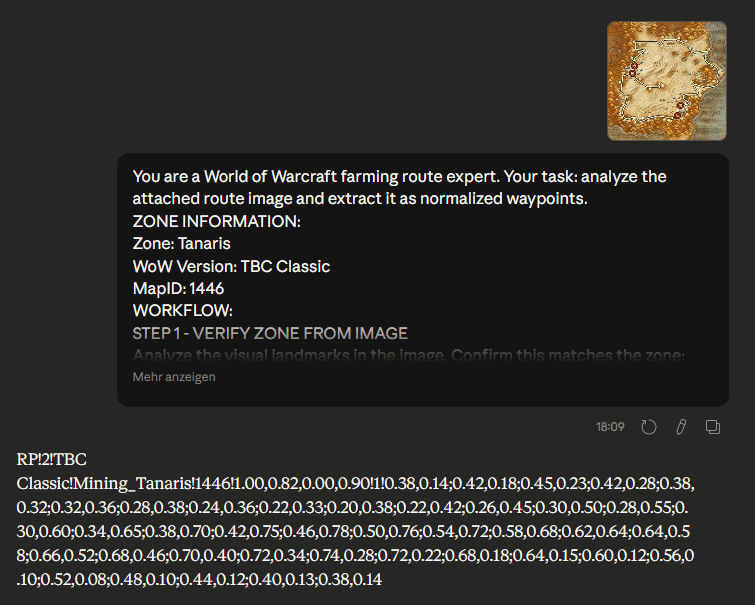
4. Your AI will try to find the best possible route for your farming zone. If there is already a farming route line on your image, the AI will try to replicate this existing line. If you choose an image with only farming notes without a route line, the AI will try to create the best possible route for you. At the end, you will receive an import string for your addon. See the next chapter to learn how to export/import.
Depending on how good the AI is, you will end up with a good template. Of course, every AI makes mistakes and does not deliver a 100% 1:1 copy. Feel free to use the edit mode afterwards to adjust the route.
Export/Import
You can always export/import routes to your addon to easily share them with your friends or community through in-game chat or text string.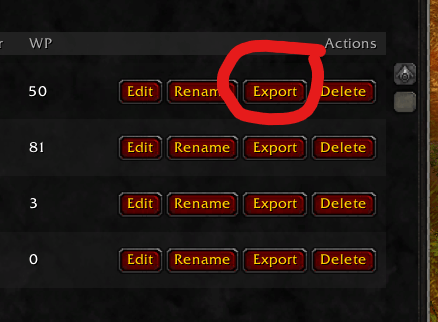
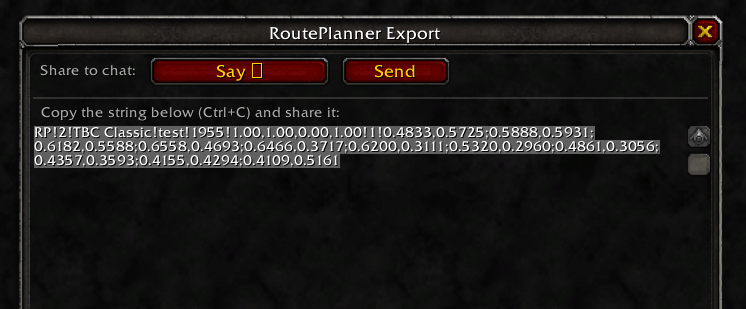
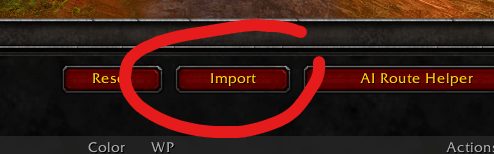
Please understand that there is a restriction when exporting/importing. Routes cannot be shared between different WoW versions. This means that TBC Classic routes cannot be imported into Retail and vice versa. This is simply because the existing maps have changed due to the various expansions.
However, routes can be freely shared between Horde, Ally, Realms and Patches as long as it comes from the same WoW version (WoW Retail, WoW TBC Classic, etc.), everything is fine.
API
This addon can now be controlled by other addons to fully manage routes. Here are the features. If you want to know exactly how it works, check out the files in the RoutePlanner folder: API_EXAMPLES.lua and API_README.md.
Core Functions
- ImportRoute(routeData, version) — Import a route
- GetRoute(name, version) — Get specific route
- GetRoutes(version) — Get all routes of a version
- ExportRoute(name, version) — Export route as table
Callback System
- RegisterCallback(event, callback) — Register event listener
- Events: "RouteImported", "RouteDeleted", "RouteModified"
- OnVersionChanged(callback) — Listen for version changes
Search & Filtering
- GetRoutesByZone(zoneName, version) — Routes by zone
- GetRoutesByMapID(mapID, version) — Routes by mapID
- SearchRoutes(searchTerm, version) — Routes by name
- GetZoneMap(version) — Which zones have routes?
- GetRoutesByZoneName(zoneName, version) — Alias for GetRoutesByZone
Route Modification
- SetRouteColor(name, color, version) — Change color
- SetRouteVisible(name, visible, version) — Change visibility
- SetRouteLoop(name, loop, version) — Change loop setting
- UpdateRoute(name, routeData, version) — Update route
- DeleteRoute(name, version) — Delete route
Waypoint Manipulation
- AddWaypoint(name, waypoint, index, version) — Add waypoint
- RemoveWaypoint(name, index, version) — Remove waypoint
- SetWaypoints(name, waypoints, version) — Replace all waypoints
Statistics & Info
- GetRouteStats(name, version) — {waypointCount, estimatedDistance, boundingBox}
- GetNearestWaypoint(name, playerX, playerY, mapID, version) — Nearest waypoint
Export & Batch
- GenerateExportString(name, version) — Export string for sharing
- ImportRoutes(routesData, version) — Import multiple routes at once
Route Locking
- LockRoute(name, version) — Protect route from deletion
- UnlockRoute(name, version) — Remove lock
- IsRouteLocked(name, version) — Check lock status
Important: Version parameter is optional (defaults to current version), coordinates are normalized zone coordinates (0-1).
Chat commands
From now on, route planner can also be managed via chat commands.
Import
- /rp import — Open import dialog
- /rp import <string> — Import route directly from string
Manage
- /rp delete <name> — Delete a route
- /rp update <name> <string> — Update route with new data
Info
- /rp help — Show help popup
- /rp version — Display version information
- /rp debug — Show debug information
- /rp — Open settings
Aliases: /routeplanner works the same as /rp
Debug
If you encounter errors or something unusual occurs, feel free to send a description of the problem in the comments and always include the text from the Debug button on the main UI at the bottom left. This greatly helps us to obtain some basic information and resolve your problem.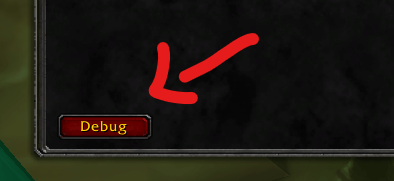
Let's help each other out. Feel free to share your farming route here in the comments.
Thanks to following bug reporters:
March 4, 2026 - AsuraTraitor: General performance issue (High CPU usage). Status: resolved.
用户评价
暂无 / 5,0 条评价相关推荐
继续看看这些内容
