插件中文资料库
中文说明、玩家点评、适用场景和替代推荐,方便快速判断是否适合你。
- 背包、银行和物品整理
- 任务路线、地图标记和野外探索
 BagSync
 GroupFinder
 FollowerLocationInfo
BlindSlash 插件下载与使用指南
本页整理了 BlindSlash 的功能用途、适用人群、安装方法和常见问题,方便玩家快速判断是否需要安装。
适合谁用
BlindSlash 是一款 地图与小地图 / 音频与视频 / 背包与库存 / 聊天与通讯 / 任务与升级 类插件,适合需要优化界面、提升操作效率或补充游戏信息提示的魔兽世界玩家。
基本信息
- 插件作者:aNoyz
- 插件分类:地图与小地图 / 音频与视频 / 背包与库存 / 聊天与通讯 / 任务与升级
- 适配版本:12.0.1
- 累计下载:48
安装方法
- 点击上方下载按钮获取 BlindSlash插件文件。
- 解压后将插件文件夹放入 World of Warcraft/_retail_/Interface/AddOns 目录。
- 重启游戏或在角色界面点击插件,确认 BlindSlash 已启用。
- 如果插件不生效,请检查版本是否匹配,或关闭同类冲突插件后重试。
使用建议
BlindSlash 安装后建议先在角色界面确认已启用,进入游戏后根据插件提供的命令、小地图按钮或设置面板进行调整。如遇到报错,可先单独启用该插件排查冲突。
BlindSlash 常见问题
BlindSlash 适合需要 地图与小地图 / 音频与视频 / 背包与库存 / 聊天与通讯 / 任务与升级 类功能的玩家,特别是希望提升游戏便利性、界面管理或战斗信息获取效率的用户。
下载后解压到 Interface/AddOns 目录,然后重启游戏并在角色界面启用插件。
常见原因是目录多套一层、游戏版本不匹配、依赖插件缺失或同类插件冲突。
可以查看本页的替代插件推荐和相关插件区域,按下载量和分类选择同类工具。
插件 AI 问答
可以问:这个插件正式服能用吗、和 DBM 冲突吗、怎么设置、有没有替代插件。
BlindSlash 是一款魔兽世界插件,主要用于法术、物品 ID 和提示信息显示、背包、银行、专业制造或物品整理、地图、区域、任务路线或交通提醒。建议根据自己的版本和插件环境先测试兼容性。
插件用途
BlindSlash 主要面向需要聊天与通讯功能的玩家,用来改善游戏体验、减少重复操作或补充默认界面没有直接提供的信息。
适用场景
- 法术、物品 ID 和提示信息显示
- 背包、银行、专业制造或物品整理
- 地图、区域、任务路线或交通提醒
使用建议
安装后建议先在角色选择界面或插件管理器中确认已启用,再进入游戏测试是否与现有整合包、WA 和其他插件冲突。如遇报错,可以先禁用同类插件排查。

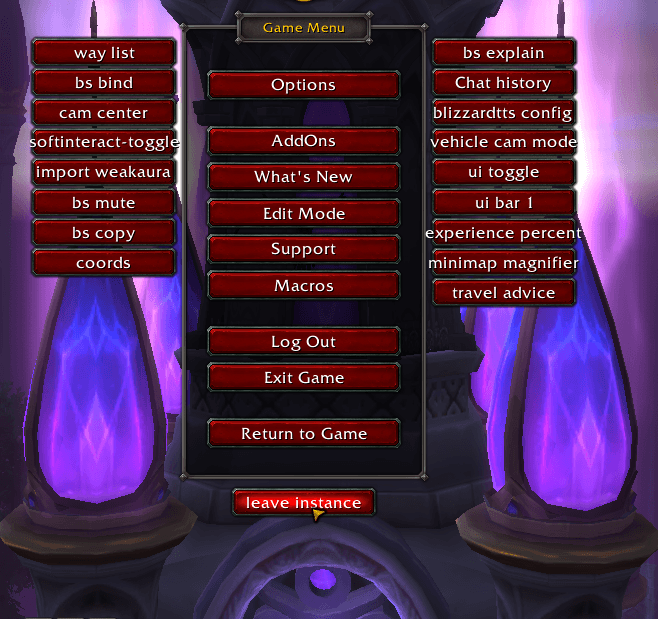
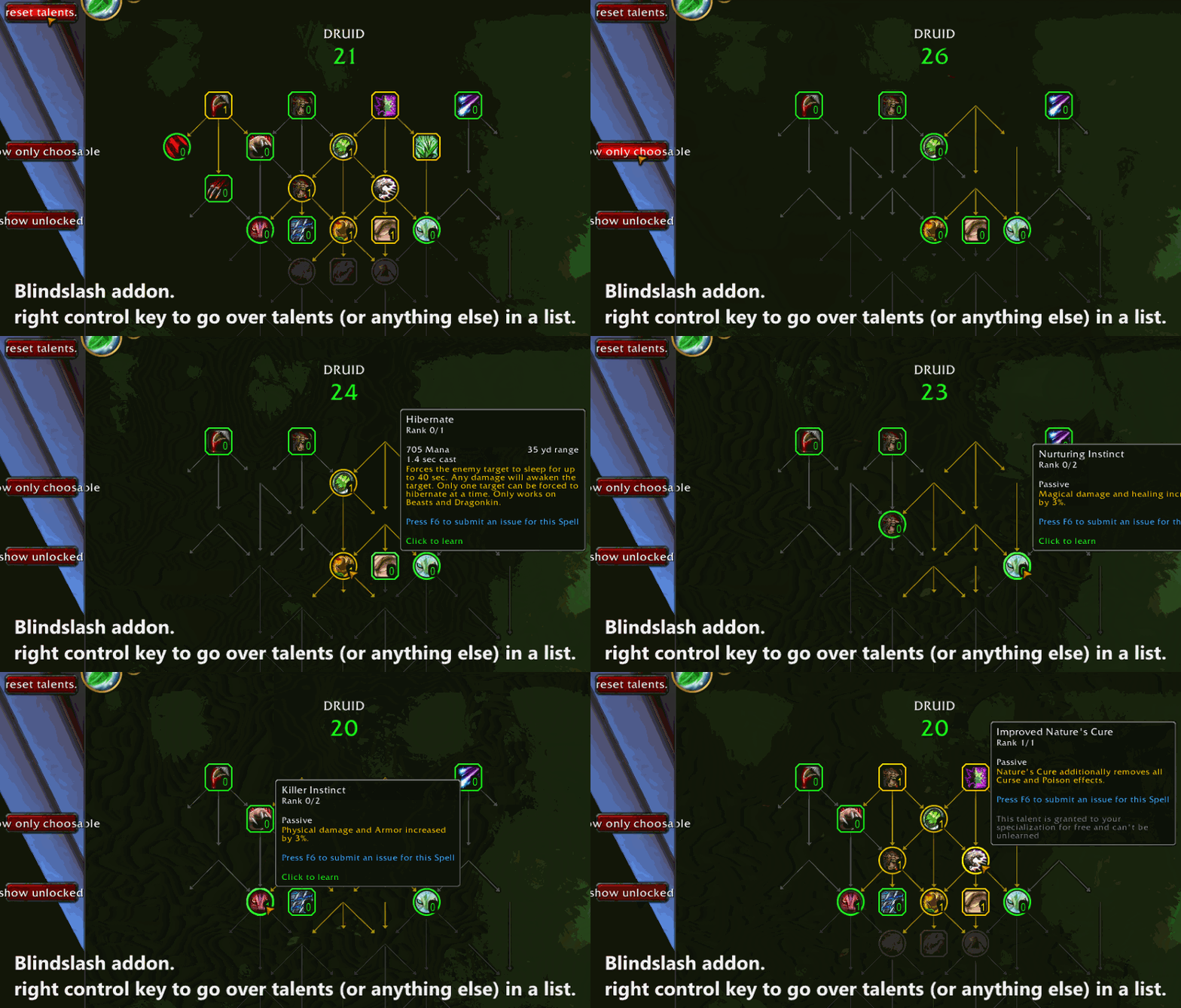
Massive guide in the download files. most needed features are shown on escape menu.
Together with KeyboarPort it navigates and reads the entire ui. (left control key for tooltips aswell)
BlindSlash is targeted at the blind audience.
TTS reads questtext upon talking to npcs. The waylist has a functionality to read quests.
Blindlash now has pathing to quests and available quests and worldquests on the map.
Anyone that is interested in mapping the zones or uses BlindSlah themselfes can join our discord.
Also there is Channel on the discrod to be able to login to the game and create a character.
You need the addons TomTom and KeyboardPort to make everything work.
If you wonder after an update why the addon might not work try these commands.
/click AddonListForceLoad
/run EnableAddOn("BlindSlash")ReloadUI()
DISCORD FOR MAPPING THE WORLD https://discord.gg/b6MAMMsktS
Blindslash combined with keyboardport enables ui navigation with keyboard and tts.
Blindslash has questnavigation and things like target distance announcers and comes with a ton of accessibitlity commands. This list is only a tiny fraction of what is in it. in the massive Guide you can read more about it.
Example Commands right now : /bsexplain will describe and setup the addon. make sure to type this one since you can enter on the commands to enable them.
/waylist will open a list of TomTom waypoints made by mappers. it has get to quest navigation aswell. entire dragonflight is mapped.
/bsmute will toggle to mute many automactic sounds by BlindSlash. report the missing ones pls.
/magnify this will magnify any frames your mouse is over with plus and minus keys. not saved between sessions. its ment to resize on the fly.
/bmm enlarges your minimap. might help to get through dungeons when you have some sight left.
/ch bring up a chathistory. press r on old chat to whisper that person. or press control c twice to copy the message out of the game.
/bsbind followed by a keybinding and a spell item or bs command will bind that command to that key. /bsbind O Hearthstone. /bsbind CRTL-S spin. or together with the Addon
/name reads out current target name. Macros like /targetenemy /name can be usefull with this.
/coords reads out coordinates of the player position.
/compass reads out compass direction of your character is facing.
/anticollision get a sound when you run into a wall open world
/healthpulse get a heartbeat sound when your health drops.
/followannouncer lets you know if your follow breaks.
/jump navigates keyboardport cursor to ui elements.
examples: /jump search - jumps to searchboxes
/jump spellname jumps to a spell by name (works if you entend to entire ui beforehand with /ui)
/jump quanti jumps to quantity field in auctionhouse.
/jump hearth jumps to hearthstone in bag.
Blindslash comes with 4 macros that get created upon typing /generatemacros.
- The followmacro. a macro to be able to follow more consitently. it sets a focus to follow assists focus upon pressing and trys to mount and also will try to fallb ackfollow if your focus is not in range.
2. The pingtarget macro. it pings at your target location and gives you a distance to the target.
3. The quespointer macro. Target questrelated mobs with this macro.
Blindslash has way more chatcommands for anything you might think of. There is also a hint of the day every login to let you know how to use blindslash.
Feel free to make suggestions what commands i could add.
How To enable TTS: type /tts to enable tts reader by Blizzard. Then activate channels by typing /tts system for example. Also Type /tts mymessages to hear your own messages. Tap out of wow and in again when using tts first time per session.
type this into chat for the blindslash tts:
/bstts 0 nofullstop 6 100
Other useful default blizzard commands you might want to know and might help you getting tts running: /tts will toggle tts on and off.
/tts voice 1. will change tts voice to the first and normal one.
/run TextToSpeech_SetRate(10) will set tts speed to maximum.
/tts mymessages very important to test tts in chats when typing own stuff.
/tts stopp stops all tts messages currently running and in queue.
/run TextToSpeechFramePanelContainer.PlaySoundSeparatingChatLinesCheckButton:Click()
will toggle the sound between every line spoken in every language.
CurseForge: https://www.curseforge.com/wow/addons/blindslash用户评价
暂无 / 5,0 条评价相关推荐
继续看看这些内容
