插件中文资料库
中文说明、玩家点评、适用场景和替代推荐,方便快速判断是否适合你。
- 界面布局、头像框、姓名板和动作条优化
 Details! Mythic+ Scoreboard
 BagSync
 RightClickSelfCast
Scoot 插件下载与使用指南
本页整理了 Scoot 的功能用途、适用人群、安装方法和常见问题,方便玩家快速判断是否需要安装。
适合谁用
Scoot 是一款 动作条 / 界面美化 / 增益与减益 / 其他插件 / 单位框架 类插件,适合需要优化界面、提升操作效率或补充游戏信息提示的魔兽世界玩家。
基本信息
- 插件作者:Skudiferous
- 插件分类:动作条 / 界面美化 / 增益与减益 / 其他插件 / 单位框架
- 适配版本:12.0.5
- 累计下载:29
安装方法
- 点击上方下载按钮获取 Scoot插件文件。
- 解压后将插件文件夹放入 World of Warcraft/_retail_/Interface/AddOns 目录。
- 重启游戏或在角色界面点击插件,确认 Scoot 已启用。
- 如果插件不生效,请检查版本是否匹配,或关闭同类冲突插件后重试。
使用建议
Scoot 安装后建议先在角色界面确认已启用,进入游戏后根据插件提供的命令、小地图按钮或设置面板进行调整。如遇到报错,可先单独启用该插件排查冲突。
Scoot 常见问题
Scoot 适合需要 动作条 / 界面美化 / 增益与减益 / 其他插件 / 单位框架 类功能的玩家,特别是希望提升游戏便利性、界面管理或战斗信息获取效率的用户。
下载后解压到 Interface/AddOns 目录,然后重启游戏并在角色界面启用插件。
常见原因是目录多套一层、游戏版本不匹配、依赖插件缺失或同类插件冲突。
可以查看本页的替代插件推荐和相关插件区域,按下载量和分类选择同类工具。
插件 AI 问答
可以问:这个插件正式服能用吗、和 DBM 冲突吗、怎么设置、有没有替代插件。
Scoot 是一款魔兽世界插件,主要用于界面框架、头像、动作条或冷却显示优化、增益、减益、光环或职业状态监控。建议根据自己的版本和插件环境先测试兼容性。
插件用途
Scoot 主要面向需要增益与减益功能的玩家,用来改善游戏体验、减少重复操作或补充默认界面没有直接提供的信息。
适用场景
- 界面框架、头像、动作条或冷却显示优化
- 增益、减益、光环或职业状态监控
使用建议
安装后建议先在角色选择界面或插件管理器中确认已启用,再进入游戏测试是否与现有整合包、WA 和其他插件冲突。如遇报错,可以先禁用同类插件排查。
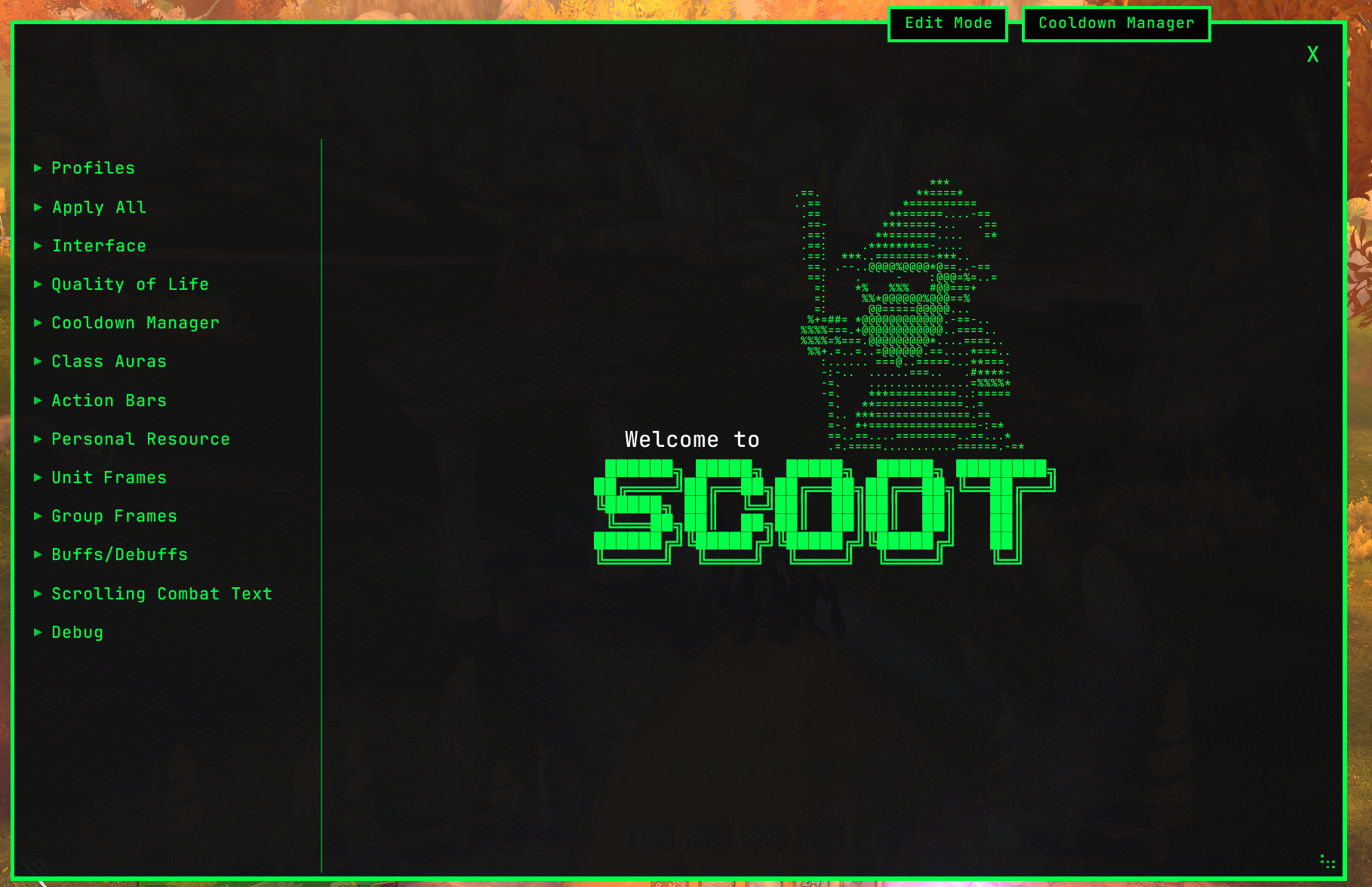
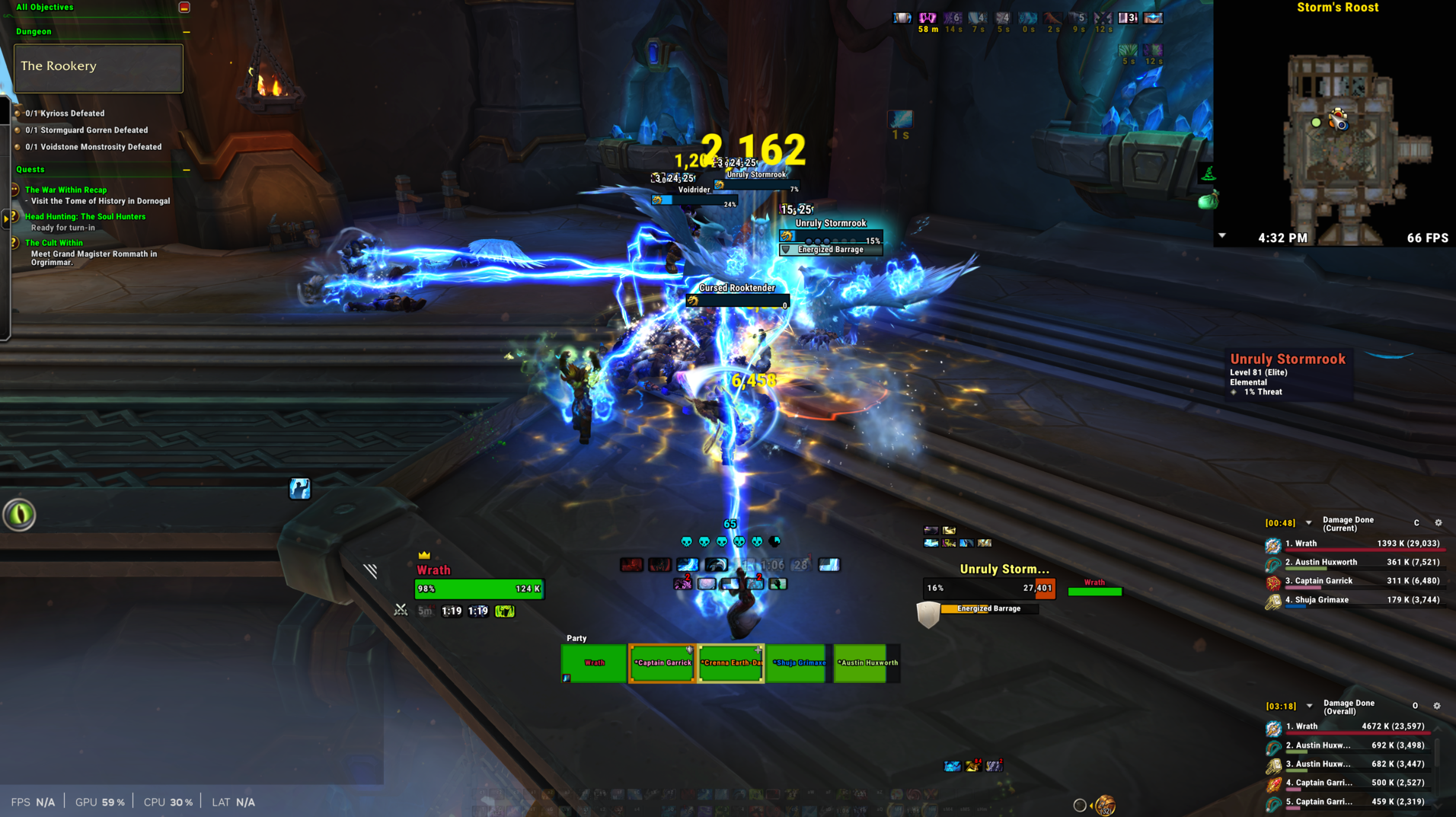
What is Scoot?
Scoot is a suite of tools for customizing the default Blizzard UI. As a long-time ElvUI and WeakAuras user, Midnight's addon restrictions pushed me to build my own solution with two rules: every setting is opt-in only, and prefers re-skinning over replacing. It works directly on existing Blizzard elements wherever possible, with custom frames reserved for gaps where Blizzard offers no alternative (like custom CDM groups and number text on the Personal Resource Display).
That approach leads to a few things that I think make Scoot unique:
- It has two-way sync with Edit Mode: profiles are linked so switching one switches the other, and all Edit Mode settings are available alongside Scoot's own settings for each element.
- Because most of the work is re-skinning rather than replacing, CPU and memory usage stays well below other UI suites — even as support for new elements grows.
- This approach does have real limitations, especially in 12.0. Where re-skinning hits a wall, custom frames step in — but only as a last resort.
Let's get this out of the way: is it vibe-coded?
Yes, it is.
But, before you go — I work in Software Engineering, my day-job is similar to QA. AI wrote 99% of Scoot's code, but I've tested and refined everything with the same iterative processes I use in my professional work.
I know this is a touchy subject. I hope you'll judge the add-on by the quality of its output. The video below contains a couple dungeon encounters with Numy's Addon Performance Monitor enabled to demonstrate performance.
https://www.youtube.com/watch?v=_Yj12XRp8C8
I've also leveraged the Perfy tool for many rounds of instrumentation-based performance monitoring and optimization targeting: https://github.com/emmericp/Perfy
What does it customize?
Cooldown Manager -- Restyle the default CDM viewers or create custom icon groups (including items like Potions and Trinkets). Set icon borders, bar textures, text fonts, colors, sizing, and position. Center icons on their Edit Mode anchor and display keybind text.
Action Bars -- Style all Action Bars with borders, backdrop, and text controls. Set per-bar opacity with combat-aware fading (out-of-combat fade, with-target fade, mouse-over reveal). Customize button borders, backdrops, and hotkey text.
Unit Frames -- Customize Player, Target, Focus, Pet, Target-of-Target, Focus Target, and Boss frames. Swap bar textures and set color modes (default, class color, or color-by-value using Blizzard's Color-Curve API). Adjust text styling for health/power values, and tweak or hide portraits and cast bars.
Group Frames -- Restyle Party and Raid frames with custom bar textures, borders, text, and color modes.
Personal Resource Display -- Utilize the PRD as a true WeakAura replacement. Adds customizable text to the PRD bars using Unit Frame information. Resize or hide health and power bars, choose textures and colors, and adjust class-specific resource displays.
And much more! -- Style the Buffs/Debuff Auras, Scrolling Combat Text, Minimap, Tooltip, Objective Tracker, and Damage Meters. Includes basic Quality-of-Life features like Auto-Repair and improved Auto-Loot.
Profiles, Presets, and Rules
Scoot's Profile system operates on a two-way sync with Edit Mode: creating a new Edit Mode profile creates a new Scoot profile, and vice versa. It also offers preset profiles created by me, one is my Desktop UI and one that I've created for playing on Steam Deck.
ScooterUI Preset (pictured above)
ScooterDeck Preset
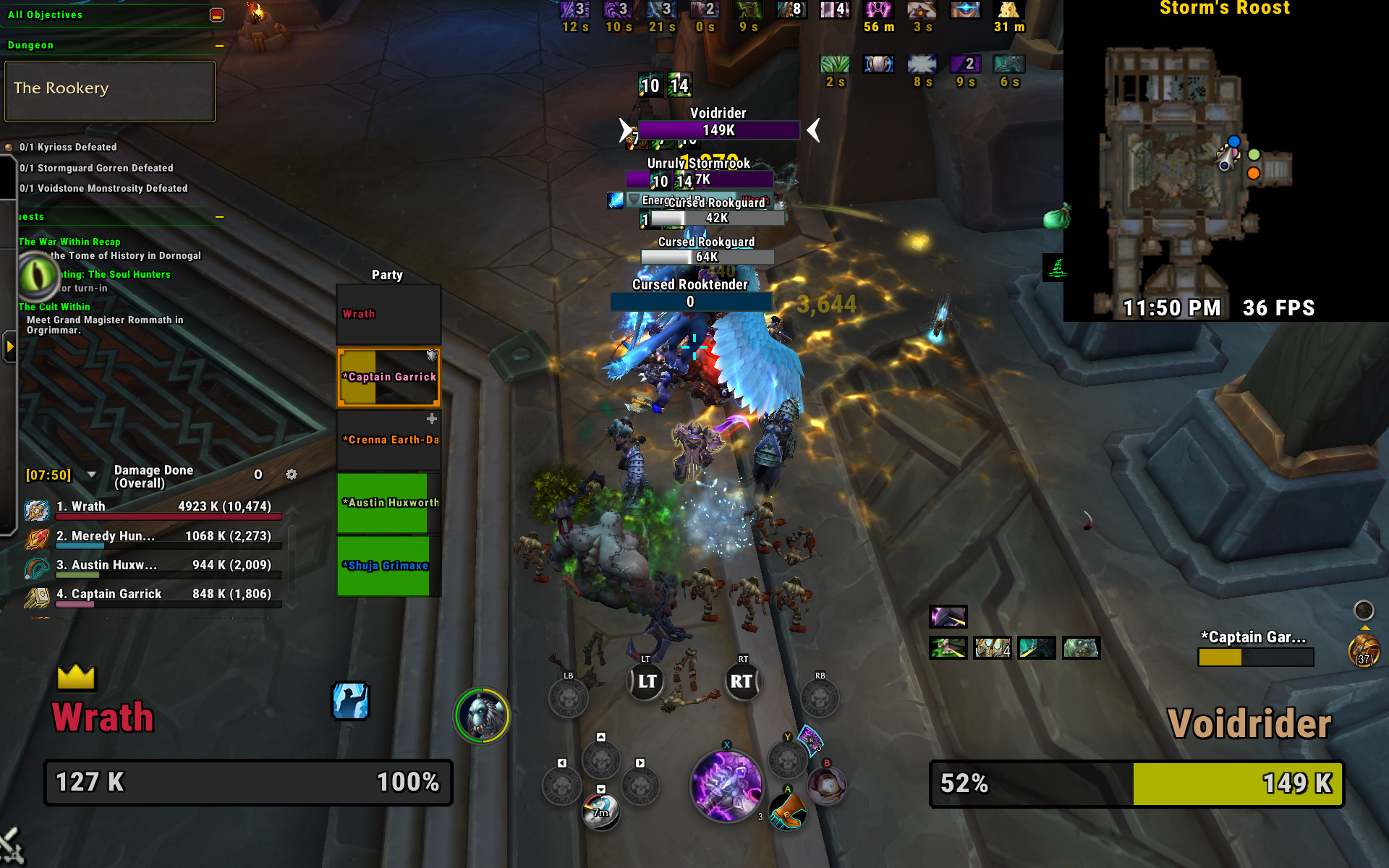
The Rules feature allows simple toggles within a single profile based on certain criteria, like player spec or level. For example, you might want to see the Personal Resource Display's Power Bar on your Frost Death Knight, but not your Fire Mage. A Rule can be added to hide that bar only on the specs you specify.
To get started, open the menu from the mini-map icon or by typing /scoot.
Links
Feel free to ask questions or report bugs in our community Discord: https://discord.gg/6tvAE9W77V
CurseForge: https://www.curseforge.com/wow/addons/scoot用户评价
暂无 / 5,0 条评价相关推荐
继续看看这些内容
