插件中文资料库
中文说明、玩家点评、适用场景和替代推荐,方便快速判断是否适合你。
- 界面布局、头像框、姓名板和动作条优化
 LaoLiHelper_UI美化系统自带框架
 GroupFinder
 FredStats
n1mmelUI 插件下载与使用指南
本页整理了 n1mmelUI 的功能用途、适用人群、安装方法和常见问题,方便玩家快速判断是否需要安装。
适合谁用
n1mmelUI 是一款 地图与小地图 / 鼠标提示 / 聊天与通讯 / 界面美化 / 其他插件 类插件,适合需要优化界面、提升操作效率或补充游戏信息提示的魔兽世界玩家。
基本信息
- 插件作者:n1mmel
- 插件分类:地图与小地图 / 鼠标提示 / 聊天与通讯 / 界面美化 / 其他插件
- 适配版本:12.0.1,12.0.5
- 累计下载:38
安装方法
- 点击上方下载按钮获取 n1mmelUI插件文件。
- 解压后将插件文件夹放入 World of Warcraft/_retail_/Interface/AddOns 目录。
- 重启游戏或在角色界面点击插件,确认 n1mmelUI 已启用。
- 如果插件不生效,请检查版本是否匹配,或关闭同类冲突插件后重试。
使用建议
n1mmelUI 安装后建议先在角色界面确认已启用,进入游戏后根据插件提供的命令、小地图按钮或设置面板进行调整。如遇到报错,可先单独启用该插件排查冲突。
n1mmelUI 常见问题
n1mmelUI 适合需要 地图与小地图 / 鼠标提示 / 聊天与通讯 / 界面美化 / 其他插件 类功能的玩家,特别是希望提升游戏便利性、界面管理或战斗信息获取效率的用户。
下载后解压到 Interface/AddOns 目录,然后重启游戏并在角色界面启用插件。
常见原因是目录多套一层、游戏版本不匹配、依赖插件缺失或同类插件冲突。
可以查看本页的替代插件推荐和相关插件区域,按下载量和分类选择同类工具。
插件 AI 问答
可以问:这个插件正式服能用吗、和 DBM 冲突吗、怎么设置、有没有替代插件。
n1mmelUI 是一款魔兽世界插件,主要用于界面框架、头像、动作条或冷却显示优化。建议根据自己的版本和插件环境先测试兼容性。
插件用途
n1mmelUI 主要面向需要聊天与通讯功能的玩家,用来改善游戏体验、减少重复操作或补充默认界面没有直接提供的信息。
适用场景
- 界面框架、头像、动作条或冷却显示优化
使用建议
安装后建议先在角色选择界面或插件管理器中确认已启用,再进入游戏测试是否与现有整合包、WA 和其他插件冲突。如遇报错,可以先禁用同类插件排查。
Welcome to n1mmelUI!
n1mmelUI is a lightweight, Vanilla+ style UI enhancement designed to keep the original Blizzard feel while sanding off the rough edges. It adds a collection of highly requested Quality-of-Life features, equipment checks, and chat improvements without cluttering your screen.
Every feature is completely modular and can be easily toggled via the clean, standalone in-game settings menu.
Type /n1 in chat to open the options!
✨ Key Features
Quality of Life & Automations
- Auto-Repair & Auto-Sell: Automatically repair your gear and sell gray junk items when visiting a merchant (with clean chat summaries).
- Cinematic Skipper: Automatically skip cinematics and movies.
- Hide Talking Head: Disable the annoying pop-up dialogue frames in dungeons and world quests.
- AFK Screensaver: A neat visual screensaver with a spinning camera when you go AFK.
Equipment & Item Management
- Item Level Display: Shows the actual item level directly on your gear in the Character Panel, Inspect Frame, and inside your Bags & Bank.
- Missing Enchant/Gem Warning: Instantly see if a piece of gear is missing an enchant (shows a red 'X').
- Manual Item Check: Run a full scan of your current gear to verify if everything is perfectly socketed and enchanted. Outputs to chat or a dedicated window.
Chat Enhancements
- Clickable URLs: Web links in chat are highlighted in cyan. Clicking them opens a small window to easily copy the link (Ctrl+C).
- Short Channel Names: Cleans up your chat by changing e.g., [Guild] to [G] and [Party] to [P].
- Class Colors in Chat: Applies class colors to player names across all chat channels.
- Whisper Alerts: Plays a customizable sound when you receive a character or Battle.net whisper.
Map & Minimap Options
- Square Minimap: Option to switch from the default round minimap to a larger, clean square design.
- Coordinates: Displays customizable X/Y coordinates on the World Map (Player & Cursor) and a small coordinate tracker below the Minimap.
UI & Performance
- Class Colored Health Bars: Colors the default Blizzard player and target health bars according to their class.
- Global Font Changer: Change the default UI font (Standard, PT Sans Narrow, or Expressway).
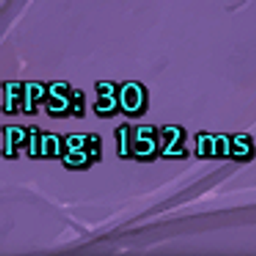
- Performance Monitor: A sleek, built-in display for your current FPS, Latency (Home/World), and Addon Memory Usage.
🌍 Fully Localized n1mmelUI automatically detects your client language and fully supports: English, German, French, Spanish, and Russian.
Feedback, bug reports, and suggestions are always welcome!
CurseForge: https://www.curseforge.com/wow/addons/n1mmelui用户评价
暂无 / 5,0 条评价相关推荐
继续看看这些内容
