插件中文资料库
中文说明、玩家点评、适用场景和替代推荐,方便快速判断是否适合你。
- 背包、银行和物品整理
- 界面布局、头像框、姓名板和动作条优化
 Details! Mythic+ Scoreboard
 GearInsight
 YuXuanToolbox
BetterBags - Gear Categories 插件下载与使用指南
本页整理了 BetterBags - Gear Categories 的功能用途、适用人群、安装方法和常见问题,方便玩家快速判断是否需要安装。
适合谁用
BetterBags - Gear Categories 是一款 背包与库存 类插件,适合需要优化界面、提升操作效率或补充游戏信息提示的魔兽世界玩家。
基本信息
- 插件作者:sicso
- 插件分类:背包与库存
- 适配版本:12.0.0,12.0.1
- 累计下载:36
安装方法
- 点击上方下载按钮获取 BetterBags - Gear Categories插件文件。
- 解压后将插件文件夹放入 World of Warcraft/_retail_/Interface/AddOns 目录。
- 重启游戏或在角色界面点击插件,确认 BetterBags - Gear Categories 已启用。
- 如果插件不生效,请检查版本是否匹配,或关闭同类冲突插件后重试。
使用建议
BetterBags - Gear Categories 安装后建议先在角色界面确认已启用,进入游戏后根据插件提供的命令、小地图按钮或设置面板进行调整。如遇到报错,可先单独启用该插件排查冲突。
BetterBags - Gear Categories 常见问题
BetterBags - Gear Categories 适合需要 背包与库存 类功能的玩家,特别是希望提升游戏便利性、界面管理或战斗信息获取效率的用户。
下载后解压到 Interface/AddOns 目录,然后重启游戏并在角色界面启用插件。
常见原因是目录多套一层、游戏版本不匹配、依赖插件缺失或同类插件冲突。
可以查看本页的替代插件推荐和相关插件区域,按下载量和分类选择同类工具。
插件 AI 问答
可以问:这个插件正式服能用吗、和 DBM 冲突吗、怎么设置、有没有替代插件。
BetterBags - Gear Categories 是一款魔兽世界插件,主要用于界面框架、头像、动作条或冷却显示优化、背包、银行、专业制造或物品整理、插件库、数据接口或依赖支持。建议根据自己的版本和插件环境先测试兼容性。
插件用途
BetterBags - Gear Categories 主要面向需要背包与库存功能的玩家,用来改善游戏体验、减少重复操作或补充默认界面没有直接提供的信息。
适用场景
- 界面框架、头像、动作条或冷却显示优化
- 背包、银行、专业制造或物品整理
- 插件库、数据接口或依赖支持
使用建议
安装后建议先在角色选择界面或插件管理器中确认已启用,再进入游戏测试是否与现有整合包、WA 和其他插件冲突。如遇报错,可以先禁用同类插件排查。



BetterBags - Gear Categories
A BetterBags plugin that simplifies gear organisation so you can find items faster in your bags.
BetterBags - Gear Categories adds track-based and crafted gear categorisation for the Midnight expansion, giving you more control over how your gear is grouped inside BetterBags.
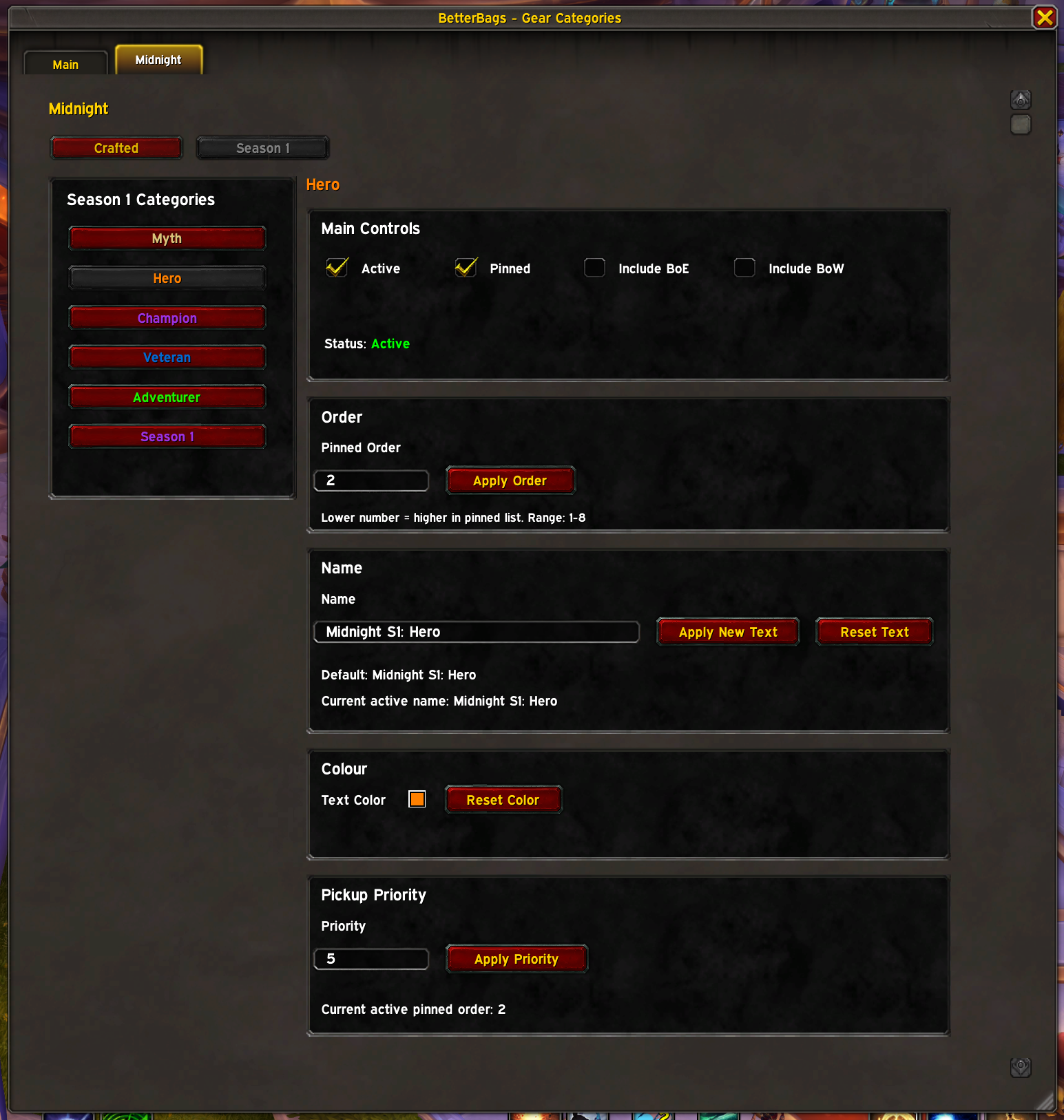
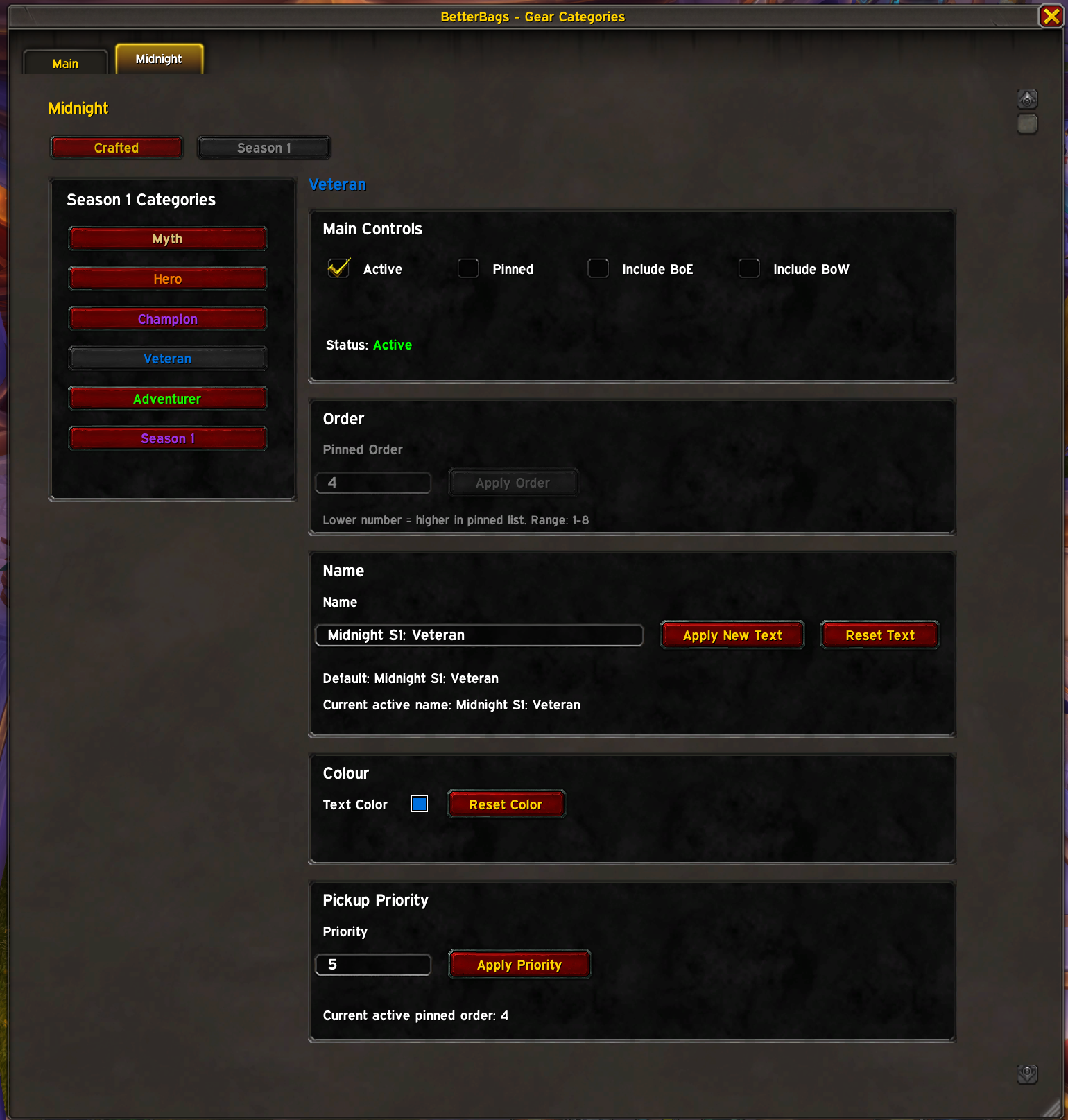
Instead of forcing a single setup, the addon lets you choose which categories you want active, customise their names and colours, adjust priority, and pin and order them where you want them.
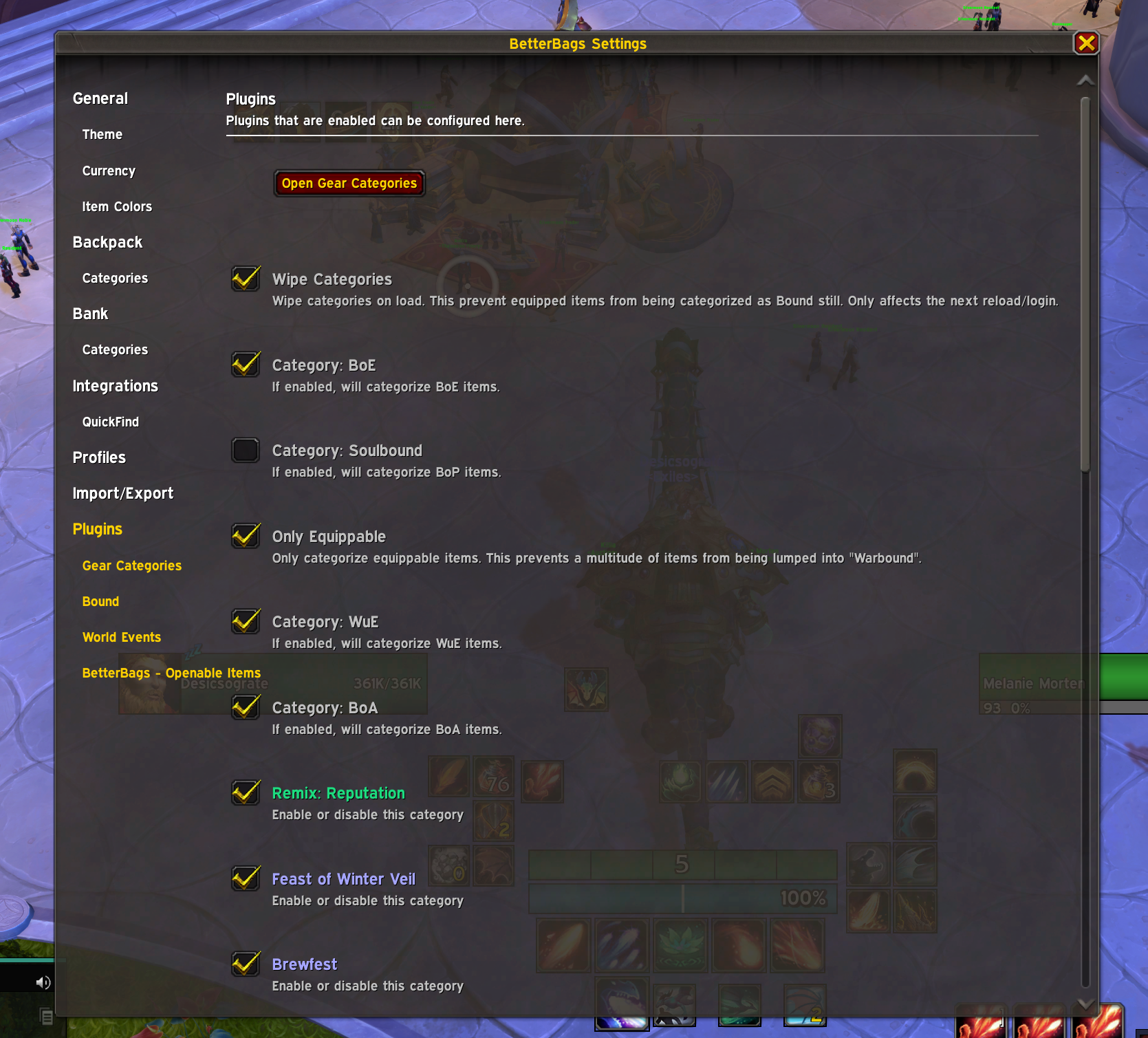
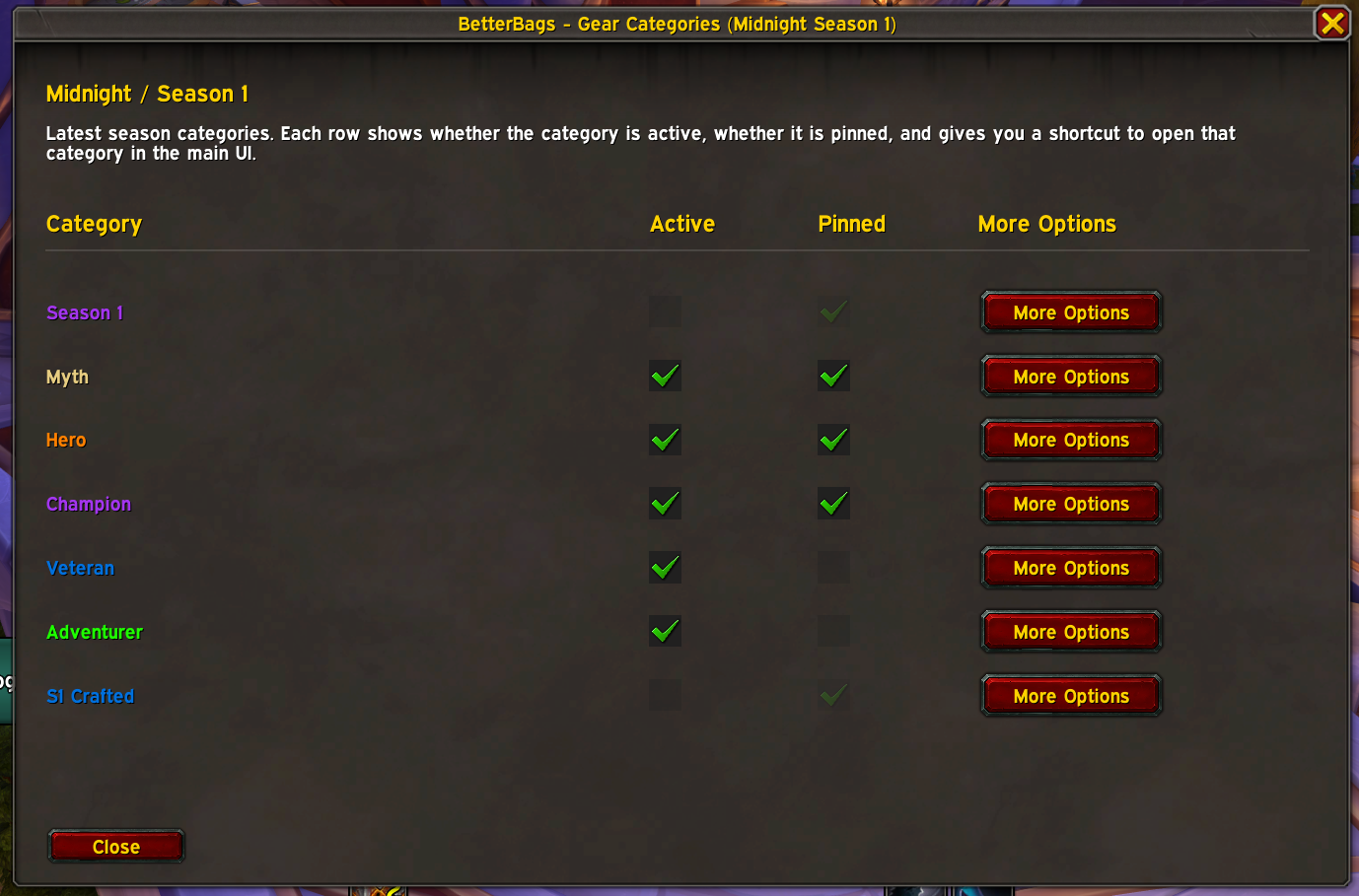
Features
- Adds BetterBags gear categories for Midnight
- Supports the following categories:
- Crafted
- S1 Crafted
- Season 1
- Adventurer
- Veteran
- Champion
- Hero
- Myth
- Enable or disable each category individually
- Pin categories in BetterBags’ pinned section
- Set custom category names
- Set custom text colours for category labels
- Set custom BetterBags priority values per category
- Set custom pinned order values for pinned categories
- Includes one-click actions to:
- Apply pending changes
- Apply priority changes
- Apply pinned order changes
- Reset name
- Reset colour
- Shows per-category status text such as:
- Active
- Inactive
- Loading
- Unapplied changes
- Includes bind filters for:
- Include BoE (can be BoW)
- Include BoW
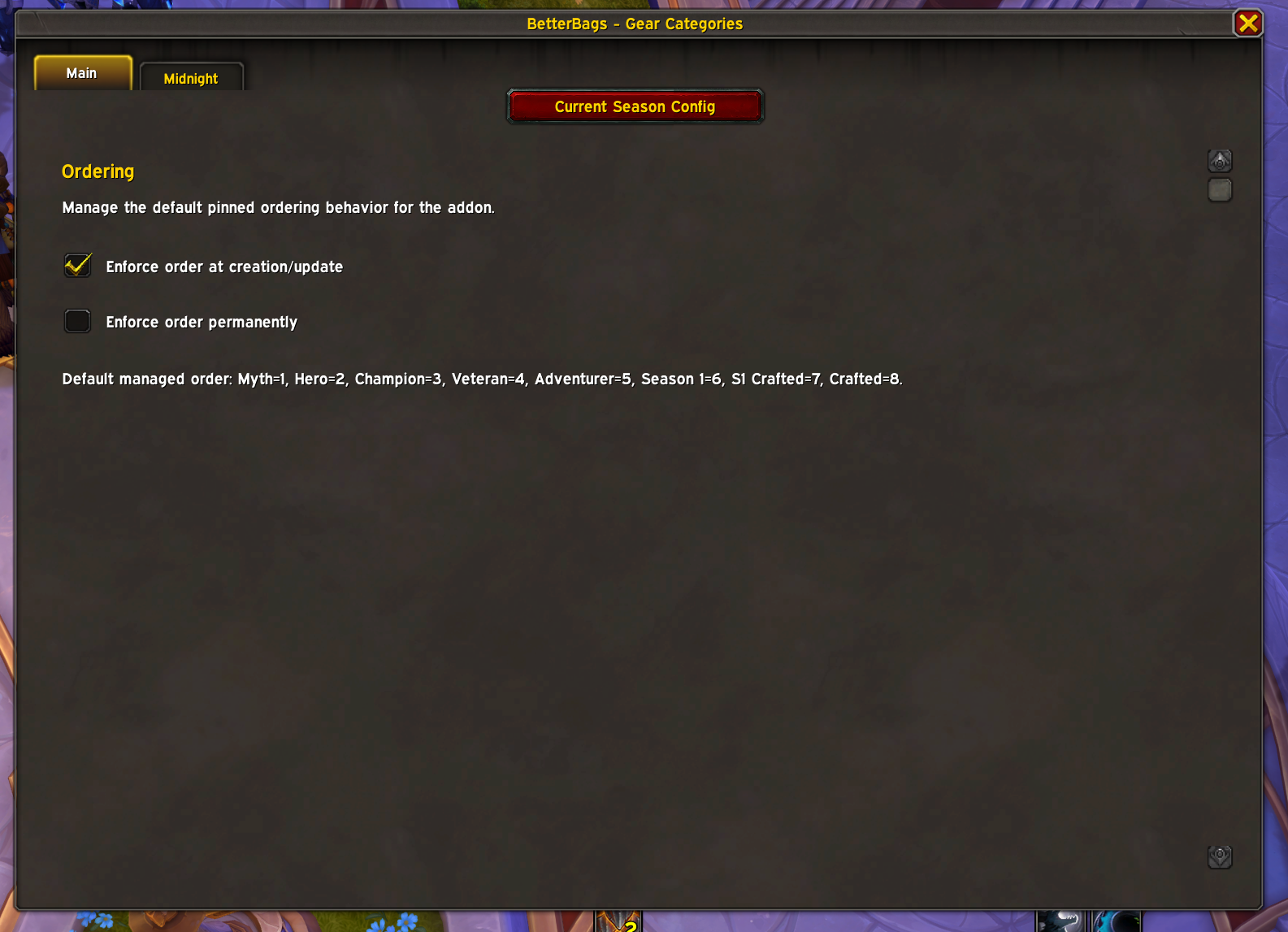
- Includes main settings for:
- Enforce order at creation/update
- Enforce order permanently
By default, BoE and Warbound-style items are excluded unless enabled.
Ordering and Priority
This addon supports two different systems:
Priority
Priority controls which category wins an item when more than one category matches it.
It does not control where the category shows in BetterBags.
All categories default to priority 5.
Pinned Order
Pinned order controls where the category appears in BetterBags’ pinned section.
This only works for pinned categories. If a category is not pinned, BetterBags uses its normal sort behavior and the addon cannot force that section’s visible position.
Each category has a pinned-order input in its config panel, plus an apply button. That input is disabled when the category is not pinned.
Lower number = higher in the pinned list.
Default order:
- Myth = 1
- Hero = 2
- Champion = 3
- Veteran = 4
- Adventurer = 5
- Season 1 = 6
- S1 Crafted = 7
- Crafted = 8
Ordering Modes
The main config window includes two ordering options:
Enforce order at creation/update
Applies the configured pinned order when this addon creates or updates its categories.Enforce order permanently
Reapplies the configured pinned order while the addon is running, so later category changes stay in the intended order.
How It Works
The addon uses BetterBags search categories backed by bonusid queries to identify supported gear tracks and crafted gear.
It provides separate track categories for:
- Adventurer
- Veteran
- Champion
- Hero
- Myth
It also provides crafted categories for:
- Midnight Crafted
- Midnight S1: Crafted
The combined Season 1 category is built dynamically from whichever track categories are currently active, so it reflects your enabled sub-tracks.
For pinned categories, the addon stores and reapplies explicit pinned sort positions using BetterBags’ pinned-section sort data.
BetterBags Integration
Gear Categories integrates directly into BetterBags and adds its own plugin entry:
- Gear Categories
- Open Gear Categories button to open the full config window
Category changes automatically refresh BetterBags so your bag view updates immediately.
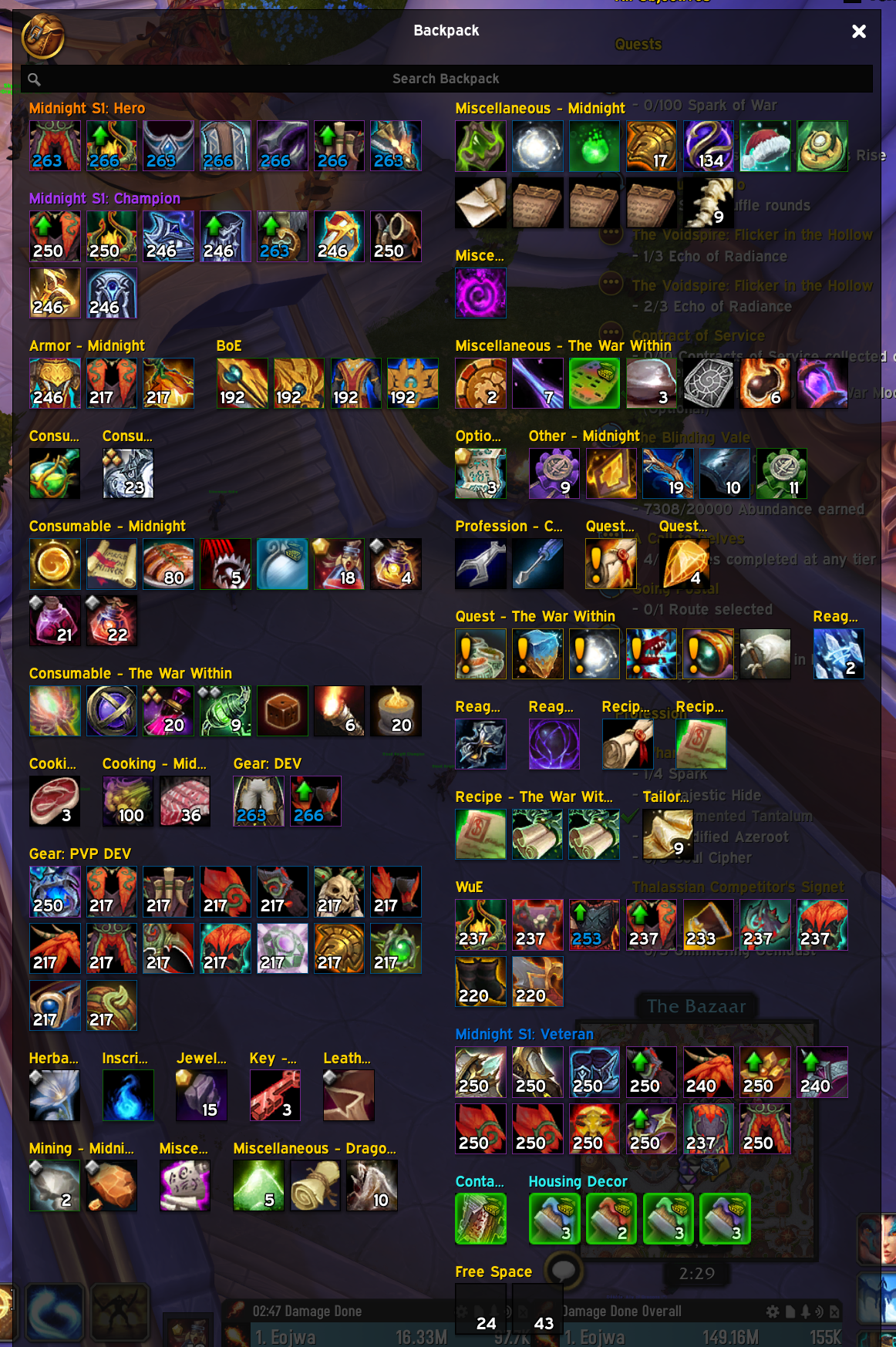
In Action
Full Bag View
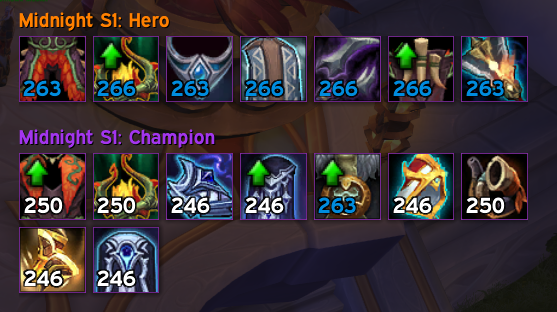
Gear Bag View
Current Scope
This addon is currently focused on Midnight and Season 1 gear categorisation.
It is not intended to be a fully generic multi-expansion bag framework at this time.
The long-term scope remains focused on:
Gear categorisation within BetterBags
Support for future seasons is planned, and new additions may be included over time based on user requests.
Technical Notes
- Settings are saved in BBGT_DB
- Categories are created and removed automatically when toggled
- Active categories are restored after login
- The addon retries setup until BetterBags’ category API is ready
- Pinning is applied to both backpack and bank custom section sort data
- Per-category pinned order values are stored in the database
- Ordering can be enforced at creation/update or continuously
- Legacy saved data is migrated into the current expansion/season structure
Inspiration
This addon idea was inspired by BetterBags_GearTracks by ZeptoGnome.
Best For
This plugin is intended for players who want cleaner seasonal and crafted gear sorting in BetterBags without overcomplicating their bag setup.
CurseForge: https://www.curseforge.com/wow/addons/betterbags-gear-categories用户评价
暂无 / 5,0 条评价相关推荐
继续看看这些内容
