插件中文资料库
中文说明、玩家点评、适用场景和替代推荐,方便快速判断是否适合你。
- 副本、团队本和大秘境战斗提醒
- 背包、银行和物品整理
- 任务路线、地图标记和野外探索
- 界面布局、头像框、姓名板和动作条优化
 Details! Mythic+ Scoreboard
 BagSync
 RightClickSelfCast
Ultimate Castbars 插件下载与使用指南
本页整理了 Ultimate Castbars 的功能用途、适用人群、安装方法和常见问题,方便玩家快速判断是否需要安装。
适合谁用
Ultimate Castbars 是一款 战斗 / 首领战斗 / 单位框架 / PVP / 施法职业 类插件,适合需要优化界面、提升操作效率或补充游戏信息提示的魔兽世界玩家。
基本信息
- 插件作者:sicso
- 插件分类:战斗 / 首领战斗 / 单位框架 / PVP / 施法职业
- 适配版本:12.0.0,12.0.1
- 累计下载:36
安装方法
- 点击上方下载按钮获取 Ultimate Castbars插件文件。
- 解压后将插件文件夹放入 World of Warcraft/_retail_/Interface/AddOns 目录。
- 重启游戏或在角色界面点击插件,确认 Ultimate Castbars 已启用。
- 如果插件不生效,请检查版本是否匹配,或关闭同类冲突插件后重试。
使用建议
Ultimate Castbars 安装后建议先在角色界面确认已启用,进入游戏后根据插件提供的命令、小地图按钮或设置面板进行调整。如遇到报错,可先单独启用该插件排查冲突。
Ultimate Castbars 常见问题
Ultimate Castbars 适合需要 战斗 / 首领战斗 / 单位框架 / PVP / 施法职业 类功能的玩家,特别是希望提升游戏便利性、界面管理或战斗信息获取效率的用户。
下载后解压到 Interface/AddOns 目录,然后重启游戏并在角色界面启用插件。
常见原因是目录多套一层、游戏版本不匹配、依赖插件缺失或同类插件冲突。
可以查看本页的替代插件推荐和相关插件区域,按下载量和分类选择同类工具。
插件 AI 问答
可以问:这个插件正式服能用吗、和 DBM 冲突吗、怎么设置、有没有替代插件。
Ultimate Castbars 是一款魔兽世界插件,主要用于伤害统计、输出循环或战斗表现分析、背包、银行、专业制造或物品整理、副本、团本、大秘境或钥石辅助。建议根据自己的版本和插件环境先测试兼容性。
插件用途
Ultimate Castbars 主要面向需要首领战斗功能的玩家,用来改善游戏体验、减少重复操作或补充默认界面没有直接提供的信息。
适用场景
- 伤害统计、输出循环或战斗表现分析
- 背包、银行、专业制造或物品整理
- 副本、团本、大秘境或钥石辅助
使用建议
安装后建议先在角色选择界面或插件管理器中确认已启用,再进入游戏测试是否与现有整合包、WA 和其他插件冲突。如遇报错,可以先禁用同类插件排查。



Ultimate Castbars
Ultimate Castbar aims to be the last castbar World of Warcraft addon you’ll ever need. It is a highly configurabl castbar addon for World of Warcraft (Retail), focused on deep layout control, rich text/tagging, and advanced interruptibility/kick-aware visuals.
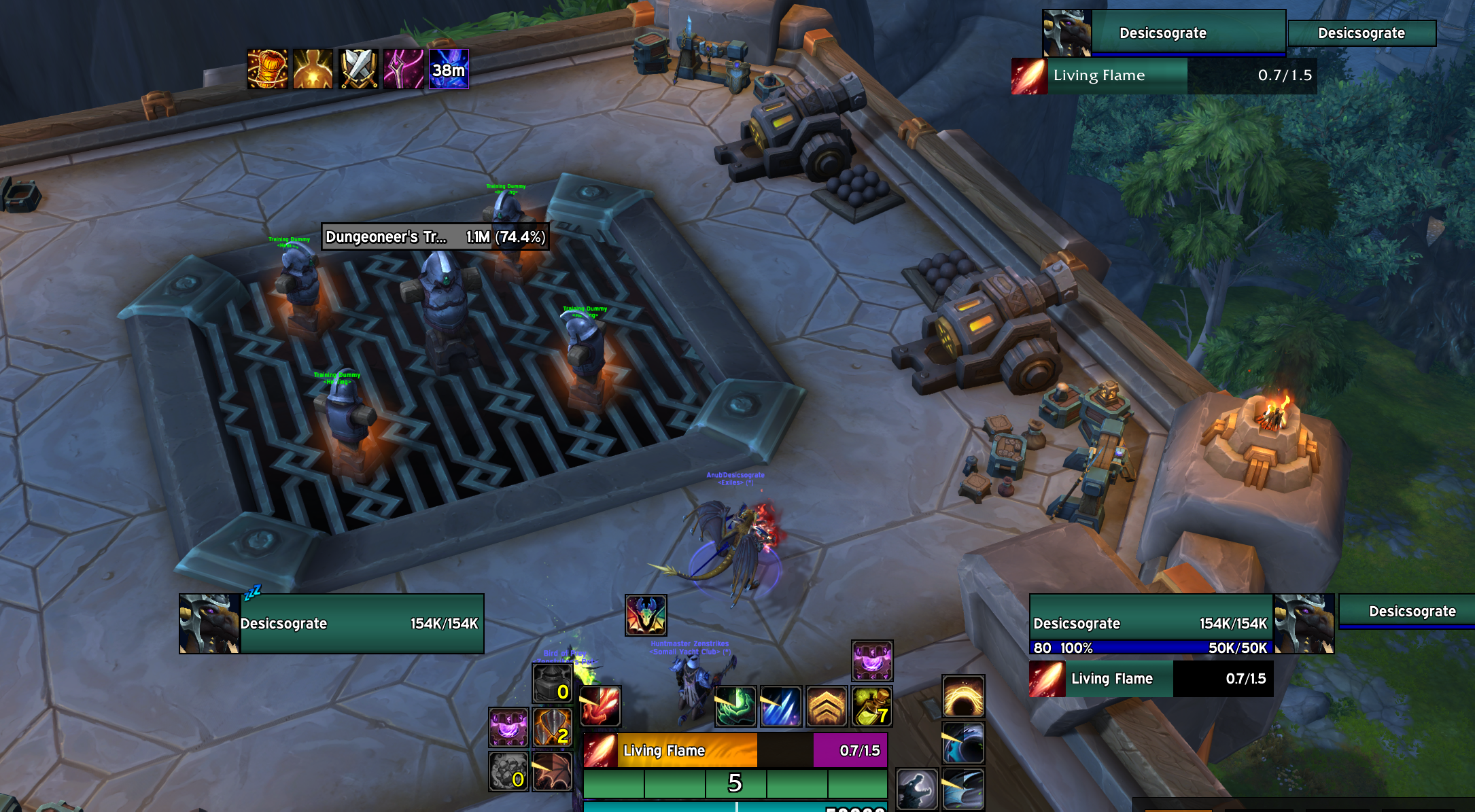
Sources of inspiration and credits
Thanks to Xepheris for DisintegrateTicks on which was based dynamic disintegrate ticks, donate here if you liked that feature.
Thanks to obk_wow for Universal Frame Anchor on which was based the frame picker, send some love his way if you liked that feature.
Features
Highlights
- Per-unit castbars for
player,target, andfocuswith independent enable/disable and full settings trees. - Supports normal casts, channels, and empowered casts.
- Powerful multi-tag text system with custom formula parsing and performance-aware updates.
- Extensive style controls (textures, borders, gradients, class/ombre/custom color modes).
- Advanced uninterruptible + kick-aware visuals (overlays, “until kick” fills, tick markers, dynamic alpha).
- Class-specific channel tick tooling + player spell blacklist/whitelist.
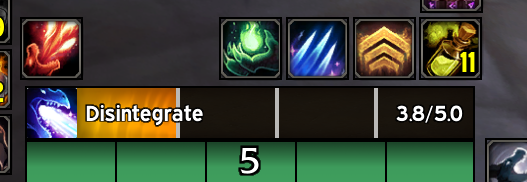
- Deep Evoker support: empower stage visuals + dynamic Disintegrate tick logic (Devastation).
- Robust preview simulator that reuses the real cast pipeline.
- Safe-ish Blizzard castbar coexistence (hide/show, size/position/scale, restore baseline).
- AceDB profiles with import/export, schema filtering/normalization, and copy-between-units tools.
Installation
Automatic install
Use either Curse or Wago and their corresponding OS apps
- Search for “Ultimate Castbars” and click “Install” (Curse) or “Add to collection” (Wago).
- Follow the prompts to select your WoW installation and desired options.
- The app will handle downloading, installing, and updating the addon for you with only a few clicks.
Manual install
Download the repository as a ZIP (or a release archive if you publish releases).
Extract the UltimateCastbars sub-folder into your WoW AddOns folder (the sub-folder should have a file called UltimateCastbars.toc inside it):
- Windows:
World of Warcraft\_retail_\Interface\AddOns\ - macOS:
World of Warcraft/_retail_/Interface/AddOns/
- Windows:
Launch the game and enable the addon in the character select “AddOns” menu.
Quick Start
- Log in and open options with:
/ucb - Enable the bar(s) you want (Player/Target/Focus).
- Use the Preview buttons to spawn test casts (normal/channel/empowered).
- Adjust anchoring and offsets until the bar sits where you want it.
- Customize text tags, textures, borders, and interruptibility visuals.
Configuration Overview
Per-Unit Bars
Each tracked unit (player, target, focus) has its own settings tree:
- Enable/disable per unit
- Preview controls per unit
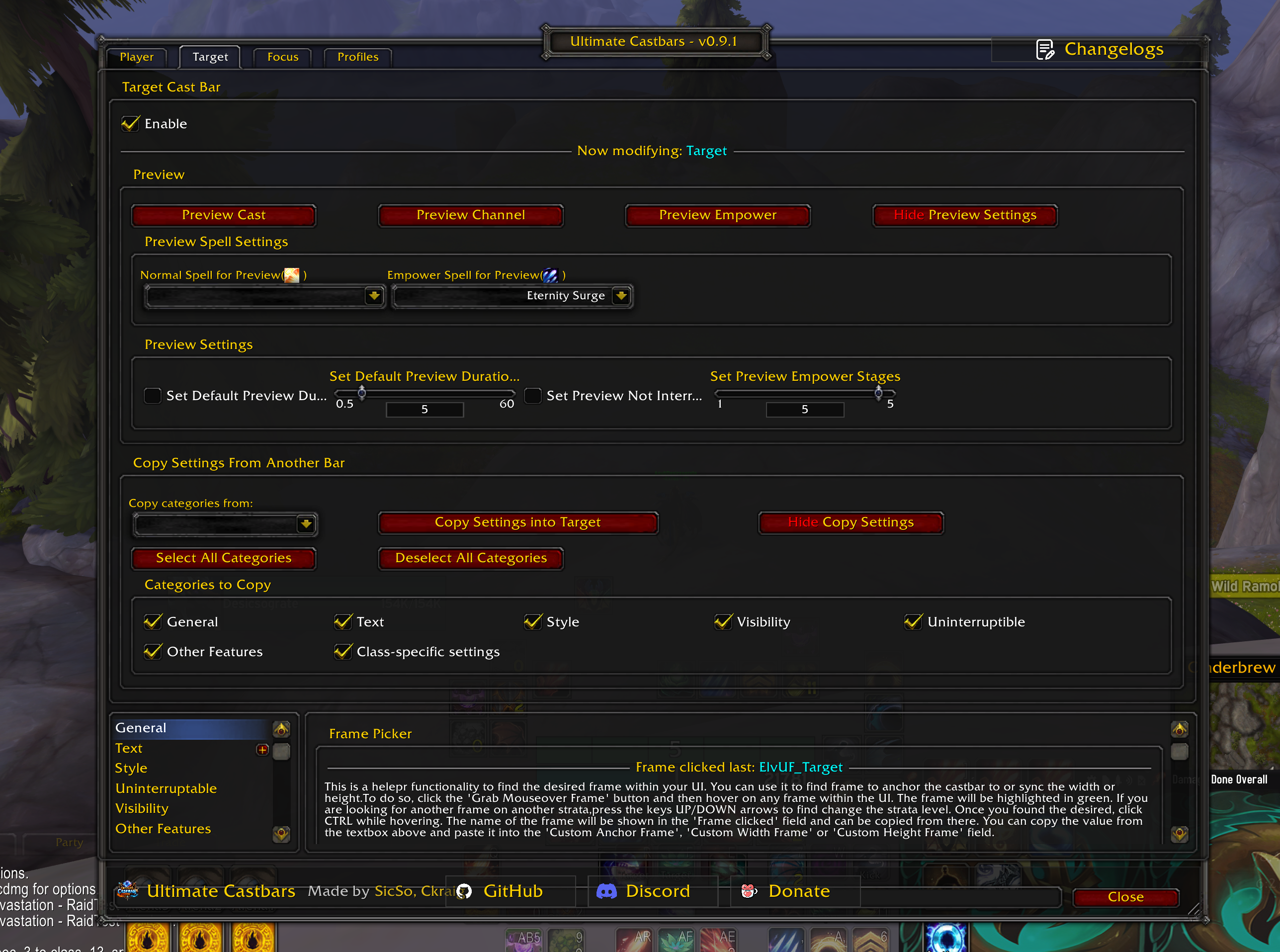
- Copy settings from another unit bar
- Tabs for general layout, text, style, uninterruptible/kick visuals, visibility, class settings, and Blizzard default castbar handling
Layout, Anchoring, and Size Sync
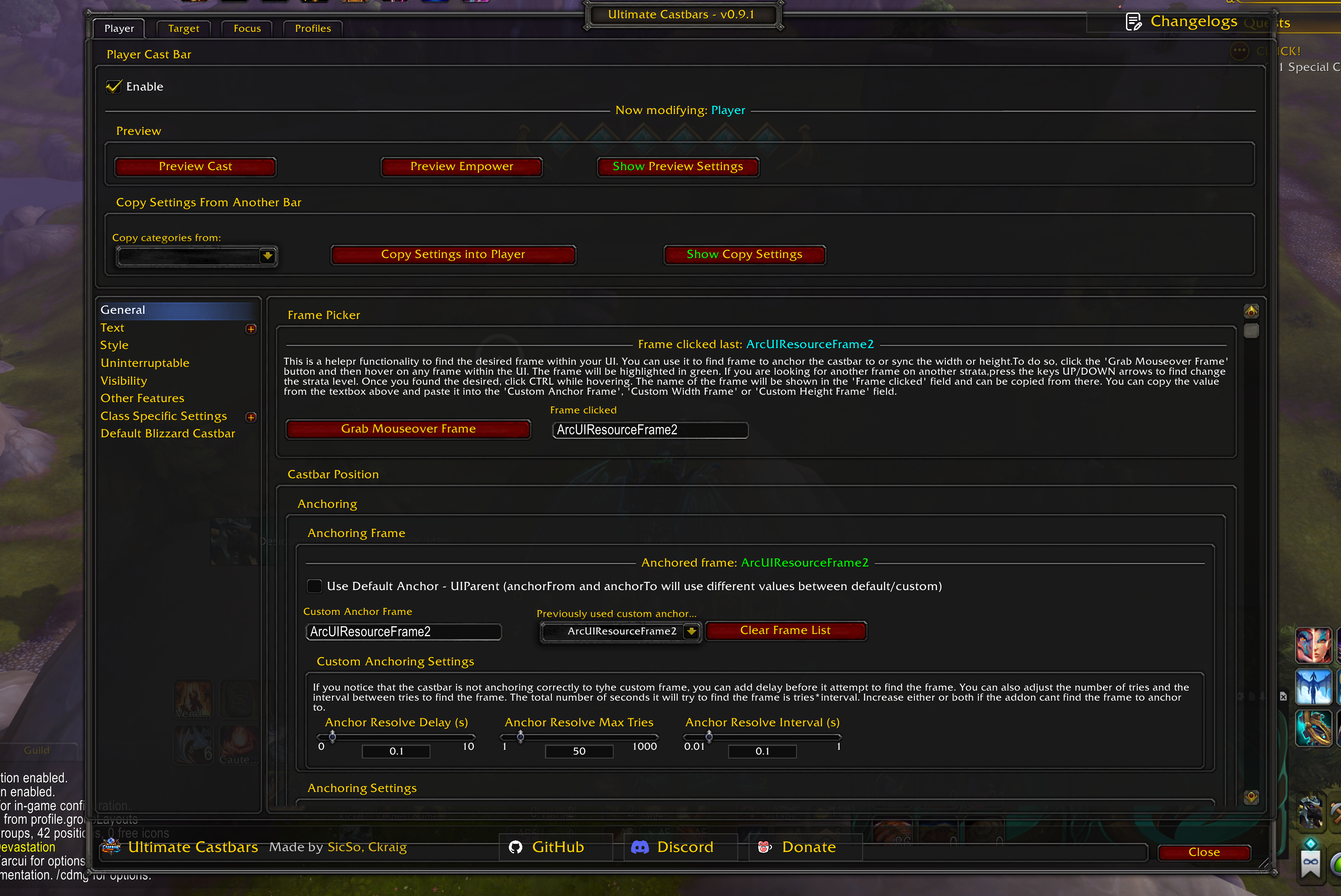
The General tab provides deep positioning controls:
- Anchor to any frame by name (default
UIParentor custom frame) - Separate
anchorFrom/anchorTopoint pairing - X/Y offsets
- Frame picker helper (hover-to-identify frames)
- Late-loading frame resolution (retry + delay/interval settings)
- Optional size sync to another frame:
- Sync width and/or height, with offsets
- Min width/height
- Options to include border thickness in effective sizing
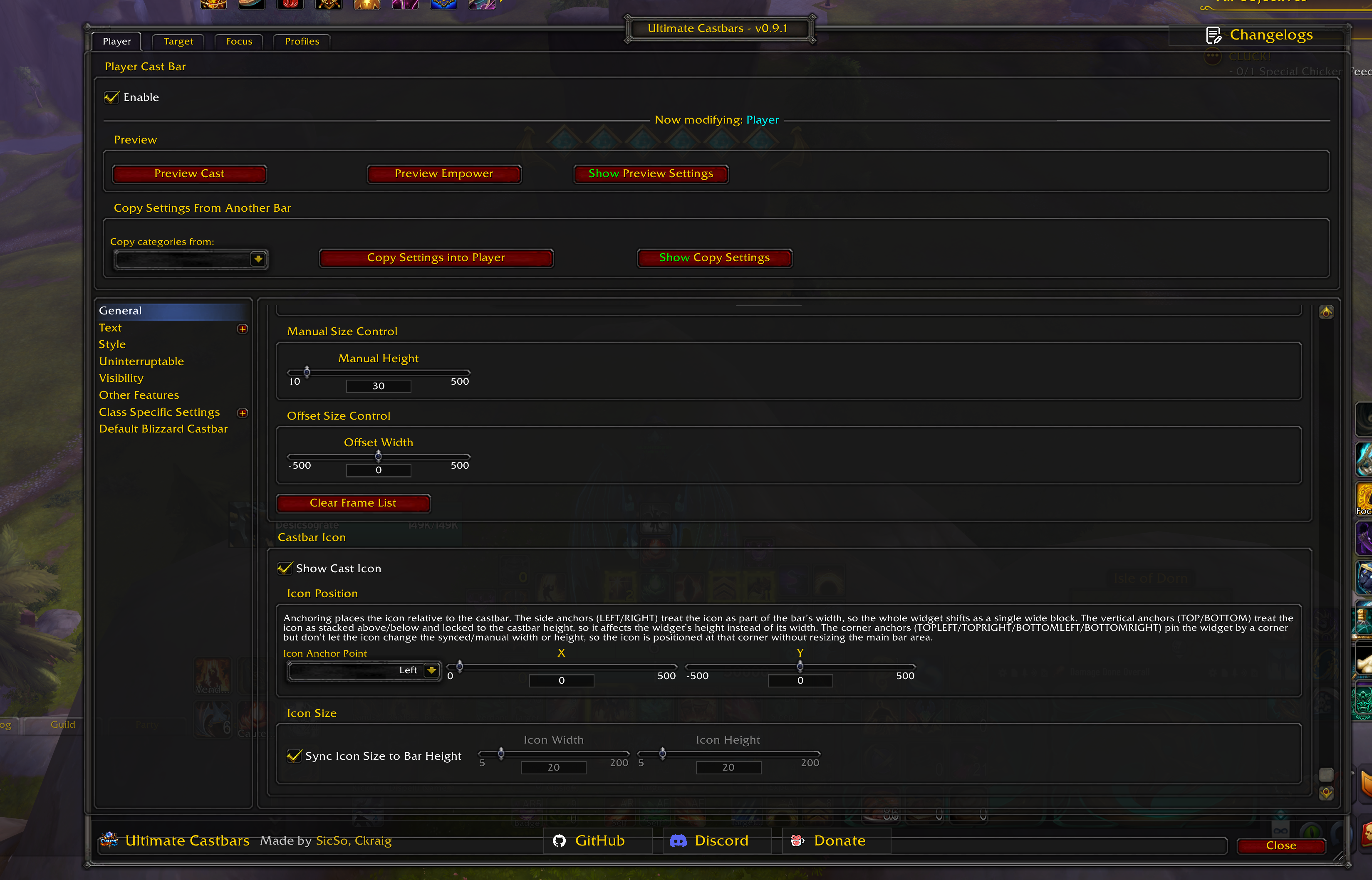
Icon layout:
- Show/hide icon
- Anchor icon around the bar (sides/corners/top/bottom)
- Offsets
- Sync icon size to bar height or set explicit width/height
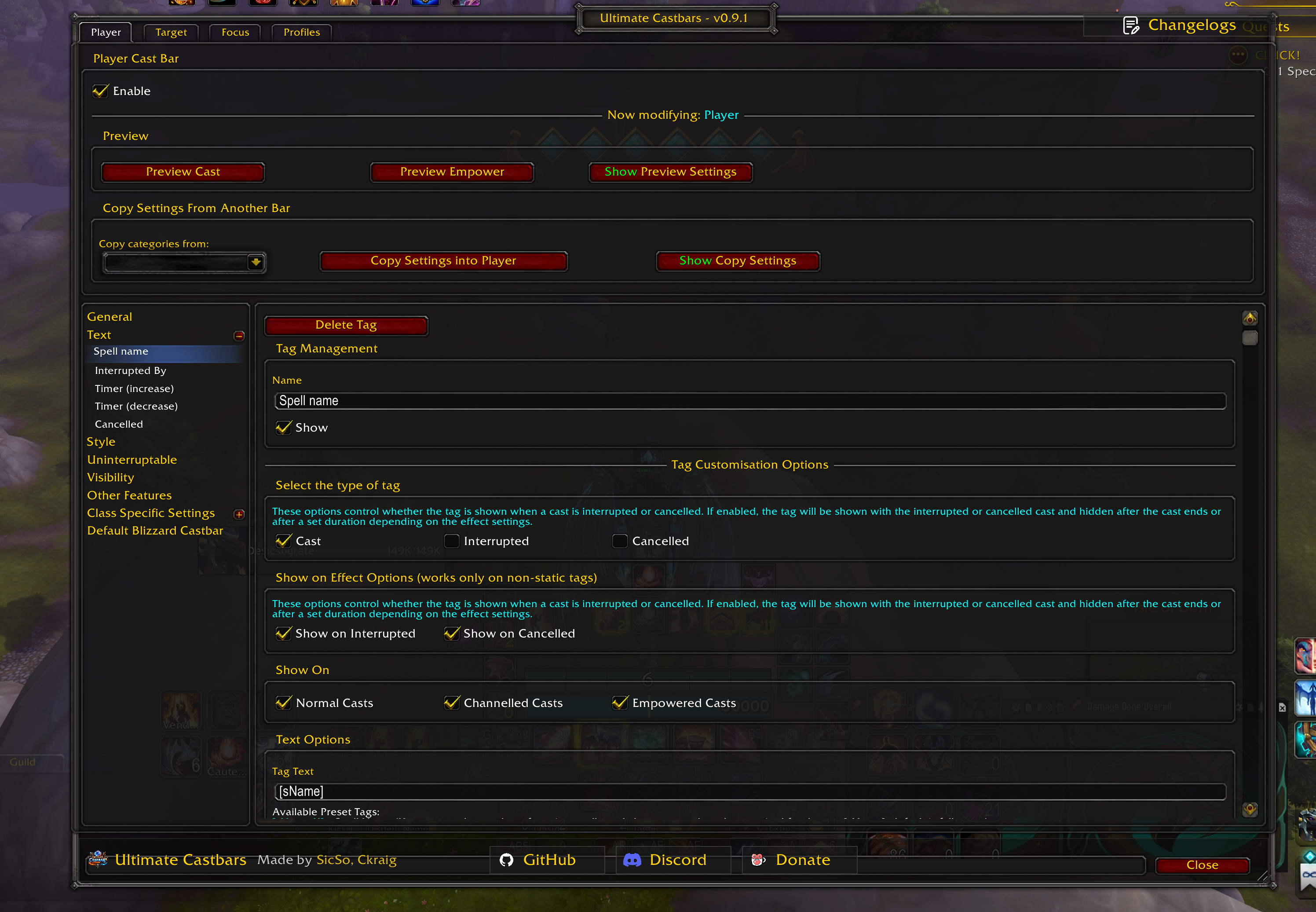
Text Tags and Tokens
Ultimate Castbars includes a custom text engine:
- Multiple text entries per bar (
textList) - Per-tag enable/disable + display name
- Per-tag type: Cast, Interrupted, Cancelled
- Per-tag show rules:
- By cast type (normal/channel/empowered)
- By effect state (show on interrupted/cancelled)
- Per-tag font/size/outline/shadow/color, with optional shared overrides
- Performance model:
- Static (no updates after setup)
- Semi-Dynamic (updates on cast/state change)
- Dynamic (updates every frame, e.g., timers)
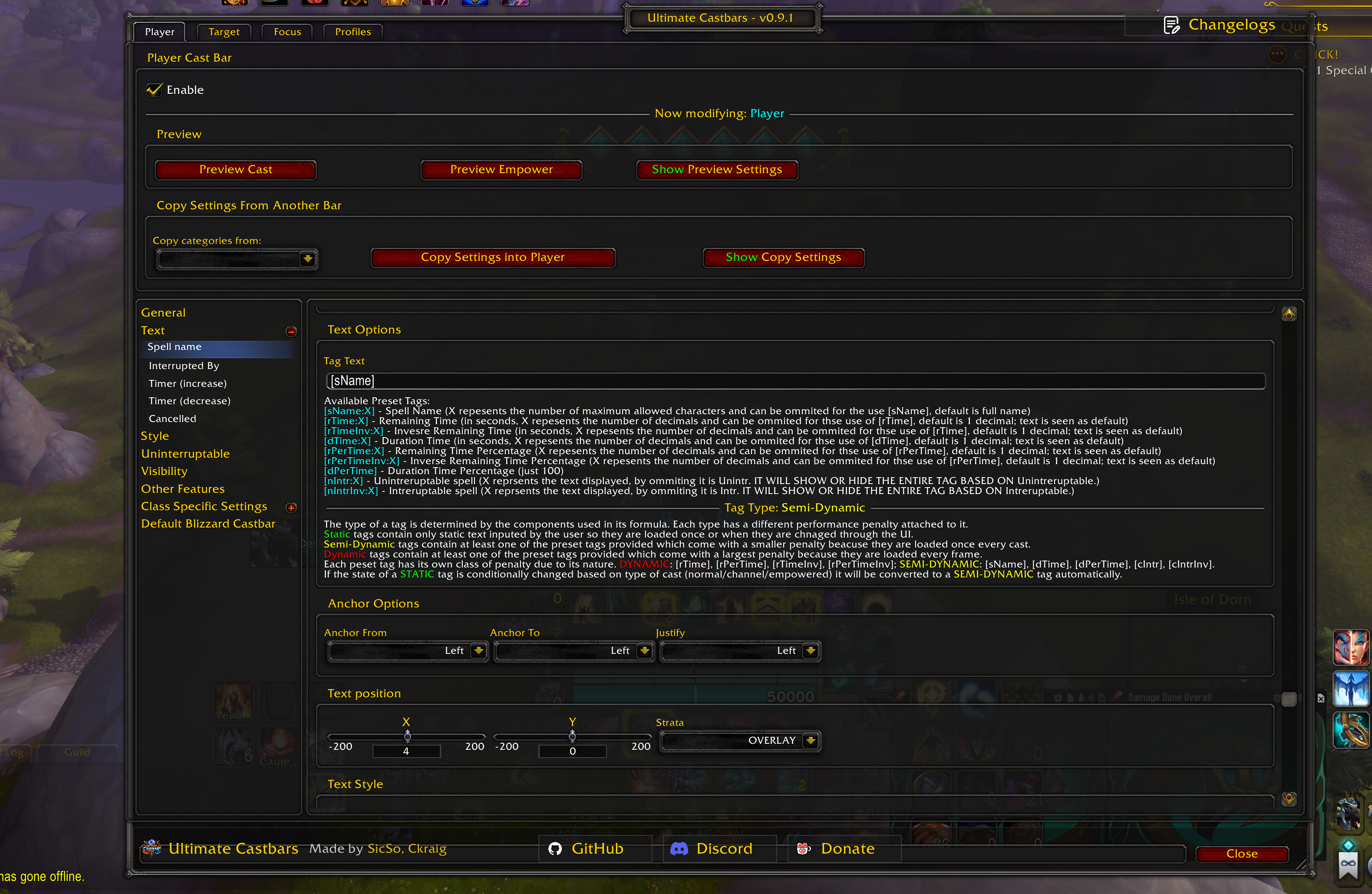
Supported token list
Tokens may support an optional :X suffix for limits (where applicable).
| Token | Meaning |
|---|---|
[sName] / [sName:X] |
Spell name |
[kName] / [kName:X] |
Interrupting unit name (interrupted text) |
[dTime] / [dTime:X] |
Total duration |
[dPerTime] |
Total duration percent (100) |
[rTime] / [rTime:X] |
Remaining time |
[rPerTime] / [rPerTime:X] |
Remaining percent |
[rTimeInv] / [rTimeInv:X] |
Elapsed time |
[rPerTimeInv] / [rPerTimeInv:X] |
Elapsed percent |
[nIntr] / [nIntr:X] |
Uninterruptible-only text (also controls visibility) |
[nIntrInv] / [nIntrInv:X] |
Interruptible-only text (also controls visibility) |
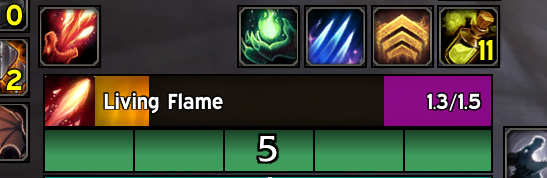
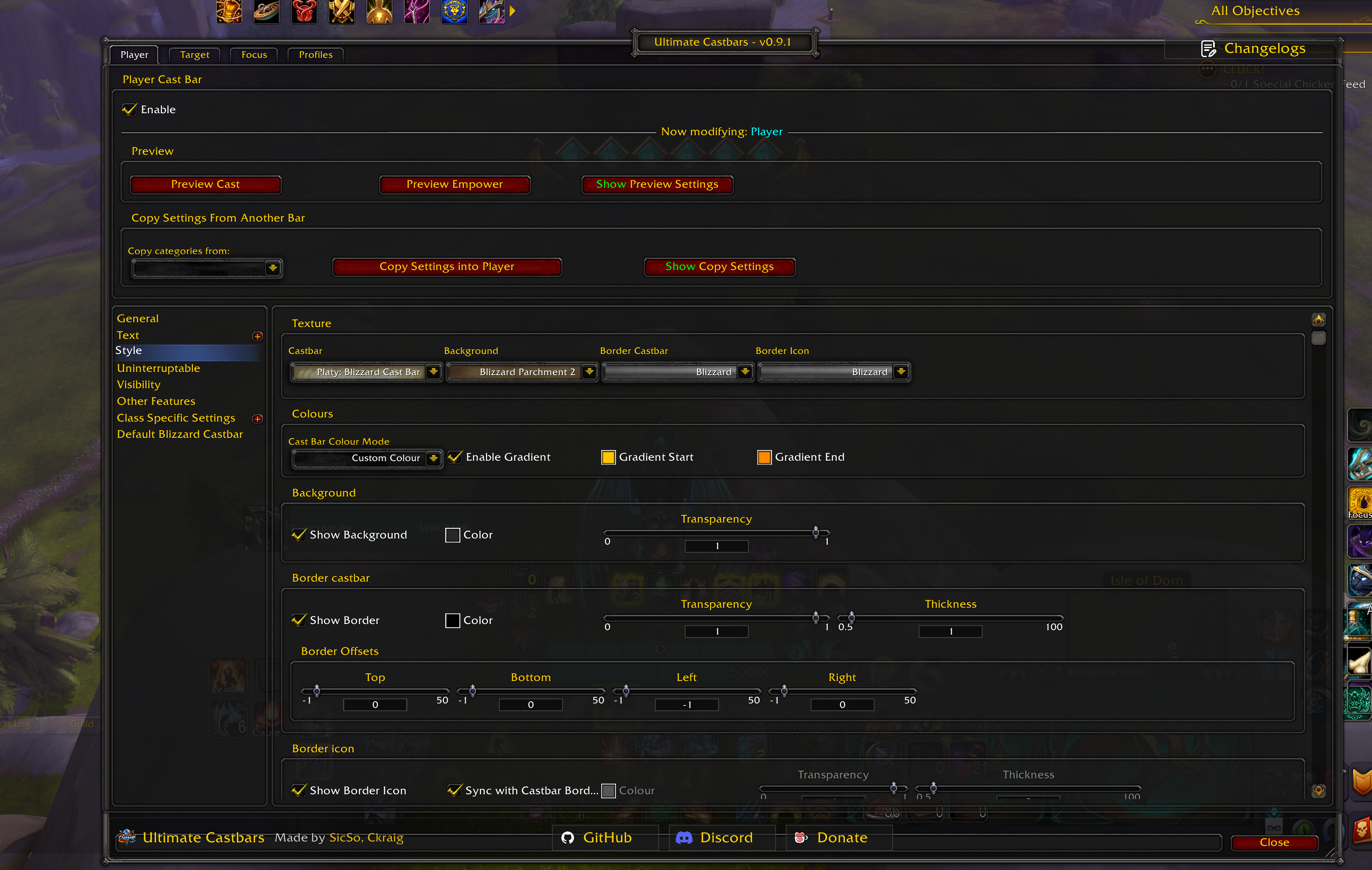
Style and Visuals
- Castbar texture, background texture
- Border textures for bar + icon
- Color modes:
- Class Colour
- Ombre (Rainbow) progression
- Custom Colour (optional gradient start/end)
- Target/Focus can use separate enemy NPC colors (where applicable)
- Background toggles + alpha
- Custom rectangular borders with:
- thickness
- per-side offsets
- synced/independent icon border options
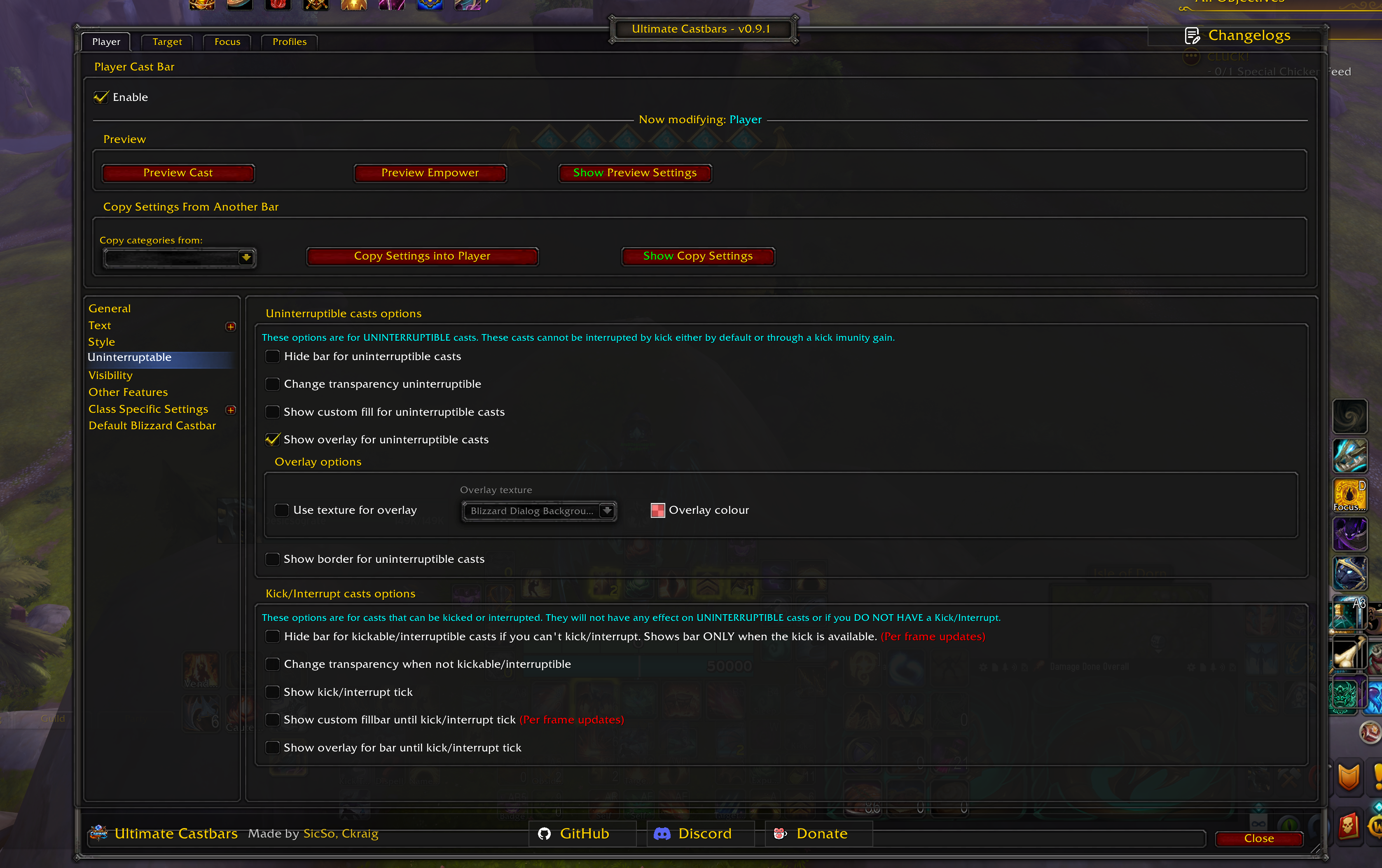
Interruptibility and Kick Awareness
A major focus area:
Uninterruptible casts (notInterruptible):
- Hide main bar, or alter transparency
- Optional icon inclusion in transparency change
- Custom overlay fill/texture + background styling
- Separate border styling for uninterruptible states (bar + icon)
Kick / interrupt availability awareness:
- Hide bar until your interrupt becomes available
- Change transparency when interrupt is on cooldown/unavailable
- Optional dynamic alpha updates during the cast as cooldown changes
- Tick marker for “kick timing”
- “Until kick” fill region with optional overlay/background
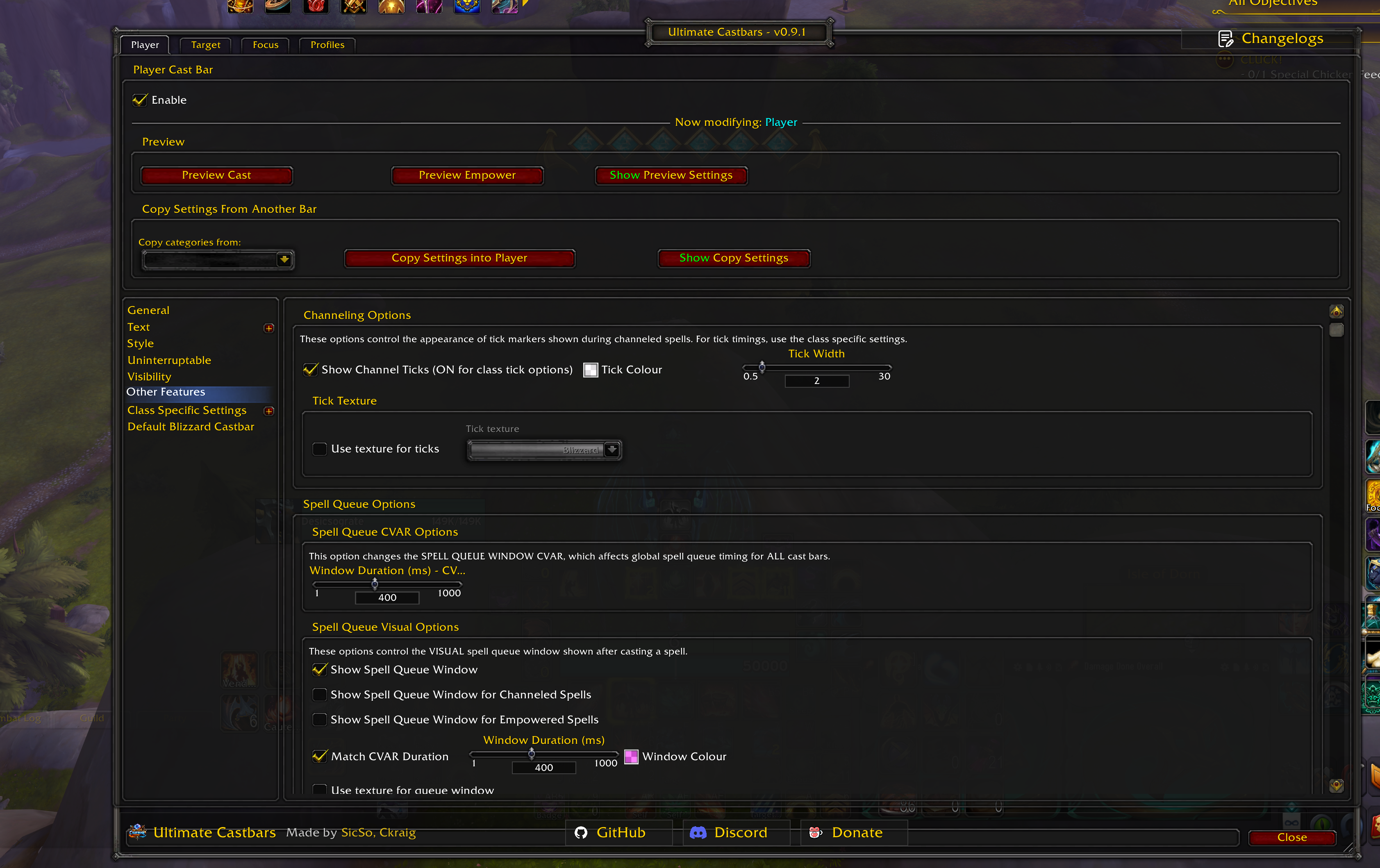
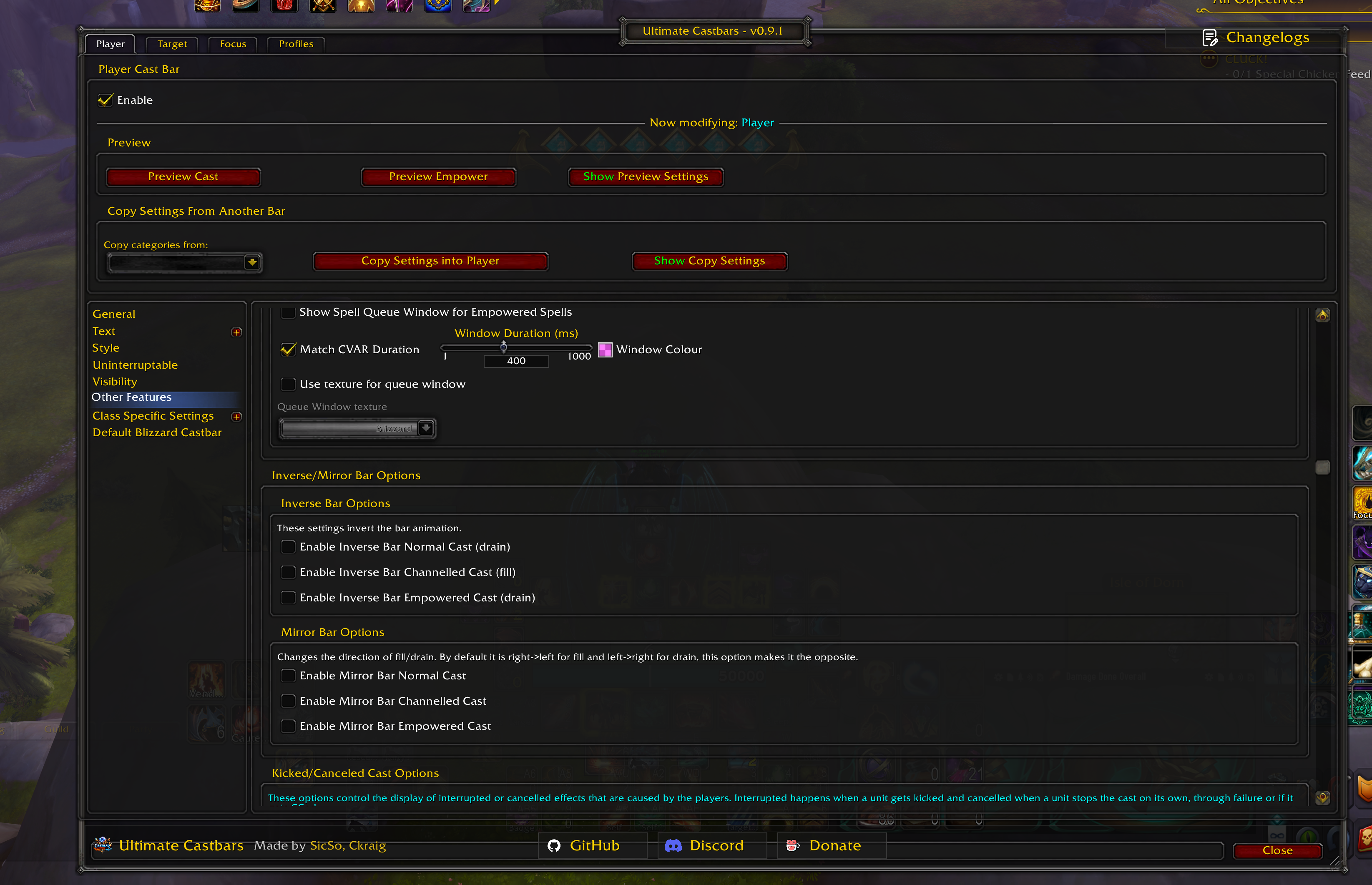
Other Features
- Spell Queue Window (player)
- Read/write
SpellQueueWindowCVAR - Optional custom ms duration
- Visual overlay on castbar (per cast type)
- Read/write
- Channel tick markers
- Global tick visuals (color/width, optional texture)
- Invert / mirror behavior
- Per cast type: invert fill direction, mirror rendering using clipped frames
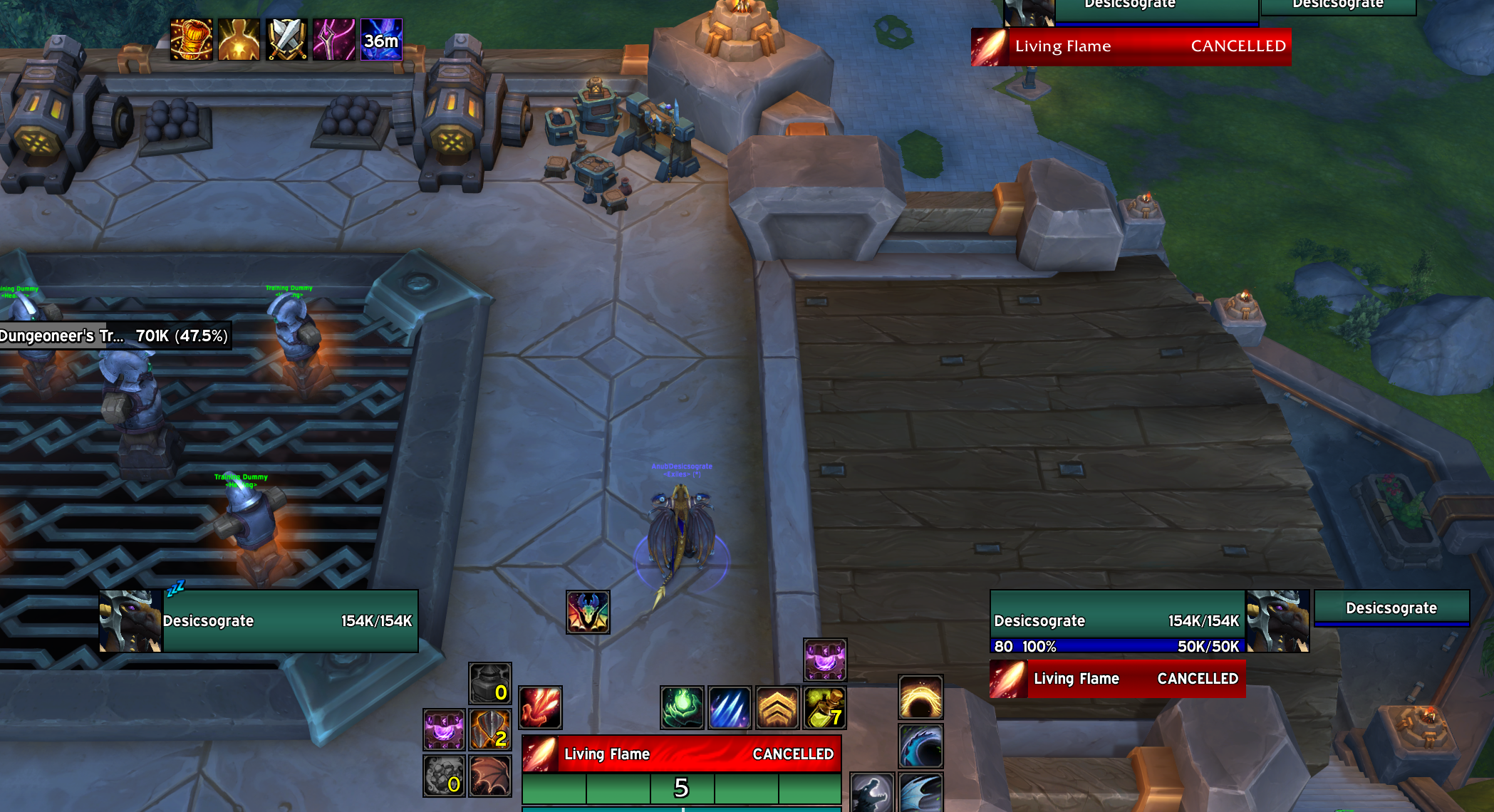
- Interrupted / cancelled overlays
- Per effect type + cast type
- Custom textures/colors + display duration
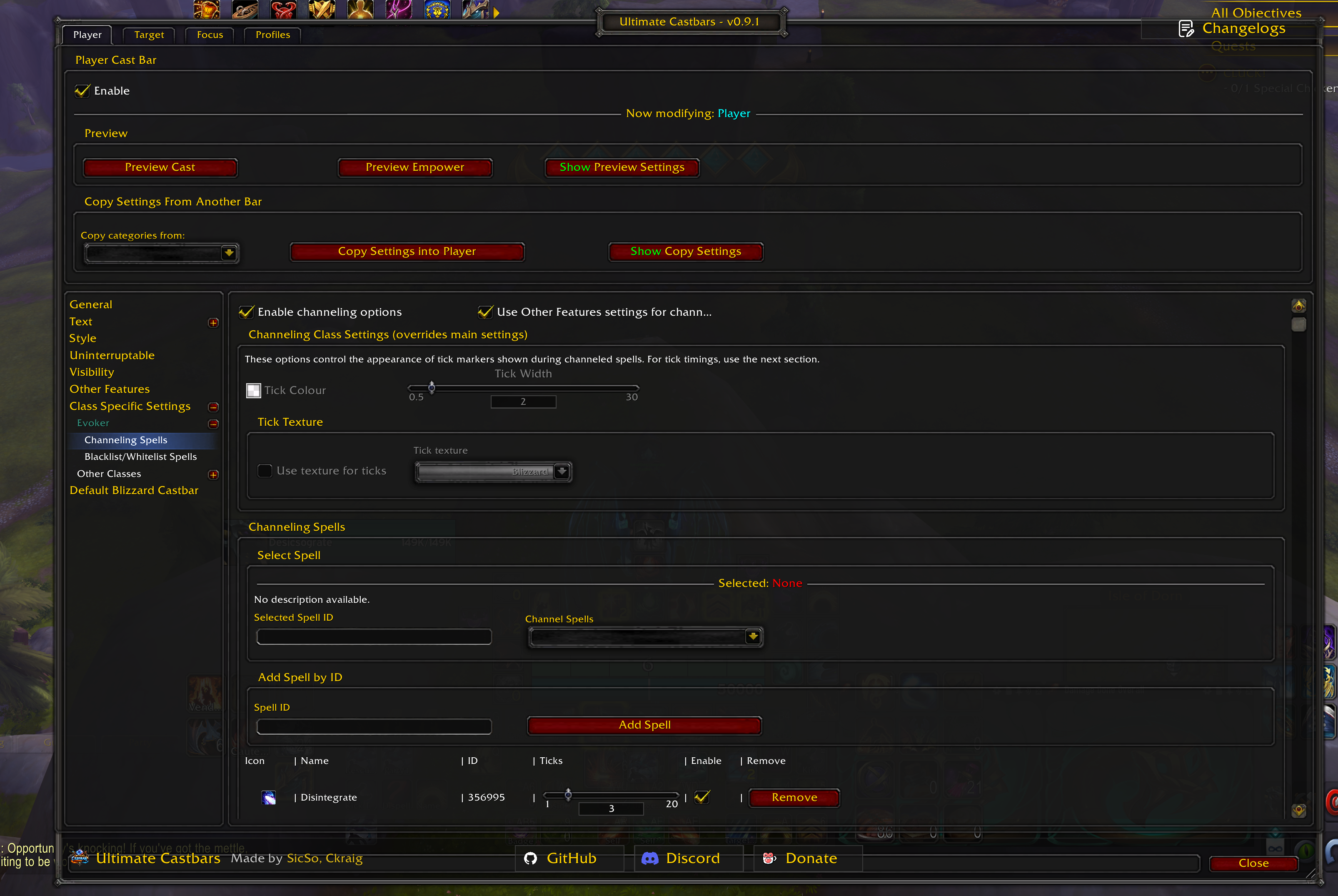
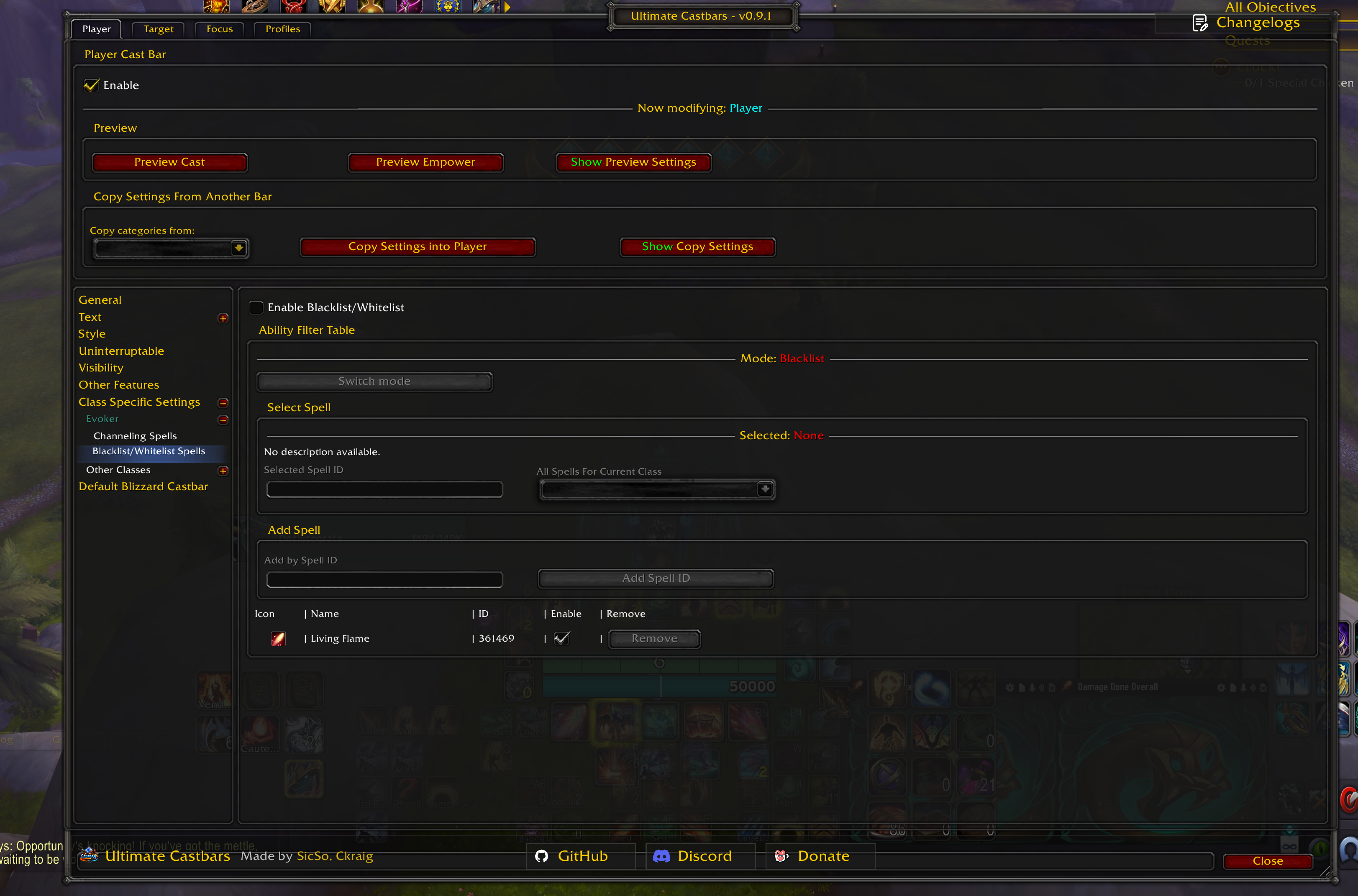
Class Settings (Ticks + Filters)
- Class navigation UI for all classes (with class-colored labels)
- Player channel spell tick table (per spell, per spec aware UI)
- Observed units (target/focus) have class defaults and spec placeholders for channel ticks
- Player spell filter:
- Blacklist or whitelist mode
- Add by spell picker or spell ID
- Applied to player castbar display logic
Evoker Empower + Disintegrate Support
- Dynamic Disintegrate tick logic (Devastation):
- Tick timing adapts to haste/talents/channel updates
- Fallback to static tick settings if disabled
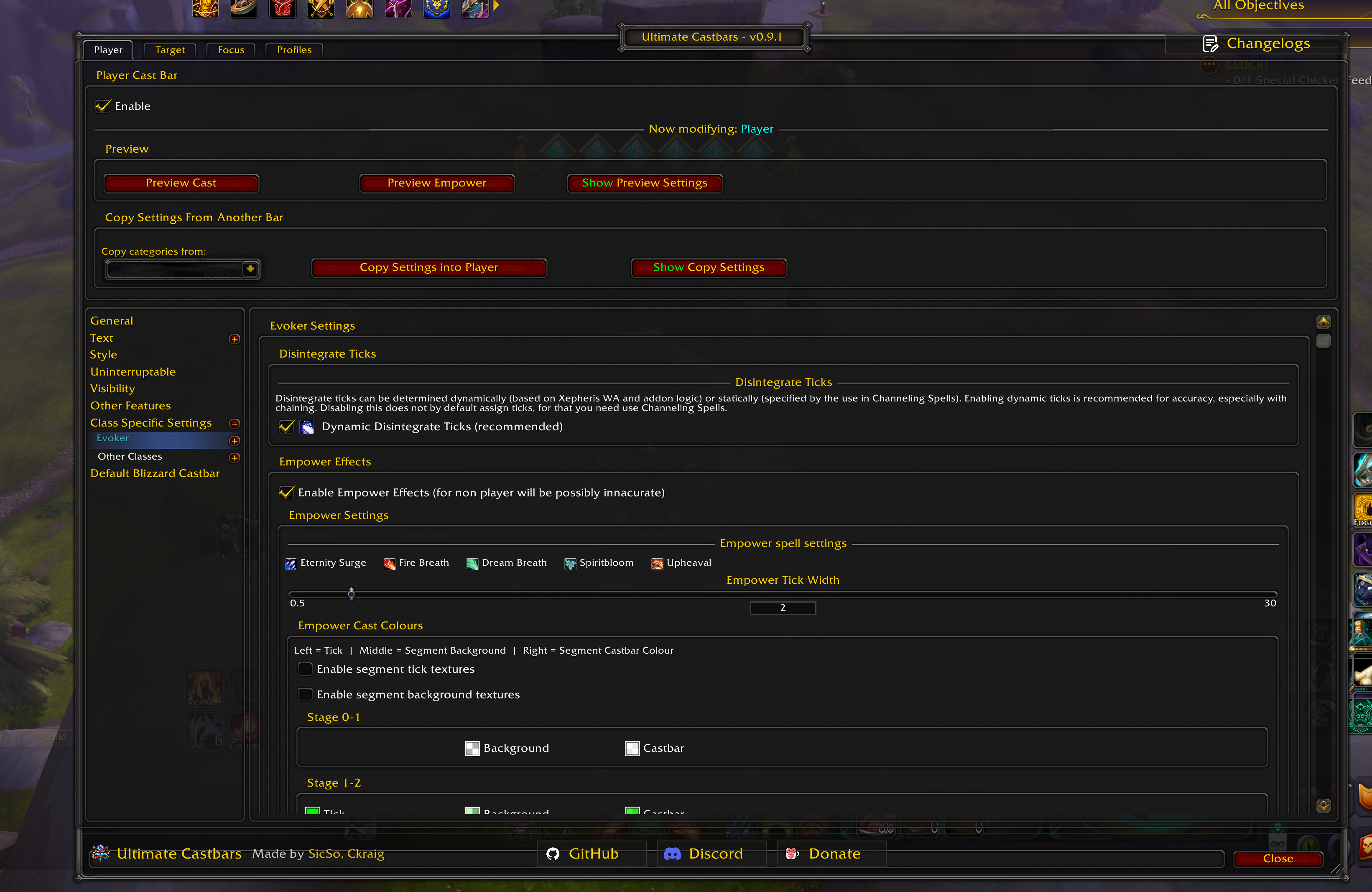
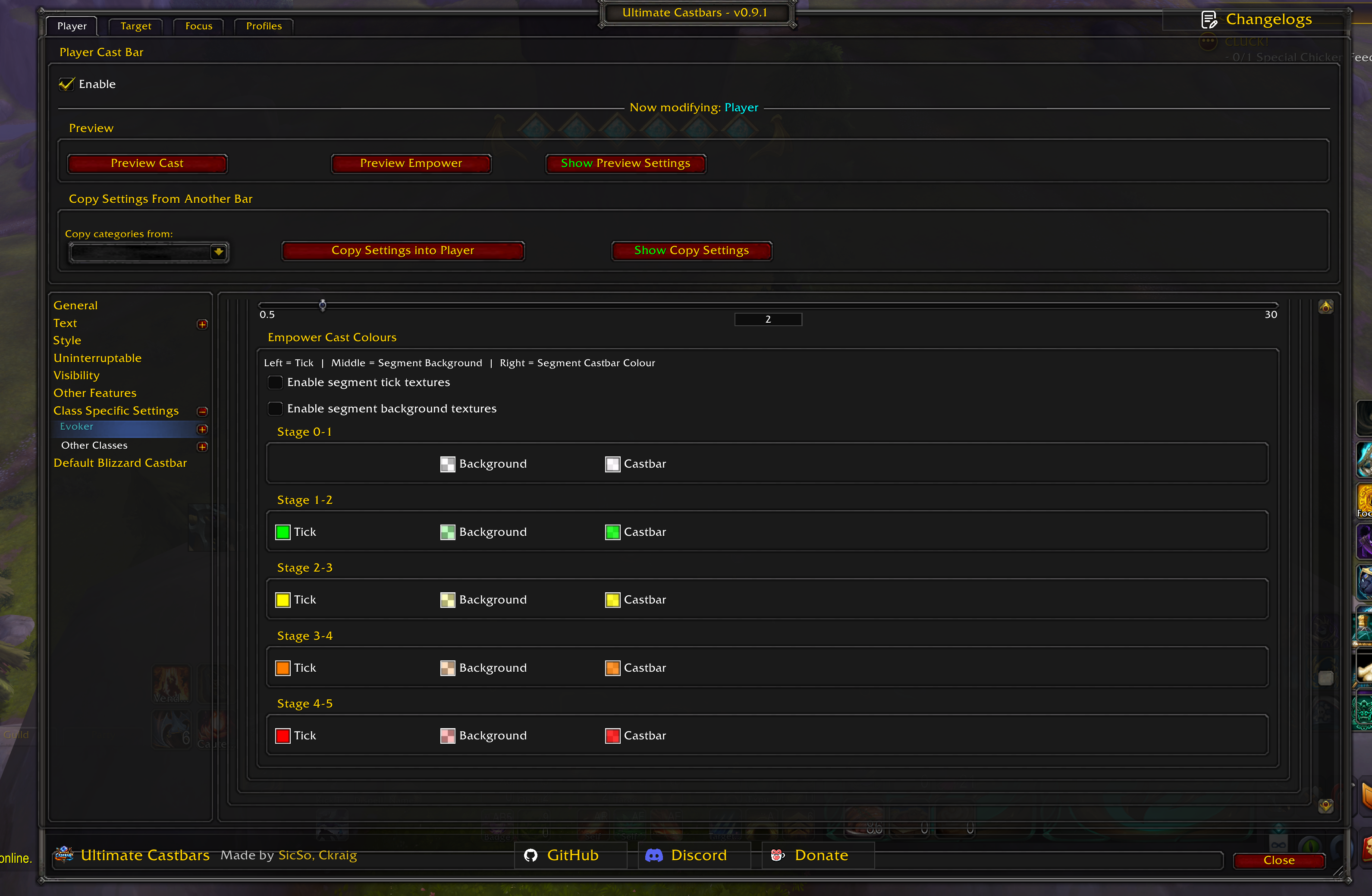
- Empower visuals:
- Stage tick marks and segment backgrounds (dynamic)
- Manual tick placement (percent-based) with reset
- Per-stage tick and color control
- Optional textures
Preview Tools
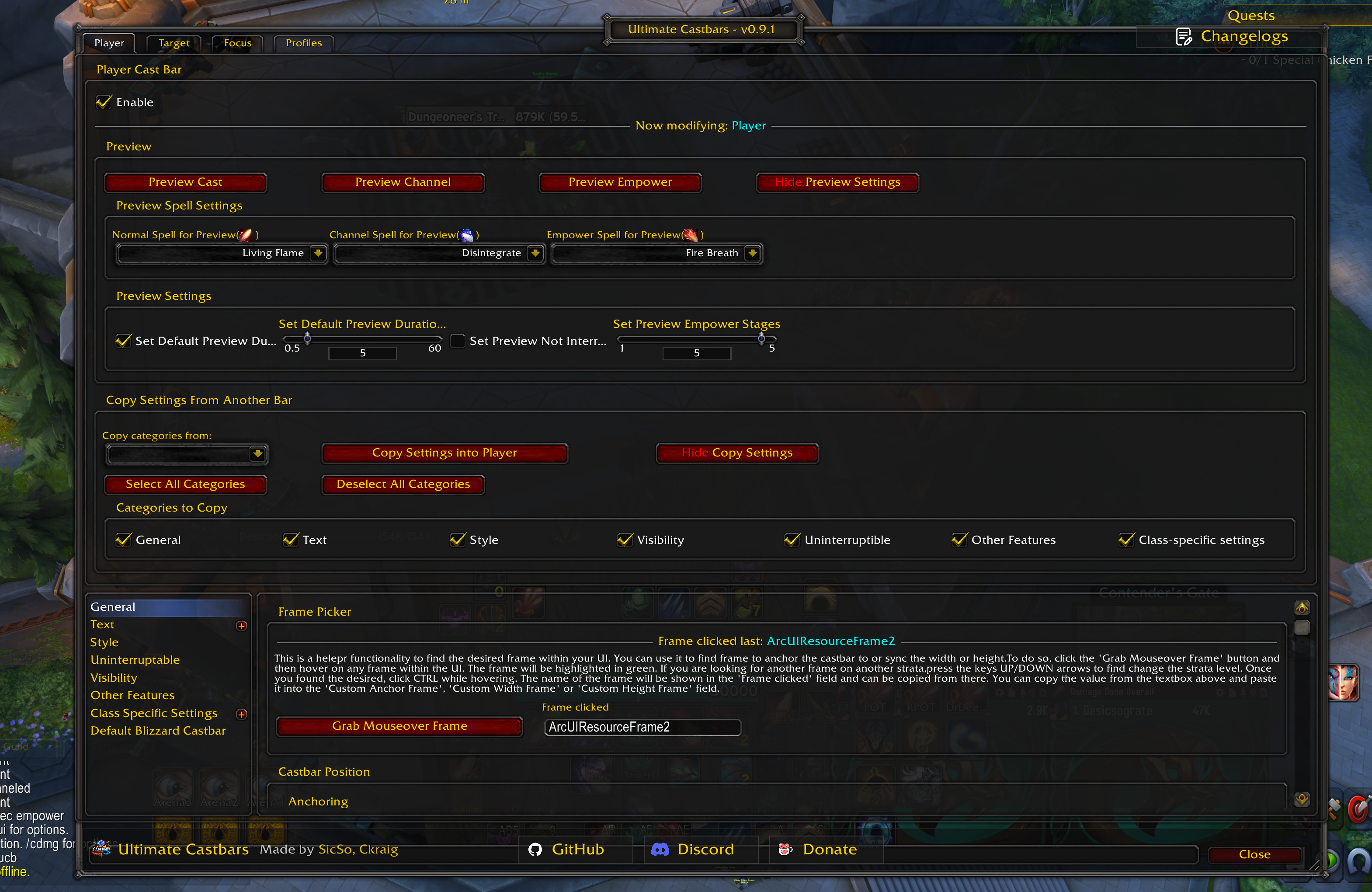
Per unit:
- Preview normal cast, channel, and empowered casts
- Looping previews (auto restart)
- Choose preview spells from detected spellbook lists
- Configure duration, empower stage count, “not interruptible”
- Drag preview bar to reposition and write offsets back to settings
Blizzard Castbar Integration
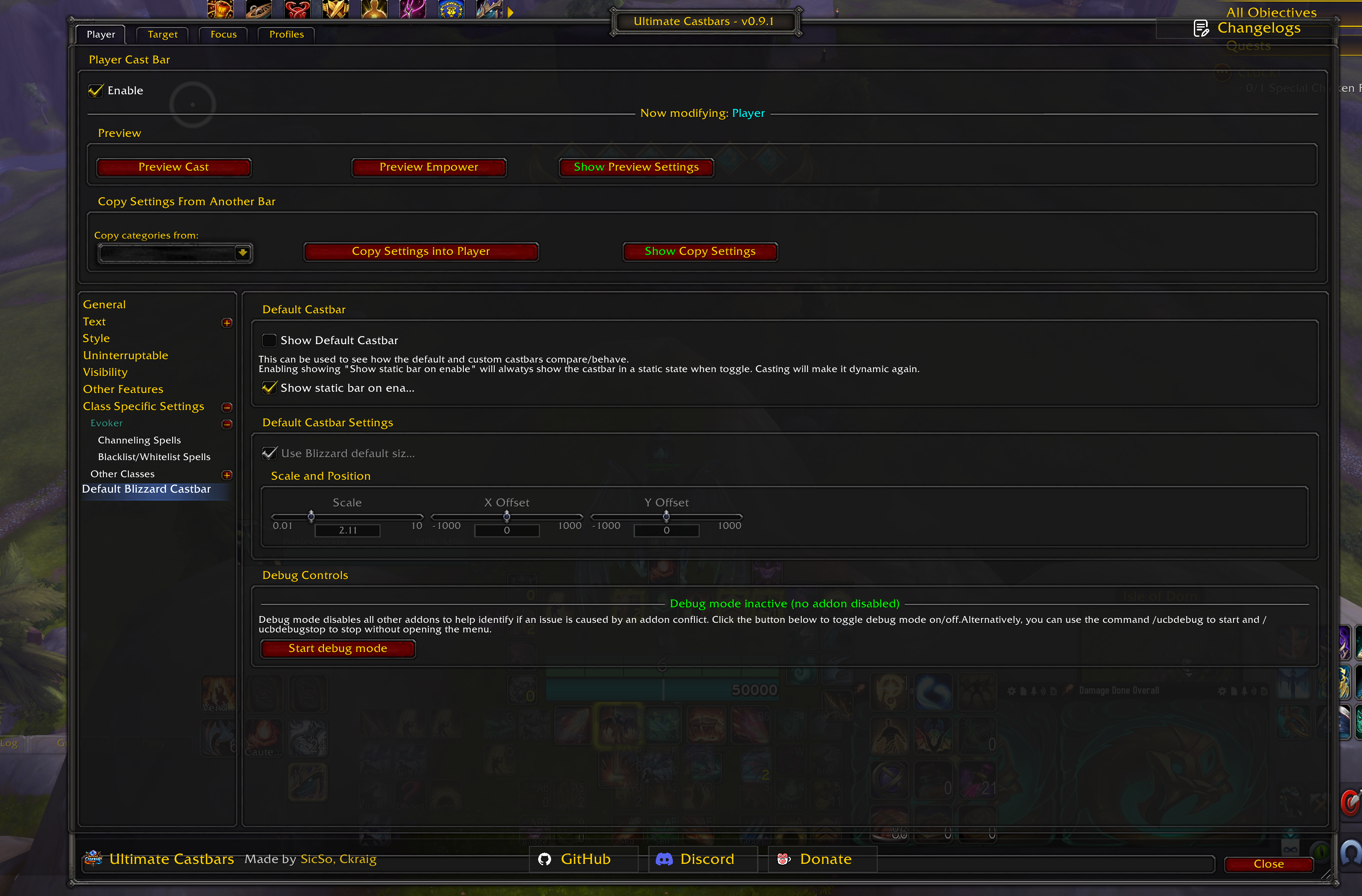
- Show/hide default Blizzard castbars while using custom bars
- Optionally show a static bar when enabling for comparison/testing
- Control default bar size/position/scale (or leave Blizzard-managed)
- Captures and restores Blizzard baseline positions with “late restore” to reduce drift
- Re-applies hide/show if Blizzard attempts to show frames again
Slash Commands
/ucb,/ultimatecastbars,/uc— Open main UI/pcb— Player castbar settings/tcb— Target castbar settings/fcb— Focus castbar settings/ucbprof— Profiles tab/ucbdebug— Start debug mode/ucbdebugstop— Stop debug mode/rl— Reload UI
Profiles, Import/Export, and Copy Tools
- AceDB profile management (choose/copy/reset/delete)
- Optional LibDualSpec integration (if present)
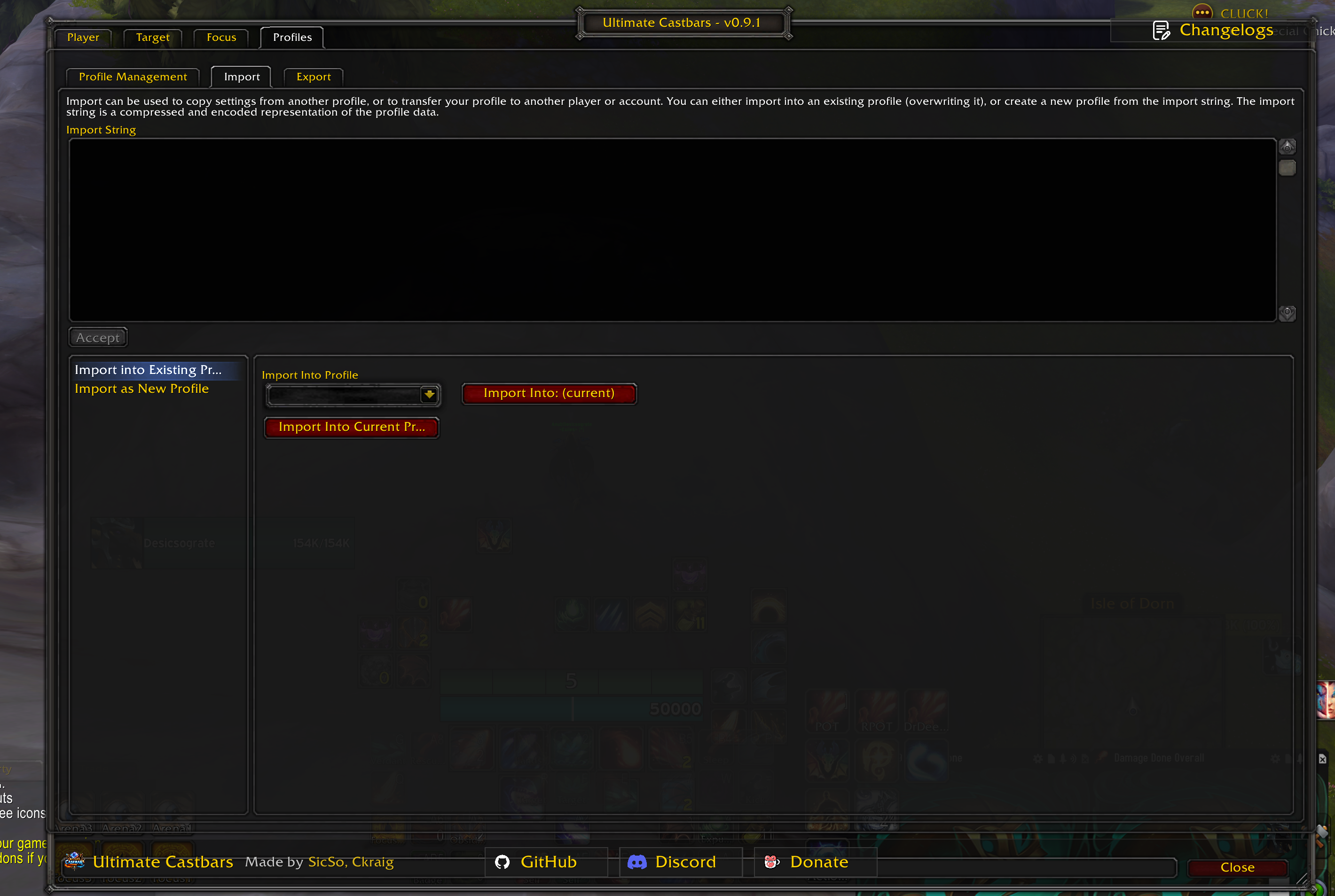
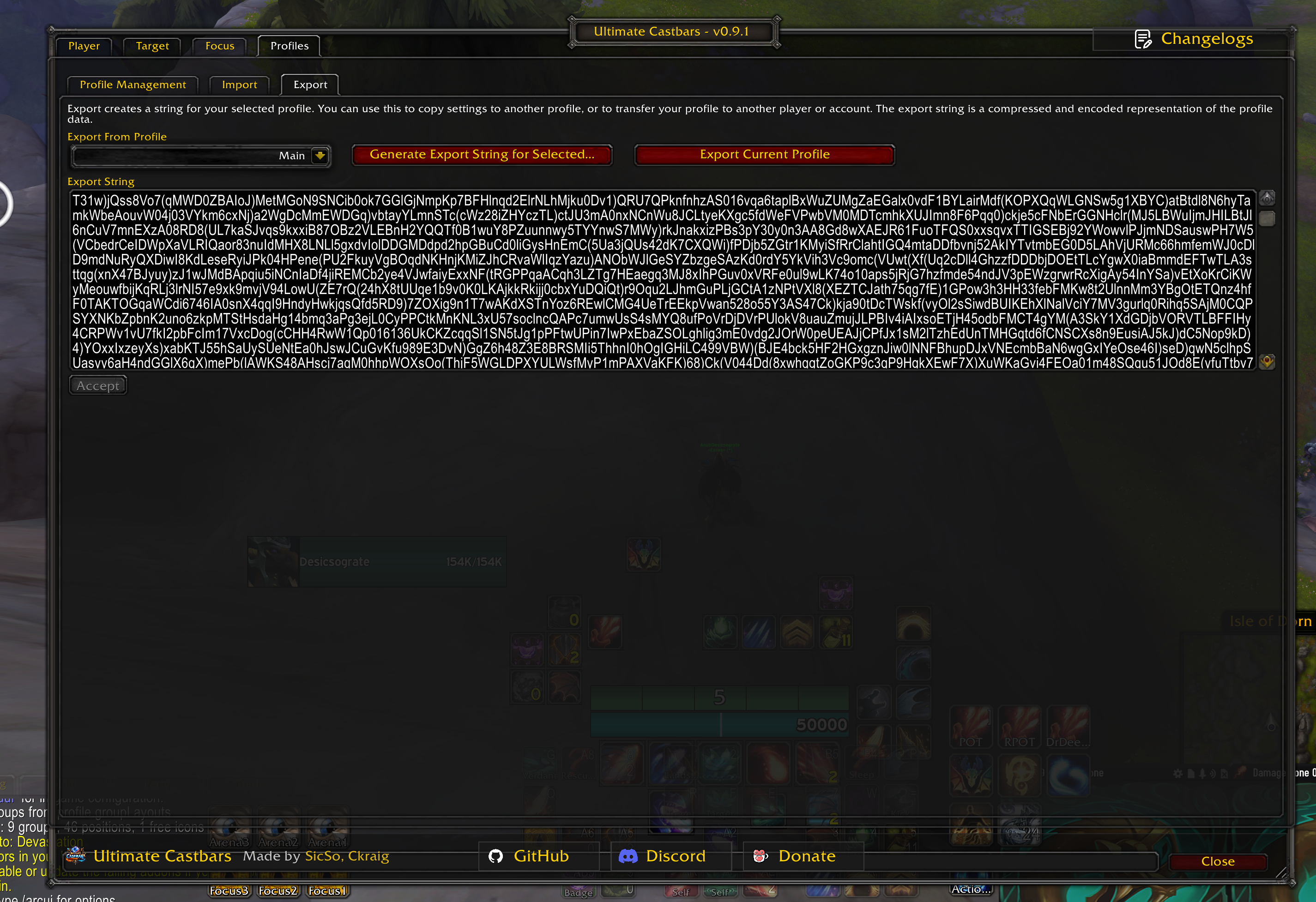
- Import/Export:
- Export selected/current profile as a string
- Import into current or existing profile
- Import as a new profile
- Uses AceSerializer + optional LibDeflate for compression/printable encoding
- Copy settings between units:
- Copy selected categories (general/text/style/visibility/uninterruptible/other/class)
- Replaces array-like settings cleanly (e.g., text lists)
Debug Mode
Debug mode is intended for addon conflict isolation:
- Captures currently enabled addons (excluding Ultimate Castbars)
- Disables them for the current character and reloads UI
- Stores the list and can restore/reload later
Use carefully—this is disruptive by design.
Dependencies
This addon uses (directly or via embedded libs):
- Ace3
- AceGUI-3.0-SharedMediaWidgets
- CallbackHandler-1.0
- LibDataBroker-1.1
- LibDualSpec-1.0
- LibSharedMedia-3.0
- LibDeflate
Support
- Use Discord for issues or bugs and feature requests: https://discord.gg/wX5hWW3N3Q
Contributing
PRs welcome.
Suggested workflow:
- Fork the repo
- Create a feature branch
- Keep changes focused and documented
- Submit a PR with a clear summary and testing notes (client version, class/spec, steps)
CurseForge: https://www.curseforge.com/wow/addons/ultimate-castbars
用户评价
暂无 / 5,0 条评价相关推荐
继续看看这些内容
