插件中文资料库
中文说明、玩家点评、适用场景和替代推荐,方便快速判断是否适合你。
- 日常任务、练级和满级玩法辅助
- 界面体验优化和信息展示增强
- 副本前先测试兼容性,确认不报错后再长期使用
 Details! Mythic+ Scoreboard
 Copy Anything
 BagSync
BigChatBox 插件下载与使用指南
本页整理了 BigChatBox 的功能用途、适用人群、安装方法和常见问题,方便玩家快速判断是否需要安装。
适合谁用
BigChatBox 是一款 聊天与通讯 / 界面美化 类插件,适合需要优化界面、提升操作效率或补充游戏信息提示的魔兽世界玩家。
基本信息
- 插件作者:Dukul
- 插件分类:聊天与通讯 / 界面美化
- 适配版本:1.15.6,5.5.1,5.5.0,2.5.4,1.15.5,1.15.7,12.0.0,1.15.8
- 累计下载:0
安装方法
- 点击上方下载按钮获取 BigChatBox插件文件。
- 解压后将插件文件夹放入 World of Warcraft/_retail_/Interface/AddOns 目录。
- 重启游戏或在角色界面点击插件,确认 BigChatBox 已启用。
- 如果插件不生效,请检查版本是否匹配,或关闭同类冲突插件后重试。
使用建议
BigChatBox 安装后建议先在角色界面确认已启用,进入游戏后根据插件提供的命令、小地图按钮或设置面板进行调整。如遇到报错,可先单独启用该插件排查冲突。
BigChatBox 常见问题
BigChatBox 适合需要 聊天与通讯 / 界面美化 类功能的玩家,特别是希望提升游戏便利性、界面管理或战斗信息获取效率的用户。
下载后解压到 Interface/AddOns 目录,然后重启游戏并在角色界面启用插件。
常见原因是目录多套一层、游戏版本不匹配、依赖插件缺失或同类插件冲突。
可以查看本页的替代插件推荐和相关插件区域,按下载量和分类选择同类工具。
插件 AI 问答
可以问:这个插件正式服能用吗、和 DBM 冲突吗、怎么设置、有没有替代插件。
BigChatBox 是一款魔兽世界插件,主要用于坐骑、宠物或击杀记录。建议根据自己的版本和插件环境先测试兼容性。
插件用途
BigChatBox 主要面向需要聊天与通讯功能的玩家,用来改善游戏体验、减少重复操作或补充默认界面没有直接提供的信息。
适用场景
- 坐骑、宠物或击杀记录
使用建议
安装后建议先在角色选择界面或插件管理器中确认已启用,再进入游戏测试是否与现有整合包、WA 和其他插件冲突。如遇报错,可以先禁用同类插件排查。

by Dukul
There is now a fallback system for the combat lockout. Whenever you insert a key in Mythic, or are in combat, you get the regular Blizzard input box. It automatically goes back to the BCB input box when out of combat or out of Mythic. Seeing as the API restrictions also hamper the shift-click insert of ex. mounts and achievements you can press ctrl+enter to open the Blizzard input directly. It will again go back to BCB input box after you've sent the message. You can read more about this at the bottom.
This addon makes the chat input box movable and fully customizable with borders, backgrounds and fonts. Can be used with LibSharedMedia and other media found in other addons you've installed to give your even more borders, backgrounds and fonts to change the look and feel of it.
Key Features
- Made with the new addon changes done in Midnight (12.0) in mind
- Move, scale and resize the input field in either options or with a separate visual anchor box
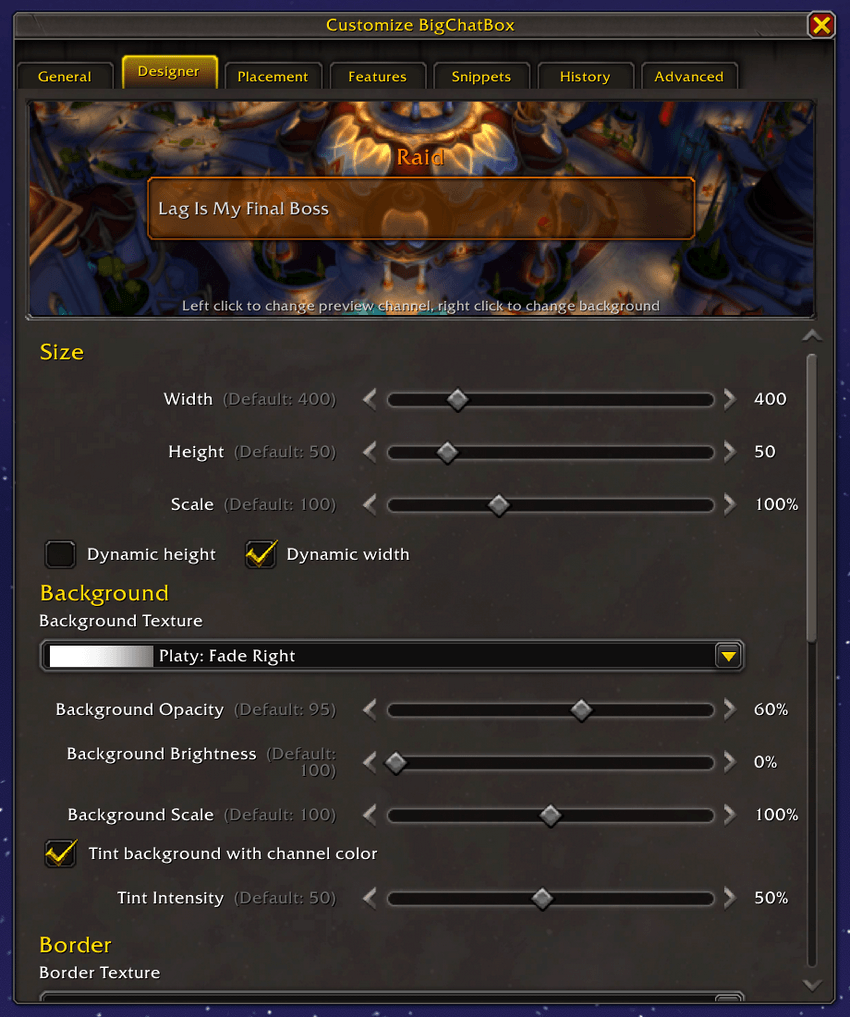
- Change the border and background texture
- Change font style and size
- Change brightness and transparecy of border and background
- Easily configurable with preview window
- Click the channel name above the input field to change where you want to send the message (see known problems below)
- History of what you've typed scrollable with up/down arrow keys
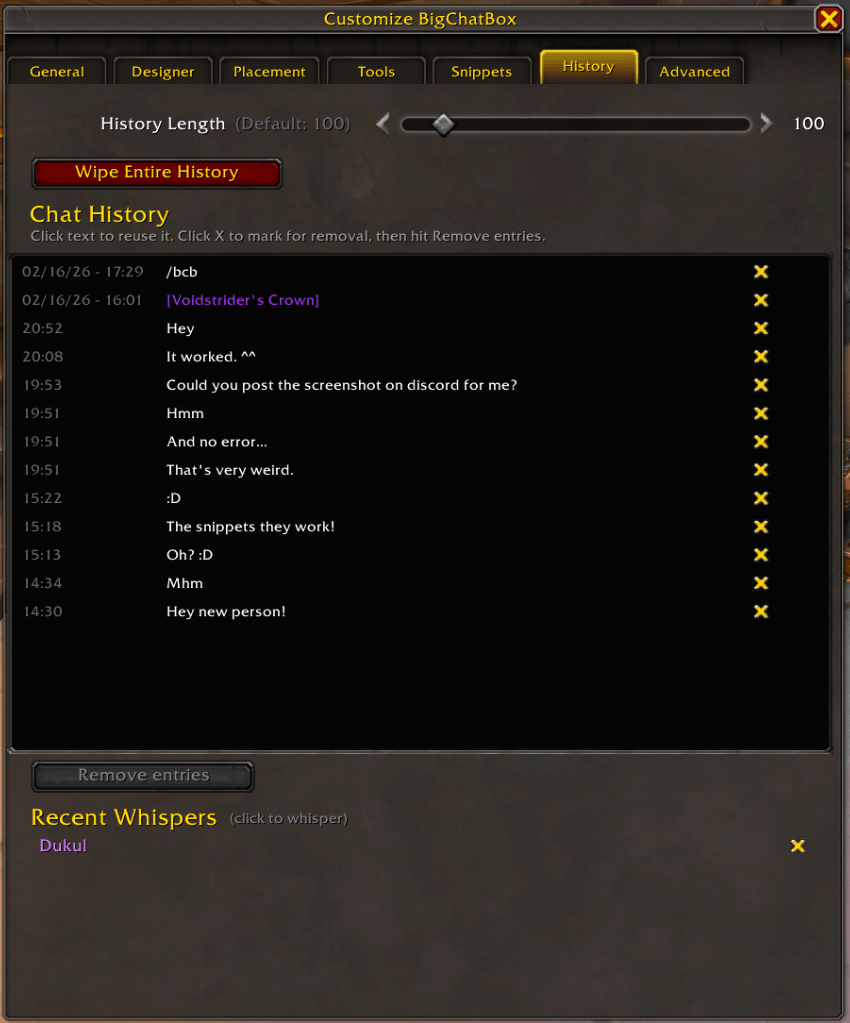
- Check the history and remove what you don't want it to remember
- Remembers the last five people you've whispered
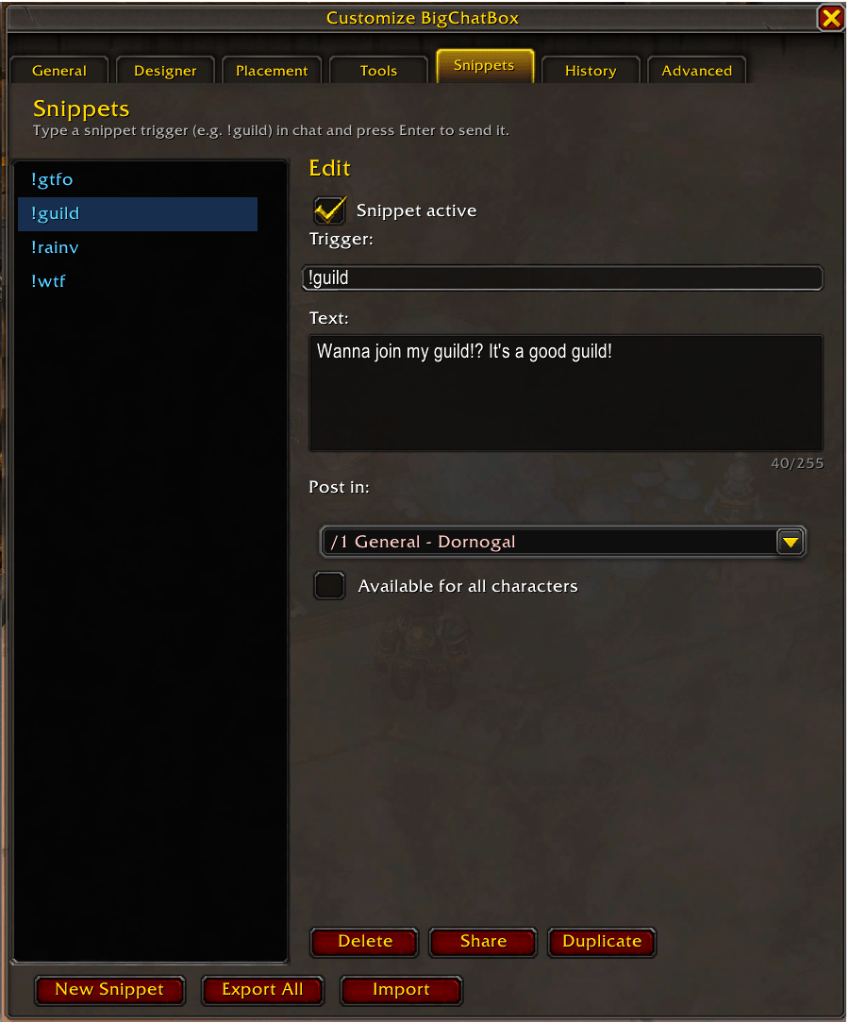
- !Snippets system, make your own replacement text to easily post in different places
- Emoticons button for quickly adding ascii emotes
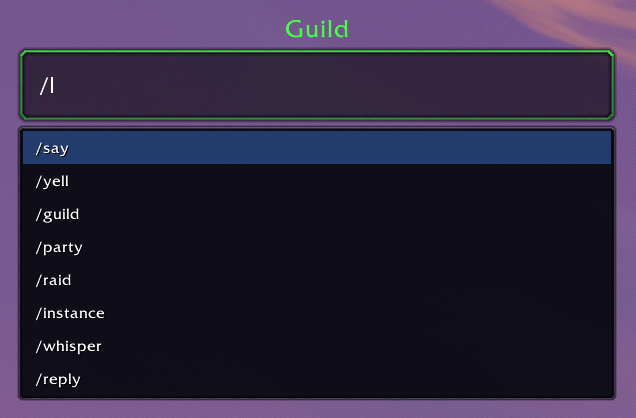
- Autocomplete /commands, /whisper and !snippets
- Add more borders, textures and fonts with sharedmedia
- Also uses borders, textures and fonts from other installed addons like Platynator
- Translated into nine languages: Deutsch, Français, Español, Português, Italiano, 日本語, 한국어, 简体中文 and 繁體中文
Design your chat box!
See the input box as you style it, save your style and share it with friends.


You can also change the background and channel in the preview window so you know what it looks like in different conditions
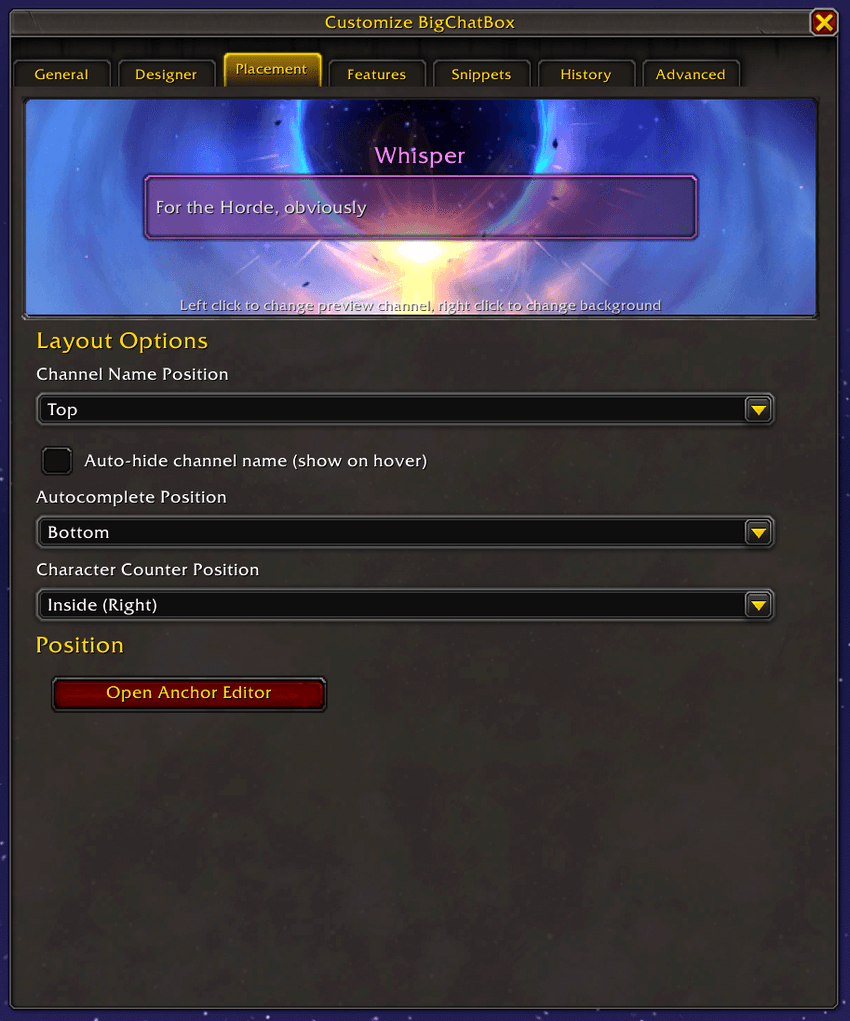
There are a bunch of options to let you change it to match your UI! (The border here is from LS: Borders)
Snippets
The snippet system lets you create replacement commands with !snippet. You could make one called !guild that will let you type !guild in the chat box hit enter and have it post "Please joine my guild, it's great! Whisper for invite!" to the currently active channel. You can also make it only post to a channel you want, so regardless if you have /s or /p active in the chat box the !guild snippet will always post to /1
Autocomplete
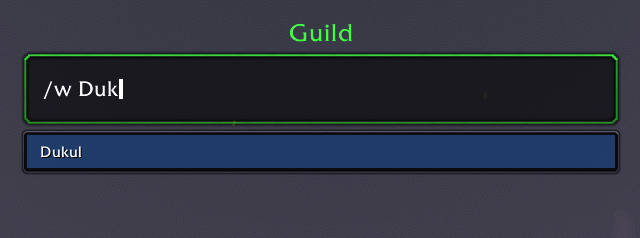
If you start with / it will show you a list of commands, continue typing to find your command, use TAB to change between the commands it shows you and hit enter to run the command. Also works with /w so it will show you guild mates, server friends, Battle.net and Real ID friends, and of course it works with !snippets too (this will even show you a preview of what the snippet contains)!
Slash commands
Snippets

Guildies, friends and Real ID friends
History
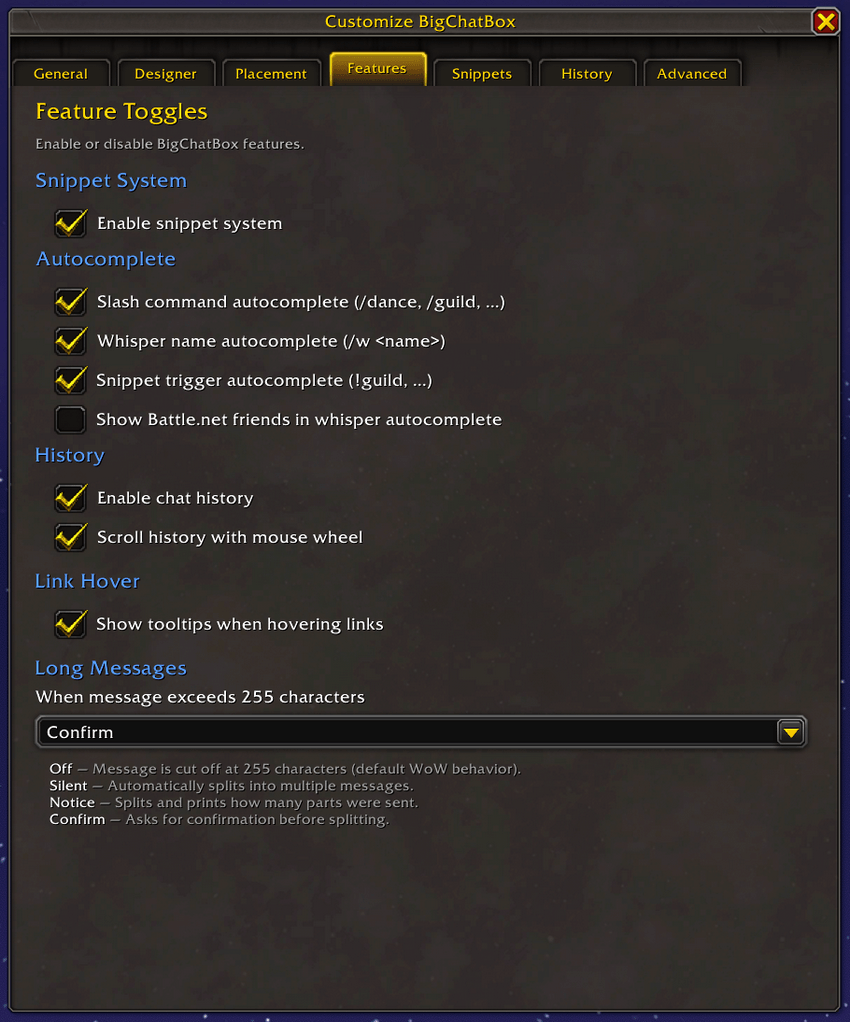
See what you've typed in the input menu, easily open the input box with the text you've already typed. Remove lines individually and change how much it should keep a history of (0 to 1000 lines)
Only use what you need
Don't want snippets? Turn it off. You want the autocomplete of commands but not whisper? Change it. Turn off the shitory feature if you want!
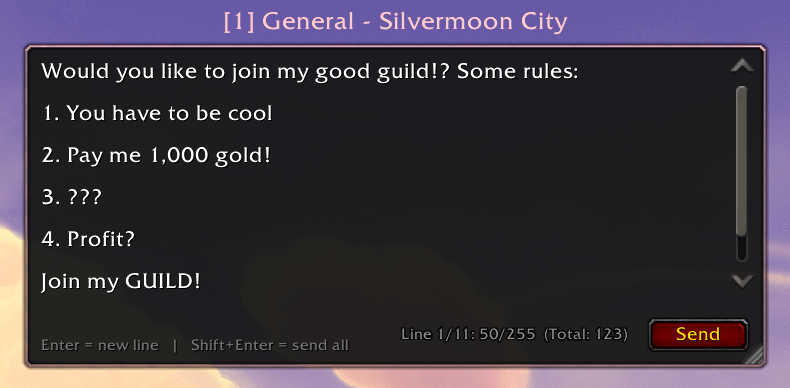
Multiline input box
If you want to send a bunch of lines in one go, use the multiline input box by hitting shift-enter (can be changed). Type your message and send! It will follow the default style, but can follow your style if you want!
Easy access
You can change the channel you want to chat in by left clicking the channel name, or right click for quick options.
Left click menu
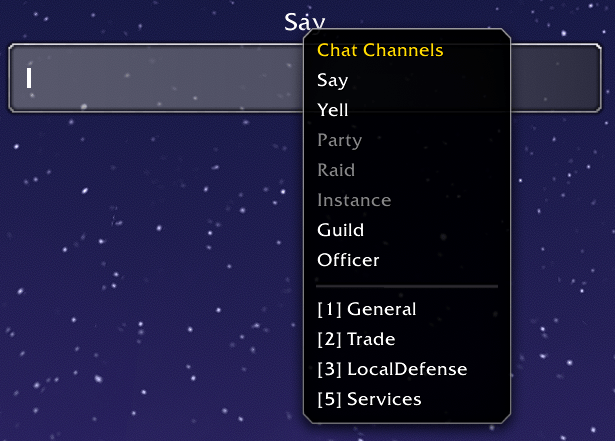
Right click menu

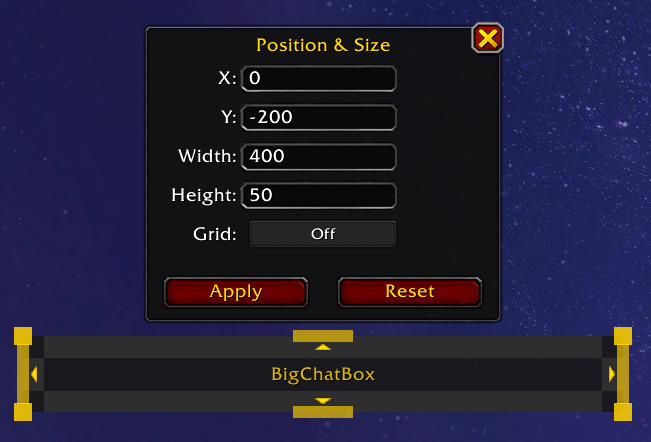
Anchor editor
Move and scale the input box easily by typing /bcb edit, clicking the button under the Tools tab in options or right clicking the channel name
Language support
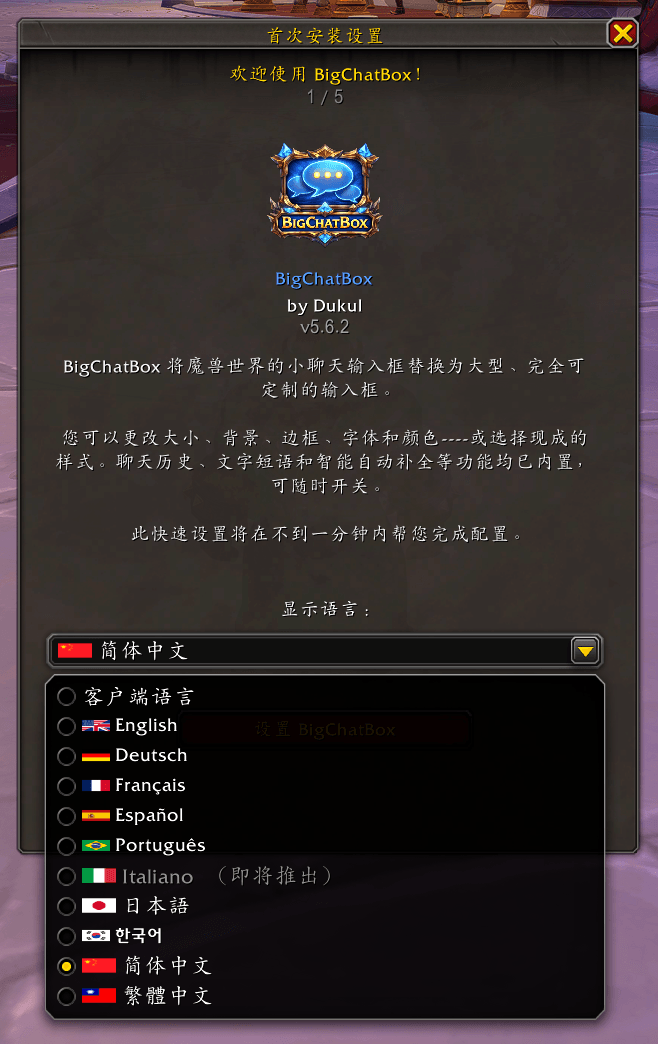
Supports the following languages:
- English (Semi complete)
- Deutsch
- Français
- Español
- Português
- Italiano
- 日本語
- 한국어
- 简体中文
- 繁體中文
Future features (wishful thinking)
- Configurable buttons/commands below the input box with key binding support for easy access
- Separate styles for each channel if you want
- Sound when typing? (oof, annoying maybe?)
- Make it compatible with classic, anniversary etc.
Why does BigChatBox pause during combat / M+ etc. (Midnight 12.0+)
With the Midnight expansion (12.0), Blizzard introduced major changes to how addons interact with the game during combat. This initiative, called Addon Disarmament, limits what addons can do with combat information.
What changed?
Combat-related data is now "secret values". Addons can display this information but cannot read or process it in their code.
Many UI frames are now protected during combat. In instanced content (M+ keystones, arenas, rated battlegrounds) the restrictions are even stricter. Any addon that modifies or hooks into these protected frames risks spreading taint, which can completely break game functionality. Not just the addon, but core game features like targeting, casting spells, and using abilities.
How does this affect BigChatBox?
WoW's default chat input (ChatFrame1EditBox) is a protected frame because it processes secure slash commands like /target, /cast, and /focus. BigChatBox hooks into this frame to intercept chat input. During combat and instanced competitive content, these hooks can cause taint that would block your entire chat system.
To protect you, BigChatBox automatically pauses during combat and during M+ keystones, arenas, and rated battlegrounds. Blizzard's default chat input takes over seamlessly. When combat ends or the content finishes, BigChatBox resumes automatically.
Why not just fix it?
This is not a bug! This is a fundamental restriction in WoW's security model. Every addon that modifies protected frames during combat faces the same limitation. Blizzard designed these restrictions to prevent addons from automating combat decisions, and the chat editbox falls within that protected scope.
The bottom line
BigChatBox pauses during combat and during timed competitive instances (M+, arenas, rated BGs). You can still chat normally during those activities by using Blizzard's built-in chat input instead. BigChatBox resumes automatically when combat ends or the activity completes.
Inspiration
- Big Input Box by GoldPawForever - Main inspiration. This hasn't been updated for Midnight unfortunately (I understand why). It was an awesome addon!
- Baganator, Chattynator & Platynator by plusmouse - For their style and how they look & feel, damn great must have addons! Download these and support plusmouse!
Optional dependencies
Would suggest downloading the following, not needed, but they give extra media to the addon.
- LS: Borders by i_lightspark (One of the borders in this addon is used in the preview window video above)
- Platynator
CurseForge: https://www.curseforge.com/wow/addons/bigchatbox
用户评价
暂无 / 5,0 条评价相关推荐
继续看看这些内容
