插件中文资料库
中文说明、玩家点评、适用场景和替代推荐,方便快速判断是否适合你。
- 界面布局、头像框、姓名板和动作条优化
 Details! Mythic+ Scoreboard
 BagSync
 GroupFinder
asBloodlustAlert 插件下载与使用指南
本页整理了 asBloodlustAlert 的功能用途、适用人群、安装方法和常见问题,方便玩家快速判断是否需要安装。
适合谁用
asBloodlustAlert 是一款 增益与减益 类插件,适合需要优化界面、提升操作效率或补充游戏信息提示的魔兽世界玩家。
基本信息
- 插件作者:asMOD_kr
- 插件分类:增益与减益
- 适配版本:12.0.5,12.0.7
- 累计下载:0
安装方法
- 点击上方下载按钮获取 asBloodlustAlert插件文件。
- 解压后将插件文件夹放入 World of Warcraft/_retail_/Interface/AddOns 目录。
- 重启游戏或在角色界面点击插件,确认 asBloodlustAlert 已启用。
- 如果插件不生效,请检查版本是否匹配,或关闭同类冲突插件后重试。
使用建议
asBloodlustAlert 安装后建议先在角色界面确认已启用,进入游戏后根据插件提供的命令、小地图按钮或设置面板进行调整。如遇到报错,可先单独启用该插件排查冲突。
asBloodlustAlert 常见问题
asBloodlustAlert 适合需要 增益与减益 类功能的玩家,特别是希望提升游戏便利性、界面管理或战斗信息获取效率的用户。
下载后解压到 Interface/AddOns 目录,然后重启游戏并在角色界面启用插件。
常见原因是目录多套一层、游戏版本不匹配、依赖插件缺失或同类插件冲突。
可以查看本页的替代插件推荐和相关插件区域,按下载量和分类选择同类工具。
插件 AI 问答
可以问:这个插件正式服能用吗、和 DBM 冲突吗、怎么设置、有没有替代插件。
asBloodlustAlert 是一款魔兽世界插件,主要用于增益、减益、光环或职业状态监控、倒计时、提醒和战斗预警。建议根据自己的版本和插件环境先测试兼容性。
插件用途
asBloodlustAlert 主要面向需要增益与减益功能的玩家,用来改善游戏体验、减少重复操作或补充默认界面没有直接提供的信息。
适用场景
- 增益、减益、光环或职业状态监控
- 倒计时、提醒和战斗预警
使用建议
安装后建议先在角色选择界面或插件管理器中确认已启用,再进入游戏测试是否与现有整合包、WA 和其他插件冲突。如遇报错,可以先禁用同类插件排查。
asBloodlustAlert (Midnight)
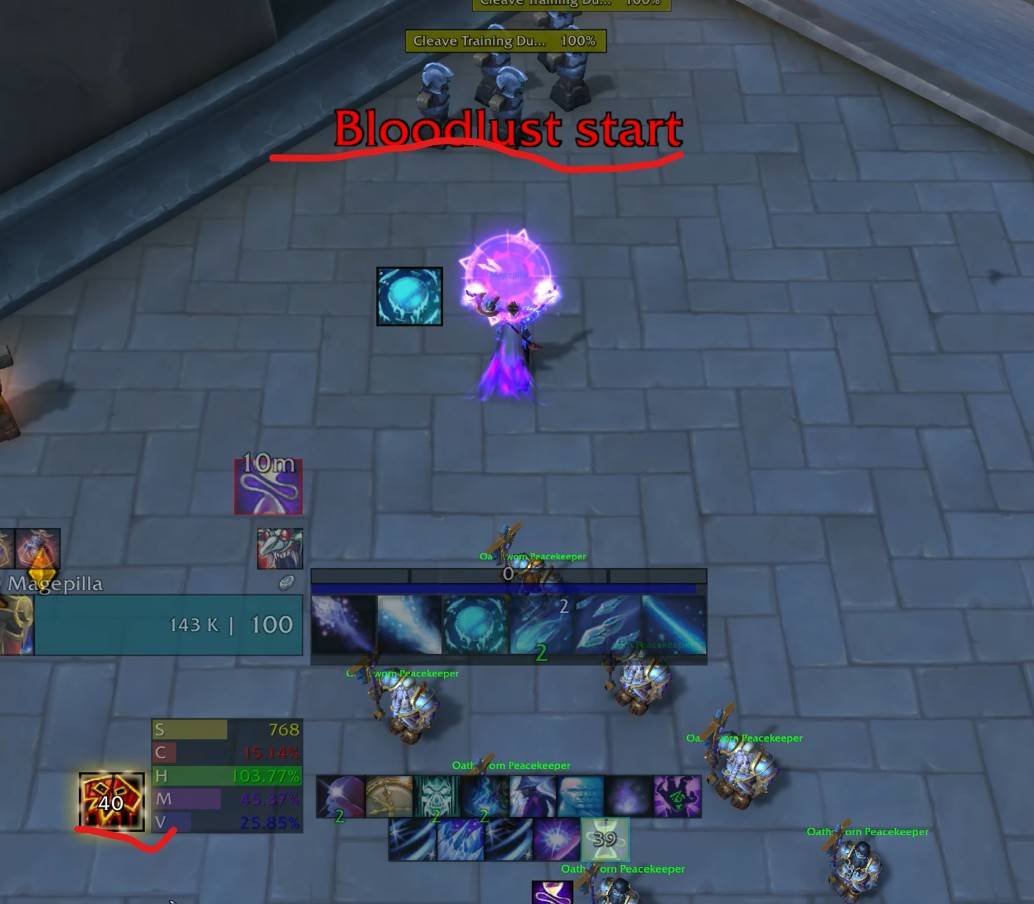
Notifies the Bloodlust/Heroism window.
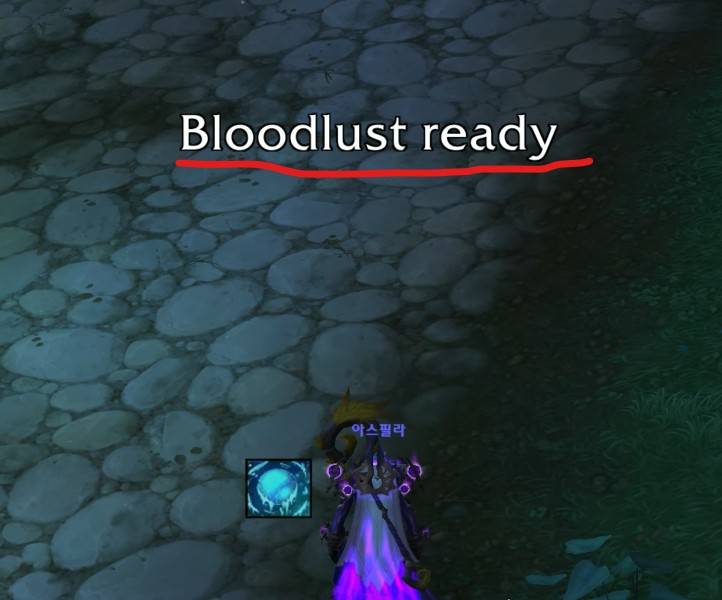
Notifies when Bloodlust is ready to use after the exhaustion debuff expires.
Features
Displays "Bloodlust Start" in the center of the screen.
Provides a voice alert: "Bloodlust Start."
Displays the remaining duration of Bloodlust in the bottom-left corner.
Displays "Bloodlust Ready" in the center of the screen.
Provides a voice alert: "Bloodlust Ready."
Only notifies when the Bloodlust debuff expires naturally (when the remaining duration changes from 1 second to 0).
Does not notify if the debuff is removed by other means, such as a reset.
Configuration
The text displayed in the center of the screen can be moved.
Move Position: Enter the
/asConfigcommand in the chat window.Reset Position: Enter the
/asClearcommand in the chat window to reset to default settings.Options can be changed by navigating to
ESC>Options>AddOns>asBloodlustAlert.StartAlert: Notifies when Bloodlust starts (Default: true).ShowBuff: Displays the Bloodlust duration as a button (Default: true).ReadyAlert: Notifies when Bloodlust is ready (Default: true).VoiceAlert: Provides voice alerts (Default: true).FontSize: Font size for the "Bloodlust Ready" text (Default: 30).ShowTime: Display duration for the "Bloodlust Ready" text (Default: 2 seconds).
asBloodlustAlert (한밤)
블러드 구간을 알립니다.
블러드 사용 불가 디버프가 사라저 블러드 사용이 준비 되면 알림니다.
기능
화면 중앙에 "블러드 시작"라고 알립니다.
음성으로 "블러드 시작"라고 알립니다.
블러드 지속시간을 좌측 하단에 알립니다.
화면 중앙에 "블러드 준비"라고 알립니다.
음성으로 "블러드 준비"라고 알립니다.
블러드 디버프가 시간이 완료되어 사라지는 경우(지속 시간이 1초 에서 0초로 변경될때)만 알립니다.
그외 Reset등으로 디버프가 사라지는 경우는 알리지 않습니다.
설정
화면 중앙에 표시되는 글씨는 이동이 가능합니다.
위치 이동 :
/asConfig명령어 채팅창에 입력위치 초기화 :
/asClear명령어 채팅창에 입력, 기본 설정으로 초기화ESC>설정>애드온탭에서asBloodlustAlert를 찾아 옵션을 변경할 수 있습니다.StartAlert블러드 시작됨을 알립니다. (기본 true)ShowBuff블러드 지속시간을 버튼으로 알립니다. (기본 true)ReadyAlert블러드 준비됨을 알립니다. (기본 true)VoiceAlert음성으로 알립니다. (기본 true)FontSize"블러드 준비" 글씨 크기 (기본 30)ShowTime"블러드 준비" 표시 시간 (기본 2초)
用户评价
暂无 / 5,0 条评价相关推荐
继续看看这些内容
