插件中文资料库
中文说明、玩家点评、适用场景和替代推荐,方便快速判断是否适合你。
- 界面布局、头像框、姓名板和动作条优化
 Details! Mythic+ Scoreboard
 BagSync
 RightClickSelfCast
Wick's Totem's and Things 插件下载与使用指南
本页整理了 Wick's Totem's and Things 的功能用途、适用人群、安装方法和常见问题,方便玩家快速判断是否需要安装。
适合谁用
Wick's Totem's and Things 是一款 萨满祭司 / HUD界面 / 职业 类插件,适合需要优化界面、提升操作效率或补充游戏信息提示的魔兽世界玩家。
基本信息
- 插件作者:Wicksmods
- 插件分类:萨满祭司 / HUD界面 / 职业
- 适配版本:2.5.5
- 累计下载:40
安装方法
- 点击上方下载按钮获取 Wick's Totem's and Things插件文件。
- 解压后将插件文件夹放入 World of Warcraft/_retail_/Interface/AddOns 目录。
- 重启游戏或在角色界面点击插件,确认 Wick's Totem's and Things 已启用。
- 如果插件不生效,请检查版本是否匹配,或关闭同类冲突插件后重试。
使用建议
Wick's Totem's and Things 安装后建议先在角色界面确认已启用,进入游戏后根据插件提供的命令、小地图按钮或设置面板进行调整。如遇到报错,可先单独启用该插件排查冲突。
Wick's Totem's and Things 常见问题
Wick's Totem's and Things 适合需要 萨满祭司 / HUD界面 / 职业 类功能的玩家,特别是希望提升游戏便利性、界面管理或战斗信息获取效率的用户。
下载后解压到 Interface/AddOns 目录,然后重启游戏并在角色界面启用插件。
常见原因是目录多套一层、游戏版本不匹配、依赖插件缺失或同类插件冲突。
可以查看本页的替代插件推荐和相关插件区域,按下载量和分类选择同类工具。
插件 AI 问答
可以问:这个插件正式服能用吗、和 DBM 冲突吗、怎么设置、有没有替代插件。
Wick's Totem's and Things 是一款魔兽世界插件,主要用于界面框架、头像、动作条或冷却显示优化、倒计时、提醒和战斗预警、副本、团本、大秘境或钥石辅助,适合对应经典服或周年服版本使用。建议根据自己的版本和插件环境先测试兼容性。
插件用途
Wick's Totem's and Things 主要面向需要HUD界面功能的玩家,用来改善游戏体验、减少重复操作或补充默认界面没有直接提供的信息。
适用场景
- 界面框架、头像、动作条或冷却显示优化
- 倒计时、提醒和战斗预警
- 副本、团本、大秘境或钥石辅助
使用建议
安装后建议先在角色选择界面或插件管理器中确认已启用,再进入游戏测试是否与现有整合包、WA 和其他插件冲突。如遇报错,可以先禁用同类插件排查。
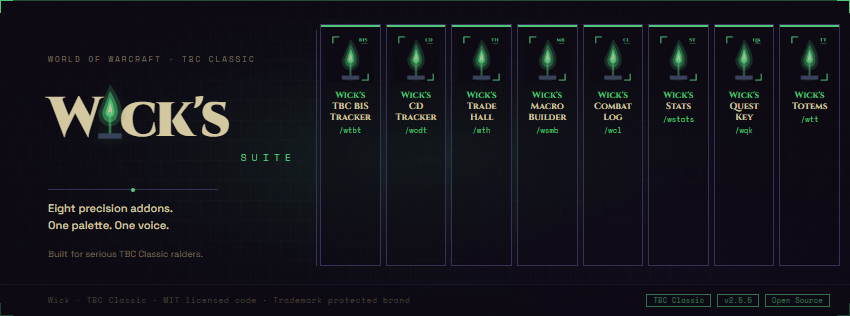
Wick's Totems and Things is the all-in-one shaman command bar for TBC Classic Anniversary (2.5.5). Drop totem sets, twist Windfury and Grace of Air on a single keybind, watch who's actually getting buffed, and never miss a proc.
***V.0.3.6 -Added draggable proc/shield floaters with auto-hide and missing-buff pulse, per-talent filter instead of crude spec tags, independent size sliders for procs vs shields, totem destroyed alert, and a fully resizable UI across every bar.
Slim icon strip
Four element buttons (Fire, Earth, Water, Air) sit on a draggable strip. Each button is a secure cast button bound to your active preset's totem for that element. Left-click casts. Right-click opens a totem picker for the active preset. Keybind labels show in the top-right corner of each icon, action-bar style. A dedicated "drop all four" keybind cycles your full preset on press, one totem per global cooldown.
Affected count on every totem
Each active totem shows a count of how many party or raid members are inside its buff radius. The count also overlays on Blizzard's totem icons (the small ones next to your minimap). Tick-effect totems (Healing Stream, Mana Spring, Mana Tide) and self-only totems are flagged correctly.
Out-of-range warning
Step out of range of a buff totem you cast and the addon flashes a red banner across the top of the screen with the totem name, paints a subtle red vignette at the screen edges, plays a single sound, and tints that element's icon border red. Walk back into range and the warning clears instantly. Tick totems and caster-only totems are excluded from range checks.
Totem twisting
Toggle twist for any element from the Options panel. The element's button switches from a single /cast to a /castsequence between two totems. The icon shows the next totem to cast (it visibly flips on every press), and a center countdown counts down to the refresh window. When the window opens, the icon brightens, a red ! appears, and a soft chime fires once. Default air twist: Windfury Totem and Grace of Air Totem on a 9-second rhythm.
Cooldown and proc tracker
A second slim bar tracks shaman cooldowns and procs that are easy to forget mid-fight: Reincarnation (Ankh) with a bag-count box on the totem strip, Bloodlust or Heroism auto-faction filtered, Fire Elemental Totem, Earth Elemental Totem, Nature's Swiftness, Elemental Mastery, Tidal Force, Mana Tide Totem, Shamanistic Rage, Flurry stack, Windfury Weapon proc flash, Stormstrike target debuff. Each entry auto-hides when your spec doesn't have the talent. Cooldown spells dim with a Blizzard-style spiral while recharging. Procs grey out when inactive and burst to full color with a swirling autocast shine when they fire.
Swing timer
Main-hand and off-hand swing progress bars surface only in combat and fade after combat ends. Off-hand bar auto-hides when not dual-wielding.
Presets and bindings
Multiple named presets per character. Click a preset to make it active. Click any element pill to pick a different totem from a popup. Inline rename, delete, and add new presets from the Presets tab. Eight Blizzard keybinding slots covering drop-all, four per-element casts, toggle main panel, toggle icon strip, and cycle to next preset.
Options
A dedicated Options tab toggles every module: show / lock / reset position for the icon strip, cooldown bar, and swing timer; out-of-range warning with separate toggles for sound, top banner, and screen vignette; totem-frame count badge overlay on Blizzard's icons; per-element twist toggles with default totem pairs.
Slash commands
/wtt toggles the main panel. /wtt bar, /wtt cd, /wtt swing toggle the slim bars. /wtt twist <element> on|off enables totem twisting per element. /wtt status, /wtt range, /wtt cdtest print diagnostics. /wtt resetbar, /wtt resetcd, /wtt resetswing recover lost positions.
Presets, twist configuration, and bindings save per character. Bar positions, range-warning toggles, and overlay options save account-wide.
Requirements
TBC Classic Anniversary (2.5.5). Pure Lua, no library dependencies. Auto-hides shaman-only modules for non-shaman characters (panel still loads in viewer mode).
用户评价
暂无 / 5,0 条评价相关推荐
继续看看这些内容
