插件中文资料库
中文说明、玩家点评、适用场景和替代推荐,方便快速判断是否适合你。
- 界面布局、头像框、姓名板和动作条优化
 GroupFinder
 FollowerLocationInfo
 Sleek XP Bubbles
Wick's Macro Builder 插件下载与使用指南
本页整理了 Wick's Macro Builder 的功能用途、适用人群、安装方法和常见问题,方便玩家快速判断是否需要安装。
适合谁用
Wick's Macro Builder 是一款 战斗 / 职业 / 其他插件 类插件,适合需要优化界面、提升操作效率或补充游戏信息提示的魔兽世界玩家。
基本信息
- 插件作者:Wicksmods
- 插件分类:战斗 / 职业 / 其他插件
- 适配版本:2.5.5
- 累计下载:47
安装方法
- 点击上方下载按钮获取 Wick's Macro Builder插件文件。
- 解压后将插件文件夹放入 World of Warcraft/_retail_/Interface/AddOns 目录。
- 重启游戏或在角色界面点击插件,确认 Wick's Macro Builder 已启用。
- 如果插件不生效,请检查版本是否匹配,或关闭同类冲突插件后重试。
使用建议
Wick's Macro Builder 安装后建议先在角色界面确认已启用,进入游戏后根据插件提供的命令、小地图按钮或设置面板进行调整。如遇到报错,可先单独启用该插件排查冲突。
Wick's Macro Builder 常见问题
Wick's Macro Builder 适合需要 战斗 / 职业 / 其他插件 类功能的玩家,特别是希望提升游戏便利性、界面管理或战斗信息获取效率的用户。
下载后解压到 Interface/AddOns 目录,然后重启游戏并在角色界面启用插件。
常见原因是目录多套一层、游戏版本不匹配、依赖插件缺失或同类插件冲突。
可以查看本页的替代插件推荐和相关插件区域,按下载量和分类选择同类工具。
插件 AI 问答
可以问:这个插件正式服能用吗、和 DBM 冲突吗、怎么设置、有没有替代插件。
Wick's Macro Builder 是一款魔兽世界插件,主要用于界面框架、头像、动作条或冷却显示优化,适合对应经典服或周年服版本使用。建议根据自己的版本和插件环境先测试兼容性。
插件用途
Wick's Macro Builder 主要面向需要其他插件功能的玩家,用来改善游戏体验、减少重复操作或补充默认界面没有直接提供的信息。
适用场景
- 界面框架、头像、动作条或冷却显示优化
使用建议
安装后建议先在角色选择界面或插件管理器中确认已启用,再进入游戏测试是否与现有整合包、WA 和其他插件冲突。如遇报错,可以先禁用同类插件排查。
A clean macro editor for TBC Classic. Build your macro with click-to-insert chips, pick an icon, then drag it straight onto your action bars — no switching to Blizzard's macro window.
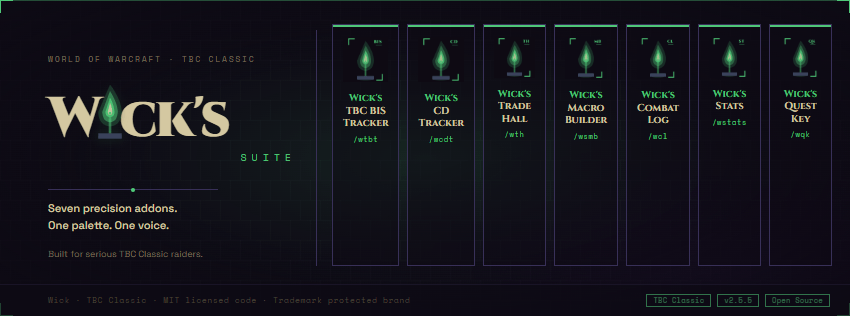
Part of the Wick suite — a small family of TBC Classic addons built around a single dark-purple, fel-green aesthetic. Clean information density, no fantasy scroll texture, no Blizzard dialog chrome.
WHAT IT DOES
• Drag macros to your action bars from inside the builder. The right-side icon strip shows every macro in your current scope with its real icon. Left-click an icon to load it into the editor; left-drag it onto any action-bar slot to equip it. No more switching to /macro to drag things.
• Pick any icon for your macro. Click the ? button next to the Name field to open a grid of every macro-eligible icon — pick one and it's saved with the macro. Your raid macros stop all looking like identical ? icons.
• General tab — one-click conditionals and commands. 20 conditionals (@mouseover, @focus, @player, [help], [harm], [mod:shift], [stance:1/3], [form:3], [stealth], and more) and 18 slash commands (#showtooltip, /cast, /castsequence, /cancelaura, /cancelform, /use, /stopcasting, /petattack, /focus, and the rest). Each chip inserts its snippet at your cursor with a hover tooltip explaining what it does.
• Class preset library. 54 curated TBC-correct macros across all 9 classes: Druid Cat+Dash, Priest Inner Focus + Prayer of Healing + trinket, Shaman NS+Healing Wave, Paladin Bubblehearth, Mage PoM+Pyroblast, Warlock Banish focus, Warrior stance-swap + ability, Rogue Cheap Shot focus, Hunter Misdirection focus. Click a preset to load it into the editor as a starting point.
• Live 255-character counter — green → amber → red as you approach WoW's macro cap.
• Smart save flow. Click an existing icon in the strip to load it, edit the body, hit Save Changes — it's overwritten in place. Or clear the editor, type fresh, and hit Create New to append a brand-new macro. A mode hint tells you exactly which mode you're in.
• Confirmation before delete — a popup asks before nuking a macro.
• Global and Per-Character scope — toggle at the top of the icon strip. Creates and browses behave correctly per WoW's packed-list macro model.
• Resizable — the BOTTOMRIGHT fel-green L-bracket doubles as the resize grip. Size and position remembered per character. Chips, presets, and editor all reflow.
WHY IT FEELS DIFFERENT
• Flat dark panel, thin 1px purple border, fel-green L-bracket corners at all four corners — no Blizzard scroll texture, no gradient chrome.
• Chip-based builder — you don't memorize conditional syntax, you click chips and edit around them. Hover any chip for a plain-English description and the exact snippet it inserts.
• Icon-based macro management — no numbered slots to track; you see the actual icon of the macro you're about to load, edit, or drag.
• Does not interfere with Blizzard's native macro UI — your existing macros stay exactly as they are unless you edit them here. All PickupMacro, CreateMacro, EditMacro, and DeleteMacro calls are combat-guarded.
INSTALLATION
- Install via CurseForge client, or drop the WicksMacroBuilder folder into Interface\AddOns\
- /wsmb to toggle the builder
- Click any chip to insert a snippet; click any preset to load a starting macro; click an icon in the right strip to load an existing macro; drag an icon from the strip onto your action bar
COMPATIBILITY
• TBC Classic (Burning Crusade Classic / Anniversary) — Interface 20505
• Works with both Global and Per-Character macro slots
CurseForge: https://www.curseforge.com/wow/addons/wicks-macro-builder
用户评价
暂无 / 5,0 条评价相关推荐
继续看看这些内容
