插件中文资料库
中文说明、玩家点评、适用场景和替代推荐,方便快速判断是否适合你。
- 界面布局、头像框、姓名板和动作条优化
 BagSync
 TankMD Misdirect
 GroupFinder
Wick's Stats 插件下载与使用指南
本页整理了 Wick's Stats 的功能用途、适用人群、安装方法和常见问题,方便玩家快速判断是否需要安装。
适合谁用
Wick's Stats 是一款 战斗 / HUD界面 / 其他插件 类插件,适合需要优化界面、提升操作效率或补充游戏信息提示的魔兽世界玩家。
基本信息
- 插件作者:Wicksmods
- 插件分类:战斗 / HUD界面 / 其他插件
- 适配版本:2.5.5
- 累计下载:51
安装方法
- 点击上方下载按钮获取 Wick's Stats插件文件。
- 解压后将插件文件夹放入 World of Warcraft/_retail_/Interface/AddOns 目录。
- 重启游戏或在角色界面点击插件,确认 Wick's Stats 已启用。
- 如果插件不生效,请检查版本是否匹配,或关闭同类冲突插件后重试。
使用建议
Wick's Stats 安装后建议先在角色界面确认已启用,进入游戏后根据插件提供的命令、小地图按钮或设置面板进行调整。如遇到报错,可先单独启用该插件排查冲突。
Wick's Stats 常见问题
Wick's Stats 适合需要 战斗 / HUD界面 / 其他插件 类功能的玩家,特别是希望提升游戏便利性、界面管理或战斗信息获取效率的用户。
下载后解压到 Interface/AddOns 目录,然后重启游戏并在角色界面启用插件。
常见原因是目录多套一层、游戏版本不匹配、依赖插件缺失或同类插件冲突。
可以查看本页的替代插件推荐和相关插件区域,按下载量和分类选择同类工具。
插件 AI 问答
可以问:这个插件正式服能用吗、和 DBM 冲突吗、怎么设置、有没有替代插件。
Wick's Stats 是一款魔兽世界插件,主要用于其他插件相关功能,适合对应经典服或周年服版本使用。建议根据自己的版本和插件环境先测试兼容性。
插件用途
Wick's Stats 主要面向需要其他插件功能的玩家,用来改善游戏体验、减少重复操作或补充默认界面没有直接提供的信息。
适用场景
- 其他插件相关功能
使用建议
安装后建议先在角色选择界面或插件管理器中确认已启用,再进入游戏测试是否与现有整合包、WA 和其他插件冲突。如遇报错,可以先禁用同类插件排查。
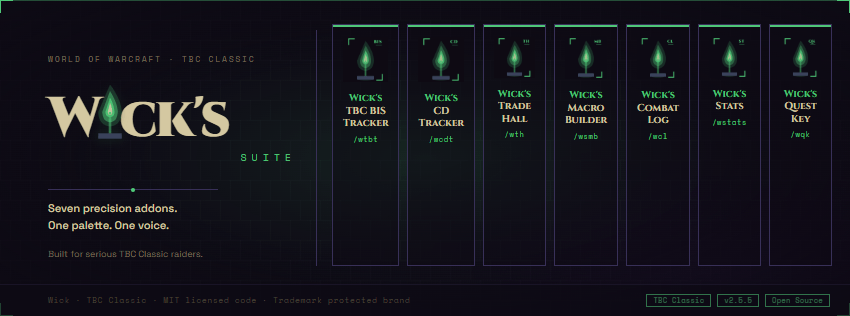
Wick's Stats is a detailed character stat panel for TBC Classic Anniversary (2.5.5). It docks beside the character frame and surfaces every stat Blizzard buries or hides altogether.
NEW in 0.2.0: Buff Impact Preview!!
A dedicated BUFF IMPACT panel section lists missing common raid buffs at a glance with the headline gain you're missing. Hover any row for the full breakdown.
A gear button in the title bar opens a docked options window where you tick which buffs to track. The list auto-seeds from your currently-active buffs the first time you use the addon, so you start with your real loadout. Three quick-action buttons let you re-snapshot to current, enable all, or clear all.
A Simulate raid buffs toggle adds enabled-but-missing buffs into your displayed stats so you can preview your fully-buffed values for gearing decisions. The title bar shows a green [sim] tag while the preview is on, so you never forget it's active.
Live stat diff
Open the panel and your stats are baselined. Swap a piece of gear and value text colors bright fel-green if it went up, red if it went down. Hover any row for the exact delta.
The default behavior resets the baseline on close. A Sticky stats toggle keeps it across opens, with a smart auto-refresh if your active buff set drifts by more than 3 buffs (so a buffed-then-solo reopen does not make every value look like a regression). A Reset baseline button forces a fresh snapshot anytime.
Stat weights with cap awareness
A WEIGHTS panel section shows the top stats ranked by gear-rating weight for your spec. SP = 1.00 baseline for casters and healers, AP = 1.00 for melee and ranged, STA = 1.00 for tanks. Cap-aware: hit rating zeroes past the cap, expertise drops past the dodge cap, defense drops past the uncrittable threshold. Auto-detects your spec from your talent tree.
What it shows
Sectioned into a clean three-column layout:
- Attributes: Strength, Agility, Stamina, Intellect, Spirit, plus Health and Mana. Hover any attribute for a full Total / Base+Gear / Buffs / Debuffs breakdown.
- Melee: Attack Power, Crit, Hit, Expertise (with dodge/parry reduction in the tooltip), Haste, weapon skill MH/OH, attack speed.
- Ranged: AP, Crit, Hit, Haste.
- Spell: Spell Power with per-school breakdown, Bonus Healing for healers, Spell Crit per school, Hit, Haste, Penetration.
- Defenses: Armor (with damage-reduction percent vs. level 73 attackers), Defense, Dodge, Parry, Block, Block Value, Resilience.
- Resistances: Holy, Fire, Nature, Frost, Shadow, Arcane.
- Regen: MP5 outside and inside the Five-Second Rule.
Smart per-class display
Bonus Healing is hidden if you can't heal. Parry and Block are hidden if your class can't use them. Mana and Regen only appear for mana classes.
Snapshots
Capture, list, diff, and remove named stat snapshots via slash commands:
/wickstats snap save <name>/wickstats snap list/wickstats snap diff <name>/wickstats snap rm <name>
UI
- Three-column layout, 720px wide. Height auto-fits.
- Auto-shows when you open the character panel.
- An X in the panel header lets you hide the panel without closing the character pane.
- Wick brand styling: dark purple panel, fel-green corner accents, 1px border, two-tone "Wick's Stats" title.
Commands
/wickstatsor/wstatstoggles the panel./wickstats spec <name>overrides auto-detected spec;/wickstats spec autoreverts.
Per-character settings
All settings (tracked buffs, snapshots, sticky baseline, simulate-raid-buffs toggle) save per character, so each alt has its own loadout.
Requirements
TBC Classic Anniversary (2.5.5). Pure Lua, no library dependencies.
用户评价
暂无 / 5,0 条评价相关推荐
继续看看这些内容
